I’ve been addicted to Apex Legends for four years now and I’m currently in therapy. The good news is that I’ve been touching grass lately.Since I’ve basically spent over 3,000 hours playing this game, I think I have a fair chance of making a few recommendations to you gamers out there.
Apex Legends is a fast-paced game where seeing your enemies clearly matters a lot because, eventually, you’ll have to shoot them. You can have the best gaming mouse, keyboard, and even the best gaming PC, but if everything looks like Roblox in 144p, you’ll probably uninstall the game because you’ll be dying so often that it becomes stale.
When choosing the best gaming monitor for Apex Legends, our priorities are visibility, motion clarity, and fast response times. These are the features that make tracking enemies easier and the game much more enjoyable to play.
That’s why it’s important to choose the right monitor for the right game.
Affiliate Disclosure
Some of the links in this article are affiliate links, which means I may earn a small commission if you purchase a product through one of these links, at no additional cost to you. This helps support me and allows me to continue creating gaming guides and hardware recommendations.
With that said, what should you expect from a gaming monitor for Apex Legends? Or, if you’re eager to get straight to the recommendations, feel free to skip ahead to My Picks.
What to Expect When Buying a Gaming Monitor for Apex Legends
Since we’re looking for the best gaming monitor for Apex Legends, let’s first understand what specifications actually matter. Apex Legends is a fast-paced competitive shooter, so some monitor features are far more important than others.
Refresh Rate
For Apex Legends, 60Hz is like having cataracts while fighting in the trenches during World War I. You can try, but the outcome will probably be the same—you’ll lose.
For those of you on a budget, 144Hz is the most common refresh rate you’ll find under $100, and it’s already a massive upgrade over 60Hz. If your budget allows it, 240Hz is the sweet spot. The game feels much smoother, making it easier to track enemies, react faster, and follow movement during hectic fights.
Then there’s 360Hz. This is where the Predator-ranked Apex players who rarely touch grass live. If you have the money, go for it, but for most players anything beyond 240Hz starts giving diminishing returns. The jump from 60Hz to 144Hz is enormous, while the difference between 240Hz and 360Hz is much smaller.
One important thing to remember: buying a 240Hz monitor does not guarantee 240 FPS. Your monitor can display up to 240 frames per second, but your actual FPS is determined by your GPU, CPU, and in-game settings.
Resolution
I think most of you reading this would rather win the match than get completely obliterated, so you’ll probably prefer a more competitive resolution.
For most Apex Legends players, 1080p is still the gold standard. It’s easier to run, allows higher frame rates, and remains the most popular resolution among competitive gamers.
If you also enjoy Apex’s beautiful environments like E-District and Olympus (still my least favorite map), then 1440p offers noticeably sharper visuals. Just remember that you’ll need a stronger graphics card to maintain high FPS.
My personal favorite is 1728×1080 stretched resolution. It keeps the game looking good while making enemy models appear slightly wider, which many competitive players enjoy.
And for those of you gaming on potato laptops, 1440×1080 stretched is still a solid option if you’re trying to squeeze out every possible frame.
Panel Type
When shopping for a monitor, you’ll come across several panel technologies including IPS, VA, TN, and OLED.
For most budget gamers, IPS is the safest choice. It offers excellent color accuracy, wide viewing angles, and fast enough response times for competitive Apex Legends.
OLED is the premium option. It delivers incredible contrast, perfect blacks, and response times so fast that most people won’t even notice the difference compared to a good IPS panel. The downside is the price—it is far outside the budget of this article.
TN panels are still worth considering if your only goal is maximum competitive performance. They offer extremely fast response times but sacrifice color quality and viewing angles, making them less enjoyable for everyday use.
VA panels sit somewhere in the middle, providing much better contrast than IPS but sometimes suffering from slower pixel transitions that can cause ghosting in fast-moving games like Apex Legends.
Screen Size
For competitive Apex Legends, 24-inch monitors remain my top recommendation. They’re large enough to see everything clearly without forcing you to constantly move your head around the screen.
A 27-inch monitor is also a good option if you play a mix of competitive and single-player games, but if Apex Legends is your main game, I still think 24 inches offers the better competitive experience.
Adaptive Sync
Finally, look for a monitor that supports AMD FreeSync or NVIDIA G-SYNC Compatible technology. These features reduce screen tearing and make gameplay appear much smoother, especially when your FPS fluctuates during intense fights.
While Adaptive Sync won’t magically improve your aim, it does create a smoother and more consistent visual experience, making Apex Legends feel much better to play.
Best Overall Gaming Monitor for Apex Legends
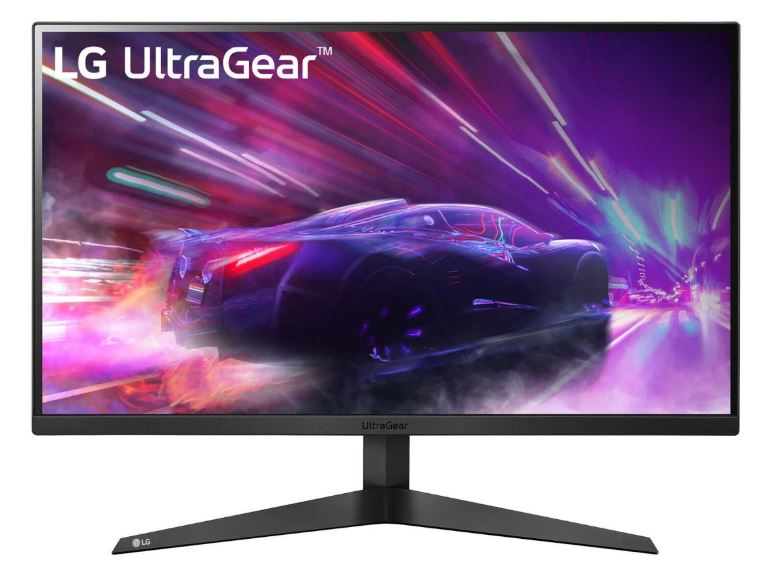
LG UltraGear 27GR83Q-B
Approx. Price: $250–320
Quick Overview: 27-inch, 1440p Fast IPS, 240Hz refresh rate, 1ms response time, G-SYNC Compatible and AMD FreeSync Premium.
Pros
- Excellent motion clarity
- 240Hz refresh rate
- Accurate colors
- Ergonomic stand
- Low input lag
Cons
- HDR performance is average
- Not the brightest monitor available
Why It’s Great for Apex Legends
If I could only recommend one monitor for Apex Legends, this would probably be it. The combination of a 240Hz refresh rate, Fast IPS panel, and excellent motion handling makes tracking fast-moving enemies much easier. Whether you’re wall bouncing, tap strafing, or trying to beam a Horizon flying across the map, this monitor keeps the action incredibly smooth without costing OLED money.
Best Value Gaming Monitor for Apex Legends
AOC Q27G3XMN
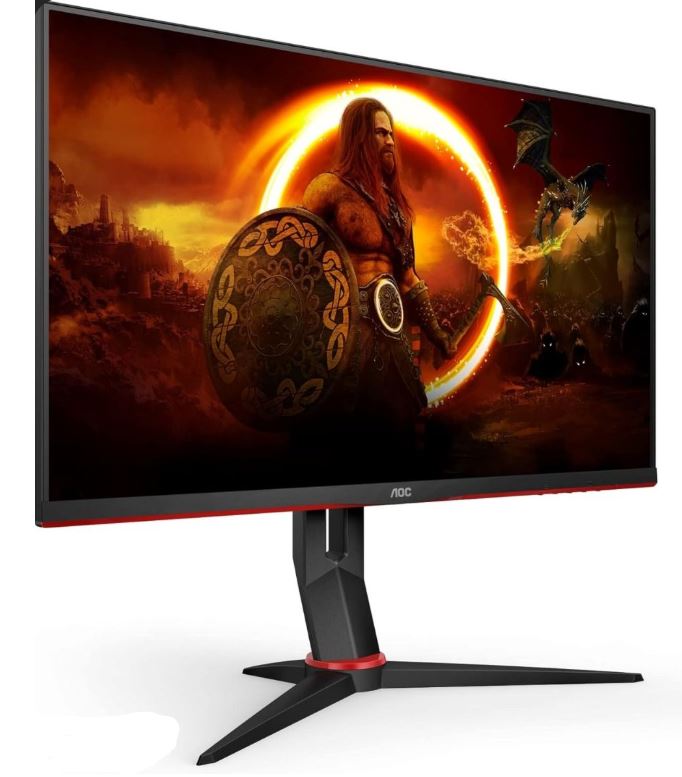
Approx. Price: $250–350
Quick Overview: 27-inch, 1440p Mini-LED VA, 180Hz refresh rate, HDR1000 support.
Pros
- Incredible HDR performance
- Deep blacks
- Excellent contrast
- Bright display
Cons
- Minor VA smearing in very fast scenes
Why It’s Great for Apex Legends
The Mini-LED backlight gives this monitor outstanding contrast, making enemies hiding in darker areas easier to spot. Combined with a 180Hz refresh rate, it delivers a fantastic competitive experience while offering much better HDR than most monitors in this price range.
Best Competitive Gaming Monitor
ASUS ROG Swift PG259QN (or Similar)
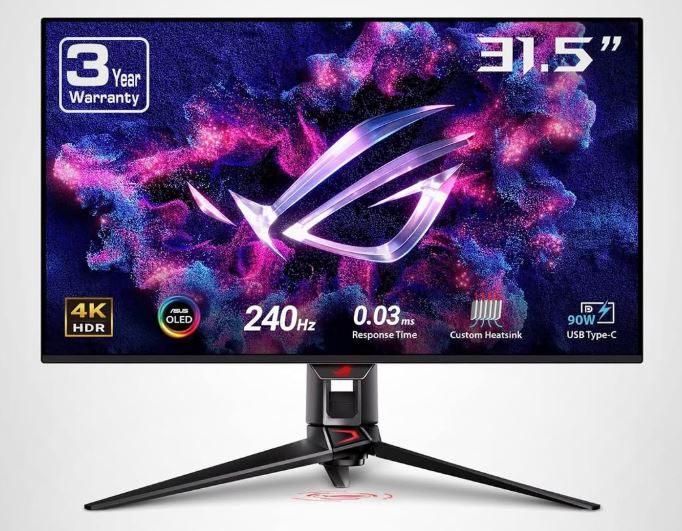
Approx. Price: $250–350
Quick Overview: 24.5-inch, 1080p IPS, 360Hz refresh rate, ultra-low input lag.
Pros
- Extremely high refresh rate
- Excellent motion clarity
- Low input latency
- Ideal screen size for esports
Cons
- Lower resolution than 1440p
Why It’s Great for Apex Legends
If your only goal is climbing the ranked ladder, a 24-inch 1080p 360Hz monitor still offers one of the biggest competitive advantages. The smaller screen makes it easier to keep everything within your field of view, while the incredibly high refresh rate helps every movement feel immediate and responsive.
Best OLED Gaming Monitor
Alienware AW2725DM
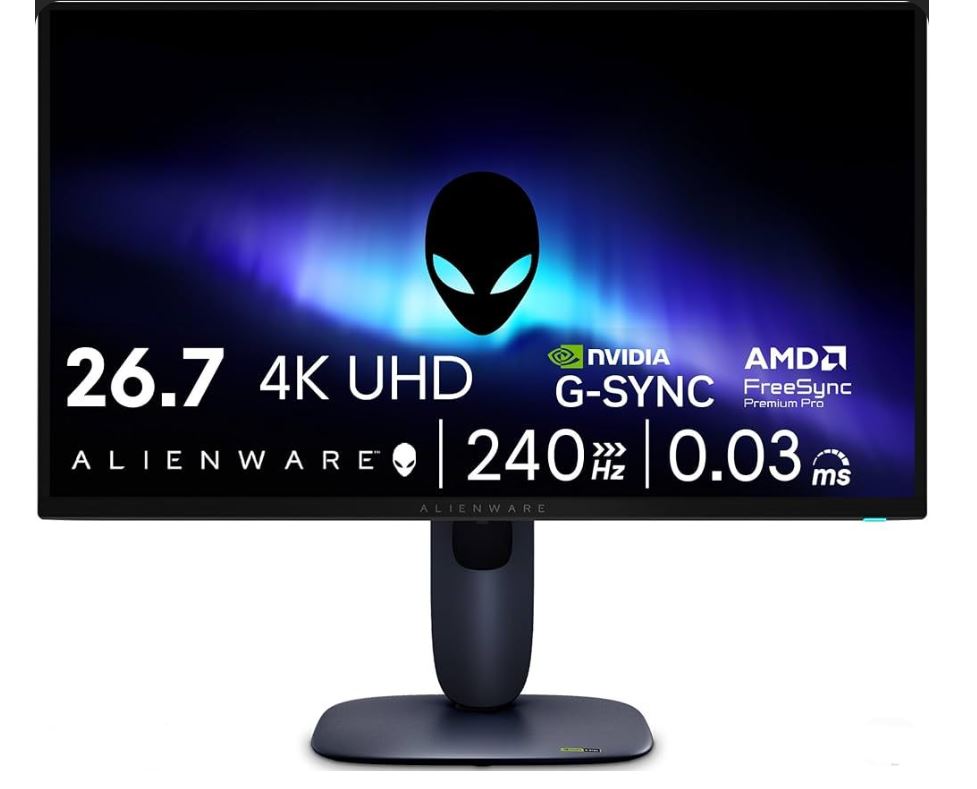
Approx. Price: $260–450
Quick Overview: 27-inch QD-OLED, 1440p, 280Hz refresh rate.
Pros
- Near-instant response time
- Incredible motion clarity
- Infinite contrast
- Vibrant colors
Cons
- Potential burn-in with static HUD elements
- More expensive than IPS monitors
Why It’s Great for Apex Legends
QD-OLED technology delivers some of the clearest motion available today. Enemy movement appears incredibly sharp, making target tracking feel effortless during chaotic team fights. If your budget allows it, this is one of the best Apex Legends monitors you can buy.
Best 1440p Gaming Monitor
Gigabyte M27Q X
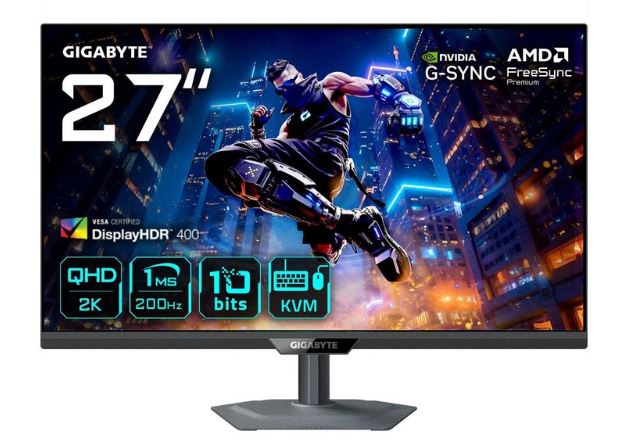
Approx. Price: $150–200
Quick Overview: 27-inch Fast IPS, 1440p, 240Hz, KVM switch, wide color gamut.
Pros
- Excellent color accuracy
- 240Hz refresh rate
- Sharp 1440p image
- Useful connectivity
Cons
- HDR performance is fairly basic
Why It’s Great for Apex Legends
For players who want sharper visuals without sacrificing competitive performance, the M27Q X is one of the best choices available. The combination of 1440p and 240Hz gives you excellent image quality while maintaining the fast response required for high-level Apex gameplay.
Best Budget Gaming Monitor
Acer Nitro or Pixio Entry Series
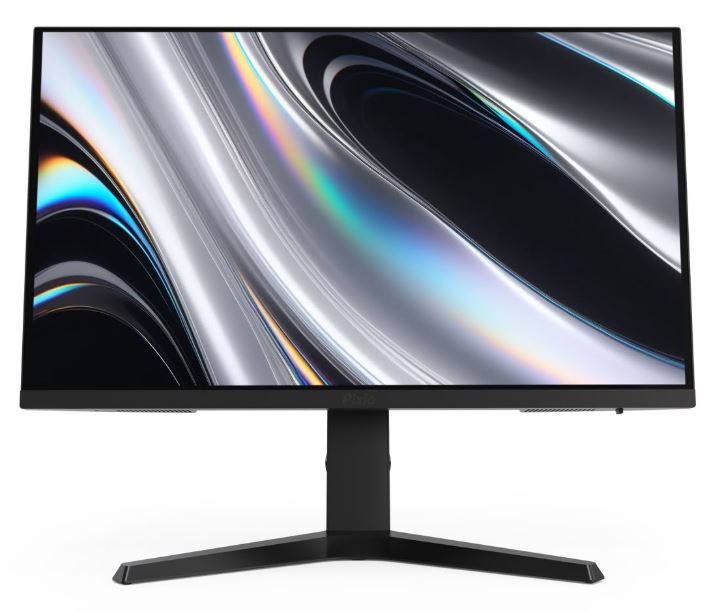
Approx. Price: $150–220
Quick Overview: 24–27-inch IPS, 1080p, 165–180Hz.
Pros
- Excellent value
- Smooth gameplay
- Low input lag
- Good color reproduction
Cons
- Basic stand
- Limited HDR support
Why It’s Great for Apex Legends
If you’re building your first gaming setup, this is where I’d start. A 165Hz or 180Hz IPS monitor is already a massive improvement over a standard 60Hz display and gives you everything you need to enjoy Apex Legends competitively without spending a fortune.
How to Choose the Right Monitor for Apex Legends
Casual Player
If you mostly play Apex Legends in your free time and occasionally switch to other games, a 27-inch budget gaming monitor is your best choice. The larger screen makes story-driven games and everyday use more enjoyable while still giving you a smooth experience in Apex. A 144Hz or 180Hz IPS monitor is more than enough for casual players.
Ranked Grinder
If your goal is climbing the ranked ladder every season, prioritize refresh rate over visuals. A 1080p high-refresh gaming monitor (240Hz if possible) or one of the Best Value picks is ideal. The smoother gameplay and lower input lag make it easier to track enemies, react faster, and stay consistent during long ranked sessions.
Competitive Player
If you compete in tournaments, scrims, or simply want the best equipment possible, the Premium Gaming Monitor is the way to go. At this level, you don’t want your hardware holding you back. Features like ultra-low response times, exceptional motion clarity, and high refresh rates can give you every possible competitive advantage.
Streamer
If you stream Apex Legends, I recommend using two monitors. Use your premium gaming monitor for playing the game and a budget secondary monitor for reading chat, managing OBS, Discord, or monitoring your stream. A dual-monitor setup makes streaming much more comfortable and lets you focus on your gameplay without constantly tabbing out.
Conclusion
At the end of the day, Apex Legends rewards skill more than expensive hardware, but having the right gaming monitor can make a noticeable difference. A higher refresh rate, lower response time, and smoother motion clarity make it easier to track enemies, react to movement, and win those close-range gunfights where every millisecond counts.
If you’re on a tight budget, don’t feel pressured to buy the most expensive monitor on the market. A 1080p 144Hz or 180Hz IPS monitor is already a huge upgrade over a standard 60Hz display and is more than capable of helping you climb the ranked ladder. If your budget is larger, a 240Hz or even 360Hz monitor provides an even smoother experience, especially for highly competitive players who want every possible advantage.
Remember, though, a premium monitor won’t magically turn you into an Apex Predator. Positioning, aim, movement, game sense, and teamwork will always matter more than your hardware. Think of your monitor as a tool that helps you perform at your best rather than something that replaces practice.
If you’re building a complete Apex Legends setup, be sure to check out my guides on the Best Gaming Mouse for Apex Legends, Best Gaming Keyboard for Apex Legends, Best Gaming Headset for Apex Legends, Best GPU for Apex Legends, Best CPU for Apex Legends, and Best Gaming Laptop for Apex Legends. Together, they’ll help you build a setup that’s optimized for smoother gameplay, higher FPS, and a better overall Apex Legends experience.
Now drop into the Outlands, don’t hot drop Fragment unless you’re feeling brave, and hopefully your next match ends with a Champion screen instead of a trip back to the lobby.
Thank You for clicking and reading my article. Hope you found what you were looking for.