Since Apex Legends is a battle royale where randomness is practically part of the experience, buying a decent gaming headset goes a long way. Almost everything you do in this game produces an audio cue—reloading, using a zipline or Zip Rail, bouncing on Octane’s Jump Pad, Valkyrie’s VTOL Jets, Revenant climbing a wall, healing, reviving teammates, opening doors, and finally… footsteps, which sometimes feel like they don’t exist at all.
Recognizing these distinct audio cues gives you valuable information before the enemy even knows you’re there. Hearing another squad fighting nearby, identifying which Legend is using an ability, or knowing someone is healing behind a rock can completely change how you approach a fight.
One quick thing before we jump into the next section: even if you buy a $2,000 gaming headset, you’ll still occasionally lose a fight because of Apex’s audio. It can be frustrating, and while Respawn continues improving the game, there are still moments when your teammates’ footsteps sound louder than the enemy standing right next to you with a fully-kitted R-99 and a Mastiff waiting to send you back to the lobby.
But you know what can help in those situations? Movement. Hit a quick Faide slide, chain it into a tap strafe, and suddenly that roller player who thought they had a free kill is wondering where all their shots went.
A good gaming headset won’t fix every audio issue Apex throws at you, but it will help you hear enemy rotations earlier, identify the weapons other squads are using, recognize nearby abilities, and make smarter decisions during the final rings. Sometimes, hearing a fight a few seconds before everyone else is the difference between becoming the next kill leader and becoming the next death box.
Affiliate Disclosure
Some of the links in this article are affiliate links, which means I may earn a small commission if you purchase a product through one of these links, at no additional cost to you. This helps support me and allows me to continue creating gaming guides and hardware recommendations.
That said, what should you expect when buying a gaming headset for Apex Legends?
What to Expect When Buying a Gaming Headset for Apex Legends
Sound Imaging
One of the most important features of a gaming headset is sound imaging. A good headset can accurately reproduce directional sounds, allowing you to pinpoint exactly where an enemy is walking, healing, reloading, or climbing. Good imaging also helps you judge how far away gunfire, explosions, or abilities are happening, giving you valuable information before you even see another squad.
Soundstage
Soundstage refers to how wide, deep, and spacious the game’s audio feels.
A wider soundstage makes it easier to separate multiple sounds happening at once, which is extremely useful in Apex Legends where three or four squads can be fighting in the same area. A headset with a good soundstage makes the battlefield feel less crowded, allowing you to identify where enemies are rotating instead of everything blending into one noisy mess.
Microphone Quality
Apex Legends is a team game where communication can be the difference between becoming Champions or getting sent back to the lobby.
A headset with a clear microphone helps you make accurate callouts during Ranked matches. Whether you’re telling your teammates that someone is one shot, calling out a third party, or warning them about a flanking squad, clear communication is essential. Most modern gaming headsets also work exceptionally well with Discord, offering excellent voice quality and noise suppression features.
Wired vs Wireless
If you’re on a budget, a wired gaming headset is usually the better option. They generally cost less, require no charging, and offer excellent audio quality for the price.
If your budget is higher, modern wireless gaming headsets have improved tremendously. They now offer incredibly low latency, long battery life, and excellent sound quality that’s virtually indistinguishable from wired models for most players. The freedom to move around without a cable is also a nice bonus during long gaming sessions.
Comfort
Apex Legends isn’t a game where you play one match and quit. Before you know it, you’ve spent three hours trying to recover the RP you lost twenty minutes ago.
That’s why comfort matters.
Look for a headset with memory foam ear cushions, a lightweight design, and a comfortable clamp force. A headset that’s too heavy or clamps too tightly will quickly become uncomfortable during long Ranked sessions.
Open-Back vs Closed-Back
Most gaming headsets are closed-back, and for Apex Legends, that’s usually the better choice.
Closed-back headsets block outside noise, helping you focus on footsteps and other important audio cues without distractions.
Open-back headsets produce a wider and more natural soundstage, making directional audio feel incredibly accurate. However, they leak sound and allow outside noise in, making them less practical if you play in a noisy environment.
For most Apex Legends players, I recommend closed-back gaming headsets because they provide better isolation and a more immersive experience.
Virtual Surround Sound
Many gaming headsets advertise 7.1 Virtual Surround Sound, but don’t assume it’s automatically better than stereo.
Some players enjoy virtual surround because it can make directional audio feel more immersive. However, many professional Apex Legends players still prefer stereo audio, as it often provides more accurate sound positioning and cleaner audio cues.
My advice? Try both if your headset supports it and use whichever helps you identify enemy positions more consistently.
Best Overall Gaming Headset for Apex Legends
HyperX Cloud III
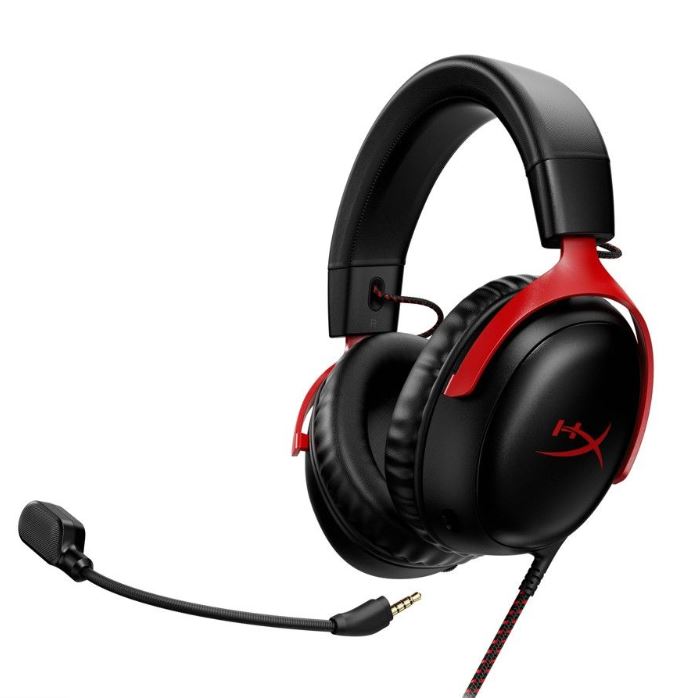
Approx. Price: $80–110
Pros
- Outstanding comfort for long gaming sessions
- Excellent directional imaging for competitive FPS
- Clear detachable microphone
- Durable aluminum frame
- Great overall value
Cons
- Wired version only
- Bass may feel slightly heavy for some players
Why It’s Great for Apex Legends
The HyperX Cloud III strikes an excellent balance between comfort, sound quality, and accurate positional audio. Its precise imaging makes it easier to identify footsteps, healing sounds, and enemy abilities, while its lightweight design keeps you comfortable through hours of Ranked matches. For most Apex Legends players, this is the headset I’d recommend first.
Best Value Gaming Headset
Razer BlackShark V2 X
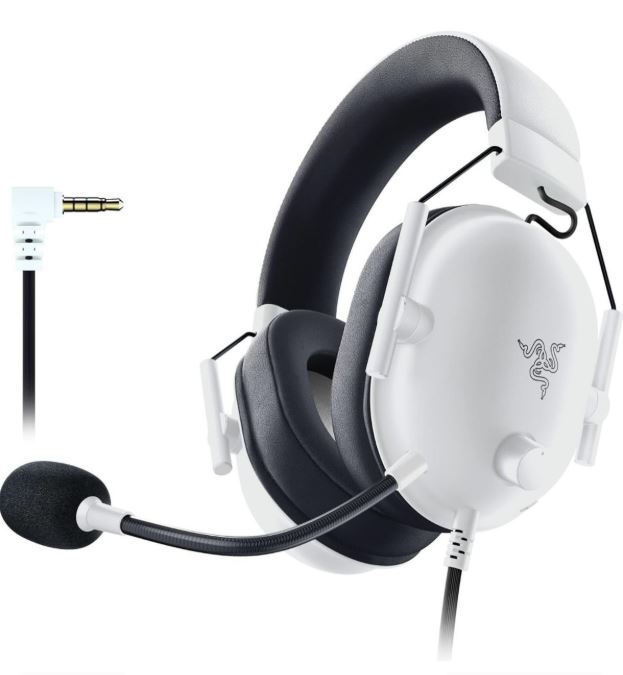
Approx. Price: $40–60
Pros
- Lightweight and comfortable
- Excellent FPS-focused sound signature
- Clear microphone
- Outstanding value for money
Cons
- Plastic construction
- Wired only
Why It’s Great for Apex Legends
If you’re on a budget, the Razer BlackShark V2 X delivers impressive positional audio without costing a fortune. Its emphasis on mids and highs makes footsteps, reloads, and ability sounds easier to distinguish, making it one of the best entry-level headsets for Apex Legends.
Best Competitive Gaming Headset
SteelSeries Arctis Nova Pro
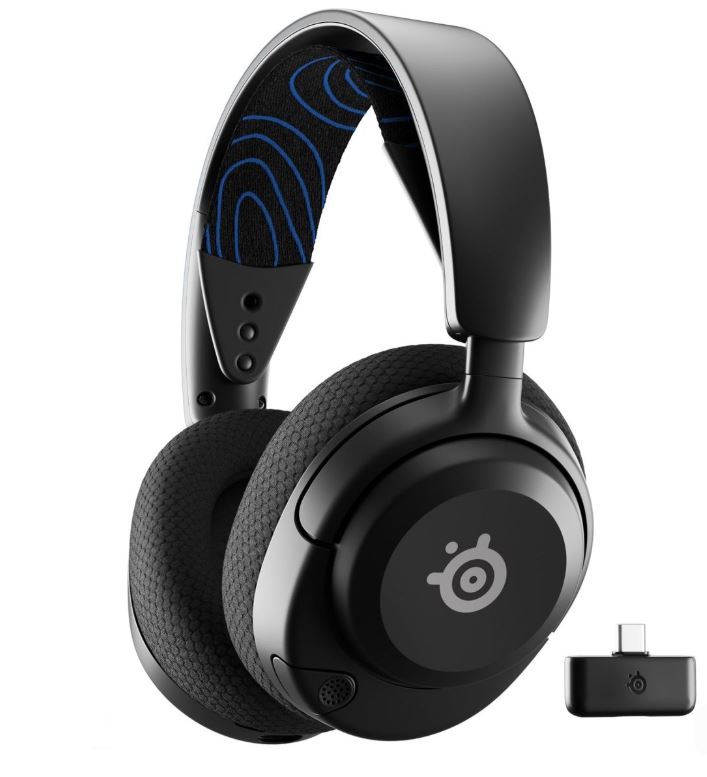
Approx. Price: $200–250
Pros
- Outstanding sound imaging
- Excellent microphone quality
- Comfortable for marathon gaming sessions
- Powerful EQ customization
- Active Noise Cancellation (wireless version)
Cons
- Expensive
- SteelSeries software can occasionally be frustrating
Why It’s Great for Apex Legends
If competitive play is your priority, the SteelSeries Arctis Nova Pro is one of the finest gaming headsets available. Its exceptional imaging helps you pinpoint footsteps and enemy abilities with impressive accuracy, while the customizable EQ lets you tune the sound profile to better highlight important in-game audio cues.
Best Wireless Gaming Headset
Logitech G Pro X 2 Lightspeed
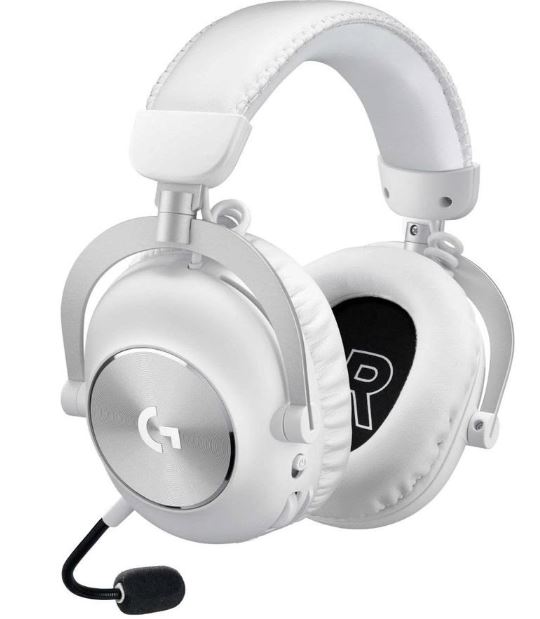
Approx. Price: $180–230
Pros
- Extremely low wireless latency
- Excellent battery life
- Comfortable for extended sessions
- Balanced sound profile
- Detachable microphone
Cons
- Expensive
- Microphone quality is good but not class-leading
Why It’s Great for Apex Legends
The Logitech G Pro X 2 Lightspeed offers the freedom of wireless gaming without sacrificing competitive performance. Its accurate positional audio and reliable wireless connection make it an excellent choice for Ranked players who want a clean setup without compromising on responsiveness.
Best Open-Back Gaming Headset
Drop + EPOS PC38X
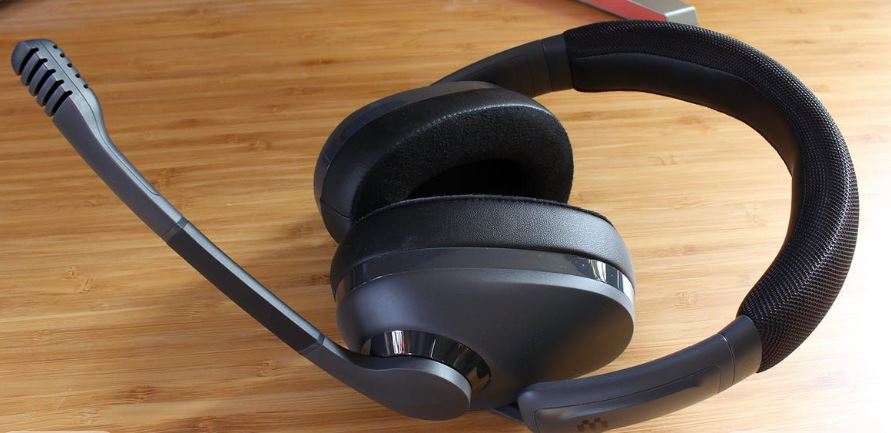
Approx. Price: $150–180
Pros
- Exceptional soundstage
- Outstanding positional audio
- Excellent built-in microphone
- Lightweight and comfortable
Cons
- Open-back design leaks sound
- Not ideal for noisy environments
- Wired only
Why It’s Great for Apex Legends
If your gaming room is quiet, the Drop + EPOS PC38X delivers some of the best positional audio available. Its open-back design creates a spacious soundstage that makes footsteps and distant gunfights feel incredibly natural, helping you judge enemy positions with remarkable accuracy.
Best Budget Gaming Headset
HyperX Cloud Stinger 2
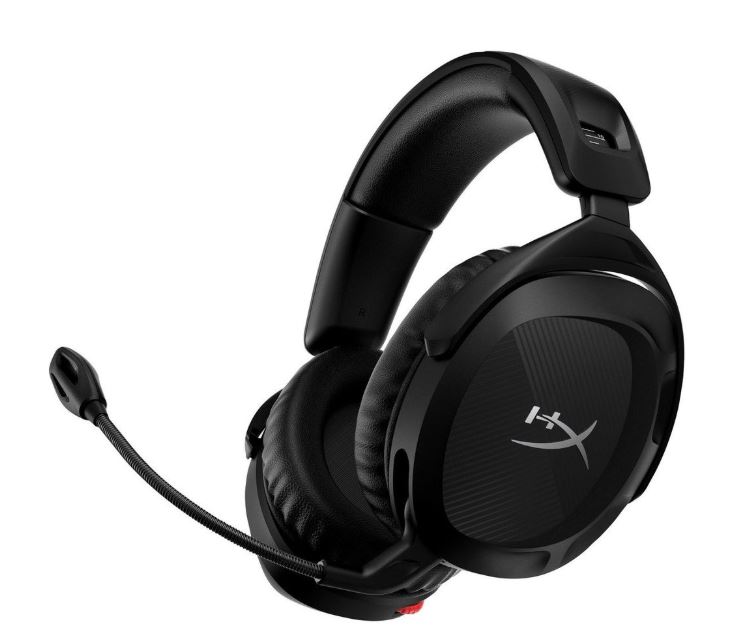
Approx. Price: $30–50
Pros
- Extremely affordable
- Comfortable for the price
- Clear flip-to-mute microphone
- Good overall gaming sound
Cons
- Basic audio quality compared to premium models
- Build quality isn’t as durable over the long term
Why It’s Great for Apex Legends
If you’re upgrading from basic earbuds or an old office headset, the HyperX Cloud Stinger 2 is a fantastic place to start. It offers clear communication, respectable positional audio, and comfortable ear cushions, making it one of the best budget gaming headsets for new Apex Legends players.
Which Gaming Headset Is Right for You?
Casual Gamer
Recommended: Budget Gaming Headset
Best Pick: HyperX Cloud Stinger 2 (Approx. $30–50)
If you mainly play Apex Legends casually with friends or jump into a few matches after work or school, there’s no need to spend hundreds of dollars on a premium headset. The HyperX Cloud Stinger 2 offers comfortable ear cushions, a clear microphone, and respectable positional audio at a budget-friendly price. It’s a fantastic first gaming headset for casual players.
Ranked Grinder
Recommended: Competitive Budget Headset
Best Pick: Razer BlackShark V2 X (Approx. $40–60)
If you’re constantly grinding Ranked and trying to climb the ladder every split, the Razer BlackShark V2 X is one of the best value headsets available. Its excellent directional audio makes footsteps and ability sounds easier to identify, while the lightweight design keeps you comfortable through long gaming sessions.
Competitive Player
Recommended: Premium Competitive Headset
Best Pick: SteelSeries Arctis Nova Pro (Approx. $200–250)
If you’re serious about competitive Apex Legends, scrims, or tournaments, investing in premium audio is well worth it. The SteelSeries Arctis Nova Pro delivers exceptional positional accuracy, outstanding microphone quality, and customizable EQ settings that help you pick up important in-game audio cues before your opponents do.
Streamer / Content Creator
Recommended: Wireless Gaming Headset
Best Pick: Logitech G Pro X 2 Lightspeed (Approx. $180–230)
If you stream Apex Legends or spend hours gaming every day, comfort and convenience become just as important as sound quality. The Logitech G Pro X 2 Lightspeed offers reliable low-latency wireless performance, long battery life, and excellent comfort, allowing you to focus on your gameplay instead of dealing with cables during long streaming sessions.
Common Mistakes When Buying a Gaming Headset (and How to Avoid Them)
1. Buying a Bass-Heavy Gaming Headset
Many gaming headsets are tuned with exaggerated bass to make explosions and gunfire sound more exciting.
Why it’s a mistake for Apex Legends:
Too much bass can mask the mid and high frequencies where important audio cues live, such as footsteps, reloads, healing sounds, and Legend abilities. In Apex Legends, accurately hearing an Octane sprinting behind you or a Horizon Lift activating is far more valuable than making explosions shake your ears.
Better approach: Choose a headset with a balanced or neutral sound signature that emphasizes positional audio instead of excessive bass. Competitive-focused headsets generally perform much better for FPS games.
2. Thinking “Louder Footsteps” Automatically Means Better Audio
Some gaming headsets or EQ presets artificially boost certain frequencies to make footsteps sound louder.
Why it’s a mistake:
While footsteps may become louder, you often sacrifice overall sound balance and positional accuracy. Apex Legends has complex audio with abilities, gunfire, explosions, and multiple squads fighting simultaneously. Overboosting footsteps can make everything else sound unnatural and reduce your ability to judge direction and distance accurately.
Better approach: Prioritize a headset with excellent imaging and soundstage, then fine-tune your EQ if necessary. Accurate positioning is much more valuable than simply making everything louder.
3. Ignoring Comfort
Ranked sessions have a funny habit of lasting much longer than you planned.
Why it’s a mistake:
A headset that’s too heavy or clamps too tightly can cause headaches, sore ears, and fatigue. Once you’re uncomfortable, your focus naturally starts to slip, which isn’t exactly ideal when you’re trying to survive the final ring.
Better approach: Look for a lightweight headset (around 300g or less) with memory foam ear cushions, breathable materials, and a comfortable clamp force. Reading long-term comfort reviews is just as important as checking the sound quality.
4. Buying RGB Instead of Better Audio
RGB lighting looks great, but it doesn’t improve your gameplay.
Why it’s a mistake:
Some manufacturers spend more effort marketing flashy lighting than improving the speakers, microphone, or overall build quality. In Apex Legends, better positional audio will help you win fights—RGB won’t.
Better approach: Prioritize sound quality, comfort, microphone quality, and durability first. If your headset also has RGB, treat it as a bonus rather than the deciding factor.
5. Ignoring Microphone Quality
Apex Legends is a team game, and communication often wins fights before they even begin.
Why it’s a mistake:
A poor-quality microphone can sound muffled, pick up excessive background noise, or make your callouts difficult to understand. Whether you’re warning teammates about a third party or calling out a cracked enemy, clear communication is incredibly important.
Better approach: Choose a headset with a clear noise-reducing boom microphone. If you stream or spend a lot of time on Discord, pairing quality headphones with a dedicated USB microphone is an even better long-term solution.
6. Buying a “7.1 Surround Sound” Headset Because of Marketing
Many gaming headsets advertise Virtual 7.1 Surround Sound, but this is usually software processing rather than true surround sound.
Why it’s a mistake for Apex Legends:
Virtual surround can sometimes make the audio feel less natural and reduce positional accuracy. Apex Legends already includes excellent spatial audio, and many competitive players prefer stereo audio because it delivers cleaner, more accurate directional cues.
Better approach: Don’t buy a headset solely because it advertises 7.1 Surround Sound. Focus on finding a headset with excellent stereo imaging and positional accuracy, then experiment with surround sound to see which option works best for your ears.
Conclusion
At the end of the day, the best gaming headset for Apex Legends is the one that helps you hear important audio cues clearly while keeping you comfortable during long gaming sessions. Whether it’s an enemy climbing behind you, a Horizon Lift activating nearby, or another squad fighting just over the next hill, good audio gives you valuable information before bullets even start flying.
If you’re on a budget, don’t feel like you need to spend hundreds of dollars to enjoy a competitive advantage. There are plenty of affordable gaming headsets that deliver excellent positional audio, clear microphones, and enough comfort for hours of Ranked grinding. If you’re serious about climbing the ranked ladder or competing at a higher level, investing in a premium headset with better imaging, comfort, and wireless performance can make your overall experience even better.
Just remember, no headset can fix every audio issue in Apex Legends. There will still be moments when an entire squad somehow appears behind you without making a sound—that’s simply part of the Apex experience. However, a quality gaming headset gives you the best possible chance of catching important audio cues, reacting faster, and making smarter decisions before the fight even begins.
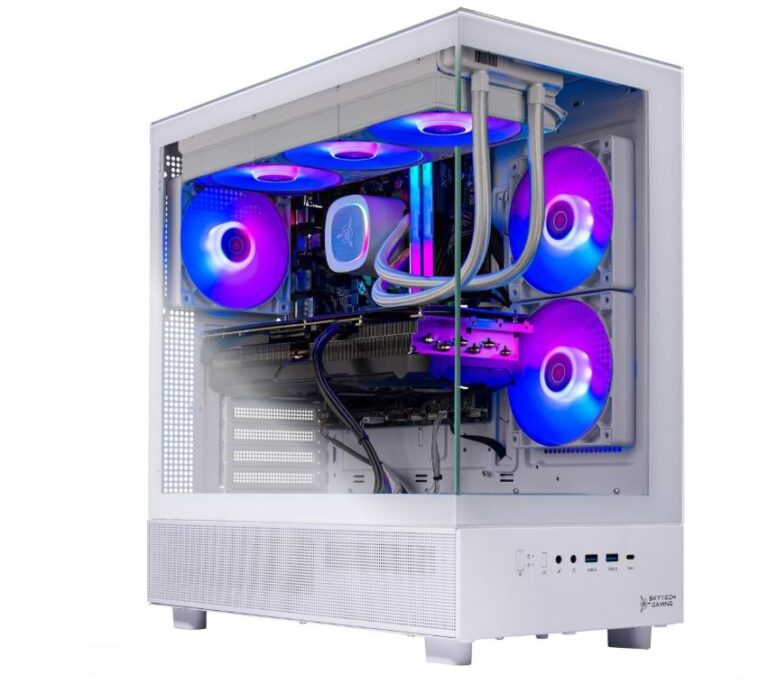
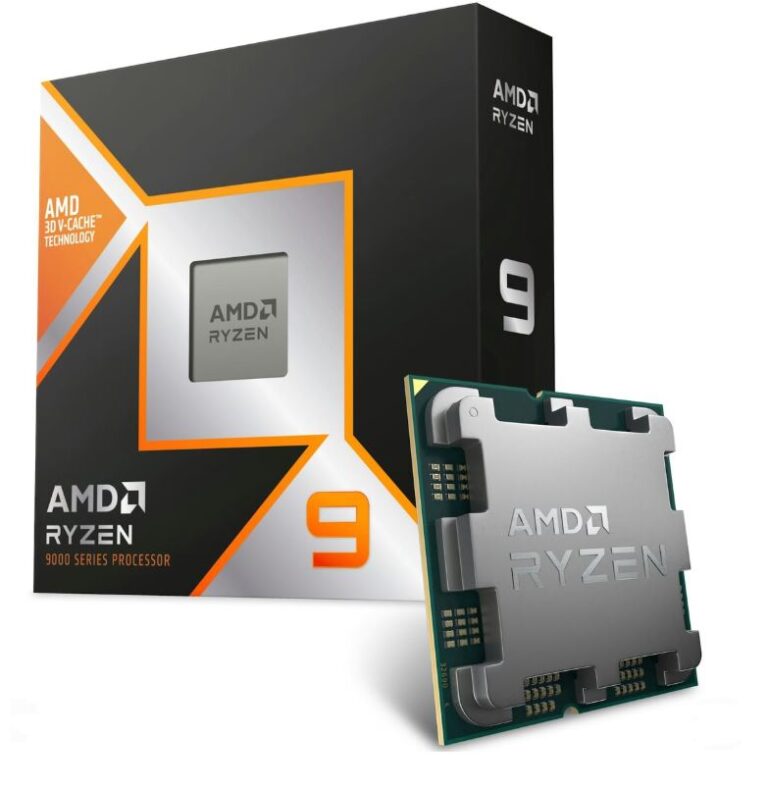
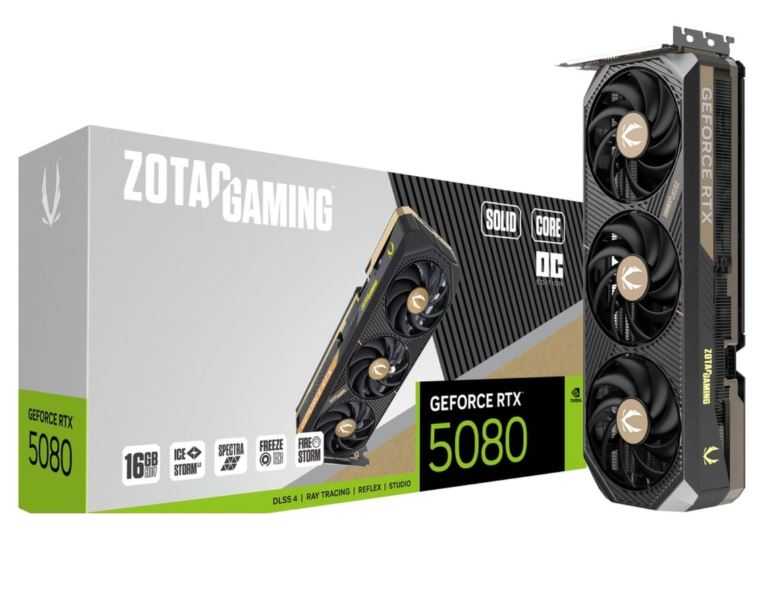
To complete your Apex Legends setup, be sure to check out my Best Gaming Monitor for Apex Legends, Best Gaming Mouse for Apex Legends, Best Gaming Keyboard for Apex Legends, Best Gaming Mousepad for Apex Legends, Best GPU for Apex Legends, Best CPU for Apex Legends, Best Gaming Laptop for Apex Legends, and Best Prebuilt Gaming PC for Apex Legends guides. Together, they’ll help you build a setup that’s optimized for smoother gameplay, higher FPS, and a more competitive experience in the Outlands.
Now put on your headset, stop ignoring the footsteps you swear you heard five seconds ago, and hopefully the next time another squad tries to third-party you, you’ll hear them first and be the one walking away as the Champions.