Building a gaming PC isn’t for everyone. You may be transitioning from a console, upgrading from a gaming laptop, or simply buying your first gaming PC. Whatever the reason, you don’t need to know every intricate detail about PC components or spend hours choosing compatible parts one by one.
For many gamers, enjoying the game is far more important than building the PC itself. All you need is a budget and a system that delivers the performance you’re looking for. Whether you’re a casual player, ranked grinder, streamer, or content creator, this guide will help you choose the best prebuilt gaming PC for Apex Legends across a variety of price ranges.
If you’d rather skip the hassle of selecting parts, assembling the hardware, installing Windows, and troubleshooting everything yourself, then a prebuilt gaming PC is exactly what you need.
Affiliate Disclosure
Some of the links in this article are affiliate links, which means I may earn a small commission if you purchase a product through one of these links, at no additional cost to you. This helps support me and allows me to continue creating gaming guides and hardware recommendations.
What to Expect
Gaming Performance
A good prebuilt gaming PC should have a well-balanced CPU and GPU to prevent bottlenecks. When both components work well together, you can expect smooth gameplay at 1080p and 1440p with consistently high frame rates. Since Apex Legends PC lobbies can be extremely competitive, having a responsive gaming PC gives you the best chance to improve your aim, movement, and overall performance.
CPU & GPU Combination
The CPU and GPU are the two most important components when it comes to gaming performance. Throughout this guide, every recommendation has been selected with compatibility in mind, ensuring each processor and graphics card complement one another to deliver smooth and consistent performance, even during the most demanding fights.
RAM & Storage
Every prebuilt PC on this list comes with at least 16GB of DDR4 or DDR5 RAM and a 1TB SSD. SSDs are significantly faster than traditional hard drives, making them the best choice for Windows, Apex Legends, and your most-played games. If you need additional storage for files, videos, or backups, you can always add a hard drive later.
While 16GB is enough for most players, 32GB of RAM is worth considering if you stream, edit videos, or frequently multitask with applications like Discord, Spotify, Chrome, and OBS running alongside Apex Legends.
Cooling & Airflow
Good cooling is just as important as powerful hardware. A prebuilt PC with proper airflow helps keep the CPU and GPU running at safe temperatures, preventing thermal throttling during long gaming sessions. Lower temperatures also mean quieter fans and more consistent performance.
Upgradeability
One of the biggest advantages of buying a desktop PC is the ability to upgrade it over time. We recommend choosing a prebuilt that uses standard, high-quality components so upgrading is simple. Whether you want to install a faster graphics card, a more powerful CPU, additional RAM, extra SSD storage, or even a higher-capacity power supply, a well-built prebuilt PC gives you the flexibility to improve your system without replacing the entire computer.
Future-Proofing
A gaming PC is a long-term investment, so it’s worth choosing a system that can keep up with future Apex Legends updates and newer games. A balanced CPU and GPU, enough memory, fast storage, and good upgrade potential will help ensure your prebuilt gaming PC remains capable for years to come.
Best Overall Prebuilt PC
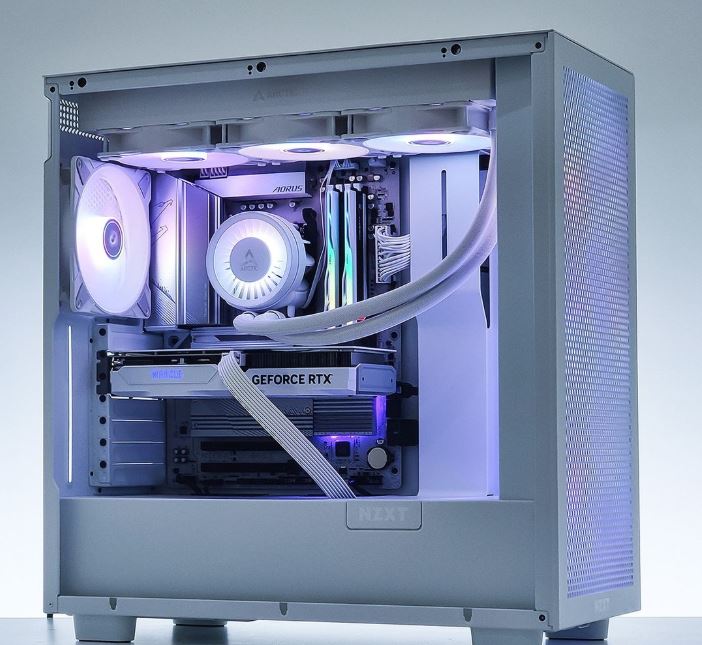
NZXT BLD Starter Plus (RTX 5070 / Ryzen 7 / 32GB DDR5)
~$1,300–2,000
Why It’s the Best:
The NZXT BLD Starter Plus offers the perfect balance between price, gaming performance, and long-term reliability. Its RTX 5070 paired with a Ryzen 7 processor easily pushes Apex Legends beyond 200 FPS at 1440p while maintaining excellent 1% lows during chaotic firefights. With 32GB of DDR5 memory and standard ATX components, it also provides plenty of room for future upgrades.
Pros
- Excellent price-to-performance ratio
- Smooth 1440p gaming with high frame rates
- 32GB DDR5 memory for gaming and multitasking
- Standard, upgrade-friendly components
- Strong build quality and warranty
Cons
- Not the ideal choice for 4K gaming
- Stock cooling is good but not exceptional under heavy loads
Best Budget Prebuilt PC
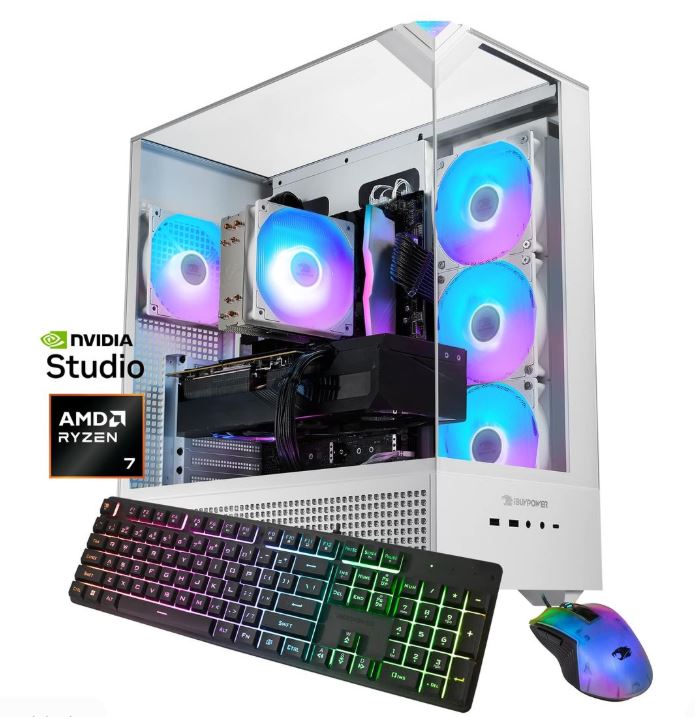
iBUYPOWER TraceMR 274i (RTX 5060 / 16GB DDR5 / 1TB NVMe SSD)
~$1,000-1,500
Why It’s the Best:
If you’re looking to play Apex Legends without spending a fortune, this is one of the best value prebuilts available. The RTX 5060 delivers well over 144 FPS at 1080p using competitive settings, while the fast NVMe SSD keeps Windows and Apex loading quickly. It’s an excellent starting point for new PC gamers.
Pros
- Affordable entry into PC gaming
- Fast 1TB NVMe SSD
- Upgradeable case and power supply
- Reliable warranty from a trusted manufacturer
Cons
- 16GB RAM is the minimum for modern gaming
- Better suited for 1080p than high-refresh 1440p
Best Value Prebuilt PC
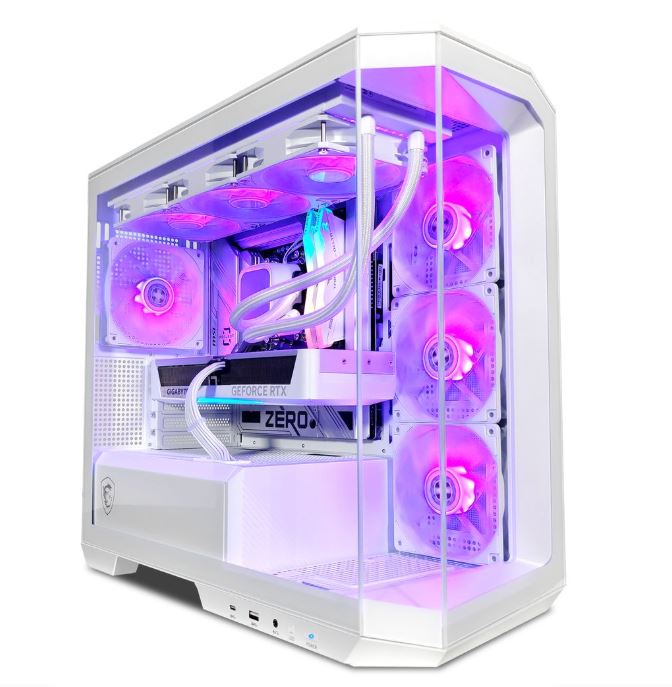
RTX 5070 Ti + Ryzen 7 9800X3D Build (32GB DDR5-6000 / 2TB NVMe SSD)
~$1,400–1,700
Why It’s the Best:
This configuration delivers some of the best gaming performance per dollar available today. The Ryzen 7 9800X3D’s massive 3D V-Cache allows Apex Legends to achieve exceptionally smooth frame rates, while the RTX 5070 Ti provides enough graphics power to stay relevant for years. If you want outstanding performance without entering flagship pricing, this is the sweet spot.
Pros
- Outstanding frame-rate-per-dollar
- Powerful Ryzen 7 9800X3D processor
- Large 2TB SSD for games and recordings
- 32GB DDR5 memory for excellent multitasking
Cons
Slight overkill if Apex is your only game
More expensive than entry-level systems
Best 1440p Prebuilt PC
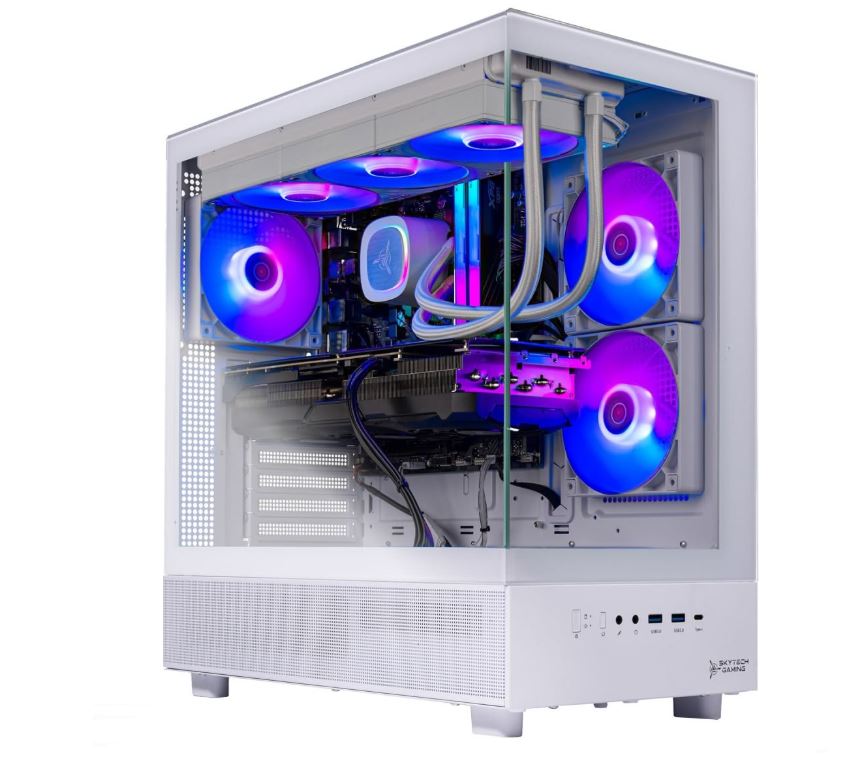
RTX 5070 + Ryzen 7 9800X3D Build (32GB DDR5)
~$1,300–1,800
Why It’s the Best:
Designed specifically for high-refresh-rate 1440p gaming, this build delivers exceptional visual quality while maintaining competitive frame rates. The RTX 5070 comfortably handles Apex Legends at 165–240 FPS depending on your settings, while the Ryzen 7 9800X3D ensures consistently smooth gameplay by minimizing CPU bottlenecks.
Pros
- Excellent balance of image quality and FPS
- Ideal for 165Hz and 240Hz monitors
- DLSS 4 support for additional performance
- Powerful CPU and GPU pairing
Cons
- Not intended for demanding 4K gaming
- More performance than casual players may need
Best Streaming & Content Creation PC
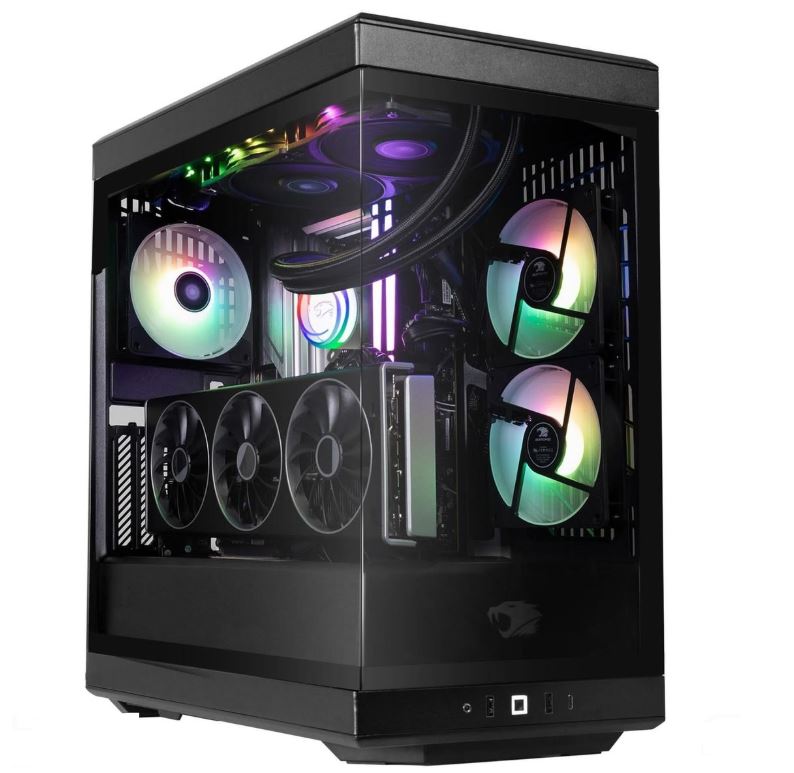
iBUYPOWER Y40 PRO (Ryzen 9 7900X / RTX 5070 Ti / 32GB DDR5 / 2TB NVMe SSD)
~$2,000–2,300
Why It’s the Best:
This prebuilt is ideal for gamers who also stream or create content. The Ryzen 9 7900X provides plenty of multi-core performance for encoding, while the RTX 5070 Ti’s AV1 NVENC encoder allows you to stream Apex Legends with virtually no impact on in-game performance. Whether you’re recording gameplay, editing videos, or live streaming, this system has the power to handle it all.
Pros
- Excellent streaming and encoding performance
- Powerful multi-core processor
- Large 2TB SSD for recordings and projects
- Maintains high FPS while streaming
Cons
- Costs more than a gaming-only build
- Unnecessary for players who don’t create content
Best Premium Prebuilt PC
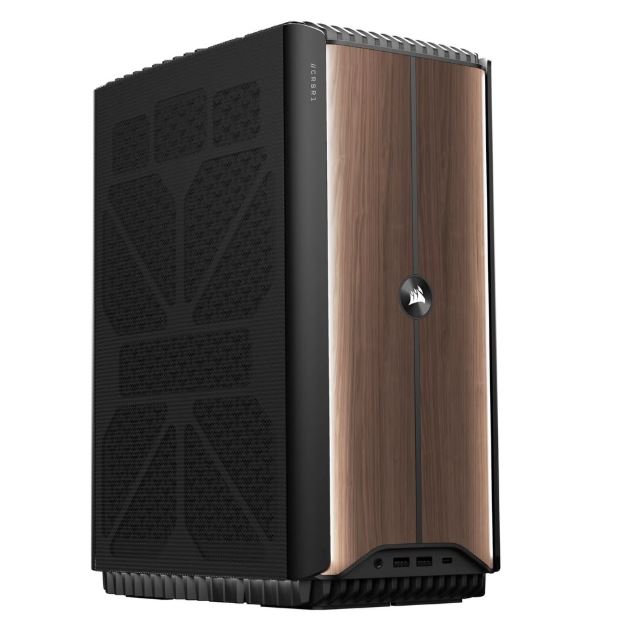
Corsair One i500 (Core Ultra 9 285K / RTX 5080 / 32GB+ DDR5)
~$3,000–3,500
Why It’s the Best:
If budget isn’t a concern, the Corsair One i500 offers one of the most premium gaming experiences available. Its RTX 5080, paired with Intel’s Core Ultra 9 processor, delivers exceptional performance while Corsair’s advanced liquid cooling keeps temperatures impressively low inside its compact chassis. It’s built for enthusiasts who want maximum performance today and plenty of headroom for future games.
Pros
- Outstanding gaming performance
- Exceptional cooling in a compact design
- Premium build quality and warranty
- Ready for future AAA games and Apex Legends updates
Cons
- Expensive for Apex Legends alone
- Compact design limits some upgrade options
Conclusion
Buying the best prebuilt PC for Apex Legends doesn’t have to be complicated. Whether you’re looking for an affordable system to get started, a high-refresh 1440p gaming machine, or a powerful PC for streaming and content creation, there’s a prebuilt that fits both your budget and gaming goals. The key is choosing a system with a well-balanced CPU and GPU, enough RAM, fast SSD storage, and good upgrade potential so your PC can continue to perform as Apex Legends evolves.
If you’re building the ultimate Apex Legends gaming setup, don’t forget to check out my Best GPU for Apex Legends, Best CPU for Apex Legends, Best Gaming Laptop for Apex Legends, Best Gaming Monitor for Apex Legends, Best Gaming Mouse for Apex Legends, Best Gaming Keyboard for Apex Legends, Best Gaming Headset for Apex Legends, and Best Gaming Mousepad for Apex Legends guides. Together, they’ll help you build a system that’s optimized for higher FPS, smoother gameplay, lower input lag, and a better overall Apex Legends experience.
At the end of the day, the best prebuilt PC is the one that lets you spend less time worrying about hardware and more time becoming the next Apex Champion.
Thank You for Reading. Hope you found what you were looking for.