
We’ve waited 13 years since the release of GTA 5 for a new Grand Theft Auto game from Rockstar. During that wait, Rockstar gave us Red Dead Redemption 2, one of the best cowboy games ever made, with an incredible level of detail and attention to its open world. Because of this, anticipation for GTA 6 is at an all-time high. And with a reported development budget of around $1.5 billion, what could possibly go wrong?
GTA 6 is expected to deliver another massive open-world experience, with an incredibly detailed environment and a level of visual quality that could push gaming hardware to its limits. This means that, if you want to enjoy the game with high graphics settings and smooth performance, you’ll likely need a fairly powerful gaming PC or laptop.
Now, we all know GTA 6 is launching on PlayStation 5 and Xbox Series X|S first. But when it comes to graphical settings, hardware flexibility, customization and the potential for higher performance, PC gaming has plenty of advantages. The only problem is that, as of writing this article, Rockstar hasn’t announced the official PC release date or system requirements for GTA 6.
However, that doesn’t mean we can’t start preparing. A modern mid-range to high-end gaming PC should provide a strong foundation for demanding open-world games, even though we won’t know exactly how well different systems will run GTA 6 until the PC version and its performance benchmarks become available.
Affiliate disclosure
Some of the links in this article are affiliate links, which means I may earn a small commission if you purchase a product through one of these links, at no additional cost to you. This helps support me and allows me to continue creating gaming guides and hardware recommendations.
That said, what are my picks for the best Prebuilt gaming pc for GTA 6.
My Picks
iBUYPOWER Element Gaming PC
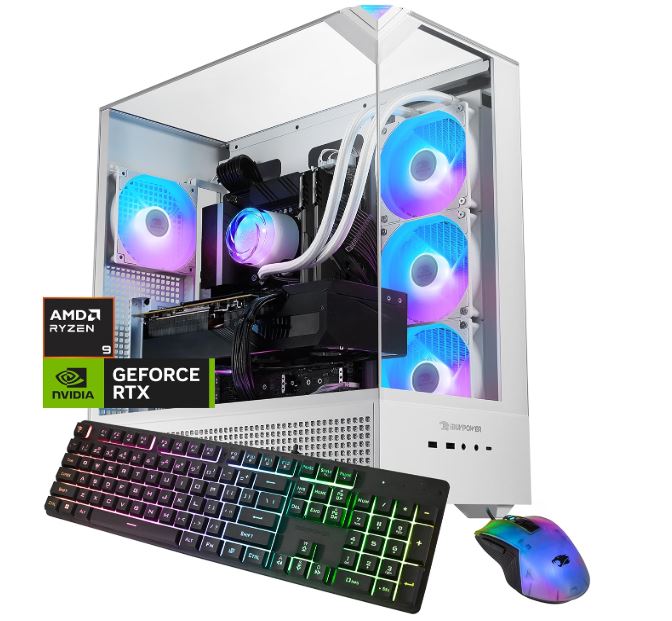
Best Overall
Price: Approximately $2,300 (depending on retailer and current discounts)
Main Specs:
- CPU: AMD Ryzen 9 7900X
- GPU: NVIDIA GeForce RTX 5070 12GB
- RAM: 32GB DDR5
- Storage: 1TB NVMe SSD
Why It’s the Best
The iBUYPOWER Y40 PRO offers a strong balance of processing power, graphics performance, memory and storage. The RTX 5070 Ti is a powerful GPU for demanding 1440p gaming and can also handle 4K gaming with the right settings and upscaling.
You also get 32GB of DDR5 memory and a spacious 2TB SSD, giving you plenty of room for large games and other applications. Although the Ryzen 9 7900X isn’t an X3D gaming processor, it still provides plenty of processing power for modern games and multitasking.
If you’re looking for a powerful all-round gaming PC without spending several thousand dollars, this is a strong option to consider for your future GTA 6 setup.
Pros
- Powerful RTX 5070 Ti with 16GB of VRAM
- 32GB DDR5 memory for modern gaming and multitasking
- 2TB NVMe SSD provides plenty of storage
- Strong 1440p gaming performance and capable 4K performance
Cons
- Ryzen X3D processors can deliver better gaming performance in CPU-bound games
- Price can fluctuate depending on the retailer and available discounts
Skytech Gaming
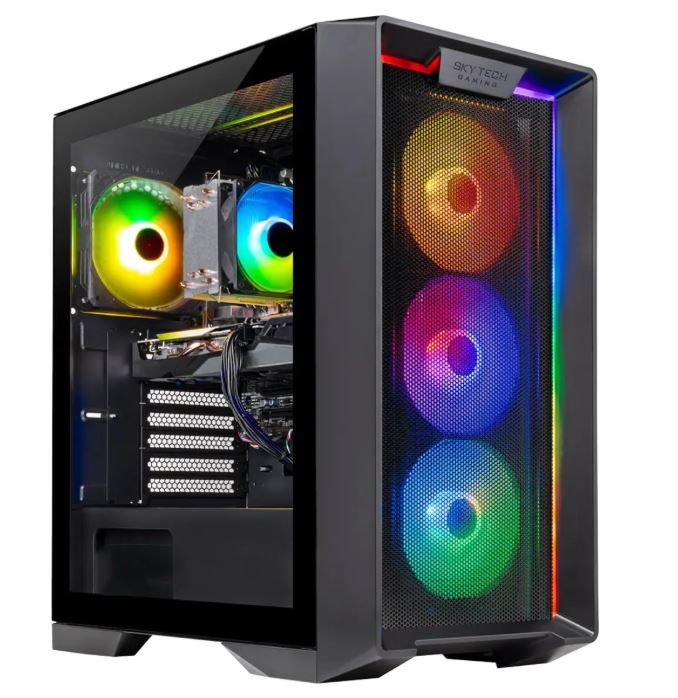
Best Budget
Price: Approximately $950–$1,000
Main Specs:
- CPU: AMD Ryzen 5 5500
- GPU: NVIDIA GeForce RTX 3060 8GB
- RAM: 16GB DDR4
- Storage: 1TB NVMe SSD
Why It’s the Best
Not everyone wants to spend over $1,000 on a gaming PC, and that’s where the Skytech Nebula 2 comes in. It is one of the more affordable ways to get a desktop with a current-generation RTX 50-series graphics card.
The RTX 5060 provides access to modern NVIDIA features, including DLSS 4, while the Ryzen 5 5500 is capable of handling everyday gaming workloads. It’s a reasonable starting point if you’re mainly interested in 1080p gaming and don’t have a massive budget.
However, there are some compromises. The older AM4 platform, DDR4 memory and 8GB of VRAM make this a less flexible option than the more expensive systems on this list. You may also want to upgrade the memory to 32GB in the future.
Pros
- Affordable entry into RTX 50-series desktop gaming
- RTX 5060 supports modern NVIDIA graphics features
- Good starting point for 1080p gaming
- 1TB NVMe SSD provides decent storage capacity
Cons
- Older AM4 platform limits future CPU upgrade options
- 16GB RAM may be limiting for demanding future games
- 8GB VRAM could restrict higher-resolution textures and graphics settings
CyberPowerPC Gamer Xtreme
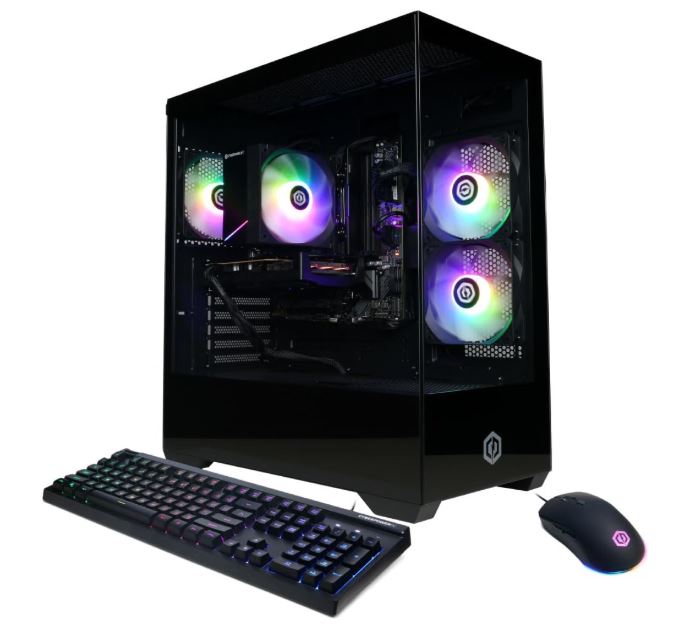
Best Value
Price: Approximately $1,100–$1,300, depending on retailer and discounts
Main Specs:
- CPU: Intel Core i5-14400F
- GPU: NVIDIA GeForce RTX 5060 8GB
- RAM: 16GB DDR5
- Storage: 1TB PCIe 4.0 NVMe SSD
Why It’s the Best
The CyberPowerPC Gamer Xtreme is another affordable option, but it offers a few advantages over the Skytech Nebula 2. Its Intel Core i5-14400F processor provides a stronger starting point for gaming and multitasking, while DDR5 memory gives you a more modern memory platform.
It also comes with the same RTX 5060 graphics card found in the Nebula 2, meaning you’re getting access to the same generation of NVIDIA graphics features without spending a fortune.
The 16GB of RAM is something I’d recommend upgrading to 32GB eventually, especially if you plan on playing demanding open-world games while running other applications in the background.
Pros
- Intel Core i5-14400F offers strong everyday gaming performance
- DDR5 memory provides a modern memory platform
- RTX 5060 supports DLSS 4
- Frequently available with retailer discounts
Cons
- 16GB RAM may need upgrading
- 8GB VRAM could limit demanding graphics settings
- Stock case design and cooling are fairly basic
Skytech King 95 (RTX 5070)
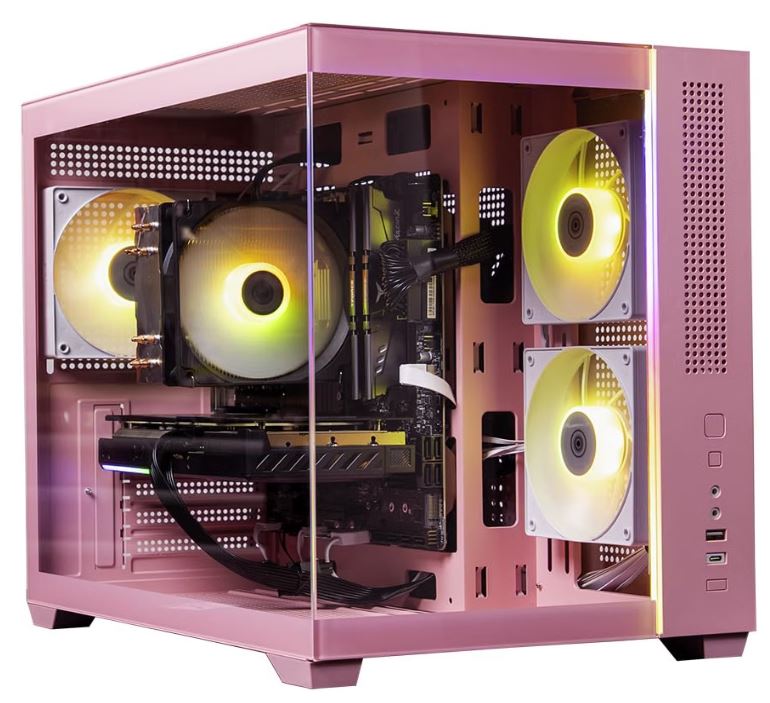
Best for 1440p Gaming
Price: Approximately $1,700–$2,100, depending on configuration and retailer
Main Specs:
- CPU: AMD Ryzen 7 9700X
- GPU: NVIDIA GeForce RTX 5070 12GB GDDR7
- RAM: 32GB DDR5 (configuration dependent)
- Storage: 1TB–2TB NVMe SSD (configuration dependent)
- PSU: Check the exact configuration before purchasing
Why It’s the Best
If you’re planning to play demanding open-world games at 1440p, the Skytech King 95 is worth considering. It combines the Ryzen 7 9700X with NVIDIA’s RTX 5070, giving you a capable CPU and GPU combination for modern gaming.
The RTX 5070 comes with 12GB of GDDR7 VRAM and supports DLSS 4, which can help improve performance in supported games. Its Ryzen 7 9700X processor also uses AMD’s AM5 platform, giving you more flexibility when it comes to future CPU upgrades.
This is a good middle ground if you want more graphics power than the RTX 5060 systems offer without jumping all the way to an RTX 5080 or RTX 5090 desktop.
Pros
- RTX 5070 offers strong 1440p gaming performance
- Ryzen 7 9700X provides plenty of processing power
- AM5 platform offers future CPU upgrade options
- Available configurations include 32GB DDR5 and 2TB storage
Cons
- 12GB VRAM may become limiting in some demanding future games
- More expensive than RTX 5060-based alternatives
- Specifications, including RAM, storage and PSU, vary by configuration
Corsair Vengeance i7500
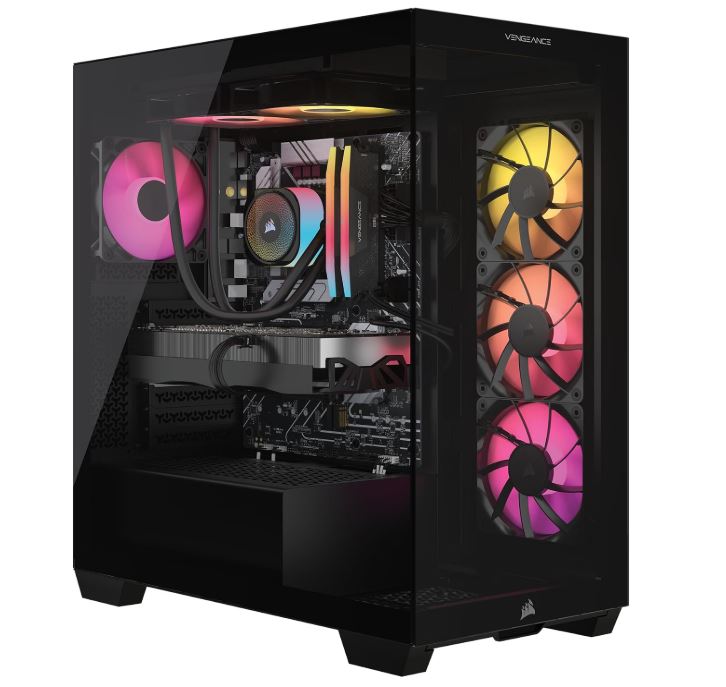
Best for Streaming & Content Creation
Price: Approximately $3,400–$3,700 for the RTX 5080 configuration, depending on the selected specifications and current discounts
Main Specs:
- CPU: Intel Core i9-14900KF
- GPU: NVIDIA GeForce RTX 5080
- RAM: 32GB–64GB DDR5 (configuration dependent)
- Storage: 2TB NVMe SSD (configuration dependent)
Why It’s the Best
If you’re planning to play demanding games while streaming, recording gameplay or editing videos, the Corsair Vengeance i7500 has plenty of processing power to handle those workloads.
The Intel Core i9-14900KF features 24 cores, making it a capable processor for multitasking and content creation. Pair that with the RTX 5080, and you have a powerful graphics card for high-resolution gaming, video encoding and other GPU-intensive tasks.
NVIDIA’s NVENC encoder is another useful feature for streamers. It allows supported recording and streaming software to use dedicated hardware encoding rather than relying entirely on the CPU.
The Vengeance i7500 is certainly not cheap, but it’s a powerful option if gaming is only one part of what you intend to do with your PC.
Pros
- Powerful 24-core Intel processor for demanding workloads
- RTX 5080 delivers high-end gaming and content creation performance
- NVIDIA NVENC supports hardware-accelerated video encoding
- Corsair’s system includes a 240mm liquid cooler and six case fans
- Suitable for gaming, streaming and video editing
Cons
- Expensive compared with ordinary gaming desktops
- Intel’s LGA 1700 platform has limited future CPU upgrade options
- The Core i9-14900KF can run hot under heavy workloads
Skytech Legacy 4 (RTX 5090)
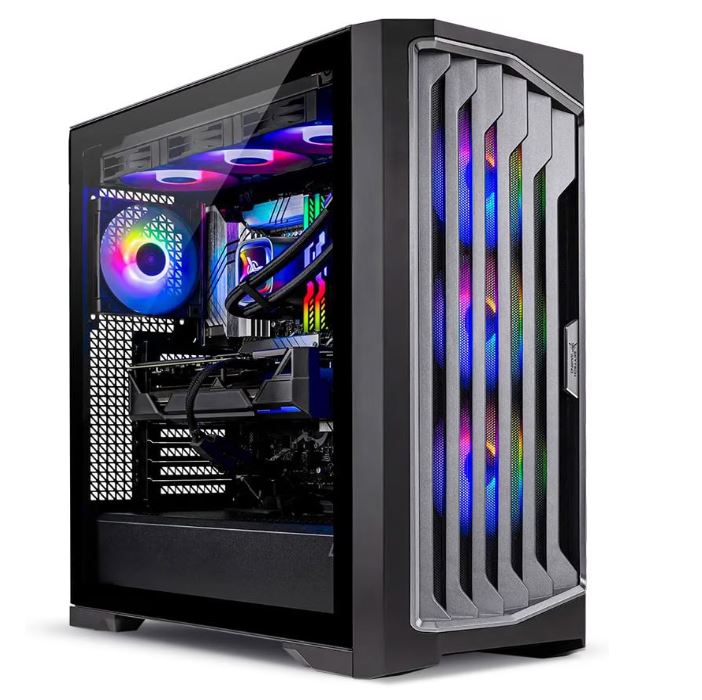
Best Premium
Price: Varies considerably by retailer and configuration; check the current price before purchasing.
Main Specs:
- CPU: AMD Ryzen 9 9950X3D
- GPU: NVIDIA GeForce RTX 5090 32GB
- RAM: 64GB DDR5
- Storage: 4TB NVMe SSD
- Motherboard: AMD X870
Why It’s the Best
If money isn’t a problem and you simply want one of the most powerful gaming desktops available, the Skytech Legacy 4 is worth looking at.
It combines AMD’s Ryzen 9 9950X3D with NVIDIA’s flagship RTX 5090 graphics card. The processor is designed to deliver excellent gaming performance while also providing plenty of processing power for demanding productivity workloads.
The RTX 5090 comes with 32GB of GDDR7 VRAM, while the 64GB of DDR5 memory and 4TB NVMe SSD provide plenty of room for large games, applications and other files.
This is an extremely powerful setup for high-resolution gaming, demanding graphics workloads, streaming and content creation. Although we don’t have official GTA 6 PC requirements yet, the hardware puts you in a very strong position for demanding PC games.
Pros
- Extremely powerful Ryzen 9 9950X3D processor
- Flagship RTX 5090 with 32GB of VRAM
- 64GB DDR5 memory for demanding multitasking
- Large 4TB NVMe SSD
- Excellent option for high-end gaming and content creation
Cons
- Extremely expensive
- RTX 5090 consumes a lot of power
- More performance than many gamers actually need
- GTA 6’s eventual PC requirements are still unknown
What to Expect From a Prebuilt Gaming PC for GTA 6
Powerful Graphics Card
The GPU is responsible for rendering most of the visuals you see on your monitor, including textures, lighting, shadows and other graphical effects. We’ve waited 13 years for a new GTA game, so why settle for a graphics card that might struggle to deliver the experience you want?
If you’re planning to play at different resolutions, you’ll need to choose your GPU carefully. Generally, 1080p gaming is less demanding than 1440p, while 4K gaming requires considerably more graphics power.
As a starting point, look for a graphics card with at least 8GB of VRAM, although I’d recommend going for 12GB or 16GB if your budget allows. More VRAM gives you additional room for demanding textures and higher-resolution gaming, but remember that VRAM alone doesn’t determine how powerful a graphics card is.
If you prefer NVIDIA, look at graphics cards from the RTX 40 series and RTX 50 series. For AMD, consider options from the Radeon RX 7000 and RX 9000 series.
Here are some examples worth considering:
- 1080p gaming: RTX 4060, RTX 5060, RX 7600 and RX 9060 XT.
- 1440p gaming: RTX 4070 Super, RTX 5070, RX 7800 XT and RX 9070.
- High-end 1440p and 4K gaming: RTX 5070 Ti, RTX 5080, RX 9070 XT and RTX 5090.
These are general graphics-card performance categories, not confirmed GTA 6 performance recommendations. Your final experience will depend on Rockstar’s eventual PC optimization, graphics settings and system requirements.
A Strong Processor to Pair With Your GPU
Having a powerful graphics card is great, but you’ll also need a good processor to pair with it. The CPU handles important game calculations, AI behaviour, physics, background processes and other tasks that help keep the game running smoothly.
One thing to look out for when buying a prebuilt gaming PC is an unbalanced combination of components. Some manufacturers may pair a powerful graphics card with a relatively weak processor to keep the overall price down. This can limit performance in CPU-intensive games.
Luckily, we’re choosing prebuilt gaming PCs, so I’ll be looking for systems with well-balanced processors and graphics cards rather than combinations that unnecessarily limit performance.
For AMD, look out for Ryzen 5, Ryzen 7 and Ryzen 9 processors. For Intel, consider Core i5, Core i7 and Core i9 processors.
However, don’t just look at the processor name. The generation, specific model and architecture also matter. For example, a newer Ryzen 5 can outperform an older Ryzen 7 in certain workloads.
If your budget allows, an AMD X3D processor is also worth considering because its additional 3D V-Cache can deliver excellent gaming performance in supported games.
32GB RAM
RAM is another important component to consider, especially when buying a gaming PC for modern AAA titles.
While 16GB is still enough for many games, 32GB has become a sensible target for a new gaming PC. It gives you more room for demanding games, background applications, browser tabs, Discord and other programs you might run while gaming.
I’d recommend looking for a prebuilt gaming PC with at least 32GB of RAM if your budget allows. Both DDR4 and DDR5 can work for gaming, but the type of memory depends on the motherboard and processor platform.
DDR5 is the newer standard and is commonly found in modern gaming desktops, while some budget systems still use DDR4.
You don’t necessarily need 64GB just to play GTA 6. For most gaming setups, 32GB is a good starting point, although we’ll have to wait for the official PC requirements to know exactly what the game needs.
Fast NVMe SSD Storage
Open-world games can contain huge environments, detailed textures, audio files and other assets that need to be loaded as you explore the world.
That’s why I’d recommend getting a gaming PC with an NVMe SSD rather than an old mechanical hard drive as your primary game drive.
NVMe SSDs offer much faster data transfer speeds than traditional HDDs, making them a better choice for modern gaming systems. They also help with Windows startup, game loading and general system responsiveness.
For a new gaming PC, I’d recommend:
- 1TB NVMe SSD: A reasonable starting point for a budget gaming PC.
- 2TB NVMe SSD: A better choice if you plan to install several large games.
- 4TB NVMe SSD: Ideal if you have a large game library and plenty of money to spend.
Remember that GTA 6’s final PC installation size hasn’t been confirmed. However, considering how large modern AAA games can be, having additional storage is always useful.
Good Cooling and Airflow
Gaming PCs generate heat, especially when running demanding games for extended periods. Your CPU and GPU need proper cooling to maintain stable performance.
When shopping for a prebuilt gaming PC, don’t just focus on the graphics card and processor. Pay attention to the case design, cooling system and number of fans.
A PC with a good airflow design allows cool air to enter the case while pushing hot air out. This helps prevent excessive temperatures and reduces the chances of thermal throttling, where components reduce their performance to control heat.
For budget and mid-range gaming PCs, a decent air cooler with a well-ventilated case can be perfectly fine. More powerful systems may benefit from larger air coolers or liquid cooling solutions.
You don’t necessarily need an expensive liquid cooler to enjoy good gaming performance. What matters most is having a cooling setup that can properly handle the components inside the PC.
A Reliable Power Supply (PSU)
The power supply unit, commonly called the PSU, provides electricity to all the components inside your gaming PC.
A powerful graphics card and processor need a PSU that can deliver enough power without struggling. This is especially important when buying a high-end prebuilt gaming PC with an RTX 5080 or RTX 5090.
I’d recommend checking the PSU wattage and its quality before purchasing. For example, an 850W power supply is a reasonable target for many higher-end gaming systems, while some flagship configurations may require 1,000W or more depending on the components.
Also, look for reputable power supply models and appropriate efficiency certifications, such as 80 Plus Gold.
Don’t simply assume that a power supply is good because it has a high wattage rating. Build quality, electrical protections and the manufacturer’s reputation matter too.
Upgradeability and Warranty
One final thing to consider is how easily you can upgrade your gaming PC in the future.
A good prebuilt gaming PC shouldn’t leave you stuck with components that are difficult or expensive to replace. Look for systems with accessible RAM slots, additional M.2 SSD slots, standard motherboard connections and enough room for future graphics card upgrades.
You should also pay attention to the motherboard platform. For example, AMD’s AM5 platform offers support for multiple generations of Ryzen processors, giving you more potential CPU upgrade options.
Warranty and customer support are equally important. Unlike building your own PC, buying a prebuilt system means you’re trusting a manufacturer to assemble and support the entire machine.
Check the warranty coverage, return policy and support options before purchasing. A cheaper gaming PC isn’t necessarily a better deal if getting repairs or replacement parts becomes a headache.
Conclusion
GTA 6 is shaping up to be one of the biggest game releases we’ve seen, and after waiting 13 years, I’m sure many of us want to experience everything Rockstar has been working on. However, choosing the right gaming PC is just as important as choosing the game itself.
If you’re planning to get a prebuilt gaming PC in preparation for GTA 6, pay attention to the graphics card, processor, RAM, storage and cooling. You don’t necessarily have to spend $5,000 on a gaming PC to enjoy modern games, but investing in a well-balanced system will give you a much better foundation for demanding titles.
My overall recommendation is the iBUYPOWER Y40 PRO if you’re looking for a strong balance between price and performance. However, if you’re working with a smaller budget, the Skytech Nebula 2 is worth considering. For those who want the absolute best hardware available, the Skytech Legacy 4 offers a much more powerful setup.
One important thing to remember: Rockstar hasn’t announced the official PC release date or system requirements for GTA 6 yet. These recommendations are based on current hardware capabilities, not confirmed GTA 6 benchmarks. If GTA 6 is the only reason you’re buying a new PC, it may be worth waiting until Rockstar announces the PC version.
In the meantime, you can check out some of our other gaming hardware guides to build a complete gaming setup. Take a look at our guides on the best gaming monitor under $300, best gaming mouse under $60, best mechanical keyboard under $100 and best gaming headset for FPS games.
With the right hardware, you’ll have a gaming setup that’s ready for plenty of other demanding games while we wait for GTA 6 to make its way to PC.
Thank you for reading, it means alot to me.