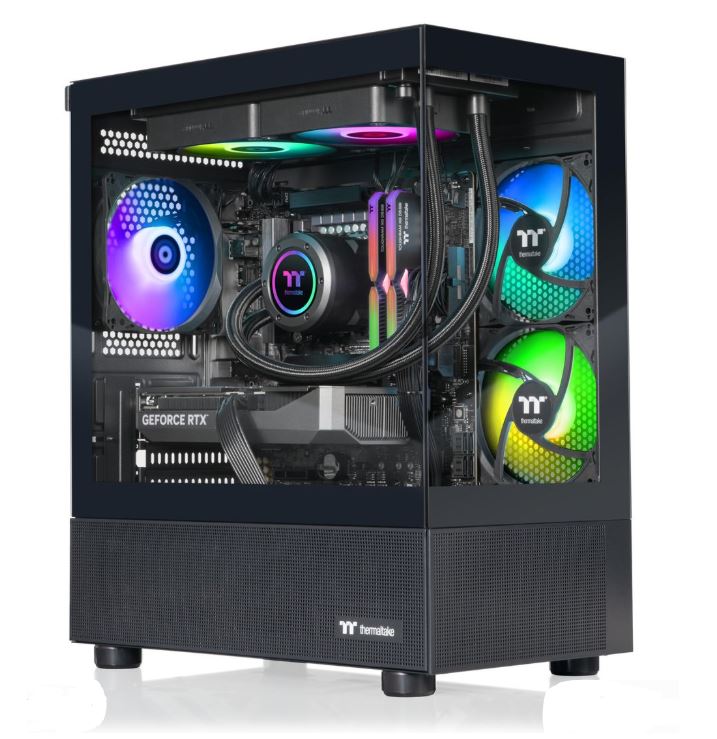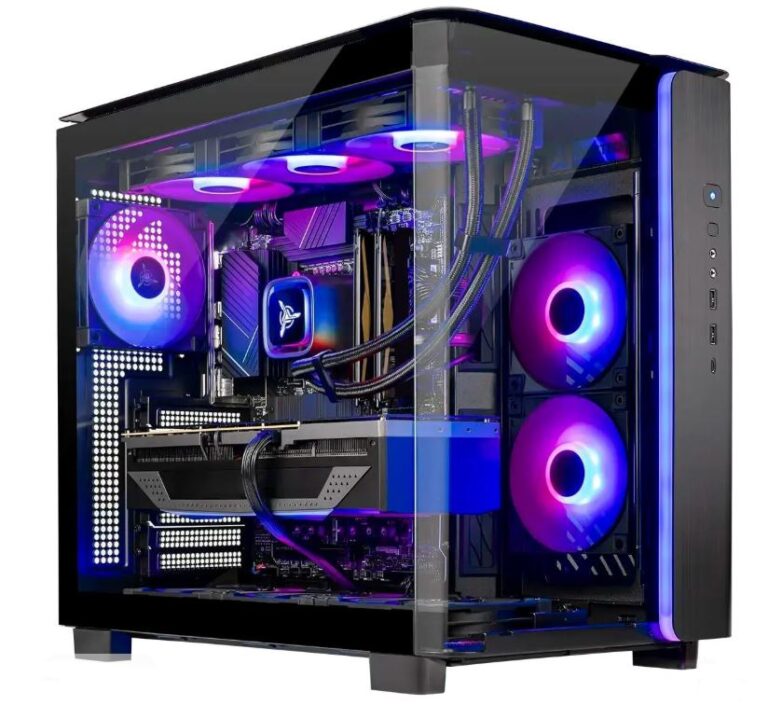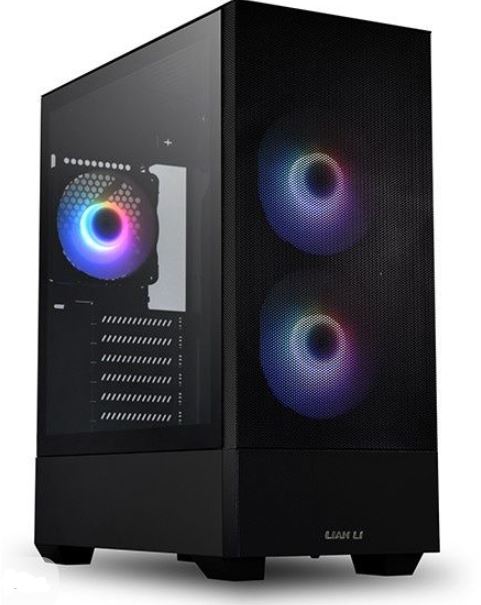
Gaming PCs have evolved to become beautiful, customizable, and incredibly powerful for gaming, which is why so many people want one. The problem is that not everyone knows how to build a gaming PC, and to be fair, building one can be a delicate process. There are multiple parts to consider, from the CPU, GPU, motherboard, RAM, power supply, and case airflow, and if you buy the wrong parts or mishandle something during installation, it can quickly turn into a frustrating and expensive mistake.
That is exactly why prebuilt gaming PCs are still such a strong option. They save time, remove the stress of part compatibility, and come ready to use straight out of the box. Instead of spending hours building, troubleshooting, and hoping the PC posts on the first try, you get the fun part — unboxing it, setting it up, peeling off the plastic, and jumping straight into your games.
The downside is that some prebuilt gaming PCs cut corners in areas that matter, such as the motherboard, power supply, cooling system, or RAM configuration. For example, some prebuilts still ship with a single stick of RAM instead of dual-channel memory, which hurts gaming performance more than many beginners realize.
The good news, though, is that gaming PCs are still upgradeable. Even if a prebuilt comes with one weak area, you can often improve it later by adding another stick of RAM, upgrading the PSU, or installing more case fans for better airflow without spending a fortune.
Under $1500, you can get a prebuilt gaming PC that genuinely handles 1080p high-FPS gaming and, depending on the GPU, can even push into 1440p gaming comfortably.
Affiliate Disclosure
Some of the links in this article are affiliate links, which means I may earn a small commission if you purchase a product through one of these links, at no additional cost to you. This helps support me and allows me to continue creating gaming guides and hardware recommendations.
That said, what should you expect from a prebuilt gaming PC under $1500?
What to Expect From a Prebuilt Gaming PC Under $1500
Okay, so when browsing Amazon or any website where prebuilt gaming PCs are sold, these are the specifications you should look out for.
GPU Expectations
At this budget, you should realistically expect NVIDIA RTX 3060 12GB, RTX 4060 Ti, and on the AMD side Radeon RX 7700 XT or, if the brand is being generous, even an RX 7800 XT. Of course, we do not personally control the pricing or the exact specs brands decide to pair together, but even if you end up with an RTX 3060 12GB, you have not made a terrible choice because it is still a very capable GPU for 1080p gaming and can even handle some 1440p gaming depending on the title and settings.
AMD cards are usually the better value in this price range because they often offer stronger rasterization performance and more VRAM for the money, which is why they continue to be a serious alternative to NVIDIA cards for pure gaming performance.
CPU Expectations
For the CPU, your best AMD options in this price range are usually the Ryzen 5 5600, Ryzen 5 7600, Ryzen 7 5700X, or Ryzen 7 7700. On the Intel side, the Core i5-13400F and Core i5-14400F are the CPUs you should be looking out for.
These processors are more than capable of handling modern games and are especially good in CPU-intensive games like Counter-Strike 2, Minecraft, and other titles where the processor matters almost as much as the graphics card.
RAM
Since RAM prices have gone up, not every prebuilt under $1500 will come with the ideal configuration, but 16GB of DDR4 or DDR5 RAM should be the minimum you accept. If you can get 32GB, even better, but for most gamers 16GB is still the sweet spot.
The important part is to make sure the prebuilt uses dual-channel memory. In simple terms, that means two 8GB sticks instead of one 16GB stick. Dual-channel memory improves gaming performance because the system can share the workload across both RAM sticks, which often leads to better FPS and smoother performance.
Storage
A 1TB SSD is the ideal amount of storage for a prebuilt gaming PC under $1500 because it gives you enough room for Windows, your main applications, and several large modern games without running out of space immediately.
If possible, choose a system with an NVMe SSD rather than a SATA SSD, because NVMe drives are significantly faster and reduce boot times, loading screens, and general system sluggishness. If the prebuilt also includes an additional HDD for backup storage, that is a nice bonus, but the SSD is the part that matters most.
Cooling and Airflow
This is one of the biggest traps with prebuilt gaming PCs. Some prebuilts come with only one or two case fans, weak airflow, or very basic CPU cooling, which can lead to higher temperatures and louder fan noise during gaming.
The good news is that cooling is one of the easiest things to improve later. For around $30, you can buy a decent pack of case fans and improve airflow significantly. Installing extra fans is also one of the easiest upgrades you can make to a gaming PC.
PSU and Motherboard Quality
Not all prebuilts use high-quality power supplies or motherboards, and this is one of the biggest reasons you should not judge a prebuilt only by its GPU.
Some brands save money by using cheaper PSUs, lower-end motherboards, or proprietary parts that make future upgrades more difficult. A weak PSU can limit what GPU you upgrade to later, and a poor motherboard may have weaker VRMs, fewer ports, or limited support for future upgrades.
Upgradability
One of the best things about buying a prebuilt gaming PC instead of a gaming laptop is that it can still be upgraded over time. That is why I always prefer prebuilts that use standard ATX or micro-ATX parts instead of weird proprietary cases, no-name power supplies, or custom motherboards that trap you inside one ecosystem.
If possible, avoid prebuilts that use unusual case layouts, off-brand PSUs, or parts with little to no documentation online. And of course, if the PC arrives and the specifications are not what were advertised, do not hesitate to return it.
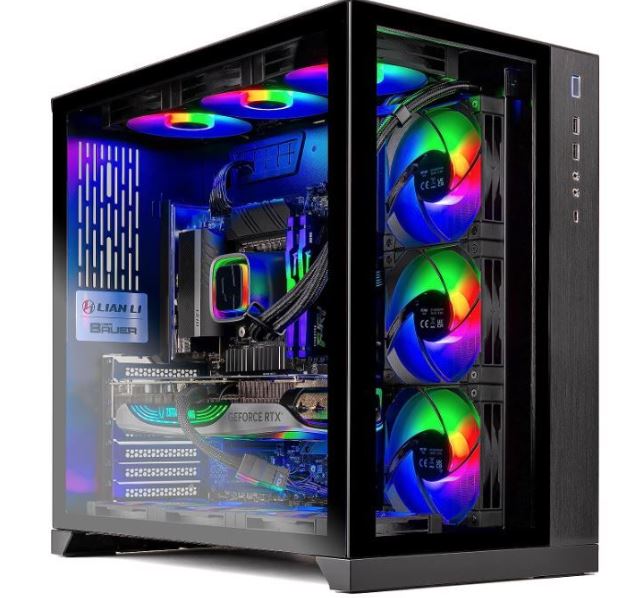
Skytech / iBUYPOWER Mid-Range Build (Best Overall)
Approx. Price: $1,250–1,500
A good Skytech or iBUYPOWER prebuilt in this price range is one of the safest all-round recommendations if you want strong gaming performance without building the PC yourself. Under $1500, the best realistic configurations usually come with an RTX 4060 Ti, RX 7700 XT, or on a very good sale an RTX 4070. For the CPU, expect something like a Ryzen 5 7600 / 5600 or an Intel Core i5-13400F / i5-14400F.
For the rest of the specs, I’d look for at least 16GB RAM (preferably dual-channel), a 1TB NVMe SSD, a 650W PSU, and a case with decent airflow and multiple fans. Some configurations may offer 32GB RAM, but I would treat that as a bonus rather than the standard expectation at this budget.
Best For: Gamers who want the best balance of performance, upgradeability, and value for 1080p high-FPS and 1440p gaming.
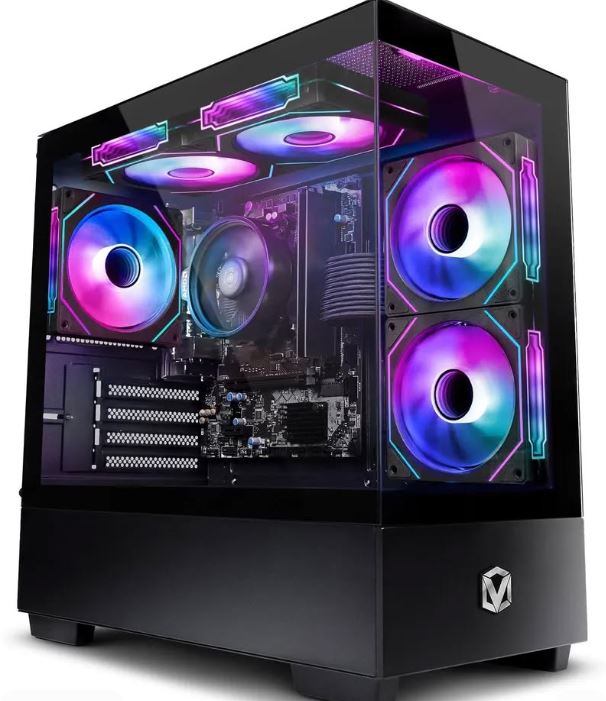
ABS / CyberPowerPC Value Performer (Best Value)
Approx. Price: $1,050–1,300
If you want to spend a bit less while still getting a strong gaming prebuilt, ABS and CyberPowerPC often have some of the best value configurations. At this price point, the most realistic GPUs are the RTX 4060 Ti or RX 7700 XT, paired with a Ryzen 5 5600 / 7600 or Intel Core i5-13400F.
A good target spec here is 16GB RAM, 1TB SSD storage, and a solid mid-tower case with at least decent airflow. Some builds may only ship with one stick of RAM, so this is one of the categories where you need to check the memory configuration carefully before buying.
Best For: Gamers who want a strong 1080p gaming machine with enough power to step into 1440p gaming without spending the full $1500 budget.
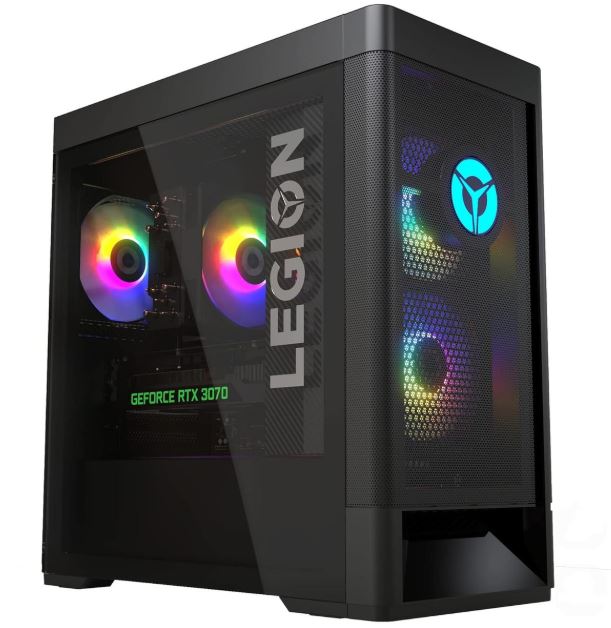
Lenovo Legion Tower / LOQ Tower (Best Mainstream Brand Pick)
Approx. Price: $1,200–1,500
If you prefer buying from a more mainstream brand rather than a system integrator, the Lenovo Legion Tower or Lenovo LOQ Tower is one of the better options to watch for under $1500. Depending on sales, these systems can come with an RTX 4060 Ti, RX 7700 XT, or occasionally a discounted RTX 4070, paired with CPUs like the Ryzen 7 5700X, Ryzen 5 7600, or Intel Core i5-14400F.
Lenovo desktops are appealing because they usually have a cleaner design, decent thermals, and fewer “mystery parts” than some cheaper prebuilts. The downside is that some configurations may still use more basic motherboards or power supplies, so it’s still worth checking the full spec sheet.
Best For: Buyers who want a recognizable brand, solid gaming performance, and a cleaner plug-and-play experience.
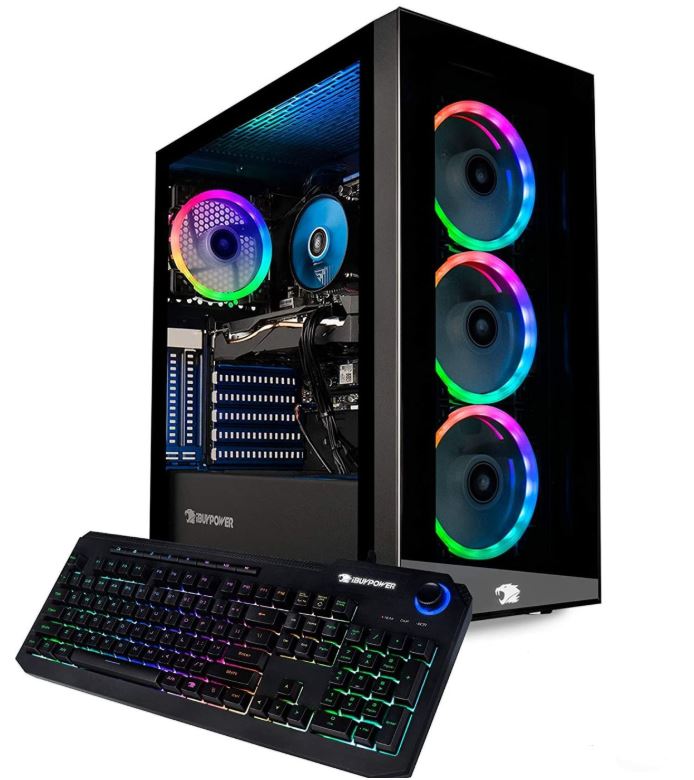
iBUYPOWER / NZXT Budget-High Option (Best for Clean Build and Easy Upgrades)
Approx. Price: $1,300–1,500
Some iBUYPOWER and NZXT prebuilts occasionally dip into the $1300–1500 range with very respectable specs, especially during sales. At this budget, the realistic expectation is still an RTX 4060 Ti, RX 7700 XT, or a rare RTX 4070 deal, paired with a Ryzen 5 7600, Ryzen 7 5700X, or an Intel Core i5-13400F / 14400F.
The appeal of these systems is usually the case quality, airflow, cable management, and the fact that they tend to feel closer to a custom-built PC than some of the more generic prebuilt options.
Best For: Gamers who want a prebuilt that looks cleaner, is easier to upgrade later, and still offers strong gaming performance.
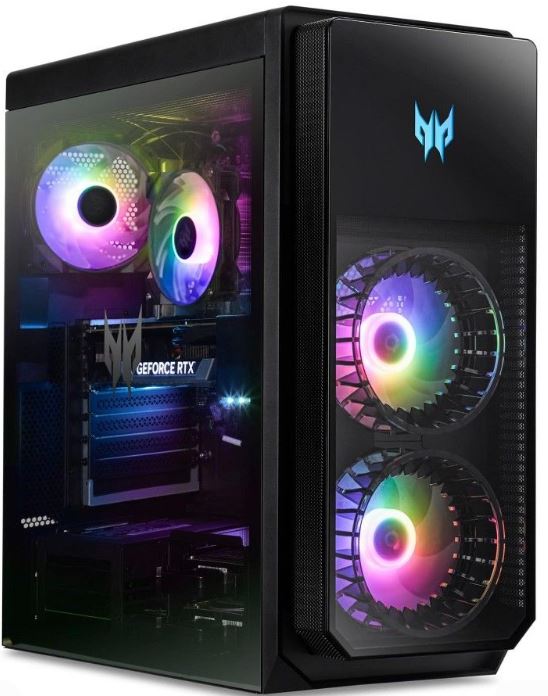
HP Omen / Acer Predator Orion / MSI Codex (Best Alternative Pick)
Approx. Price: $1,200–1,500
For the final spot, I’d look at HP Omen, Acer Predator Orion, or MSI Codex systems when they are on sale. Under $1500, these prebuilts are most likely to feature an RTX 4060 Ti or RTX 4070 on sale, paired with a Ryzen 7 or Intel Core i5 / i7 depending on the exact configuration.
The advantage here is that you’re buying from a known gaming brand with decent support and a more polished out-of-the-box experience. The disadvantage is that some of these systems can use proprietary parts or tighter cases, which may reduce upgrade flexibility compared to a more standard ATX-style prebuilt.
Best For: Buyers who want a recognizable gaming brand and are willing to trade a little upgrade freedom for convenience and warranty support.
Common Mistakes When Buying a Prebuilt Gaming PC Under $1500
1. Overlooking the Power Supply (PSU)
Many prebuilt gaming PCs cut costs by using a weaker or lower-quality power supply to hit a lower price point.
Why it’s a mistake: A poor PSU can cause instability, random crashes, louder fan noise, and it may also limit your future upgrade options. If you ever want to upgrade the GPU later, a weak power supply can become a major problem.
Better approach: Look for a prebuilt with at least a 650W PSU from a decent brand or, at the very least, a unit with solid reviews. If the listing does not clearly mention the PSU brand or wattage, that is already something to be cautious about.
2. Accepting Poor Cooling and Airflow
Cooling is one of the most common weak spots in budget and mid-range prebuilts.
Why it’s a mistake: If the case has poor airflow or the system only comes with one or two weak fans, the CPU and GPU can run hotter than they should. Higher temperatures can lead to thermal throttling, louder fan noise, and reduced long-term performance.
Better approach: Prioritize prebuilts with mesh-front cases, multiple fans, or reviews that specifically mention good temperatures under gaming load. Avoid tiny cases with restricted airflow unless the thermal performance is proven to be good.
3. Ignoring RAM Configuration
A lot of buyers look only at the total RAM amount and forget to check how the RAM is configured.
Why it’s a mistake: Some prebuilts still ship with one single stick of 16GB RAM instead of two 8GB sticks. That means you lose the performance benefit of dual-channel memory, which can hurt FPS in games more than many people realize.
Better approach: For a prebuilt gaming PC under $1500, 16GB of RAM should be the minimum, but the important part is making sure it runs in dual-channel. If you can get 32GB, that is even better, but I would prioritize dual-channel 16GB over a poorly configured single-stick setup.
4. Ignoring Upgradability and Proprietary Parts
Some brands use custom motherboards, power supplies, or case layouts that make future upgrades difficult.
Why it’s a mistake: A prebuilt may look great on paper, but if it uses proprietary parts, you might struggle to upgrade the GPU, swap the PSU, or add better cooling later. That defeats one of the biggest advantages of owning a gaming PC in the first place.
Better approach: Try to choose prebuilts that use standard ATX or micro-ATX components and avoid systems with unusual cases, no-name power supplies, or custom parts that lock you into one brand’s ecosystem.
5. Focusing Only on the GPU and CPU While Ignoring Overall Value
It is very easy to get distracted by a powerful GPU or CPU and ignore the rest of the build.
Why it’s a mistake: You might end up with a strong graphics card but a weak 512GB SSD, poor airflow, bad RAM configuration, limited Wi-Fi options, or a cheap motherboard and PSU that hurt the long-term value of the system.
Better approach: Look at the entire build, not just the graphics card. Compare the storage, RAM configuration, cooling, power supply, ports, Wi-Fi support, and upgrade path before deciding. At $1500, the best prebuilt gaming PC is usually the one with the most balanced overall value, not just the flashiest GPU.
Conclusion
A prebuilt gaming PC under $1500 is one of the easiest ways to jump into PC gaming without dealing with the stress of building everything yourself. At this budget, you can get a machine that genuinely handles 1080p high-FPS gaming and, depending on the GPU, can even deliver a very solid 1440p gaming experience. That is more than enough for competitive games like Apex Legends, Valorant, Counter-Strike 2, and even demanding AAA titles if the rest of the build is balanced properly.
The key thing to understand is that the best prebuilt gaming PC under $1500 is not always the one with the flashiest GPU in the title. A prebuilt with a good RTX 4060 Ti, RX 7700 XT, or even a discounted RTX 4070 can still be a poor buy if it comes with weak cooling, a bad power supply, single-channel RAM, or a motherboard that limits future upgrades. That is why looking at the full build matters just as much as looking at the graphics card.
If you want the easiest plug-and-play experience, a prebuilt is a perfectly smart option. And the best part is that you can still improve it later by upgrading the RAM, adding more storage, improving the cooling, or swapping out parts as your budget grows. In other words, you still get one of the biggest advantages of PC gaming: upgradeability.
If you would rather build your own PC instead, make sure to check out my Best Gaming PC Build Under $1000 guide for a more detailed part-by-part desktop build. And if you want to build a full battlestation around your new prebuilt, I also recommend my Best Budget Gaming Setup Under $1500, Best Gaming Monitor Under $300, Best Budget Gaming Mouse for FPS Games, and Best Budget Gaming Keyboard guides.
At the end of the day, a good prebuilt gaming PC saves you time, avoids compatibility headaches, and still gives you strong gaming performance if you choose wisely. So if building a PC sounds like a headache and you’d rather skip straight to the unboxing, peeling off the plastic, and downloading your games, a prebuilt under $1500 is absolutely a smart way to go.