If you’re looking for a gaming monitor for FPS games, you’re in luck. Thanks to advances in display technology, a budget of $300 is more than enough to buy a fantastic gaming monitor. The challenge isn’t finding a good monitor—it’s finding the right monitor for the types of games you play.
Not every FPS game demands the same experience. Tactical shooters such as Counter-Strike 2, Valorant, Rainbow Six Siege, Ready or Not and Ground Branch reward precision, target visibility and sharp image quality. A crisp display makes it easier to spot subtle enemy movement and react quickly. (Although let’s be honest CS2 and Valorant players somehow make their games look like they’re running on a calculator with stretched resolutions.)
If you’re more into fast-paced shooters like Apex Legends, The Finals or Battlefield, a monitor with a high refresh rate becomes even more important. Smooth motion, low response times and excellent motion clarity make tracking enemies and landing flick shots much easier. I spend plenty of time playing The Finals, and while a better monitor won’t stop me from getting hooked by a Heavy and instantly deleted with an RPG, it definitely makes the gameplay feel smoother and more responsive.
For most gamers, a 27-inch 1440p Fast IPS monitor is the sweet spot under $300, offering an excellent balance between image quality, refresh rate and competitive performance.
Affiliate Disclosure
Some of the links in this article are affiliate links, which means I may earn a small commission if you purchase a product through one of these links, at no additional cost to you. This helps support me and allows me to continue creating gaming guides and hardware recommendations for you.
That said, what should you expect from a gaming monitor under $300?
What To Expect From a Gaming Monitor Under $300
With a budget of under $300, a 1440p gaming monitor should be your first choice. Compared to 1080p, 1440p packs more pixels into the display, producing a noticeably sharper and more detailed image. While gaming at 1440p is more demanding on your graphics card, it offers an excellent balance between visual quality and performance, making it the sweet spot for most gamers in 2026.
You should also expect refresh rates between 165Hz and 240Hz. If you already own a mid-range or high-end gaming PC, you’ll be able to take full advantage of these high refresh rates. Even if you’re currently gaming on an older PC or laptop, buying a high refresh rate monitor is still a smart long-term investment. Most gamers eventually upgrade their hardware, but a good monitor can easily last five to ten years, so it’s worth getting this part of your setup right the first time.
Another specification you’ll see advertised is the 1ms response time. However, it’s important to understand what manufacturers are actually measuring. Many brands advertise 1ms GtG (Gray-to-Gray) response time, which measures how quickly a pixel changes between different shades of gray. It would be accurate if we were gaming on a black and white TV from the 40’s but it’s safe to say we are in 2026 and 1ms MPRT (Motion Picture Response Time) is often the more important measurement because it reflects how clearly moving objects appear on screen. In fast-paced shooters where you’re constantly tracking enemies, lower MPRT helps reduce ghosting and motion blur, allowing you to follow the target instead of its ghost trail.
Most gaming monitors in this price range also support AMD FreeSync Premium and are often NVIDIA G-SYNC Compatible. These adaptive sync technologies synchronize your monitor’s refresh rate with your graphics card, reducing screen tearing and stuttering during gameplay. While AMD FreeSync is designed by AMD, many modern NVIDIA graphics cards can also take advantage of compatible FreeSync monitors, making it an excellent feature regardless of which GPU brand you own.
You’ll also notice that many monitors advertise HDR support. Although HDR on a sub-$300 monitor won’t match the deep blacks and incredible contrast of an OLED display, it can still improve brightness, color vibrancy and overall image quality when supported in games.
Finally, expect most monitors in this price range to use Fast IPS panels. And no, “Fast IPS” isn’t just another marketing buzzword—it refers to an improved IPS technology that offers much faster pixel response times while maintaining excellent color accuracy and wide viewing angles. For competitive FPS gaming, Fast IPS remains one of the best panel technologies available at this price.
1. KTC H27E6 (Best High Refresh Rate Pick)
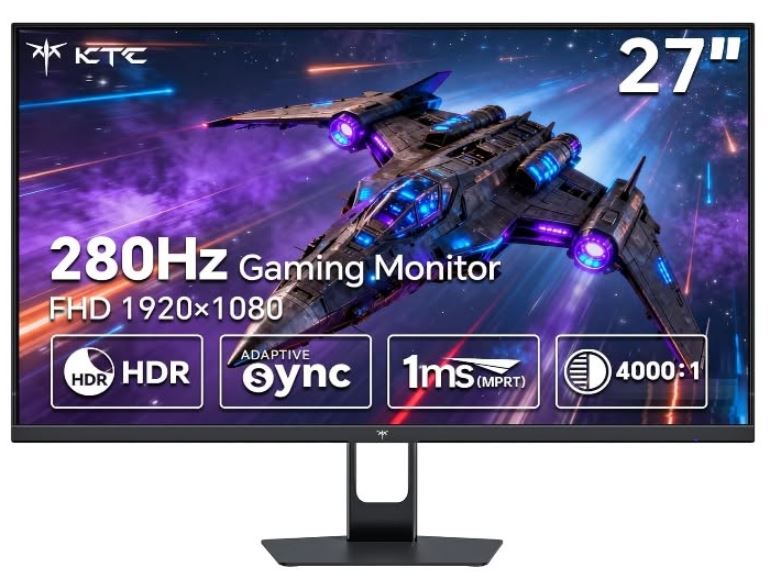
With a price of around $220–$280, the KTC H27E6 features a 27-inch Fast IPS panel, 1440p resolution, an incredible 300Hz refresh rate (up to 320Hz overclocked), 1ms response time, HDR400, and a fully ergonomic stand with height, swivel, pivot and tilt adjustments. It also includes HDMI 2.1 and DisplayPort connectivity for modern gaming systems.
The KTC H27E6 delivers exceptional motion clarity and extremely low input lag, making it one of the best gaming monitors for competitive FPS titles. The combination of a 1440p Fast IPS panel and a 300Hz refresh rate provides incredibly smooth gameplay while maintaining vibrant colors and excellent viewing angles. Considering its price, it offers outstanding value and is an excellent choice for gamers looking to future-proof their setup.
Pros: Extremely high refresh rate, vibrant Fast IPS panel, ergonomic stand.
Cons: Less well-known brand than LG or Gigabyte.
Best For: Competitive gamers who want the smoothest possible gameplay.
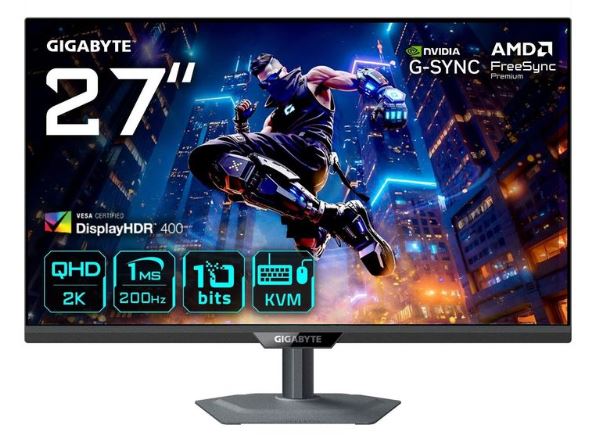
2. Gigabyte M27Q X (Best Overall)
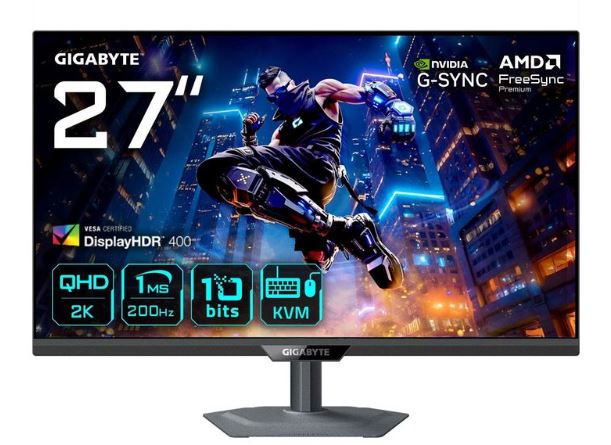
Priced between $250–$300, the Gigabyte M27Q X combines a 27-inch Super Speed IPS panel, 1440p resolution, 240Hz refresh rate, 1ms GtG response time, HDR support, a KVM switch, and USB-C with power delivery. It also covers approximately 92–94% of the DCI-P3 color space, making it excellent for both gaming and content creation.
This monitor strikes an outstanding balance between speed, image quality and productivity features. The 240Hz refresh rate delivers buttery smooth gameplay, while the KVM switch and USB-C connectivity make it easy to control multiple devices with one keyboard and mouse. It’s one of the most complete gaming monitors available in this price range.
Pros: Excellent colors, KVM switch, USB-C, premium build quality.
Cons: Stand is slightly bulky.
Best For: Gamers who want premium features alongside competitive performance.
3. LG UltraGear 27GP850-B (Best Color Accuracy)
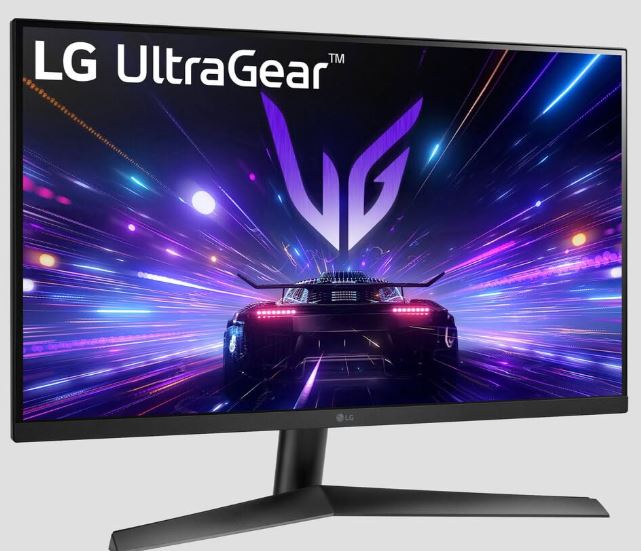
Available for around $200–$280, the LG UltraGear 27GP850-B features a 27-inch Nano IPS display, 1440p resolution, 165Hz refresh rate (overclockable to 180Hz), 1ms GtG response time, AMD FreeSync Premium, NVIDIA G-SYNC Compatible support and an ergonomic stand.
LG’s Nano IPS technology produces excellent color accuracy while maintaining fast response times and low input lag. It’s an outstanding choice for gamers who also edit photos, videos or stream, offering a fantastic balance between gaming performance and image quality.
Pros: Beautiful colors, excellent motion clarity, trusted brand.
Cons: Lower maximum refresh rate than newer 240Hz and 300Hz competitors.
Best For: Gamers who want both competitive performance and exceptional image quality.
4. ASUS TUF Gaming VG27AQ3A (Best Build Quality)
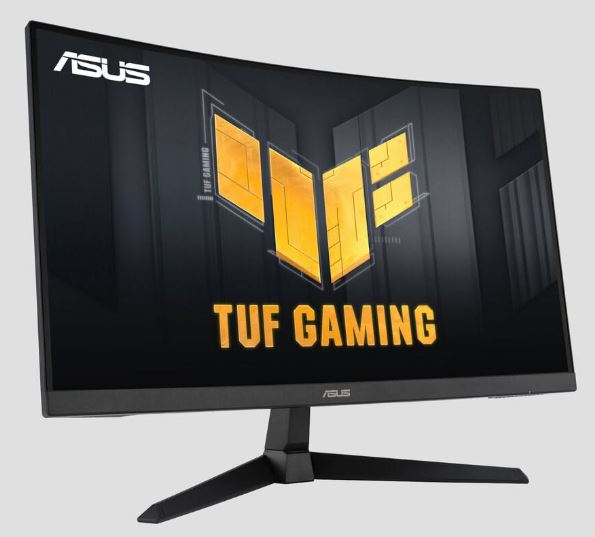
Selling for approximately $230–$290, the ASUS TUF VG27AQ3A offers a 27-inch Fast IPS panel, 1440p resolution, 165–180Hz refresh rate, 1ms response time, ELMB Sync motion blur reduction, and G-SYNC Compatible support.
The ASUS TUF series has built a reputation for excellent durability and dependable gaming performance. Motion clarity is outstanding thanks to ELMB Sync, while ASUS also includes several gaming-focused features such as crosshair overlays and display presets.
Pros: Excellent build quality, reliable performance, great motion handling.
Cons: Fewer premium features than the Gigabyte M27Q X.
Best For: Gamers who value durability and consistent performance.
5. Acer Nitro XV272U (Best Budget 1440p Gaming Monitor)
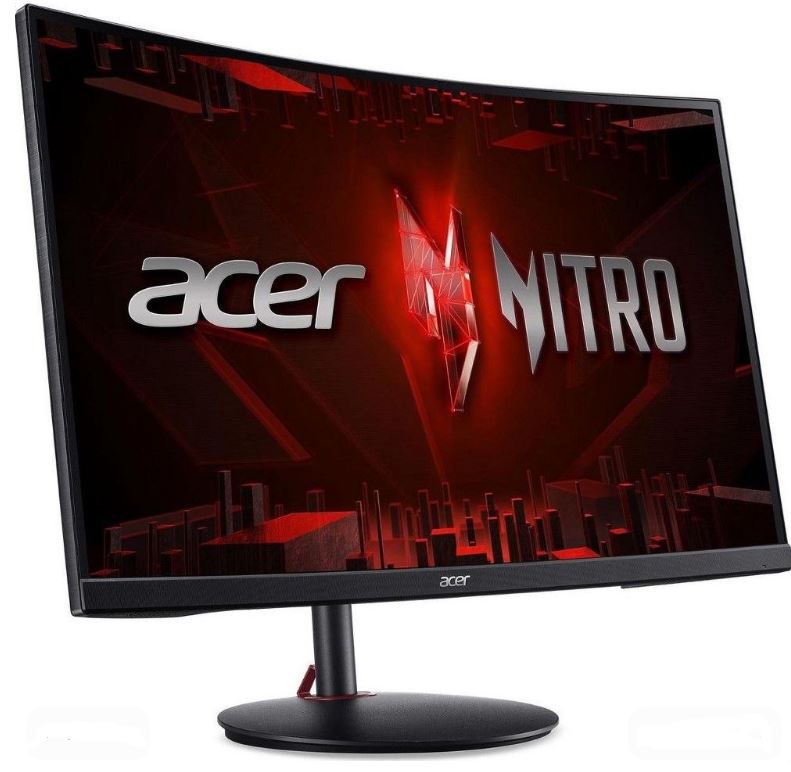
With prices typically ranging from $180–$260, the Acer Nitro XV272U features a 27-inch Fast IPS display, 1440p resolution, 165–180Hz refresh rate (depending on the model), 1ms response time, and excellent Adaptive Sync support.
The Nitro series continues to offer some of the best value in the gaming monitor market. It delivers sharp visuals, responsive gameplay and respectable factory color calibration without stretching your budget. It’s a great choice for gamers looking to experience 1440p high-refresh gaming for the first time.
Pros: Excellent value, responsive IPS panel, strong gaming performance.
Cons: Quality control can vary slightly between different models.
Best For: Gamers wanting an affordable entry into 1440p high refresh rate gaming.
Common Mistakes When Buying a Gaming Monitor Under $300
1. Buying 4K Instead of 1440p
A lot of gamers think 4K is always the better choice. While 4K looks incredible, it also requires a very powerful graphics card to run modern games at high frame rates. Personally, I’d love to own a 4K gaming monitor too, but my laptop would probably start negotiating with me before launching the game.
At this budget, 1440p is the sweet spot. Most monitors under $300 feature a 27-inch display, which delivers a sharp image while allowing you to enjoy high refresh rates. You get an excellent balance of visual quality, smooth gameplay and much better overall value.
Recommendation: Buy a 1440p monitor if you mainly play FPS games. Save 4K for when your hardware can actually take advantage of it.
2. Ignoring Overdrive Settings
Many gamers buy a high-refresh-rate monitor but never touch the settings menu. One of the most important features is Overdrive, which reduces ghosting and improves motion clarity during fast movement.
Most monitors offer multiple Overdrive levels. Setting it too high can introduce overshoot (bright trails behind moving objects), while setting it too low won’t reduce ghosting effectively.
Recommendation: Read your monitor’s manual and experiment with the Normal or Medium Overdrive setting to find the best balance for your display.
3. Choosing a VA Panel for Competitive Gaming
VA panels produce excellent contrast and deep blacks, making them fantastic for movies, racing games and immersive single-player titles. However, they generally have slower pixel response times than Fast IPS panels, which can result in black smearing during fast movement.
For games like Counter-Strike 2, Valorant, Apex Legends and The Finals, a Fast IPS monitor provides much better motion clarity and faster response times.
Recommendation: Buy a Fast IPS monitor for competitive FPS games. Choose a VA panel if you mainly enjoy cinematic or story-driven games.
4. Forgetting to Enable the Maximum Refresh Rate
One of the most common mistakes is buying a 165Hz or 240Hz monitor and unknowingly using it at 60Hz because Windows hasn’t been configured correctly.
To enable the highest refresh rate in Windows:
Settings → System → Display → Advanced Display → Select your monitor → Refresh Rate → Choose the highest available option (165Hz, 180Hz or 240Hz).
It only takes a few seconds and ensures you’re getting the smooth gaming experience you paid for.
Recommendation: Always verify your refresh rate after setting up a new monitor.
Conclusion
A $300 budget is the sweet spot for anyone looking to buy a high-quality gaming monitor in 2026. At this price, you can comfortably step into the world of 1440p gaming, enjoy Fast IPS panels, 165Hz–240Hz refresh rates, 1ms response times, and modern features like AMD FreeSync Premium and NVIDIA G-SYNC Compatible support. Whether you’re grinding ranked matches in Apex Legends, Counter-Strike 2, Valorant, Rainbow Six Siege, or simply enjoying immersive single-player games, every monitor on this list offers excellent performance for the money.
Now that you’ve found the perfect monitor, the next step is making sure the rest of your setup can keep up. A great display deserves an equally great gaming mouse, so be sure to check out our Best Gaming Mouse Under $100 for FPS Games (2026 Guide). Pair it with our Best Mechanical Keyboard Under $100 (2026 Guide) and Best Gaming Headset for FPS Games (2026 Guide) to complete your competitive gaming setup.
If a $300 gaming monitor stretches your budget a little too far, don’t worry. Take a look at our Best Gaming Monitor Under $200 for FPS Games (2026 Guide) where I recommend some fantastic budget-friendly monitors that still deliver smooth gameplay and excellent image quality.
Finally, if you’re still gaming on a laptop and want to experience these high refresh rates properly, consider upgrading your system. Our Best Budget Gaming Laptop Under $1000 for FPS Games (2026 Guide) features some of the best mid-range gaming laptops capable of driving modern 1440p gaming monitors with ease.
At the end of the day, the best gaming monitor is the one that fits your budget, your hardware and the games you play. Choose any monitor from this list, pair it with a capable gaming PC or laptop, and you’ll enjoy smoother gameplay, better motion clarity and a much more immersive gaming experience for years to come.
Your time spent reading my article means the world to me. Thank you and I hope you found what you were looking for.