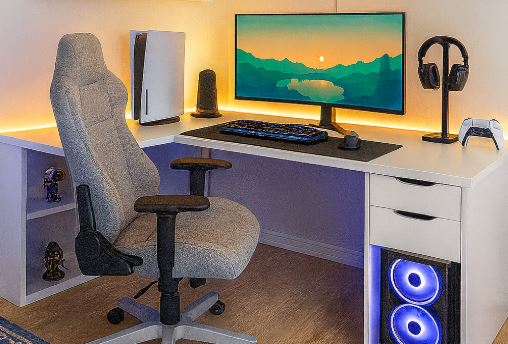
The gaming desk is the foundation of every gaming setup. It’s where your monitor, mouse, keyboard, gaming PC, speakers and microphone all come together. That’s why it’s important to invest in a sturdy gaming desk that won’t start wobbling or falling apart after a couple of years.
A spacious gaming desk is equally important, especially if you play competitive FPS games. Low sensitivity players need plenty of room to move their mouse freely without constantly bumping into their keyboard or monitor stand. Trust me, losing a gunfight because your mouse smacked into your water bottle is not a fun experience.
A good gaming desk also helps keep your setup clean and organized. Features like cable management, monitor arm support, headphone hooks and cup holders may seem like small additions, but they make a huge difference in everyday use. Whether you’re gaming, studying, programming, streaming or editing videos, having an organized workspace helps you stay focused and comfortable for much longer.
After all, your gaming chair supports you, but your gaming desk supports everything else.
Affiliate Disclosure
Some of the links in this article are affiliate links, which means I may earn a small commission if you purchase a product through one of these links, at no additional cost to you. This helps support me and allows me to continue creating gaming guides and hardware recommendations for you.
That said, what should you expect from a gaming desk under $200?
What To Expect From a Gaming Desk Under $200
Gaming desks under $200 generally offer a large desktop surface, giving you enough room for a 27–32-inch monitor, a full-sized mechanical keyboard, a large gaming mouse pad, and plenty of space for unrestricted mouse movement. You’ll also have enough room for your gaming PC or laptop, speakers, microphone and a few decorations to make your setup look clean and aesthetically pleasing.
At this price range, most gaming desks are built with strong steel frames that provide excellent stability and durability. Some models also combine steel with engineered wood or particle board to keep costs down while maintaining good structural strength. A sturdy desk helps minimize wobbling, which is especially important if you play competitive FPS games where precise mouse movements matter.
Most gaming desks under $200 support between 150–220 lbs (68–100 kg), making them more than capable of holding your monitor, gaming PC, peripherals and other accessories without any problems.
Since this is considered the mid-range category, you’ll also find useful cable management features such as cable trays, cable routing holes, and headphone hooks that help keep your setup tidy. A clean desk not only looks better but also makes it easier to organize your peripherals and avoid tangled cables.
Many gaming desks also feature a carbon fiber-style desktop finish. Besides giving the desk a premium gaming look, it’s easy to wipe clean and offers better scratch resistance than a standard wooden surface, helping your desk maintain its appearance over time.
Finally, most gaming desks in this price range are compatible with monitor arms and microphone boom arms, allowing you to free up valuable desk space while creating a more ergonomic setup for gaming, streaming and content creation.
1. GTRACING 55-Inch Gaming Desk (Best Overall)
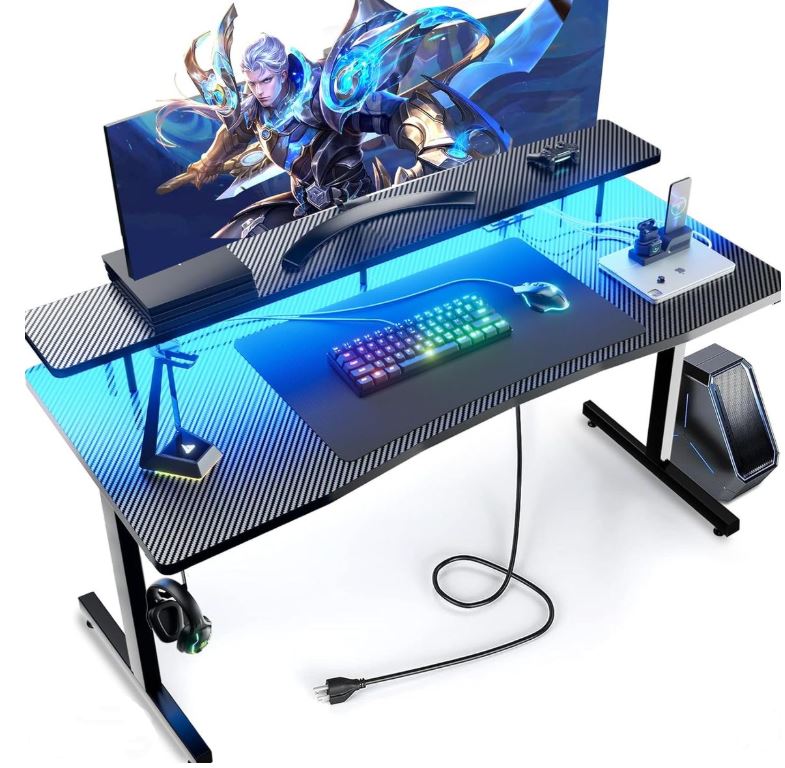
Selling for around $100–$180, the GTRACING 55-inch Gaming Desk features a spacious 55 × 23-inch carbon fiber desktop, a sturdy T-shaped steel frame, RGB lighting, a headphone hook and excellent stability for both single and dual-monitor setups.
The GTRACING desk is one of the best gaming desks under $200 thanks to its solid construction, spacious work surface and gamer-focused features. The steel frame minimizes wobbling during intense gaming sessions, while the carbon fiber finish resists scratches and is easy to clean.
Pros: Excellent stability, spacious desktop, RGB lighting, easy assembly.
Cons: Cable management is fairly basic, desk depth may feel shallow for some users.
Best For: Gamers wanting the best overall balance of space, stability and features.
2. Homall 55-Inch Gaming Desk (Best Budget Value)
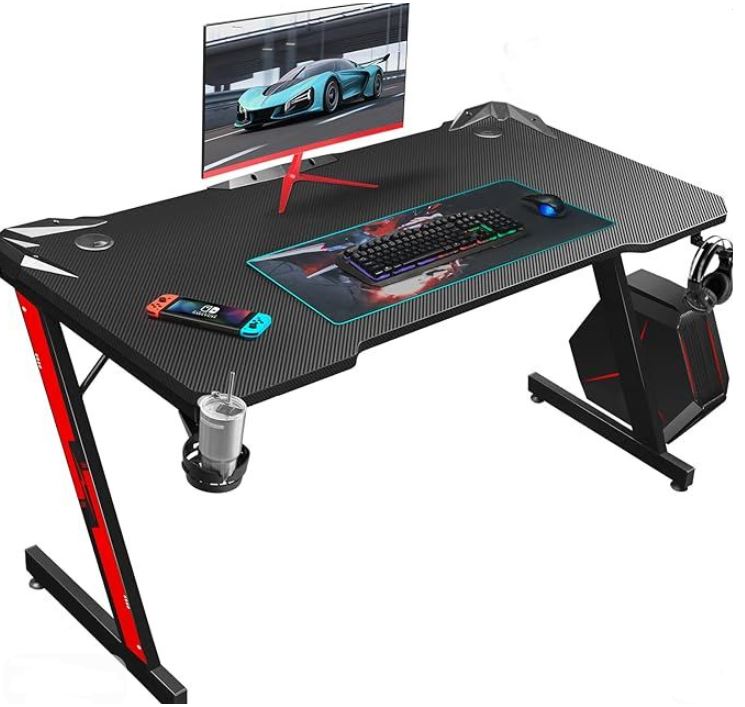
Usually priced between $70–$150, the Homall Gaming Desk features a sturdy metal frame, carbon fiber desktop, spacious rectangular design and excellent value for budget-conscious gamers.
Despite its affordable price, the Homall desk provides plenty of room for a gaming monitor, keyboard, mouse and gaming PC while maintaining impressive stability. It’s an excellent choice for anyone building their first gaming setup without overspending.
Pros: Affordable, sturdy construction, scratch-resistant surface, easy to assemble.
Cons: Fixed desk height, lighter construction than premium models.
Best For: Budget gamers looking for a reliable everyday gaming desk.
3. IKEA Utespelare Gaming Desk (Best Build Quality)
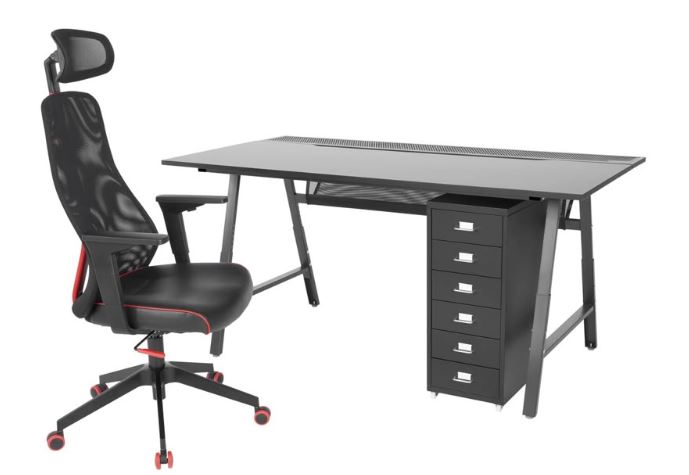
Available for approximately $150–$200, the IKEA Utespelare offers a large desktop surface, durable steel frame, clean Scandinavian design and outstanding build quality.
Unlike many gaming desks that focus on flashy RGB lighting, the Utespelare prioritizes durability and functionality. Its spacious surface comfortably supports multiple monitors while giving you plenty of room for your keyboard, mouse and accessories.
Pros: Excellent build quality, spacious desktop, clean modern design.
Cons: No RGB lighting or built-in accessories, assembly takes a little longer.
Best For: Gamers who prefer a premium-looking setup with long-lasting durability.
4. GTPlayer Gaming Desk (Best Features)
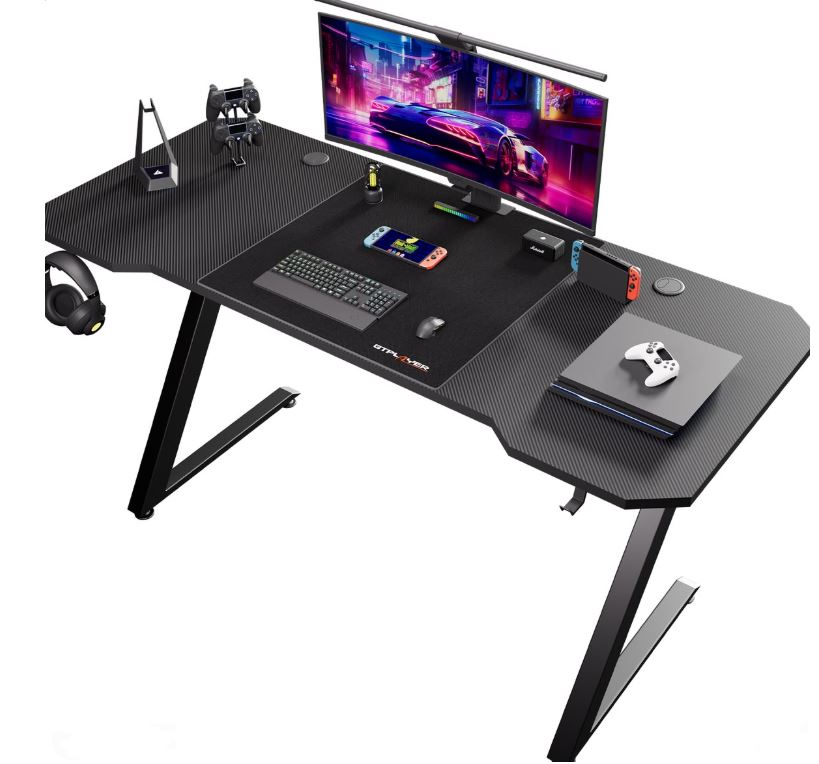
Selling between $80–$160, the GTPlayer Gaming Desk combines a sturdy steel frame with optional RGB lighting, monitor stands, cup holders and headphone hooks to create a practical gaming workstation.
The GTPlayer desk strikes a great balance between affordability and useful gaming features. It offers solid stability while providing several accessories that help keep your gaming setup organized.
Pros: Good stability, useful accessories, RGB options available.
Cons: Slightly narrower desktop on some models, quality can vary between versions.
Best For: Gamers wanting extra features without exceeding their budget.
5. Bestier Gaming Desk (Best for Organization)
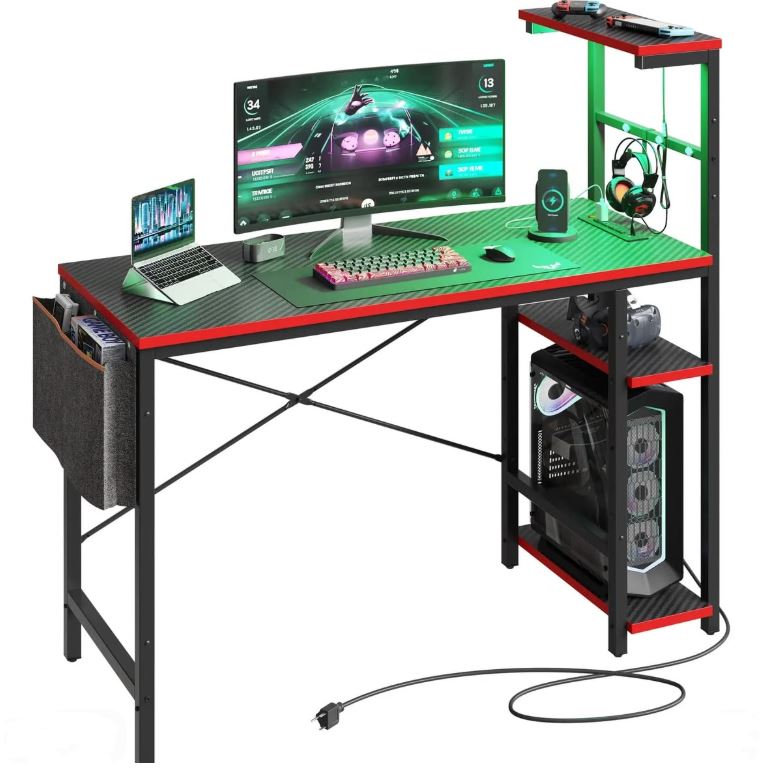
Usually available for $90–$180, the Bestier Gaming Desk features a spacious desktop, sturdy steel legs, built-in monitor risers, cable management options and customizable LED lighting on selected models.
Bestier desks are ideal for gamers who like keeping their setup clean and organized. The monitor riser creates extra desk space while the cable management features help reduce clutter for a more professional-looking gaming station.
Pros: Great organization features, spacious desktop, monitor riser included on many models.
Cons: Some users report minor wobbling if the desk isn’t properly leveled, desktop finish may show wear after heavy use.
Best For: Gamers who want a clean, organized and modern gaming setup.
Common Mistakes When Buying a Gaming Desk Under $200
1. Buying a Desk That’s Too Small
One of the biggest mistakes is choosing a gaming desk that’s too small for your setup. A compact desk may seem like a good idea until you realize there’s barely enough room for your monitor, keyboard, mouse, mouse pad and other accessories.
Why it’s a mistake: A cramped desk limits mouse movement, makes your setup feel cluttered and forces you to constantly rearrange your peripherals.
Advice: Measure your setup before buying. If possible, choose a gaming desk that’s at least 55 inches wide, especially if you plan on using dual monitors or a large mouse pad.
2. Ignoring Desk Depth
Many buyers focus on desk width and completely forget about desk depth.
Why it’s a mistake: A shallow desk forces you to sit too close to your monitor, reduces space for your keyboard and mouse, and can negatively affect your posture during long gaming sessions.
Advice: Look for a gaming desk that’s at least 24 inches (60 cm) deep. It provides a more comfortable viewing distance while giving you plenty of room for your peripherals.
3. Buying Weak Particle Board
Not every gaming desk is built to last.
Why it’s a mistake: Cheap particle board desks can begin to sag or flex under the weight of multiple monitors, a gaming PC and other heavy equipment. Over time, this reduces stability and may even damage your setup.
Advice: Choose a gaming desk with a reinforced steel frame and a quality desktop. A sturdy desk will provide better stability and last much longer.
4. Ignoring Cable Management
Cable management is one of those features you don’t appreciate until you don’t have it.
Why it’s a mistake: Loose cables create unnecessary clutter, collect dust and can easily become tangled or accidentally pulled while moving your equipment.
Advice: Choose a gaming desk with cable routing holes, cable trays or hooks. If your desk doesn’t include them, consider using Velcro cable ties or under-desk cable trays to keep everything neat.
5. Choosing Looks Over Stability
RGB lighting, carbon fiber patterns and flashy gamer designs might look amazing, but they shouldn’t be the deciding factor.
Why it’s a mistake: Some gaming desks focus heavily on aesthetics while sacrificing stability. A desk that wobbles every time you move your mouse will quickly become frustrating, especially in competitive FPS games where precision matters.
Advice: Prioritize a strong steel frame, solid construction and good weight capacity first. You can always add RGB lights and accessories later, but you can’t easily fix a desk that shakes every time you flick your mouse.
Conclusion
A gaming desk under $200 offers everything most gamers need to build a clean, comfortable and durable gaming setup. From spacious desktop surfaces and sturdy steel frames to cable management features and monitor arm support, the gaming desks in this guide provide excellent value without breaking the bank. Whether you’re gaming, studying, programming, streaming or creating content, investing in a quality gaming desk is something you’ll appreciate every time you sit down at your setup.
Now that you’ve found the perfect gaming desk, it’s time to complete your battle station. Pair it with one of our recommendations from the Best Gaming Chair Under $200 for Long Gaming Sessions to stay comfortable during long gaming marathons. You’ll also want a smooth, high refresh rate display, so don’t miss our Best Gaming Monitor Under $300 for FPS Games .
To finish your setup, check out our Best Gaming Mouse Under $100 for FPS Games , Best Mechanical Keyboard Under $100 and Best Gaming Headset for FPS Games ). If you’re planning to stream or create content, our Best Gaming Microphone Under $100 for Gaming and Streaming and Best Webcam Under $50 for Streaming and Content Creation will help you look and sound your best.
At the end of the day, your gaming desk is more than just a place to put your equipment—it’s where you’ll win ranked matches, lose a few, celebrate victories, study for exams, edit videos, work on projects and make memories with friends. Choose a desk that fits your needs today, and it’ll continue supporting your setup for many years to come.
Thank you for spending some time on my article. Hope you found what you were looking for. And always remember to stay gaming 🙂