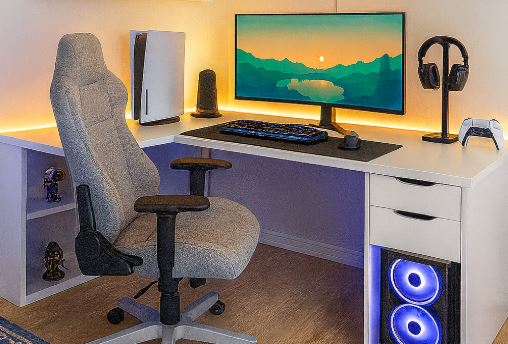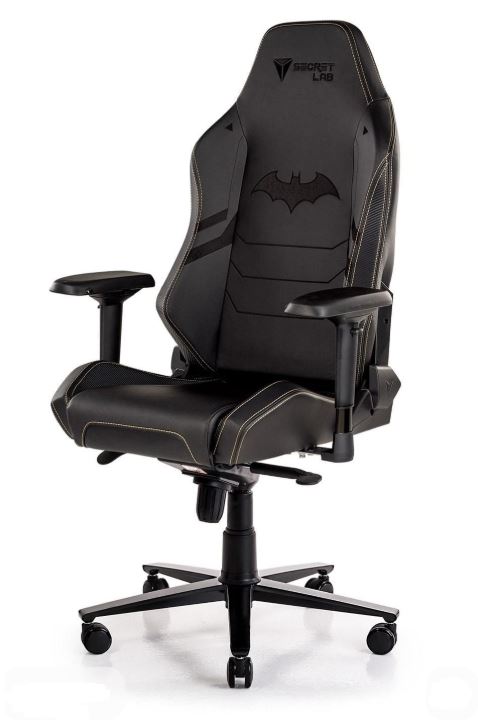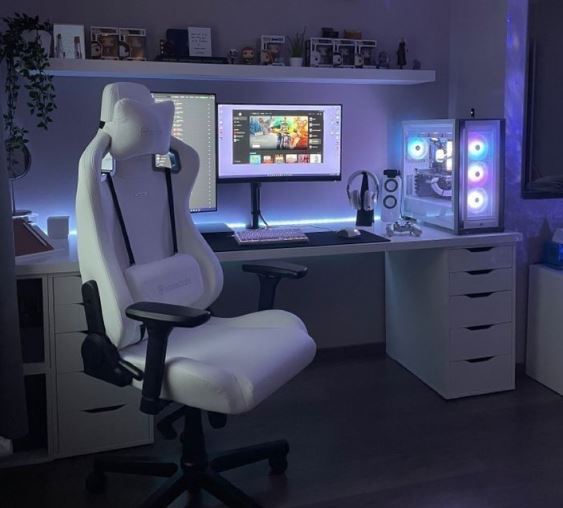
Gaming chairs continue to grow in popularity because they combine comfort with a premium-looking design, regardless of the price. More importantly, they’re built with features that make it much easier to stay comfortable during long gaming, studying or working sessions.
Let me give you a quick story. Back in school, I skipped more classes than I should have—not because I hated learning, but because those plastic classroom chairs somehow felt harder than sitting on a metal table. (Kids, please don’t skip classes. At least I still managed to pass my exams!)
The point I’m trying to make is simple: when you’re comfortable, you’re naturally more willing to stay focused for longer. Whether you’re grinding ranked matches, editing videos, programming, studying or writing articles like I do, having a comfortable chair makes a noticeable difference.
Now, let’s be realistic. A gaming chair won’t magically cure back pain or fix years of poor posture. However, a well-built ergonomic gaming chair can provide much better support, helping you stay comfortable during long hours at your desk.
This guide is for gamers, students, programmers, streamers, content creators, video editors and writers who regularly spend 6–10+ hours sitting at a desk.
Affiliate Disclosure
Some of the links in this article are affiliate links, which means I may earn a small commission if you purchase a product through one of these links, at no additional cost to you. This helps support me and allows me to continue creating gaming guides and hardware recommendations for you.
That said, what should you expect from a gaming chair under $200?
What To Expect From a Gaming Chair Under $200
By now, you probably have a rough idea of what to look for when buying a gaming chair. So, what exactly does a $200 budget get you?
One of the biggest upgrades at this price range is high-density cold-cure foam. I know those words sounded completely alien to me the first time I heard them too, but they’re actually quite simple.
High-density foam refers to how much foam material is packed into the cushion. The higher the density, the more resistant it is to compression and sagging over time. Cheap gaming chairs often use low-density foam that begins to flatten within a year or two, making the chair much less comfortable.
Cold-cure foam is manufactured by injecting liquid foam into a mould at room temperature rather than using external heat. This creates a more consistent foam structure, allowing it to keep its shape much longer without developing lumpy or uneven spots. Simply put, cold-cure foam is one of the biggest reasons why premium gaming chairs remain comfortable even after years of daily use.
Gaming chairs under $200 also provide noticeably better lumbar and neck support than cheaper alternatives. The cushions are generally softer, more supportive and better shaped to fit your lower back and neck, making long gaming, studying or work sessions much more comfortable.
You’ll also find higher-quality upholstery at this price point. Premium PU leather gaming chairs are more durable and resistant to peeling than budget models, while fabric gaming chairs offer superior airflow and breathability, making them an excellent choice if you live in a hot climate.
Another feature worth looking for is adjustable armrests. Gaming chairs generally come with three types:
- 2D Armrests – Adjust up/down and left/right.
- 3D Armrests – Add forward/backward movement and rotation for improved comfort.
- 4D Armrests – Offer the highest level of adjustment, allowing movement up/down, forward/backward, left/right, and rotation so you can position your arms exactly where you want them.
At this price range, most gaming chairs also feature a 155°–180° reclining backrest, making it easy to lean back and relax between gaming sessions. Finally, expect higher-quality stitching, stronger steel frames, better overall build quality and longer warranties than gaming chairs under $100. These improvements make a noticeable difference in both comfort and long-term durability.
Corsair TC100 Relaxed Fabric Gaming Chair (Best Overall)
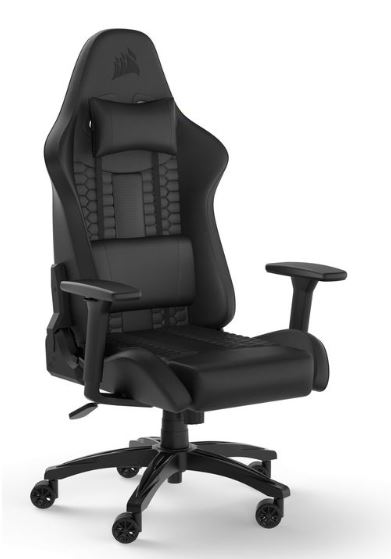
Priced at around $180–$200, the Corsair TC100 Relaxed features a wide ergonomic seat, high-density foam cushioning, breathable fabric upholstery, adjustable armrests, a reclining backrest and a lumbar support pillow.
The TC100 is one of the most comfortable gaming chairs in this price range thanks to its spacious seat and supportive cushioning that evenly distributes body weight, reducing pressure during long gaming sessions. The breathable fabric also keeps you much cooler than traditional PU leather, making it an excellent choice if you live in a warm climate or spend several hours at your desk.
Pros: Spacious seat, breathable fabric, excellent comfort, quality construction.
Cons: Some plastic components, recline mechanism could be smoother.
Best For: Gamers looking for the best balance of comfort, quality and value.
ThunderX3 Solo 360 (Best Ergonomics)
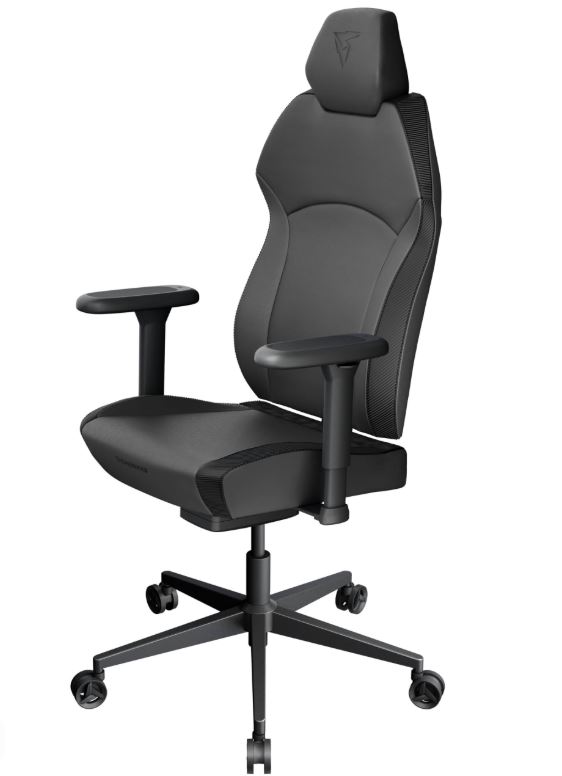
Usually available between $180–$200 during sales, the ThunderX3 Solo 360 offers 360° adjustable armrests, a synchronous tilt mechanism, ergonomic back support and firm, supportive cushioning designed for long gaming and productivity sessions.
This chair stands out because it encourages healthy sitting positions while allowing you to easily switch between gaming, working and relaxing. The modern design also looks much more premium than many gaming chairs in this price range.
Pros: Excellent ergonomics, highly adjustable armrests, premium appearance.
Cons: Cushioning feels firm at first, limited availability in some colors.
Best For: Gamers who prioritize posture and adjustability.
Dowinx LS-6657D Breathable Fabric (Best Comfort)
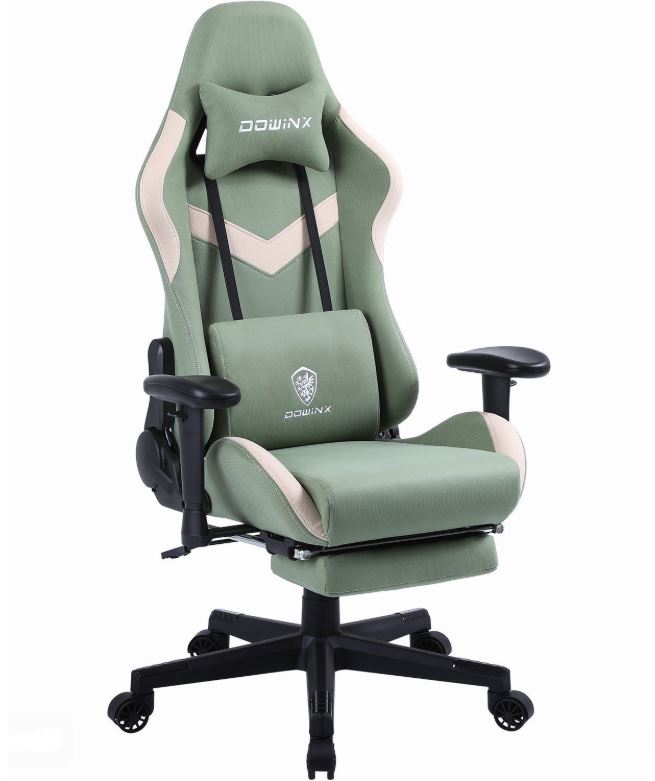
Selling for approximately $150–$180, the Dowinx LS-6657D features breathable fabric upholstery, thick seat padding, a removable gel cooling pad, reclining backrest and ergonomic lumbar support.
If you dislike the heat retention of PU leather, this is one of the best alternatives. The breathable fabric and cooling pad help keep you comfortable during long gaming sessions, while the generous cushioning reduces fatigue over time.
Pros: Excellent airflow, comfortable cushioning, cooling pad included.
Cons: Limited armrest adjustment, plastic base feels less premium.
Best For: Gamers living in hot climates or anyone who prefers fabric gaming chairs.
Respawn 110 Pro (Best Heavy-Duty Pick)
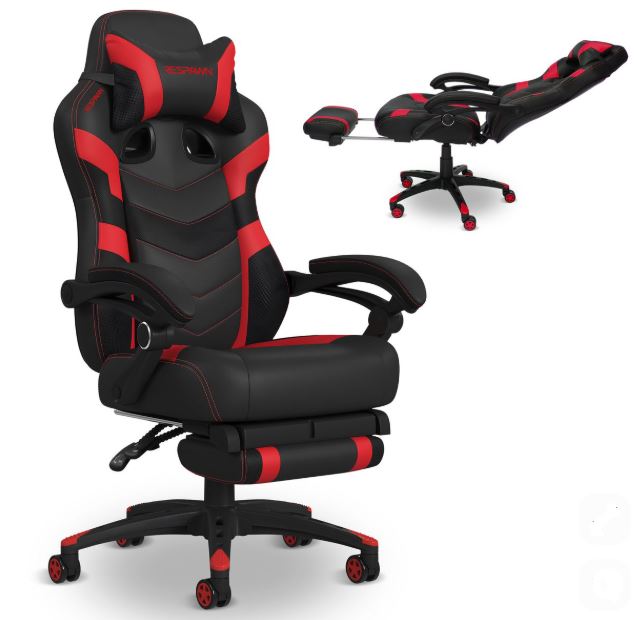
Priced around $190–$200, the Respawn 110 Pro includes thick segmented foam cushioning, ergonomic lumbar support, reclining backrest, adjustable headrest and a retractable footrest on selected models.
Built with durability in mind, the Respawn 110 provides excellent support during long gaming sessions while accommodating larger users comfortably. Its reclining function also makes it easy to relax between matches.
Pros: Strong construction, comfortable support, excellent recline.
Cons: Lumbar pillows feel unnecessary for some users, assembly takes time.
Best For: Larger gamers or anyone wanting maximum support.
GTPlayer Ace Pro (Best Value)
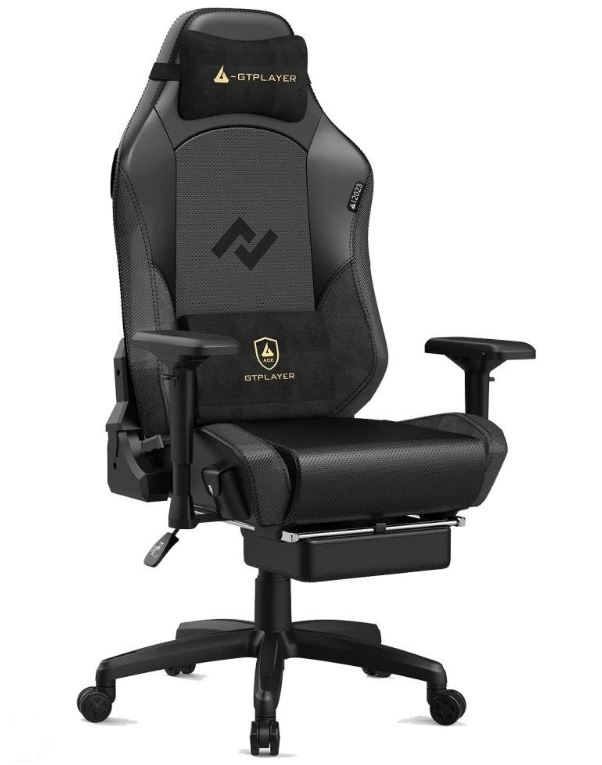
Usually available for $150–$190, the GTPlayer Ace Pro combines ergonomic cushioning with a reclining backrest, retractable footrest, Bluetooth speakers and memory foam support.
Although the Bluetooth speakers won’t replace a quality gaming headset, they add a fun extra feature that sets this chair apart. Combined with solid comfort and an affordable price, it’s an excellent value option for gamers wanting premium features without exceeding their budget.
Pros: Bluetooth speakers, footrest, good value, comfortable seating.
Cons: Limited armrest adjustment, shorter warranty.
Best For: Gamers looking for the most features for the money.
Common Mistakes When Buying a Gaming Chair Under $200
1. Buying Based on RGB and Appearance
A flashy gaming chair with RGB lighting, racing stripes and aggressive styling might look amazing in product photos, but looks alone don’t guarantee comfort.
Why it’s a mistake: Many manufacturers focus on appearance instead of ergonomics. Once the excitement of the RGB wears off, you’re left sitting in a stiff chair that becomes uncomfortable after a few hours.
Advice: Prioritize comfort, ergonomics and build quality first. A gaming chair should support your body during long sessions—not just look good in your setup.
2. Ignoring Foam Quality
Not all gaming chair cushions are made the same.
Why it’s a mistake: Cheap gaming chairs often use low-density foam that compresses and loses its shape within months. As the foam flattens, you’ll begin to feel pressure points that make long gaming sessions uncomfortable.
Advice: Look for gaming chairs with high-density cold-cure foam. They retain their shape much longer and provide better support for years of daily use.
3. Ignoring Adjustable Armrests
Many buyers underestimate how important armrests are until their shoulders and wrists begin to ache.
Why it’s a mistake: Fixed armrests force your shoulders and elbows into awkward positions, especially during long gaming sessions. Poor arm support can contribute to neck, shoulder and wrist discomfort over time.
Advice: At this price range, look for at least 2D armrests, although 3D or 4D armrests are even better if your budget allows. The extra adjustability makes a noticeable difference in comfort.
4. Buying the Wrong Chair Size
Gaming chairs aren’t one-size-fits-all.
Why it’s a mistake: A chair that’s too small can feel cramped and uncomfortable, while one that’s too large may not properly support your lower back, shoulders or legs. Choosing the wrong size reduces the ergonomic benefits you’re paying for.
Advice: Before buying, check the seat width, seat depth, backrest height and maximum weight capacity to ensure the chair fits your body comfortably.
5. Thinking Expensive Automatically Means Ergonomic
Many people assume that paying more automatically means getting a better gaming chair.
Why it’s a mistake: Price often reflects branding, extra features or premium aesthetics rather than genuine ergonomic design. Some expensive gaming chairs still provide mediocre lumbar support, while many budget-friendly options offer excellent comfort and adjustability.
Advice: Focus on features that actually improve your experience, such as high-density foam, adjustable lumbar support, quality armrests, solid build quality and long-term user reviews instead of judging a chair purely by its price tag.
Conclusion
A budget of $200 opens the door to gaming chairs that offer noticeably better comfort, build quality and ergonomics than entry-level models. Features like high-density cold-cure foam, better lumbar support, adjustable armrests and premium upholstery make a huge difference when you’re spending 6–10+ hours gaming, studying, working or creating content. Every gaming chair on this list offers excellent value and should provide years of comfort when properly cared for.
Now that you’ve upgraded your chair, it’s time to complete the rest of your gaming setup. A comfortable chair deserves a high-quality display, so be sure to check out our Best Gaming Monitor Under $300 for FPS Games if you’re looking for smoother gameplay and sharper visuals.
You’ll also want a quality gaming mouse and keyboard to get the most out of your setup. Have a look at our Best Gaming Mouse Under $100 for FPS Games and Best Mechanical Keyboard Under $100 to complete your battle station. If you enjoy streaming or chatting with friends on Discord, don’t miss our Best Gaming Microphone Under $100 for Gaming and Streaming) and Best Webcam Under $50 for Streaming and Content Creation.
If your budget doesn’t quite stretch to $200, don’t worry. We’ve also put together our Best Gaming Chair Under $100 for Long Gaming Sessions (2026 Guide), featuring excellent budget-friendly options that still deliver great comfort and support.
At the end of the day, buying a gaming chair isn’t just about making your setup look better—it’s about investing in your comfort every single day. Your aim might still need practice, your teammates might still blame you for every lost round, but at least your back won’t be filing a complaint after a six-hour gaming session.