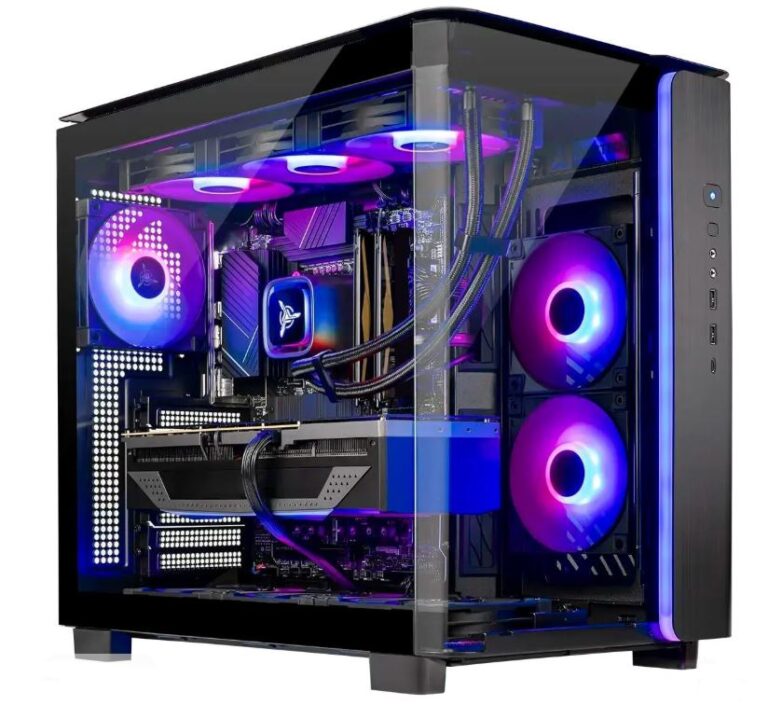
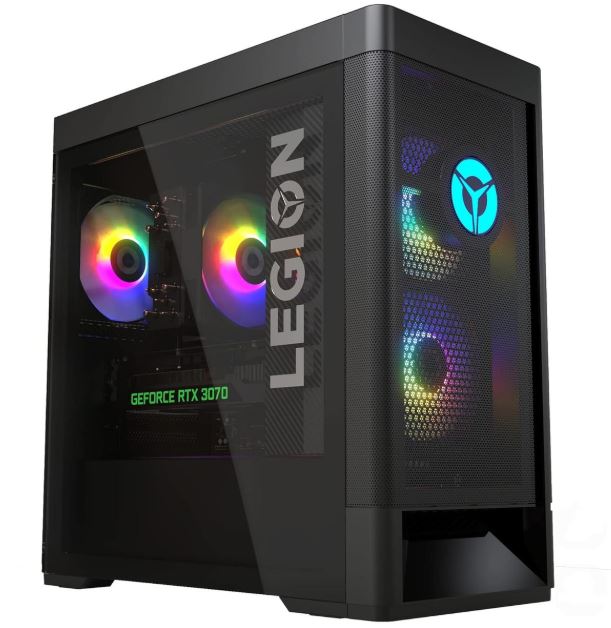
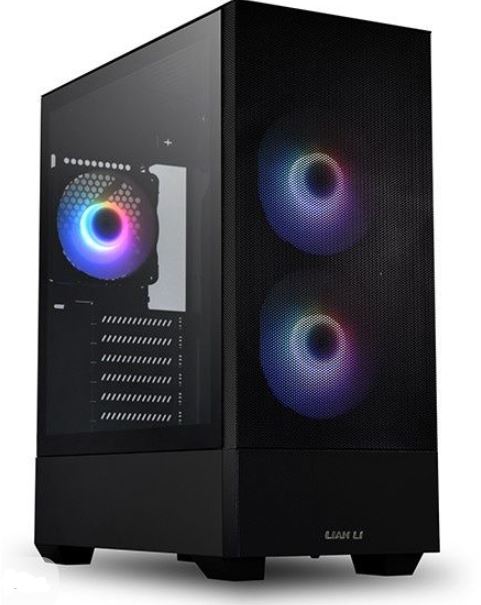
Not everyone wants to build a gaming PC, and that’s completely understandable. Building a PC can be stressful, time-consuming, and sometimes frustrating, especially if you’re unfamiliar with PC hardware. That is exactly why prebuilt gaming PCs continue to be so popular. They are convenient, save you hours of research, and the best part is that you simply unbox them, plug them in, power them on, and start gaming.
At $1000, a prebuilt gaming PC can still be a fantastic entry into PC gaming. If you’ve spent most of your life playing on consoles, buying a prebuilt is one of the easiest ways to make the switch to PC. It also gives you the opportunity to learn about PC hardware, upgrades, and customization over time without having to build your first system from scratch.
However, this is also the budget where many prebuilt manufacturers start cutting corners. Some systems ship with single-channel RAM, lower-quality power supplies, poor case airflow, small SSDs, or no-name motherboards to keep costs down. That doesn’t mean you should avoid buying a prebuilt—it simply means you need to know what to look for before spending your money.
The goal is to find a prebuilt gaming PC that delivers smooth 1080p gaming today while still giving you enough upgrade potential for the future. If you choose wisely, a $1000 prebuilt can serve you well for years.
That said, what should you expect from a prebuilt gaming PC under $1000?
Affiliate Disclosure
Some of the links in this article are affiliate links, which means I may earn a small commission if you purchase a product through one of these links, at no additional cost to you. This helps support me and allows me to continue creating gaming guides and hardware recommendations.
What to Expect From a Prebuilt Gaming PC Under $1000
At a $1000 budget, you should expect a gaming PC that delivers an excellent 1080p gaming experience while still leaving room for future upgrades. This is the budget where you need to pay close attention to the specifications because manufacturers often make compromises to keep the price low. When browsing Amazon, Best Buy, Newegg, or any other retailer, these are the specifications you should look out for.
GPU Expectations
For NVIDIA graphics cards, you should realistically expect an RTX 3050, RTX 3060 12GB, or, if you are lucky enough to find a good sale, an RTX 4060. If you come across an RTX 4060 within your budget, I highly recommend grabbing it because it offers a noticeable improvement in performance and supports modern NVIDIA features such as DLSS, Frame Generation, and ray tracing.
For AMD users, the Radeon RX 6600 and Radeon RX 7600 are excellent choices. AMD graphics cards are well known for offering outstanding price-to-performance and strong rasterization performance, making them perfect for gamers who simply want the highest FPS possible. If you’re moving from a PlayStation or Xbox to PC gaming, an AMD GPU is a great way to experience higher frame rates without spending a fortune.
CPU Expectations
For AMD processors, the Ryzen 5 5600 and other Ryzen 5000 Series CPUs are the most realistic options in this price range. They continue to offer excellent gaming performance and pair very well with the graphics cards you should expect under $1000.
For Intel builds, look for Intel Core i5 12th Generation or 13th Generation processors, especially models ending with the letter “F”, such as the Core i5-12400F or Core i5-13400F. These CPUs offer excellent gaming performance while keeping the overall system cost reasonable.
If you’re confused by Intel’s naming scheme, I’ve written a detailed guide explaining exactly what the numbers and letters mean in my Best Intel CPUs for FPS Gaming (2026 Guide) article.
RAM Expectations
At $1000, 16GB of DDR4 RAM is the most realistic expectation. While DDR5 is newer and faster, it is also more expensive and requires newer motherboards, making it difficult to fit into this budget without sacrificing performance elsewhere.
More importantly, make sure the PC uses dual-channel memory. That means two 8GB RAM sticks instead of one 16GB stick. Dual-channel memory allows the processor to communicate with both memory modules simultaneously, which often results in higher FPS and smoother gameplay compared to a single-stick configuration.
Storage Expectations
A 1TB NVMe SSD is the ideal storage option because modern games are becoming larger every year and perform much better when installed on an SSD.
However, many prebuilts in this budget still come with a 512GB SSD. If you find an otherwise excellent deal with 512GB of SSD storage, don’t ignore it. You can always add a 1TB HDD later for backup storage or less frequently played games. This allows you to keep Windows and your favorite games on the SSD while using the HDD for everything else.
Cooling and Airflow
Cooling is one of the biggest compromises in budget prebuilt gaming PCs. Unlike custom-built systems, manufacturers rarely specify the exact case fans or cooling components they use.
Because of that, weak airflow and basic stock fans are fairly common. Fortunately, cooling is also one of the easiest and cheapest upgrades you can make. For around $30, you can purchase a pack of quality case fans and significantly improve airflow, temperatures, and overall system performance.
PSU and Motherboard Expectations
Lower-priced prebuilts often use generic power supplies and lower-end motherboards to reduce costs. While this is understandable at the $1000 price point, it is still worth checking the specifications whenever possible.
A higher-quality PSU improves reliability and gives you more flexibility when upgrading your graphics card in the future. Likewise, a better motherboard usually offers improved build quality, more USB ports, additional storage options, and better upgrade support.
Upgradability
One of the biggest advantages of buying a prebuilt gaming PC instead of a gaming laptop is upgradability. Unlike a laptop, almost every major component inside a desktop PC can be replaced or upgraded later.
Whenever possible, choose a prebuilt that uses standard ATX or micro-ATX components rather than proprietary cases, motherboards, or power supplies. This makes future upgrades much easier and allows your gaming PC to grow with your needs instead of forcing you to buy an entirely new system.
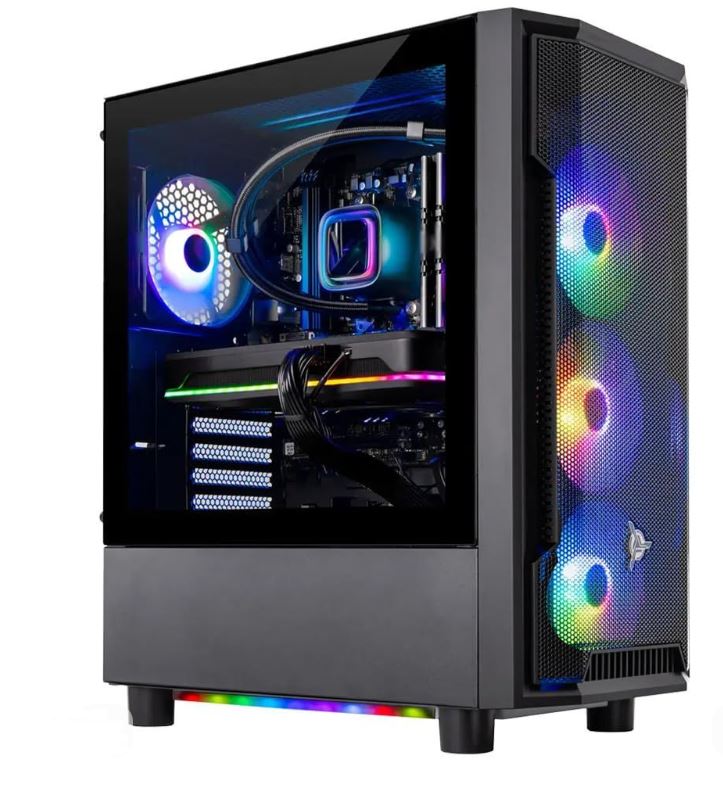
Skytech / ABS Entry-Level (Best Overall)
Approx. Price: $850–999
A Skytech or ABS prebuilt is one of the safest choices if you’re buying your first gaming PC. At this budget, you should realistically expect an RTX 4060, although some models may feature an RTX 3050 when they’re heavily discounted. For the processor, look for an AMD Ryzen 5 5600 / 5500 or an Intel Core i5-12400F / i5-13400F.
The rest of the specifications should include 16GB DDR4 RAM, a 512GB or 1TB NVMe SSD, a 500–650W PSU, and a basic airflow-focused case. While these systems are designed primarily for 1080p gaming, they still leave plenty of room for future upgrades.
Best For: Gamers looking for a reliable first gaming PC with excellent 1080p performance and a solid upgrade path.
iBUYPOWER TraceMR or Similar (Best Plug-and-Play Option)
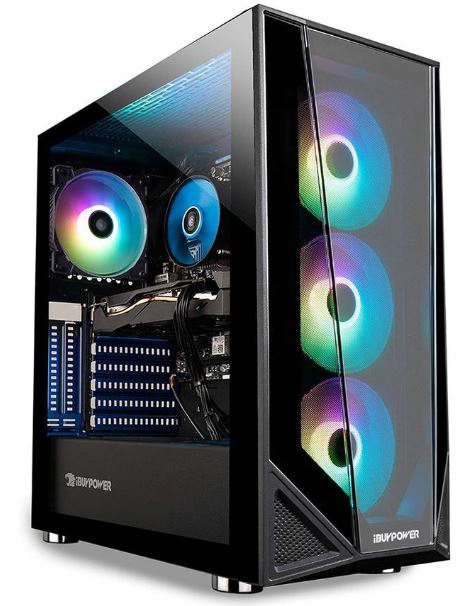
Approx. Price: $800–950
The iBUYPOWER TraceMR is an excellent option for gamers who simply want to unbox the PC and start playing. Most configurations include an RTX 4060 or occasionally an RTX 3050, paired with a Ryzen 5 5600 or Intel Core i5-12400F.
Expect 16GB DDR4 RAM, a 512GB SSD, decent cooling, and an attractive tempered glass case with RGB lighting.
Best For: First-time PC gamers who want a simple plug-and-play experience with strong 1080p gaming performance.
CyberPowerPC Gamer Xtreme (Best Intel Build)
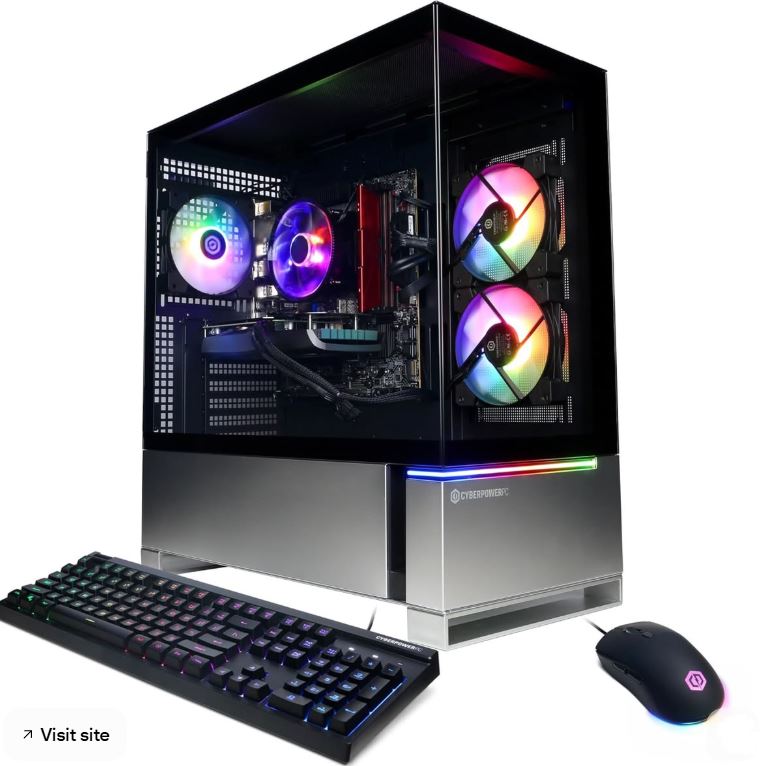
\Approx. Price: $900–999
The CyberPowerPC Gamer Xtreme is a great choice if you prefer Intel processors. Depending on current pricing, it often includes an RTX 4060 paired with an Intel Core i5-13400F or Core i5-12400F. AMD configurations with the Ryzen 5 5600 also appear occasionally.
Most models include 16GB RAM, a 1TB NVMe SSD, and an RGB mid-tower case with reasonable airflow.
Best For: Gamers looking for a balanced Intel-based gaming PC capable of excellent 1080p performance and smooth esports gaming.
Skytech Shadow / Archangel (Best Budget Upgrade Platform)
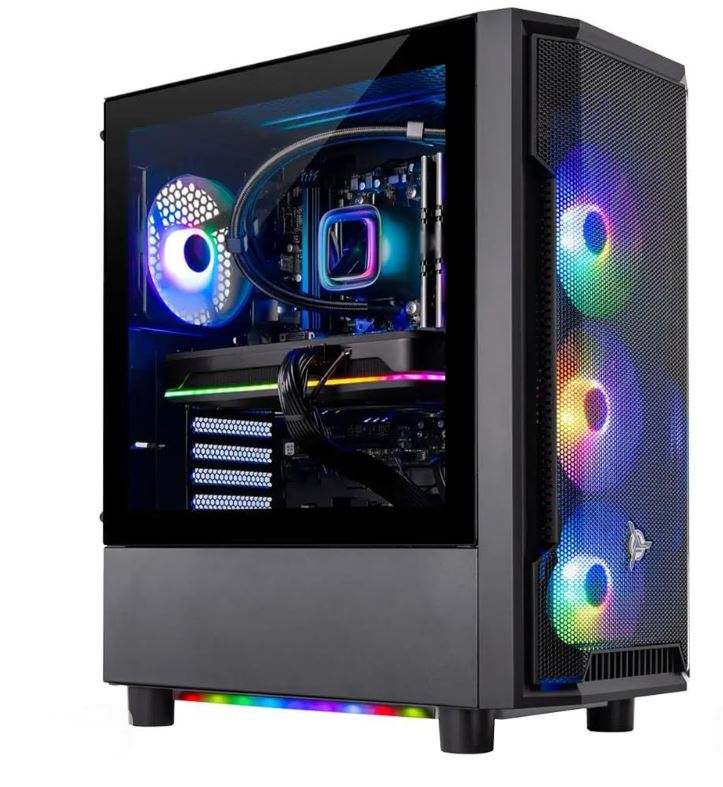
Approx. Price: $750–900
The Skytech Shadow and Skytech Archangel remain popular choices for budget-conscious gamers. These systems commonly feature an RTX 3050 or RTX 4060 alongside a Ryzen 5 5500 or Ryzen 5 5600.
Most configurations include 16GB DDR4 RAM, a 512GB or 1TB SSD, and a straightforward case with decent airflow. While they may not have the premium features of more expensive prebuilts, they provide an excellent foundation for future upgrades.
Best For: Budget gamers who plan to upgrade their GPU, storage, or cooling over time.
ABS / Thermaltake Entry Gaming PC (Best Alternative)
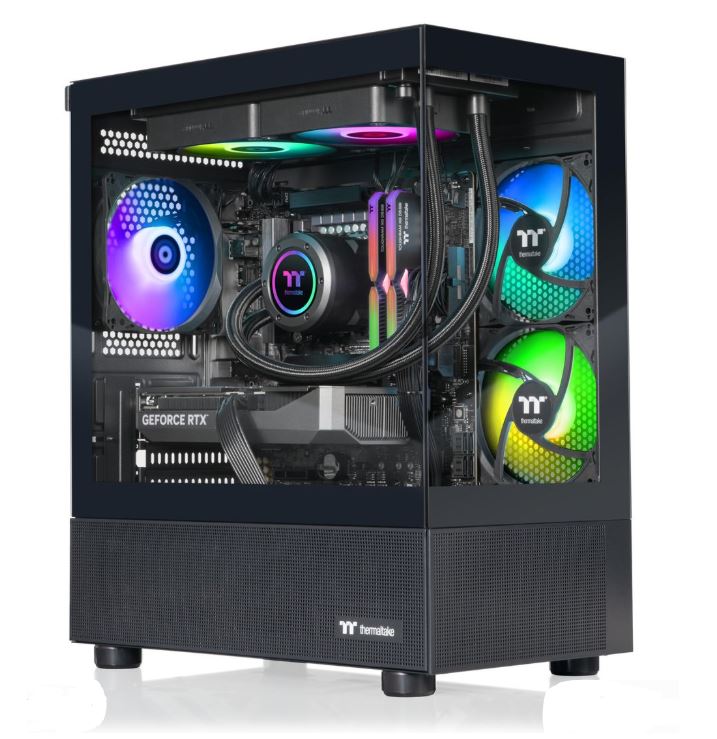
Approx. Price: $850–999
If you don’t find the previous options on sale, ABS and Thermaltake prebuilts are excellent alternatives. Look for systems with an RTX 4060, Ryzen 5 5600, or Intel Core i5-13400F, together with 16GB DDR4 RAM and at least a 1TB NVMe SSD.
These desktops usually focus on balanced hardware rather than flashy aesthetics, making them reliable choices for long gaming sessions and future upgrades.
Best For: Gamers wanting dependable 1080p gaming, quality components, and good overall value without exceeding the $1000 budget.
Common Mistakes When Buying a Prebuilt Gaming PC Under $1000
1. Buying 8GB RAM in 2026
Some budget prebuilts still ship with only 8GB of RAM to keep the price as low as possible.
Why it’s a mistake: Modern games have become much more demanding, and 8GB of RAM simply isn’t enough for a smooth gaming experience. You may experience longer loading times, frequent stuttering, and poor multitasking performance, especially if you have Discord, a browser, or other applications running in the background.
Better approach: Look for at least 16GB of RAM. At this budget, 16GB DDR4 in dual-channel is the sweet spot. If you find a system with 32GB without sacrificing other important components, that’s an added bonus.
2. Accepting Single-Channel RAM Without Realizing It
Many buyers see 16GB RAM in the specifications and assume everything is fine without checking how the memory is configured.
Why it’s a mistake: A single 16GB RAM stick cannot take advantage of dual-channel memory, which reduces memory bandwidth and can noticeably lower gaming performance in CPU-intensive titles. In some games, this can result in lower FPS and less consistent frame times.
Better approach: Always check whether the system uses 2×8GB instead of 1×16GB. Dual-channel memory allows the processor to access both RAM sticks simultaneously, resulting in smoother gameplay and better overall performance.
3. Paying $1000 for an RTX 3050 Build with a Weak CPU
Some prebuilts advertise a dedicated graphics card while quietly pairing it with an older or slower processor.
Why it’s a mistake: A weak CPU can bottleneck the graphics card, especially in CPU-heavy games such as Counter-Strike 2, Minecraft, and Valorant. You may end up paying for a gaming PC that never reaches its full performance potential.
Better approach: Prioritize a balanced system. At $1000, I would look for an RTX 4060 or RX 7600 paired with a Ryzen 5 5600, Ryzen 5 5500, Intel Core i5-12400F, or Core i5-13400F. A balanced CPU and GPU combination will always provide a better gaming experience than focusing on one component alone.
4. Ignoring Cooling and Airflow Because “It’s Only a Budget PC”
Many people assume poor cooling is normal simply because they’re buying a budget gaming PC.
Why it’s a mistake: Weak airflow can cause higher temperatures, louder fan noise, and even thermal throttling, where the CPU or GPU reduces its performance to stay cool. Over time, excessive heat can also reduce the lifespan of your components.
Better approach: Look for prebuilts with mesh-front cases, multiple case fans, and positive user reviews that mention good temperatures. If the cooling isn’t ideal, remember that adding a few quality case fans is one of the cheapest upgrades you can make.
5. Buying a Prebuilt with No Upgrade Path
One of the biggest advantages of owning a desktop PC is being able to upgrade it, but not every prebuilt makes that easy.
Why it’s a mistake: Some manufacturers use proprietary motherboards, custom power supplies, or extremely small cases that limit future upgrades. That means replacing the graphics card, adding storage, or installing a better power supply can become difficult or even impossible.
Better approach: Whenever possible, choose a prebuilt that uses standard ATX or micro-ATX components, a reputable 600–650W power supply, and a case with enough space for future upgrades. A gaming PC should grow with your needs instead of forcing you to replace the entire system.
Conclusion
A prebuilt gaming PC under $1000 proves that you don’t need to spend thousands of dollars to enjoy PC gaming. If you choose carefully, this budget is more than enough for smooth 1080p gaming, high frame rates in competitive FPS titles, and a solid experience in modern AAA games. It is also one of the best entry points for gamers moving from consoles to PC without having to worry about building a system from scratch.
The most important thing is to look beyond the graphics card. A prebuilt with a flashy RTX 4060 means very little if it comes with single-channel RAM, a weak power supply, poor cooling, or a motherboard that limits future upgrades. The best prebuilt gaming PC under $1000 is one that offers balanced specifications, reliable components, and enough upgrade potential to serve you for years.
Remember that one of the biggest advantages of buying a desktop PC is that you can improve it over time. You can always add more RAM, install a larger SSD, upgrade the cooling, or even replace the graphics card when your budget allows. That flexibility is something gaming laptops simply cannot match.
If your budget stretches a little further and you want stronger 1440p gaming with fewer compromises, I recommend checking out my Best Prebuilt Gaming PC Under $1500 and Best Prebuilt Gaming PC Under $2000 guides. If you’re planning to build a complete battlestation around your new PC, don’t miss my Best Budget Gaming Setup Under $1000, Best Gaming Monitor Under $200, Best Budget Gaming Mouse for FPS Games, and Best Budget Gaming Keyboard guides.
At the end of the day, a $1000 prebuilt gaming PC is all about getting the best value for your money. Buy a balanced system, avoid the common mistakes covered in this guide, and you’ll have a gaming PC that’s ready to deliver years of enjoyable gameplay while giving you plenty of room to upgrade in the future.