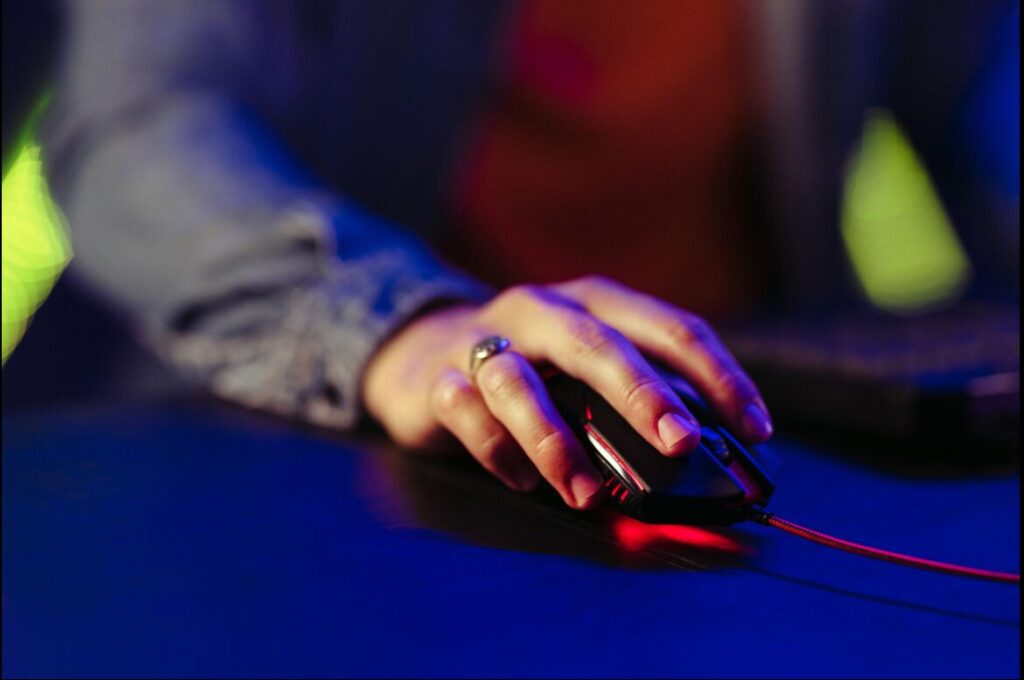
If you’re playing FPS games, your mouse is one of the most important tools you have.
In competitive games, players usually fall into two categories—controller and mouse & keyboard (MnK). And if you’re reading this, chances are you’re an MnK player looking to improve your aim and overall performance.
Using a mouse gives you precise control, faster reactions, and better accuracy. That’s why many top players in games like Valorant and Counter-Strike 2 rely heavily on mouse and keyboard for competitive play.
However, not everyone can afford a high-end gaming mouse—especially when building a full gaming setup can already be expensive. The good news is that budget gaming mice can still deliver excellent performance, giving you responsive tracking and reliable aim without breaking the bank.
Games like Apex Legends, Valorant, and Counter-Strike 2 all benefit from a good mouse, even at a lower price point.
By the end of this article, you’ll discover the best budget gaming mouse for FPS games and find the right option to improve your gameplay.
To improve movement alongside your aim, using a good keyboard is also important—here are the best budget gaming keyboards for FPS
Affiliate Disclosure
Some of the links in this article are affiliate links, which means I may earn a small commission if you purchase a product through one of these links, at no additional cost to you. This helps support me and allows me to continue creating gaming guides and hardware recommendations for you.
What to Look for in a Budget Gaming Mouse
Gaming mice have specific features that make them much better than regular office mice—especially for FPS games.
Here are the key things you should look for:
DPI (Dots Per Inch)
DPI determines how sensitive your mouse is.
For example:
- 400 DPI → moving your mouse 1 inch moves the cursor 400 pixels
- 1600 DPI → 1 inch moves the cursor 1600 pixels
Higher DPI = faster cursor movement
However, DPI alone doesn’t determine performance—sensor quality matters more.
Sensor Quality
The sensor determines how accurately your mouse tracks movement.
This is one of the most important factors.
- Good sensors = smooth, accurate tracking
- Poor sensors = inconsistent movement (“spin-outs” or skipping)
Avoid:
- Mice with no listed sensor
- Cheap laser sensors
Always go for mice with reputable optical sensors
Weight
Weight plays a huge role in FPS performance.
Aim for:
70g or lighter
Lighter mice:
- Improve control
- Make aiming easier
- Help with recoil control in fast-paced games
Shape & Grip Style
The shape of the mouse affects how you hold it—and this directly impacts your aim.
There are 3 main grip styles:
- Palm Grip → entire hand rests on the mouse
- Claw Grip → palm + fingertips (arched shape)
- Fingertip Grip → only fingertips control the mouse
Choosing the right shape depends on:
- Your hand size
- Your grip style
Tip:
- Smaller hands → smaller mice
- Larger hands → larger mice
| Hand Size | Hand Length | Palm Width | Mouse Length | Mouse Width |
| Small | < 6.7in | <3.1in | 4.5-4.7in | 2.1-2.3in |
| Medium | 6.7in – 7.7in | 3.1in – 3.7in | 4.7-4.9in | 2.3-2.5in |
| Large | >7.7in | >3.7in | 4.9-511in+ | 2.5-2.7in+ |
Ambidextrous mice are flexible for both hands, but you can also choose right-handed shapes if you prefer.
Wired vs Wireless
Both have pros and cons:
Wired Mouse
- Lightweight
- No charging needed
- Can have cable drag (especially cheap cables)
Wireless Mouse
- Cleaner setup (no cable)
- More freedom of movement
- Needs charging
- Slightly heavier (due to battery)
Budget wireless mice are improving, but wired is still the safest choice at lower prices.
Polling Rate
Polling rate refers to how often your mouse reports its position to your computer, measured in Hertz (Hz).
For example:
- 125Hz → updates every 8ms
- 500Hz → updates every 2ms
- 1000Hz → updates every 1ms
A higher polling rate means your mouse sends data more frequently, resulting in smoother and more responsive movement.
For FPS games, it’s recommended to use:
1000Hz polling rate for the best performance and lowest input delay.
Mouse Feet (Skates)
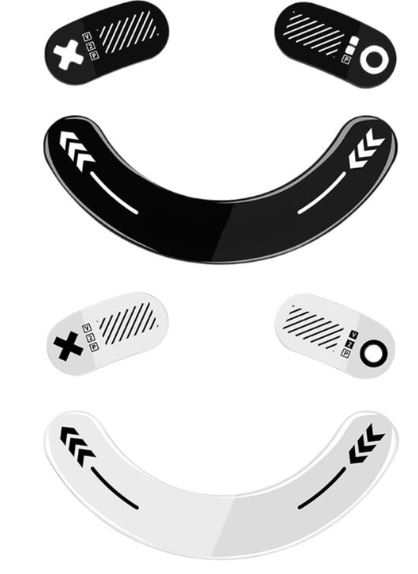
Mouse feet—also known as skates—are the thin pads attached to the bottom of your mouse that allow it to glide smoothly across your mousepad.
They play a key role in how your mouse feels during movement, especially in FPS games.
There are three main types
PTFE (Teflon)
- The most common type
- Offers low friction and smooth, consistent glide
- Virgin-grade PTFE (usually white or translucent) provides the best performance
Glass Skates
- Extremely fast and smooth
- Almost frictionless feel
- Ideal for fast-paced FPS games
- Can be harder to control for some players
Ceramic Skates
- Very durable and long-lasting
- Provide a fast glide similar to glass
- Slightly louder on mousepads
- Good balance between speed and durability
For most players, PTFE skates are the best choice, especially for control and consistency.
For even better control and consistency, pairing your mouse with the right surface matters—check out the best budget gaming mousepad for FPS.
Which Budget Gaming Mouse Should You Choose?
Best Overall — Logitech G305 Lightspeed
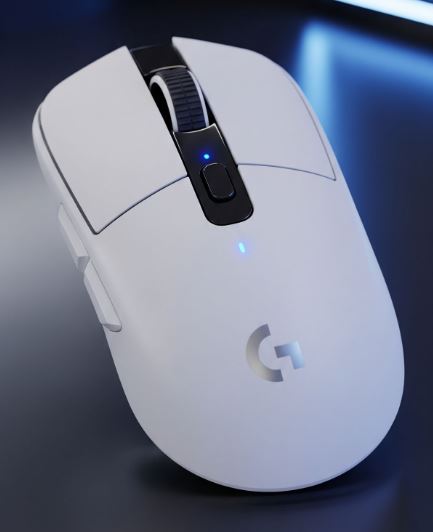
The Logitech G305 Lightspeed is the best overall pick for most players.
Just under $30 you enjoy the well known reliable HERO sensor, 250h battery life, and low-latency wireless performance. But it’s on the heavier side having 102g which is bad for playing fast-paced games like Apex Legends and The Finals.
Pros
- Excellent HERO sensor (accurate tracking)
- Very long battery life
- Wireless with low latency
- Compact, ambidextrous design
Cons
- Heavier than modern lightweight mice
- Uses AA battery (adds weight)
Best Lightweight Performance — HyperX Pulsefire Haste 2
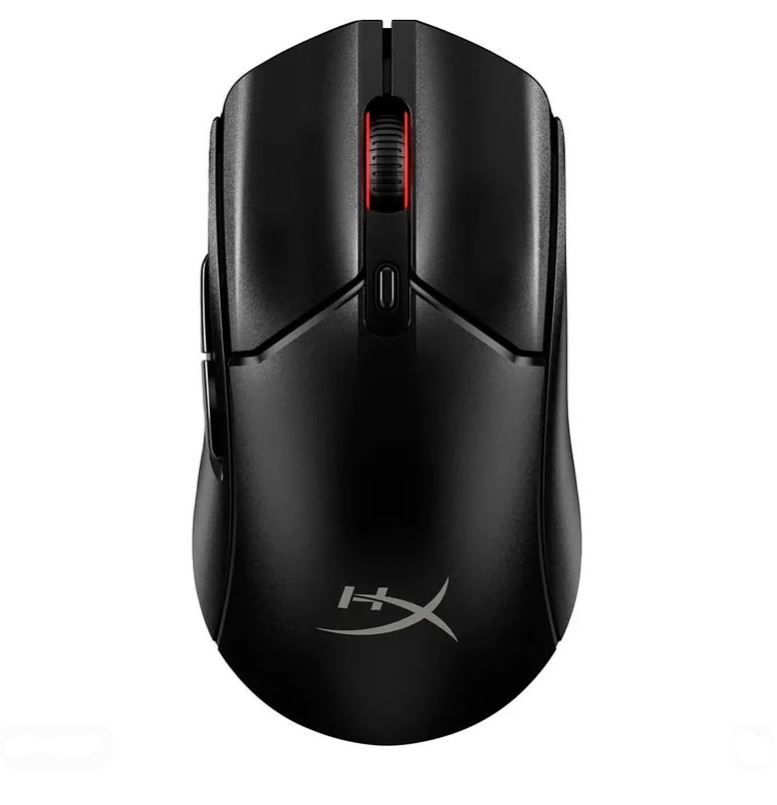
The HyperX Pulsefire Haste 2 is perfect for lightweight performance. Even though the people complain about firmware issues with the wireless version the wired version works perfectly fine and is extremely light weight. For all you apex addicts out there.
Why: Extremely light with fast response and high polling rate.
Pros:
- Very lightweight (especially wired version)
- High polling rate (up to 8000Hz)
- Good sensor performance
- Wired and wireless options
Cons:
- Scroll wheel can feel inconsistent
- Shape may not suit all grip styles
Best Wired Lightweight — Glorious Model O-
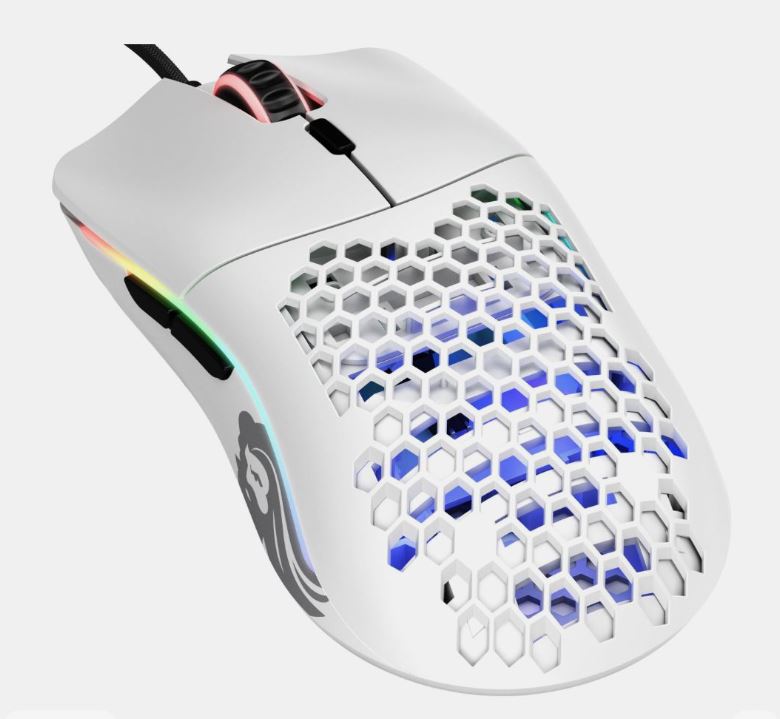
The Glorious Model O- is a great lightweight wired mouse. It also features the popular honeycomb shell design, which traps dust better than the welcome mat at your front door.
Why: Combines low weight with a reliable sensor and flexible cable.
Pros:
- Very lightweight design
- Reliable PixArt 3360 sensor
- Flexible cable (almost wireless feel)
- Smooth glide with PTFE skates
Cons:
- Honeycomb design can collect dust
- Build quality may feel less solid over time
Best Budget Performance — Razer Cobra
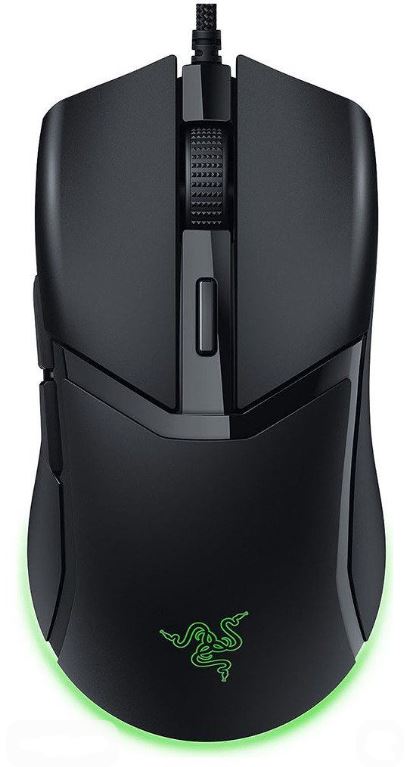
The Razer Cobra delivers strong FPS performance at a low price. I’ve personally used the Razer Cobra,If you enjoy using precision weapons like the Wingman in Apex Legends, landing sniper headshots, or using revolvers and other high-accuracy weapons, you’ll appreciate how responsive this mouse feels. The click latency is incredibly low and honestly rivals some premium gaming mice that cost much more.
The optical sensor is excellent, tracking remains consistent even during fast flicks, and the lightweight design makes it easy to control during long gaming sessions, but the biggest problem with this mouse is the scroll wheel. As someone who spends a lot of time playing Apex Legends, I use the scroll wheel extensively for movement techniques like bunny hopping and tap-strafing.
Pros
- Lightweight and fast
- Excellent click response
- Good sensor performance
- Great for competitive FPS
Cons:
- Scroll wheel durability issues
- Cable can stiffen over time
- Not ideal for large hands
Best Budget Comfort — Razer DeathAdder
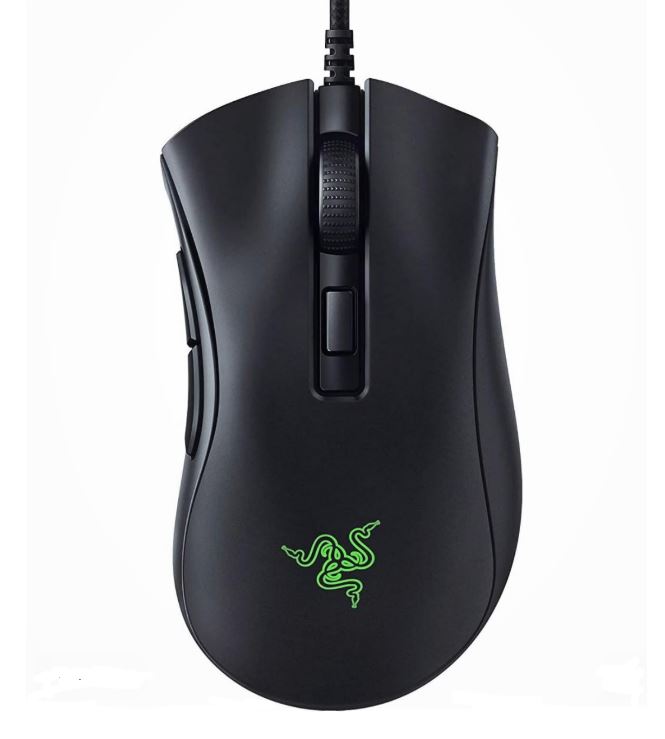
The Razer DeathAdder is a classic budget option. Have lots of friends who are very good at CS2 with this mouse so even thought it’s cheap, it’s still s solid mouse.
Why: Comfortable ergonomic shape for long gaming sessions.
Pros:
- Very comfortable ergonomic design
- Good for long sessions
- Widely available and affordable
Cons:
- Heavier than modern lightweight mice
- Less competitive for fast-paced FPS
- Not ambidextrous
Conclusion
Finding the best budget gaming mouse for FPS games doesn’t mean you have to sacrifice performance.
As we’ve seen, even at a lower price point, there are excellent options that can deliver smooth tracking, fast response times, and reliable performance in competitive games like Apex Legends, Valorant, and Counter-Strike 2.
Whether you choose the Logitech G305 Lightspeed for its balanced wireless performance, the HyperX Pulsefire Haste 2 for its ultra-lightweight speed, or the Glorious Model O- for a near-wireless feel on a budget, each mouse on this list is capable of helping you perform at a competitive level.
It’s important to remember that your mouse is more than just a tool—it directly affects your aim, reaction time, and overall gameplay. Features like sensor quality, weight, shape, and polling rate all play a major role in how well you perform in-game.
But here’s the most important part:
You don’t need an expensive setup to improve your aim. With the right budget gaming mouse and proper settings, you can compete, improve, and even outperform players using high-end gear. You can also practice your aim with aim trainers like Kovvaks (Paid) and Aim Labs(Free).
At the end of the day, skill, consistency, and practice matter more than price. Choose a mouse that fits your hand size, grip style, and playstyle—and once you do, stick with it, build muscle memory, and keep improving.
And since you have finally chosen your pick, I’m guessing you’re an Mouse and Keyboard gamer so here is the Best Gaming Keyboard Under $50 to pair your mouse with. And if you want a midrange gaming laptop to pair or maybe you want to get your son a Christmas gift check out Best Gaming Laptop Under $1000 (2026 Guide). Okay I know $1000 is abit too much for a Christmas gift so how about you check out Best Gaming Laptop Under $500 (2026 Guide) instead.
Thank you for your time, It means the world to me.