In FPS games, what you see on your screen can make the difference between winning and losing a gunfight. A gaming monitor isn’t just another accessory—it’s one of the most important pieces of your setup. A higher refresh rate, faster response time and better image quality allow you to spot enemies sooner, track targets more smoothly and react faster during intense firefights.
If you play competitive shooters such as Apex Legends, Counter-Strike 2, Valorant, The Finals, Battlefield or other fast-paced FPS titles, upgrading your monitor is one of the best investments you can make. In fact, many professional esports players prioritize a high refresh rate monitor before upgrading other peripherals because it has such a noticeable impact on gameplay.
The good news is that you don’t need to spend hundreds of dollars to get a great gaming monitor. With a budget of under $200, you can find monitors that offer 165Hz to 180Hz refresh rates, 1ms response times, IPS panels, and AMD FreeSync or NVIDIA G-SYNC compatibility, making them perfect for competitive gaming.
I play The Finals myself, and even though a better monitor won’t magically improve your aim (I still get my ass whooped sometimes), it does provide a smoother, more responsive gaming experience that can help you react faster and play more consistently.
Affiliate Disclosure
Some of the links in this article are affiliate links, which means I may earn a small commission if you purchase a product through one of these links, at no additional cost to you. This helps support me and allows me to continue creating gaming guides and hardware recommendations for you.
That said, what should you expect from a gaming monitor under $200?
What To Expect From a Gaming Monitor Under $200
With a budget of $200, you have access to some excellent gaming monitors that offer features once reserved for premium models. If you’re new to gaming monitors, the first specification you should understand is the refresh rate.
A monitor’s refresh rate refers to how many times the screen updates every second, and it’s measured in Hertz (Hz). The higher the refresh rate, the smoother everything appears on screen. For example, a 60Hz monitor refreshes the image 60 times per second, while a 180Hz monitor refreshes it 180 times per second. This makes camera movement, enemy tracking and overall gameplay feel much smoother, especially in fast-paced FPS games.
However, it’s important to understand that your monitor doesn’t create FPS—your graphics card does. Think of your monitor as a cup and your PC as a jug pouring water into it. A large cup (180Hz monitor) can only be filled if the jug (your PC) can pour enough water (frames). Likewise, having a powerful gaming PC capable of producing 300 FPS won’t benefit much if your monitor can only display 60Hz. To enjoy the full advantage of a high refresh rate monitor, your PC must also be powerful enough to generate high frame rates.
Another important specification is response time. Many manufacturers advertise 1ms GTG (Gray-to-Gray) response times, which measures how quickly a pixel changes from one shade of gray to another. While GTG is useful, competitive gamers should also pay attention to MPRT (Motion Picture Response Time) because it better reflects how clear moving objects appear on screen. A lower MPRT helps reduce motion blur and ghosting, making it easier to track enemies in fast-paced games like Apex Legends, Counter-Strike 2, The Finals, Battlefield, and Valorant. After purchasing your monitor, you can also run the UFO Motion Test online to check for ghosting and overall motion clarity.
Panel technology is another factor worth considering. The four most common panel types are IPS, VA, TN, and OLED. For competitive FPS gaming, IPS panels are generally the best choice because they offer excellent color accuracy, wide viewing angles and fast response times. TN panels are also very responsive but sacrifice image quality and viewing angles. VA panels provide deeper blacks and better contrast but may suffer from black smearing during fast motion, while OLED offers the best image quality and response times but remains well above the $200 price range.
You should also expect support for AMD FreeSync Premium or NVIDIA G-SYNC Compatible technology. These adaptive sync technologies synchronize your monitor’s refresh rate with your graphics card, helping eliminate screen tearing and reducing stuttering for a smoother gaming experience.
Finally, consider the screen size and resolution. If your primary focus is competitive FPS gaming, a 24-inch 1080p monitor remains the preferred choice for many professional esports players because everything stays comfortably within your field of view. If you enjoy a mix of competitive and casual gaming, a 27-inch monitor offers a more immersive experience. Under a $200 budget, however, 1080p is still the sweet spot, while good 1440p gaming monitors generally become more common in the $250–$350 price range.
LG UltraGear 24GS65F-B (Best Overall Gaming Monitor Under $200)
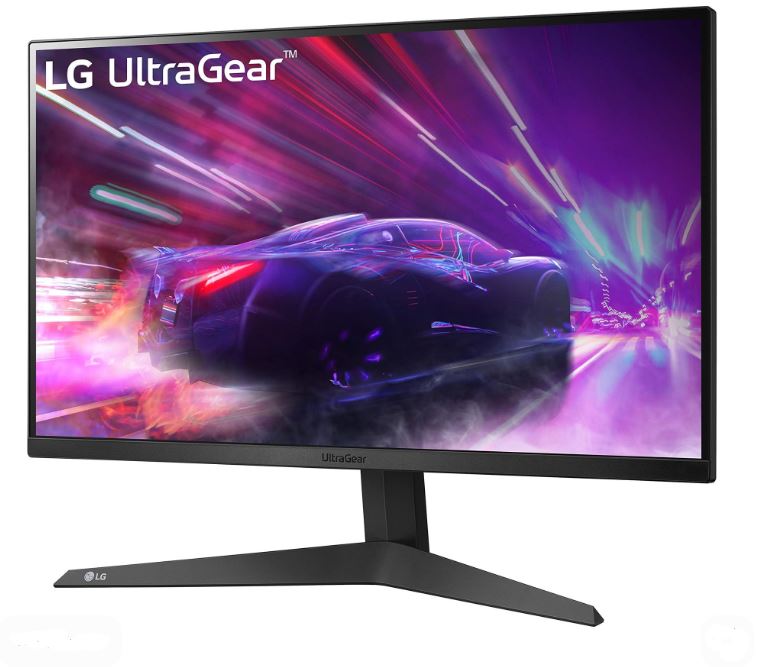
Priced at around $150–$180, the LG UltraGear 24GS65F-B features a 24-inch Full HD (1080p) IPS display, a 180Hz refresh rate, 1ms response time, and support for AMD FreeSync Premium and NVIDIA G-SYNC Compatible. It delivers outstanding motion clarity, extremely low input lag and excellent color accuracy, making it one of the best budget gaming monitors for competitive FPS titles. Its ergonomic stand also allows you to adjust the height, tilt and pivot for a comfortable gaming setup.
Best For: Competitive gamers who want the best overall performance under $200.
ViewSonic VX2428A / Omni Series (Best Value Gaming Monitor)
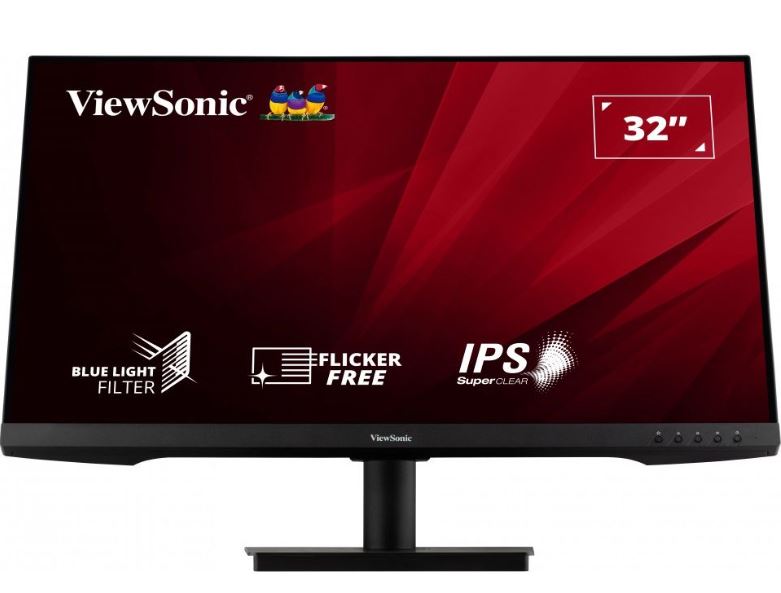
With an approximate price of $110–$150, the ViewSonic VX2428A offers a 24-inch 1080p Fast IPS panel, a 180Hz refresh rate, 0.5ms MPRT response time, and AMD FreeSync support. It combines smooth gameplay, vibrant colors and thin bezels into an affordable package, making it one of the best value gaming monitors for FPS players who want premium performance without spending close to the $200 limit.
Best For: Gamers looking for maximum value and smooth gameplay.
KTC H27T22 / H27T22C-3 (Best Budget 1440p Monitor)
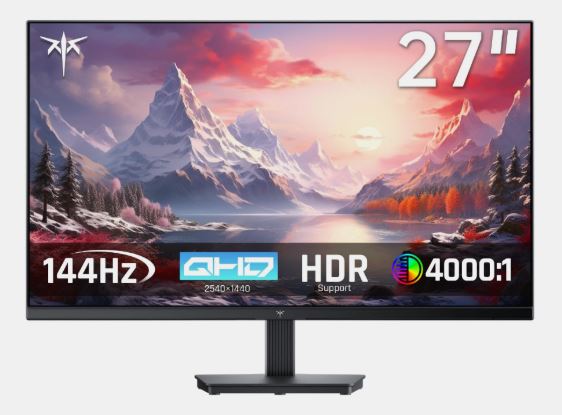
Usually available for around $160–$170, the KTC H27T22 features a 27-inch 1440p Fast IPS display, a 165Hz–210Hz refresh rate (depending on the model), a wide color gamut and an ergonomic stand. It offers a noticeable improvement in image sharpness over 1080p while maintaining the smooth performance needed for fast-paced shooters, making it an excellent choice for gamers who enjoy both competitive and immersive titles.
Best For: Gamers wanting an affordable 1440p gaming experience.
Acer Nitro XV271U (Best Color Accuracy)
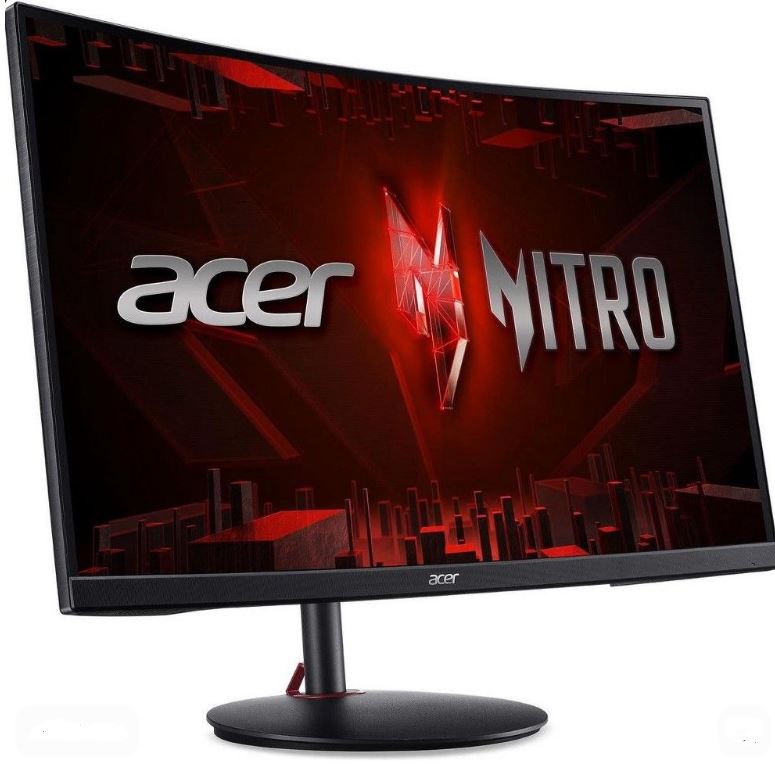
Selling for approximately $160–$180, the Acer Nitro XV271U combines a 27-inch 1440p Fast IPS panel, 180Hz refresh rate, 0.5–1ms response time, 95% DCI-P3 color coverage, and AMD FreeSync Premium support. It produces excellent colors while maintaining fast response times and smooth motion, making it ideal for gamers who split their time between competitive gaming and content consumption.
Best For: Players who want excellent image quality without sacrificing gaming performance.
Gigabyte GS27QA (Best 1440p Value)
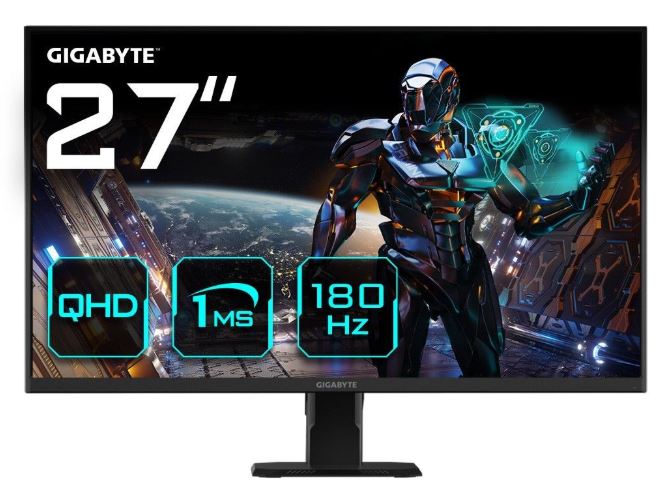
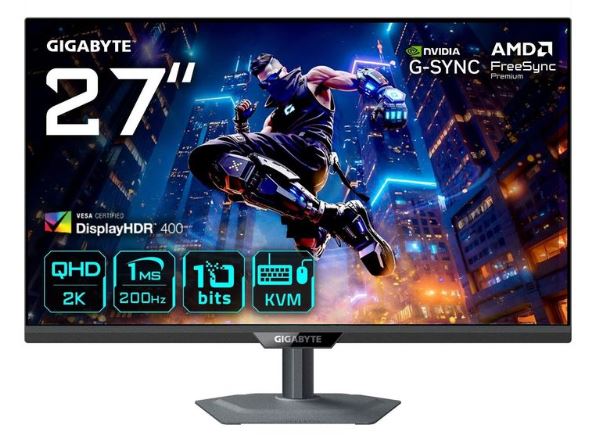
With a typical price of $150–$170, the Gigabyte GS27QA features a 27-inch 1440p Super Speed IPS panel, 180Hz refresh rate, 1ms response time, and Adaptive Sync support. It delivers crisp visuals, smooth gameplay and solid brightness for an IPS monitor, making it one of the strongest value-oriented 1440p gaming monitors currently available.
Best For: Gamers looking for premium 1440p performance on a budget.
MSI MAG 272FB E20 (Best High Refresh Rate Pick)
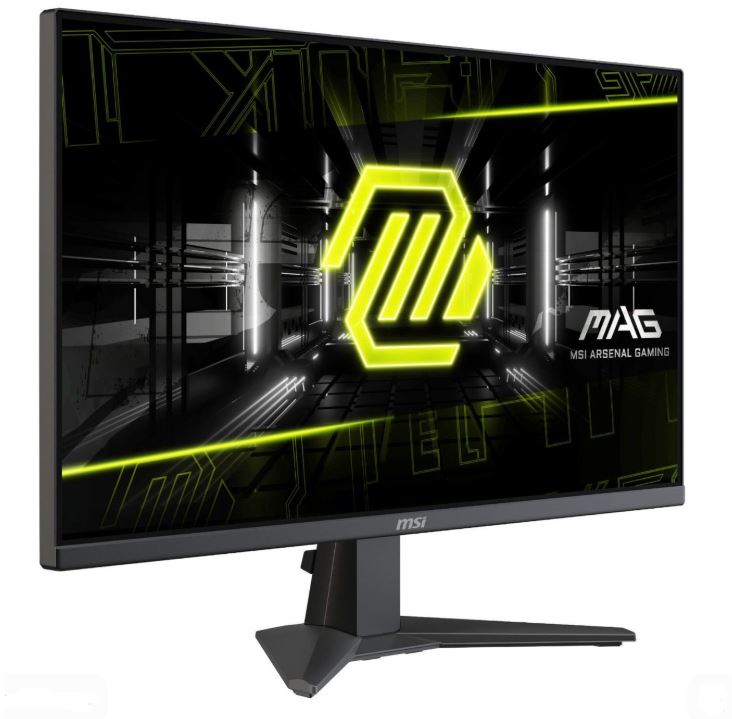
Available for around $110–$150, the MSI MAG 272FB E20 offers a 27-inch 1080p Rapid IPS display, an impressive 200Hz refresh rate, 0.5ms response time, Adaptive Sync, and HDR Ready support. If your priority is achieving the highest frame rates possible in esports titles such as Apex Legends, Counter-Strike 2 and Valorant, this monitor delivers an incredibly smooth gaming experience without exceeding your budget.
Best For: Competitive FPS players who prioritize refresh rate over resolution.
Common Mistakes When Buying a Gaming Monitor Under $200
1. Buying Resolution Instead of Refresh Rate
Many buyers assume that a 4K monitor is automatically better than a 1080p gaming monitor. For competitive FPS games, this isn’t always true. A 1080p monitor with a 165Hz or 180Hz refresh rate provides much smoother gameplay and faster enemy tracking than a 4K 60Hz monitor. Since 1080p is less demanding, your PC can produce much higher frame rates, allowing you to take full advantage of a high refresh rate display.
Recommendation: If you mainly play competitive games like Apex Legends, Valorant, Counter-Strike 2 or The Finals, prioritize refresh rate over resolution.
2. Ignoring Panel Type
Not all monitor panels perform the same. IPS panels offer faster response times, better color accuracy and wider viewing angles, making them the preferred choice for competitive gaming. VA panels provide deeper blacks and better contrast but can suffer from black smearing during fast-moving scenes.
Recommendation: Choose an IPS monitor for competitive FPS games. A VA panel is a better option if you mainly enjoy immersive single-player games.
3. Buying a 60Hz Monitor in 2026
While 60Hz monitors are still available, they no longer offer the smooth gaming experience most players expect. Modern budget gaming monitors regularly feature 165Hz or 180Hz refresh rates, and the difference in motion clarity is immediately noticeable.
Recommendation: Unless you’re buying a secondary display, avoid purchasing a 60Hz monitor. Spending a little more on a high refresh rate monitor is one of the biggest upgrades you can make for competitive gaming.
4. Ignoring Adaptive Sync
Many gamers overlook features like AMD FreeSync Premium and NVIDIA G-SYNC Compatible, but they significantly improve the gaming experience. Adaptive Sync matches your monitor’s refresh rate to your GPU’s frame rate, helping eliminate screen tearing and reducing stuttering without the extra input lag of traditional V-Sync.
Recommendation: Always choose a gaming monitor that supports Adaptive Sync and enable it after setup for smoother gameplay.
5. Not Adjusting Your Monitor Settings
Many people plug in a new monitor and never change its default settings. As a result, they miss out on the monitor’s full performance.
Recommendation: After setting up your monitor, make sure Windows is using the monitor’s maximum refresh rate (such as 180Hz), adjust the brightness to a comfortable level and experiment with the monitor’s Overdrive setting to reduce ghosting without introducing overshoot. Spending a few minutes adjusting these settings can noticeably improve your gaming experience.
Conclusion
A gaming monitor is one of the most impactful upgrades you can make to your gaming setup. Unlike a faster graphics card or processor, a high refresh rate monitor lets you actually see the extra frames your PC is producing, resulting in smoother gameplay, clearer motion and a more responsive experience in competitive FPS games.
The good news is that you don’t need to spend a fortune to get excellent performance. For under $200, you can find gaming monitors with 165Hz–200Hz refresh rates, Fast IPS panels, 1ms response times and AMD FreeSync Premium or NVIDIA G-SYNC Compatible support. Whether you choose the LG UltraGear 24GS65F-B for its outstanding all-round performance, the ViewSonic VX2428A for incredible value or the Gigabyte GS27QA for an affordable 1440p experience, every monitor on this list delivers excellent performance for competitive gaming.
To get the most from your new monitor, pair it with the right gaming peripherals. Check out our Best Gaming Mouse Under $100 for FPS Games (2026 Guide), Best Mechanical Keyboard Under $100 (2026 Guide), Best Budget Gaming Mousepad for FPS Games (2026 Guide) and Best Gaming Headset for FPS Games (2026 Guide) to complete your setup.
If you’re gaming on a laptop, you may also be interested in our Best Gaming Laptop Under $1000 (2026 Guide), Best Gaming Setup Under $600 (2026 Budget Guide) and Best Gaming Setup Under $800 (2026 Budget Guide) for complete budget-friendly recommendations.
At the end of the day, the best gaming monitor is the one that matches your budget, your hardware and the types of games you play. For most competitive gamers, a 1080p IPS monitor with a 165Hz or higher refresh rate remains the sweet spot, offering the perfect balance of speed, image quality and value. No matter which monitor you choose from this list, you’ll be giving yourself a smoother and more enjoyable gaming experience without exceeding your budget.