As gaming has evolved over the years, we’ve seen the rise of beautiful story-driven games, incredibly realistic racing games where you can even see raindrops sliding across the windshield, and competitive FPS titles that have become a legitimate esport. Add video editing, streaming and content creation into the mix, and it’s easy to spend 4–10 hours or more sitting at your desk every day.
Spending long hours in front of your gaming monitor or laptop can eventually lead to back pain, neck pain and poor posture if you’re using an uncomfortable chair. That’s where a good gaming chair comes in.
Now, let’s be realistic—a gaming chair won’t magically fix bad posture or cure years of back pain. However, a well-designed ergonomic gaming chair can make long gaming, studying and working sessions significantly more comfortable by providing better support for your back, neck and shoulders.
At first, spending $100 on a chair might seem unnecessary, but your back will probably disagree after a few marathon gaming sessions. A comfortable chair is an investment you’ll appreciate every single day.
Affiliate Disclosure
Some of the links in this article are affiliate links, which means I may earn a small commission if you purchase a product through one of these links, at no additional cost to you. This helps support me and allows me to continue creating gaming guides and hardware recommendations for you.
That said, what should you expect from a gaming chair under $100?
What To Expect From a Gaming Chair Under $100
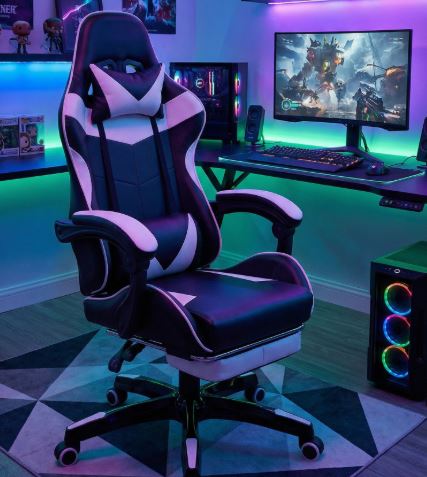
At this price range, you should expect most gaming chairs to include lumbar support and a headrest pillow. The lumbar support is the small cushion positioned at the lower part of the chair that supports the natural inward curve of your lower back. Some gaming chairs allow you to adjust its position, helping you stay more comfortable during long gaming, studying or work sessions. The headrest pillow supports your neck and head, making it easier to maintain a better sitting posture while you’re fully immersed in a game.
You’ll also have the choice between PU leather and fabric gaming chairs. Leather gaming chairs are very easy to clean—if you spill a drink or get dirt on the chair, a damp cloth and a little soap are usually enough to clean it. The downside is that leather tends to trap heat, making it less comfortable in hot climates. Fabric gaming chairs, on the other hand, offer better airflow and breathability, making them cooler during long gaming sessions. However, they’re more likely to absorb liquids and develop stains over time.
Some gaming chairs under $100 also include adjustable armrests. There are generally three types:
- 2D Armrests – Move up/down and rotate left/right.
- 3D Armrests – Add forward and backward movement for improved comfort.
- 4D Armrests – Offer the most adjustment, allowing movement up/down, forward/backward, left/right, and rotation to help you find the perfect arm position.
Finally, expect most gaming chairs in this price range to feature a 90°–155° reclining backrest, allowing you to sit upright while gaming or lean back to relax between matches. Most models also support a weight capacity of around 250–300 lbs (113–136 kg), making them suitable for the majority of gamers.
1. Homall Gaming Chair (Best Overall Budget Pick)
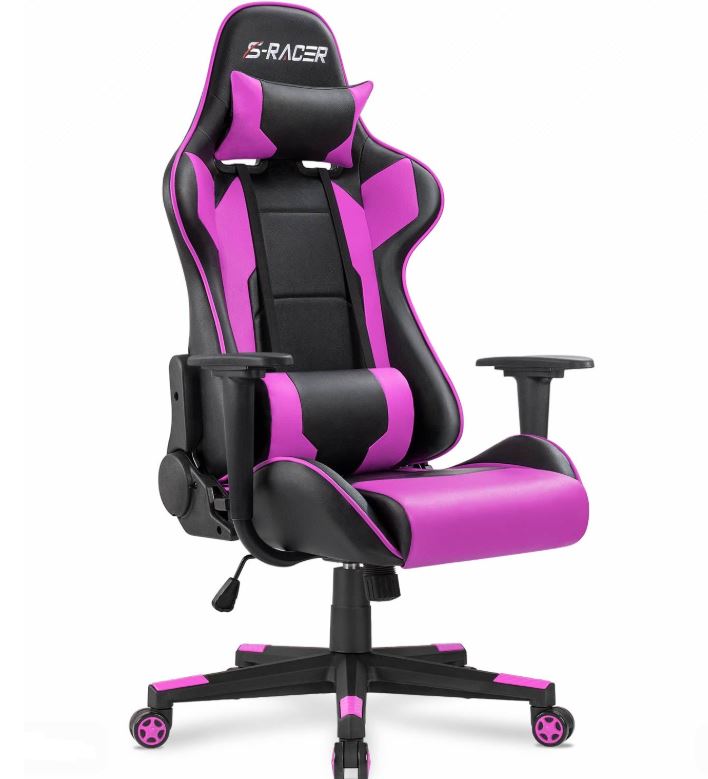
With a price of around $80–$100, the Homall Gaming Chair features a high-back racing-style design, adjustable lumbar support and headrest pillows, a 155° reclining backrest, rocking function, 360° swivel, Class 4 gas lift, and durable PU leather upholstery. Some models even include a retractable footrest for added comfort.
The Homall Gaming Chair continues to be one of the most recommended budget gaming chairs thanks to its sturdy steel frame, comfortable padding and ergonomic design. It provides excellent support during long gaming, studying and working sessions, making it an outstanding all-rounder for the price.
Pros: Comfortable, sturdy construction, good recline, excellent value.
Cons: PU leather may peel after years of heavy use, basic armrests.
Best For: Gamers looking for the best overall gaming chair under $100.
2. GTPlayer Ace Pro (Best Feature-Rich Gaming Chair)
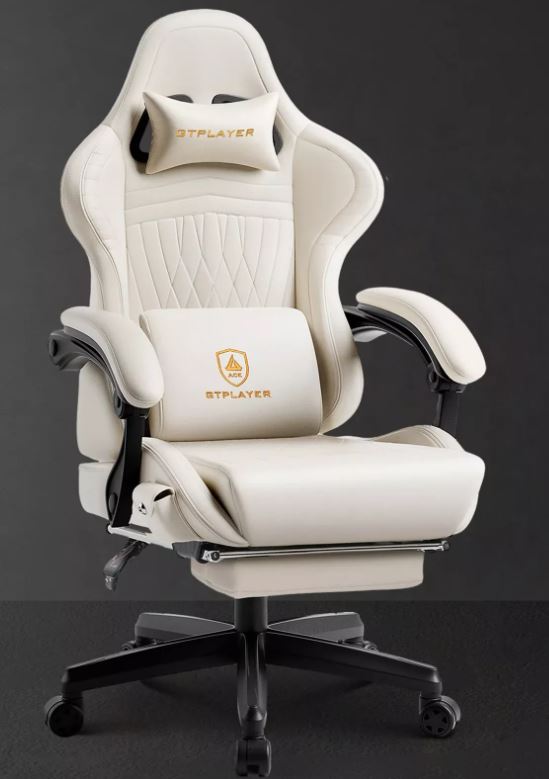
Priced between $90–$100, the GTPlayer Ace Pro offers a unique feature set including Bluetooth speakers, a massage lumbar pillow, retractable footrest, reclining backrest, adjustable armrests and memory foam cushioning.
If you enjoy immersive gaming or watching movies after long gaming sessions, the GTPlayer stands out thanks to its extra features. While the built-in speakers won’t replace a quality headset, they add something different that few gaming chairs in this price range offer.
Pros: Bluetooth speakers, massage lumbar pillow, footrest, stylish design.
Cons: Speakers are average, assembly takes a little longer.
Best For: Gamers who want extra features without spending more than $100.
3. Dowinx Gaming Chair (Best Cushioning)
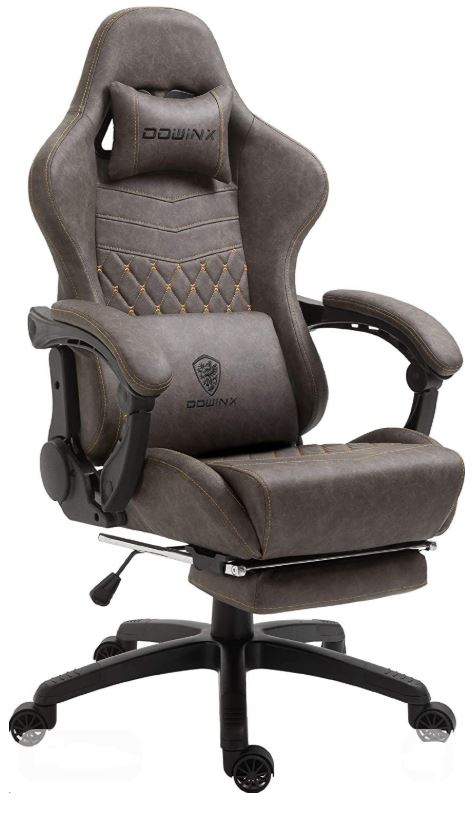
Usually selling for $85–$100, the Dowinx Gaming Chair features a high-back ergonomic design, pocket spring or massage lumbar support (depending on the model), reclining backrest, adjustable headrest, footrest and thick seat cushioning.
Dowinx is well known for producing some of the most comfortable gaming chairs in the budget category. The additional cushioning helps reduce pressure during long gaming marathons, making it an excellent choice for anyone who spends several hours at their desk every day.
Pros: Excellent seat comfort, good back support, premium feel.
Cons: Slightly firm at first, may develop minor squeaks over time.
Best For: Gamers who prioritize long-session comfort.
4. LEMBERI Gaming Chair (Best Heavy-Duty Pick)
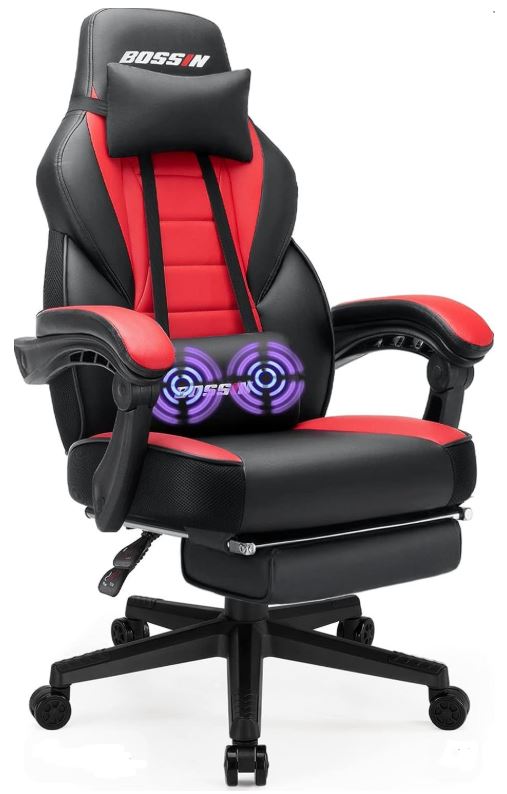
Available for around $80–$95, the LEMBERI Gaming Chair includes a reinforced steel frame, thick padding, adjustable lumbar and headrest pillows, full reclining backrest and a high weight capacity of over 300 lbs on many models.
Its sturdy construction makes it an excellent option for larger users or anyone wanting a gaming chair that feels solid and supportive without stretching their budget.
Pros: Strong frame, high weight capacity, comfortable high-back support.
Cons: Basic armrests, materials may wear with heavy daily use.
Best For: Bigger gamers who need extra durability and support.
5. BestOffice High-Back Gaming Chair (Best Budget Choice)
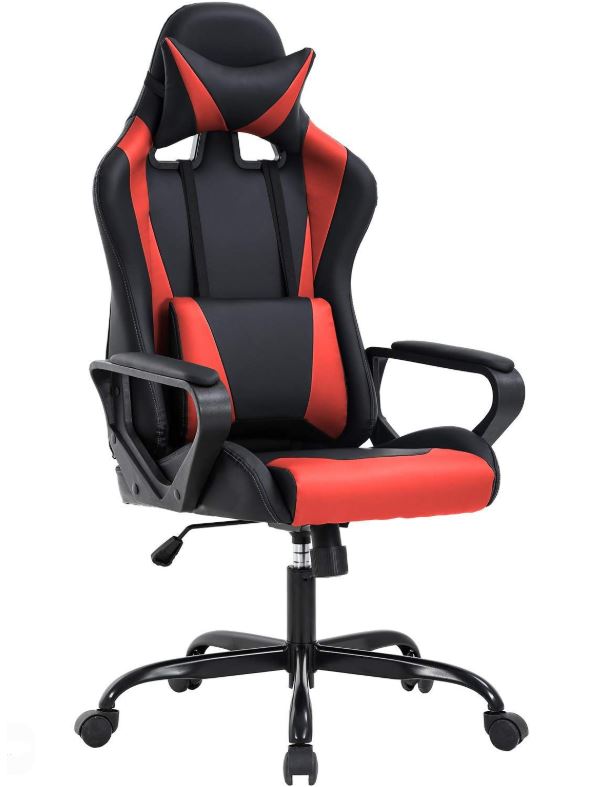
With prices ranging from $70–$90, the BestOffice High-Back Gaming Chair offers adjustable height, reclining backrest, swivel base, ergonomic lumbar support and either PU leather or fabric upholstery depending on the model.
It may not include premium features like 4D armrests or Bluetooth speakers, but it covers all the basics well and provides solid comfort for gaming, studying or office work.
Pros: Affordable, comfortable, easy to assemble.
Cons: Limited adjustability compared to premium models.
Best For: Beginners building their first gaming setup on a tight budget.
Common Mistakes When Buying a Gaming Chair Under $100
1. Buying for Looks Only
Many people buy a gaming chair simply because it has a racing-style design or matches the RGB theme of their setup. While appearance is important, it should never come before comfort and ergonomics.
Why it’s a mistake: A good-looking gaming chair that leaves your back aching after two hours quickly becomes an expensive decoration. Comfort, support and build quality are far more important than flashy aesthetics.
Advice: Prioritize adjustable lumbar support, reclining angle, seat cushioning and overall ergonomics before considering the chair’s appearance. A comfortable chair will always outlast the excitement of a cool design.
2. Ignoring Weight Capacity
Every gaming chair has a recommended maximum weight capacity, usually between 250–300 lbs (113–136 kg) in this price range.
Why it’s a mistake: Exceeding the chair’s weight limit places extra stress on the gas lift, frame and base, reducing the chair’s lifespan and increasing the risk of premature failure.
Advice: Always choose a gaming chair with a weight capacity that comfortably exceeds your own weight. If you’re a taller or heavier gamer, look for reinforced steel frames and higher weight ratings.
3. Ignoring Seat Width
Seat width is one of the most overlooked specifications when buying a gaming chair.
Why it’s a mistake: A seat that’s too narrow can feel cramped, reduce comfort during long gaming sessions and even put unnecessary pressure on your thighs. Many budget racing-style gaming chairs have narrow seats that don’t suit every body type.
Advice: Before buying, check the seat dimensions and choose a chair that gives you enough room to sit comfortably. A slightly wider seat usually provides a much more enjoyable experience during marathon gaming sessions.
4. Buying PU Leather Without Reading Reviews
Most gaming chairs under $100 use PU leather because it looks premium and is easy to clean.
Why it’s a mistake: Lower-quality PU leather can peel, crack and flake after months of heavy use, especially in warm climates or if the chair is exposed to direct sunlight. It also tends to trap heat, making long gaming sessions less comfortable.
Advice: Read long-term user reviews before buying. If you live in a hot climate, consider a fabric gaming chair instead, as it offers much better airflow and breathability.
5. Thinking a Gaming Chair Automatically Fixes Posture
One of the biggest misconceptions is believing that simply buying an ergonomic gaming chair will automatically solve back pain or poor posture.
Why it’s a mistake: Even the best gaming chair can’t compensate for poor sitting habits. Slouching, sitting too close to your monitor or spending hours without taking breaks can still lead to discomfort.
Advice: Adjust the lumbar support correctly, keep your feet flat on the floor, position your monitor at eye level and remember to stand up and stretch every hour. A gaming chair is only one part of creating a healthy ergonomic setup.
Conclusion
Finding the best gaming chair under $100 doesn’t have to be difficult. While you won’t get premium materials or every ergonomic feature found on expensive gaming chairs, you can still enjoy excellent comfort, solid lumbar support and enough adjustability to make long gaming, studying or working sessions much more enjoyable. Every gaming chair on this list offers outstanding value and is a great choice for gamers building a setup on a budget.
Now that you’ve upgraded your comfort, it’s time to improve the rest of your gaming setup. A comfortable gaming chair deserves a smooth display, so be sure to check out our Best Gaming Monitor Under $300 for FPS Games (2026 Guide) if you’re looking for sharper visuals and higher refresh rates.
Once your monitor is sorted, pair it with our Best Gaming Mouse Under $100 for FPS Games (2026 Guide) and Best Mechanical Keyboard Under $100 (2026 Guide) to build a setup that feels just as good as it performs. If communication is important in multiplayer games or you’re planning to start streaming, don’t miss our Best Gaming Microphone Under $100 for Gaming and Streaming (2026 Guide) and Best Webcam Under $50 for Streaming and Content Creation (2026 Guide).
At the end of the day, a gaming chair won’t magically turn you into a professional gamer—but after sitting through a six-hour gaming session, your back will definitely know the difference. Invest in your comfort today, and your future self will thank you every time you sit down to play.