Okay, so you want a quality gaming monitor for your FPS games. Look no further—you’ve come to the right place. I see you’re trying to skip ahead… please don’t.
With a budget of under $400, you should expect a gaming monitor with a high refresh rate, fast response time and at least a 1440p resolution. I won’t judge if you still prefer a 1080p monitor, though. Many professional esports players (or pros, for short) still choose 1080p displays with extremely high refresh rates and incredibly low response times because they prioritize maximum FPS and the slightest competitive advantage during tournaments and ranked matches.
At this price range, you’ll also find monitors with better image quality, true HDR support, faster response times, and significantly improved motion clarity thanks to lower MPRT (Motion Picture Response Time). The overall gaming experience simply feels smoother and more responsive.
One thing to keep in mind is that these monitors are best paired with mid-range to high-end gaming PCs and gaming laptops. If you own an older GPU like my GTX 1650 Ti, I wouldn’t recommend buying one just yet unless you’re planning to upgrade your graphics card soon. While the monitor will still work perfectly, your GPU won’t be powerful enough to consistently push the high frame rates that monitors like these are designed for. Cards such as the RTX 5070 or Radeon RX 9070 XT are much better suited to take full advantage of a high refresh rate display.
Affiliate Disclosure
Some of the links in this article are affiliate links, which means I may earn a small commission if you purchase a product through one of these links, at no additional cost to you. This helps support me and allows me to continue creating gaming guides and hardware recommendations for you.
That said, what should you expect from a gaming monitor under $400?
What To Expect From a Gaming Monitor Under $400
At under $400, 1440p is the standard resolution, with most monitors featuring a 27-inch display. A 27-inch monitor offers the best of both worlds, delivering beautiful visuals for immersive single-player games while still being an excellent choice for competitive FPS games.
You should also expect 240Hz or higher refresh rates. When paired with a mid-range or high-end gaming PC or gaming laptop, these monitors can display every frame your GPU produces, resulting in an incredibly smooth and responsive gaming experience.
Most monitors in this price range feature Fast IPS panels, which provide excellent motion clarity with minimal ghosting. When comparing response times, pay close attention to MPRT (Motion Picture Response Time) rather than just GtG (Gray-to-Gray). MPRT measures how quickly moving images appear on the screen, making it far more useful for fast-paced FPS games where reducing motion blur and ghosting is important.
You’ll also benefit from excellent color accuracy, with many monitors covering up to 98% of the DCI-P3 color gamut. This isn’t just great for gaming—it also makes these monitors an excellent choice for content creators who edit videos, work with 3D models or use software like Adobe Photoshop.
Modern connectivity is another advantage. Most gaming monitors under $400 include HDMI 2.1 and DisplayPort connections, providing the bandwidth needed for high resolutions and refresh rates.
To eliminate screen tearing and stuttering, these monitors also support Adaptive Sync technologies such as AMD FreeSync Premium and NVIDIA G-SYNC Compatible, ensuring a smoother gaming experience even when your frame rate fluctuates.
Finally, you’ll typically find fully ergonomic stands with height, tilt, swivel and pivot adjustments, making it much easier to position the monitor comfortably whether you’re gaming, working or creating content.
Gigabyte M27Q X (Best Overall)
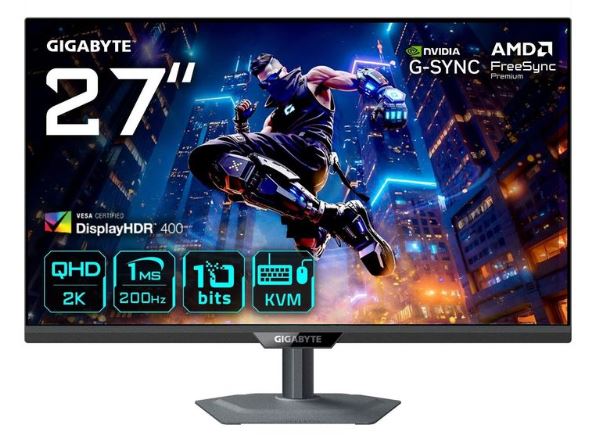
Selling for around $250–350, the Gigabyte M27Q X features a 27-inch Fast IPS panel, 1440p resolution, 240Hz refresh rate, 1ms GtG response time, a KVM switch, USB-C connectivity and an ergonomic stand.
The M27Q X is one of the best all-round gaming monitors under $400. Its combination of high refresh rate, excellent color accuracy and incredibly low input lag makes it perfect for competitive FPS games while remaining an excellent display for productivity and content creation.
Pros: 240Hz refresh rate, excellent colors, KVM switch, USB-C, great ergonomics.
Cons: HDR performance is fairly basic compared to Mini-LED or OLED monitors.
Best For: Gamers who want the best balance of speed, features and image quality.
LG UltraGear 27GR83Q-B (Best Competitive Gaming)
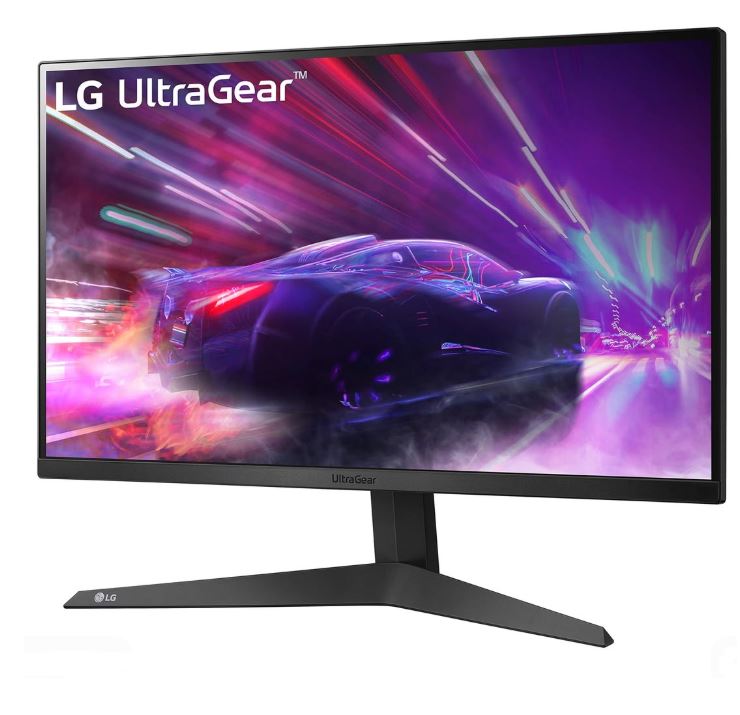
Priced between $250–350, the LG UltraGear 27GR83Q-B offers a 27-inch Nano IPS display, 1440p resolution, 240Hz refresh rate, 1ms response time, and support for both AMD FreeSync Premium and NVIDIA G-SYNC Compatible.
LG’s Nano IPS technology delivers vibrant colors alongside exceptional motion clarity, making this monitor an excellent choice for competitive FPS players who demand fast response times without sacrificing image quality.
Pros: Excellent motion clarity, vibrant colors, proven reliability, ergonomic stand.
Cons: HDR performance is average.
Best For: Competitive gamers who prioritize speed and responsiveness.
AOC Q27G3XMN / Q27G40XMN (Best HDR Performance)
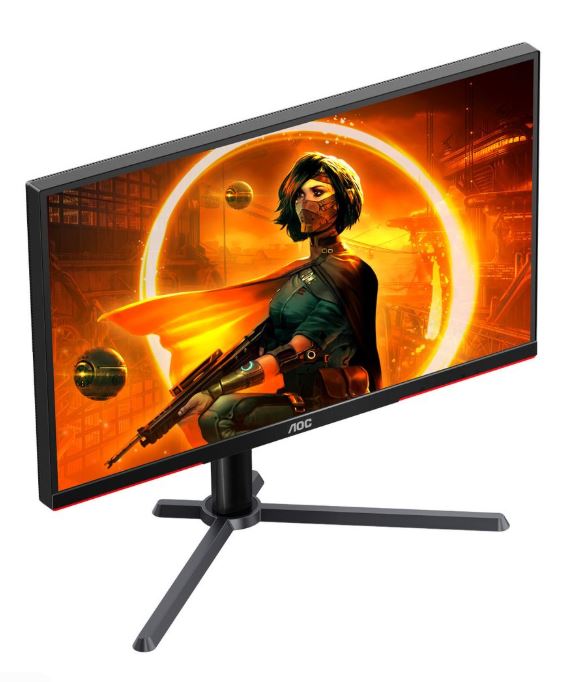
Usually selling for $250–350, the AOC Q27G3XMN combines a 27-inch 1440p VA panel with Mini-LED backlighting, 180Hz refresh rate, HDR1000 and AMD FreeSync Premium support.
Its Mini-LED technology produces outstanding HDR performance, deep blacks and impressive brightness that few monitors in this price range can match. It’s an excellent choice for gamers who enjoy both competitive shooters and cinematic single-player games.
Pros: Fantastic HDR, deep contrast, excellent brightness.
Cons: VA panels can exhibit some black smearing during very fast motion.
Best For: Gamers who want the best HDR experience under $400.
ASUS TUF Gaming VG27AQ Series (Best Value)
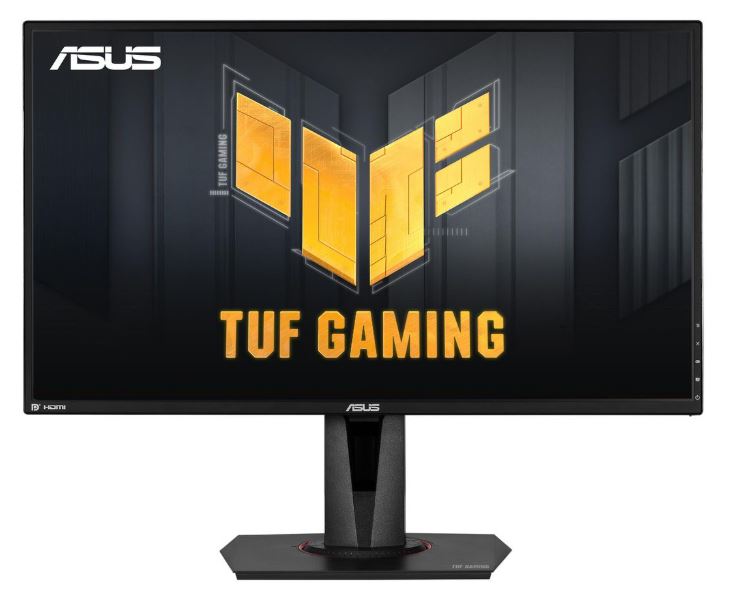
Available between $220–350, ASUS TUF gaming monitors feature Fast IPS panels, 1440p resolution, 180–240Hz refresh rates, 1ms response time and ELMB Sync for improved motion clarity.
The TUF series has built an excellent reputation for durability, gaming-focused features and consistently smooth performance across a wide range of FPS titles.
Pros: Excellent value, solid build quality, smooth gameplay.
Cons: HDR and factory calibration can vary between models.
Best For: Gamers wanting premium gaming performance without spending the full $400 budget.
Acer Predator XV275U / Nitro XV272U (Best Budget High Refresh)
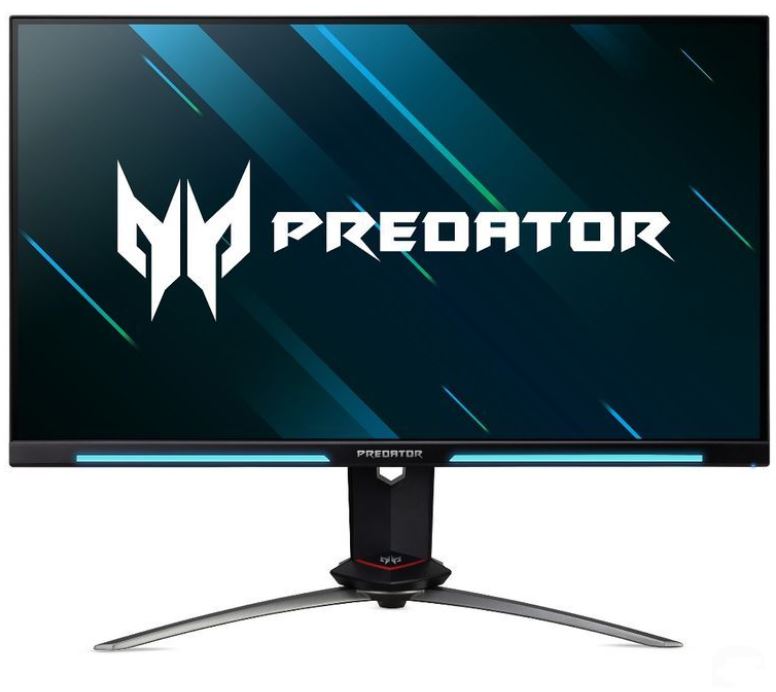
Typically priced between $220–350, Acer’s Predator and Nitro monitors combine Fast IPS technology, 1440p resolution, 180–240Hz refresh rates and low input lag to create an excellent competitive gaming experience.
These monitors deliver responsive gameplay, sharp visuals and reliable performance, making them a fantastic choice for gamers looking to maximize value.
Pros: Great performance, responsive panel, excellent value.
Cons: HDR performance and color calibration may require some adjustments.
Best For: Gamers looking for the highest refresh rates at the lowest possible price.
Common Mistakes When Buying a Gaming Monitor Under $400
1. Buying an OLED Monitor Expecting Miracles
Many gamers assume an OLED monitor is perfect because of its infinite contrast, true blacks and lightning-fast response times.
Why it’s a mistake: While OLED monitors deliver an incredible gaming experience, they aren’t without drawbacks. Static elements such as game HUDs, taskbars or desktop icons can eventually cause burn-in, although modern OLED monitors include features that greatly reduce this risk.
Advice: If you mainly play immersive single-player games or watch movies, OLED is an excellent choice. However, if you spend thousands of hours playing competitive games with static HUDs, a Fast IPS or Mini-LED monitor may be the better long-term option.
2. Buying a 4K Monitor Under $400
Many buyers are tempted by the words “4K Resolution.”
Why it’s a mistake: At this budget, many 4K monitors sacrifice refresh rate, HDR quality or overall panel performance. You’ll often end up with a slower monitor that isn’t ideal for competitive gaming.
Advice: For around $400, a 1440p 240Hz gaming monitor offers a much better balance of image quality, refresh rate and overall gaming performance. Save 4K for a higher budget if you want the complete experience.
3. Ignoring Monitor Calibration
A lot of people plug in their new monitor and never touch the settings.
Why it’s a mistake: Factory settings aren’t always accurate. Colors may appear washed out, brightness may be too high, and the monitor may not deliver its full image quality straight out of the box.
Advice: Spend a few minutes adjusting the brightness, contrast and color profile. You can also use calibration software or your monitor’s built-in picture presets to achieve a more accurate image.
4. Using the Wrong Cable
Many gamers unknowingly connect their high-refresh-rate monitor using an older HDMI cable.
Why it’s a mistake: Older standards like HDMI 1.4 may not support the monitor’s maximum refresh rate or features such as Variable Refresh Rate (VRR), AMD FreeSync or NVIDIA G-SYNC Compatible.
Advice: Whenever possible, use a DisplayPort cable or HDMI 2.1 if your monitor and graphics card support it. This ensures you get the highest refresh rate and all the gaming features your monitor offers.
5. Forgetting to Enable the Maximum Refresh Rate
This is one of the most common mistakes new PC gamers make.
Why it’s a mistake: Even after buying a 165Hz, 240Hz or higher refresh rate monitor, Windows often defaults to 60Hz, meaning you’re not getting the smooth gameplay you paid for.
Advice: Open Windows Display Settings, go to Advanced Display Settings, and select your monitor’s highest available refresh rate. Then enable AMD FreeSync or NVIDIA G-SYNC Compatible for the smoothest possible gaming experience.
Conclusion
A gaming monitor under $400 is where performance and image quality truly come together. At this price range, you can expect 1440p resolution, 240Hz refresh rates, Fast IPS or Mini-LED panels, excellent color accuracy and incredibly smooth gameplay that gives you a real advantage in competitive FPS games. Whether you’re climbing the ranks in Counter-Strike 2, Valorant, Apex Legends, The Finals or enjoying visually stunning single-player games, the monitors in this guide offer outstanding value for the money.
Remember, the best gaming monitor isn’t always the most expensive one—it’s the one that matches your gaming style and your hardware. If you’re using a mid-range or high-end gaming PC, any of the monitors above will serve you well for years to come.
If your budget is a little lower, be sure to check out my Best Gaming Monitor Under $300 for FPS Games or Best Gaming Monitor Under $200 for FPS Games . And if you’re still deciding which graphics card to pair with your new monitor, I’ve also put together detailed guides on the Best Budget NVIDIA GPUs for FPS Games and Best Budget AMD GPUs for FPS Games to help you build the perfect gaming setup.
Now go enjoy your new monitor… and if you’re still missing your shots, I’m afraid we can’t blame the monitor anymore.
Thank you for your time. It means the world to me.