NVIDIA and AMD are currently the two biggest GPU brands dominating the gaming market. Both companies offer powerful graphics cards with different features and technologies designed to improve gaming performance.
Both AMD and NVIDIA graphics cards are excellent for gaming, and choosing one over the other usually depends on your budget, the type of games you play, and how you plan to use your gaming setup.
However, in this article we are focusing mainly on FPS gaming and competitive gaming performance. For FPS gamers, the most important things are:
- high FPS (Frames Per Second),
- low latency,
- smooth gameplay,
- and overall value for money.
Both AMD and NVIDIA have their own advantages when it comes to competitive gaming. Some GPUs offer better raw FPS performance, while others provide features that improve visuals, latency, or overall gaming experience.
In this article, I will compare AMD and NVIDIA graphics cards for FPS gaming and help you make a better decision depending on your gaming needs and budget. That said, what makes AMD and Nvidia GPU’s stand out?
AMD vs NVIDIA: Main Differences
Other than the obvious difference in colors with AMD using RED branding and NVIDIA using GREEN, both companies build their graphics cards very differently. Even though both brands offer similar gaming features, the technologies behind them vary a lot.
VALUE
When it comes to price-to-performance, AMD graphics cards usually offer better value for money compared to NVIDIA GPUs.
Let’s take a budget GPU example:
NVIDIA GeForce GTX 1650
- 4GB VRAM
- Around $200
- Runs competitive games around 85–100 FPS at 1080p low settings
AMD Radeon RX 580
- 8GB VRAM
- Around $130
- Can run competitive FPS games around 100–144 FPS at 1080p low settings
Even though the RX 580 is an older graphics card, the extra VRAM and strong rasterized gaming performance help it age better in many modern games. This is why many budget gamers consider AMD GPUs better value for money.
Now let’s compare higher-end GPUs:
NVIDIA GeForce RTX 5070
- 12GB GDDR7 VRAM
- Around $550
AMD Radeon RX 9070 XT
- 16GB VRAM
- Around $600
Even though the RTX 5070 has faster VRAM technology, the RX 9070 XT offers more VRAM capacity which can help in modern games and future gaming performance.
Expected FPS Performance at 1440p
Apex Legends
AMD RX 9070 XT: Up to 500 FPS
NVIDIA RTX 5070: Around 450 FPS
Cyberpunk 2077
AMD RX 9070 XT: 100+ FPS
NVIDIA RTX 5070: Around 85 FPS
Valorant
AMD RX 9070 XT: 1000+ FPS
NVIDIA RTX 5070: 600+ FPS
Overall, AMD graphics cards usually provide stronger raw gaming performance for the price, especially for gamers focused mainly on FPS gaming.
FEATURES
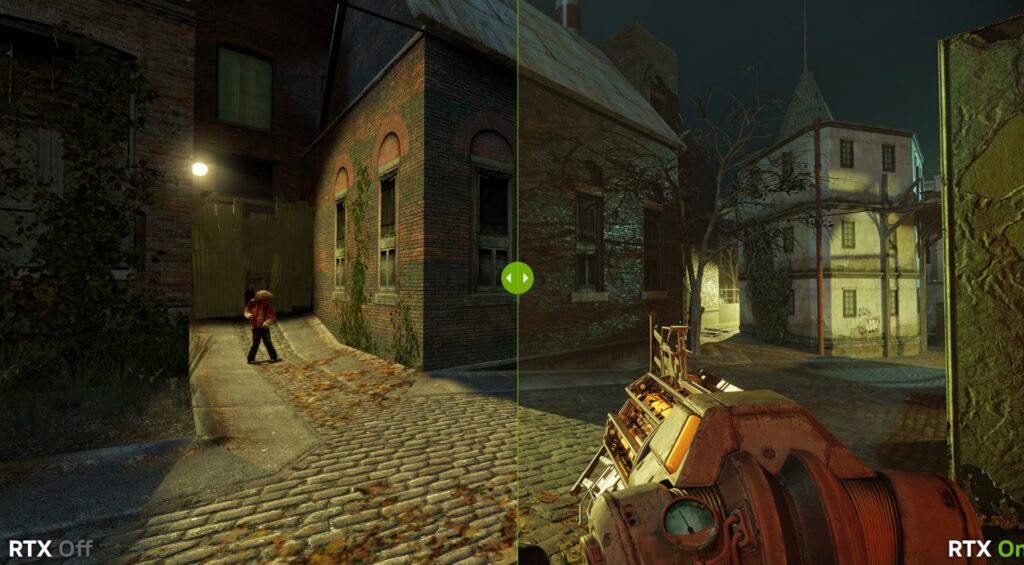
When it comes to features and advanced gaming technologies, NVIDIA graphics cards clearly take the lead.
One of NVIDIA’s biggest features is:
Ray Tracing
Ray tracing improves:
- lighting,
- reflections,
- shadows,
- and overall realism in games.
Games look much more cinematic and realistic with ray tracing enabled, although it usually reduces FPS and increases GPU load.
NVIDIA also includes:
DLSS (Deep Learning Super Sampling)
DLSS uses AI technology to:
- render games at a lower resolution,
- then upscale the image,
- while still maintaining good image quality.
This helps improve FPS significantly, especially in demanding games at 1440p and 4K resolutions.
NVIDIA also offers:
- Frame Generation
- NVIDIA Reflex
- better streaming encoders
- stronger creator tools
- AI acceleration
- better 3D rendering support
AMD also has its own technologies:
AMD FidelityFX Super Resolution (FSR)
FSR works similarly to DLSS by improving FPS through upscaling. However, instead of relying heavily on AI like DLSS, AMD uses intelligent upscaling algorithms to reconstruct the image.
FSR still improves performance very well, but in many games DLSS usually provides better image quality and smoother visuals.
AMD also supports ray tracing, but NVIDIA’s ray tracing performance is generally stronger and more optimized.
Overall Feature Winner
NVIDIA Graphics Cards
CREATOR TOOLS
For content creators, streamers, video editors, and 3D artists, NVIDIA graphics cards are usually the better option.
NVIDIA GPUs are excellent for:
- video editing,
- streaming,
- recording gameplay,
- 3D rendering,
- AI workloads,
- and heavy multitasking.
NVIDIA cards also include strong encoders that help streamers record gameplay at higher quality with better performance.
This is why many:
- YouTubers,
- streamers,
- TikTok creators,
- video editors,
- and graphic designers
prefer NVIDIA GPUs for professional workloads.
AMD graphics cards can still handle some creator tasks, but NVIDIA currently performs better in most professional applications.
Creator Tool Winner
NVIDIA Graphics Cards
RASTERIZATION
AMD graphics cards are usually stronger in rasterized gaming performance compared to similarly priced NVIDIA GPUs.
Rasterization mainly focuses on:
- raw gaming performance,
- responsiveness,
- and higher frame rates.
This is one of the main reasons AMD GPUs are very popular among competitive FPS gamers.
NVIDIA focuses more heavily on:
- ray tracing,
- cinematic lighting,
- reflections,
- and visual quality features.
Because AMD cards often include more VRAM and stronger raw rasterization performance for the price, many AMD GPUs can deliver higher FPS compared to similarly priced NVIDIA cards in traditional gaming workloads.
For competitive FPS games where high frame rates matter more than visual effects, AMD GPUs often provide excellent gaming value.
Rasterization Winner
AMD Graphics Cards
BUDGET FRIENDLY
AMD graphics cards are generally the more budget-friendly option for gamers.
NVIDIA GPUs are usually more expensive because they include:
- stronger creator tools,
- advanced ray tracing,
- DLSS,
- AI features,
- and better productivity support.
AMD focuses more on delivering strong gaming performance at lower prices.
This is why many budget gamers choose AMD graphics cards because they often offer:
- more VRAM,
- higher FPS,
- and better price-to-performance value
compared to similarly priced NVIDIA GPUs.
Budget Gaming Winner
AMD Graphics Cards
| AMD | NVIDIA |
| Better Value | Better Features |
| More VRAM | Better ray tracing |
| Strong rasterization | DLSS |
| Budget friendly | Better creator tools |
| Gaming focused | Gaming + productivity |
To understand how monitor technology affects your gameplay experience, read IPS vs TN vs VA vs OLED for FPS games.
Some Recommended NVIDIA GPUs for FPS Gaming
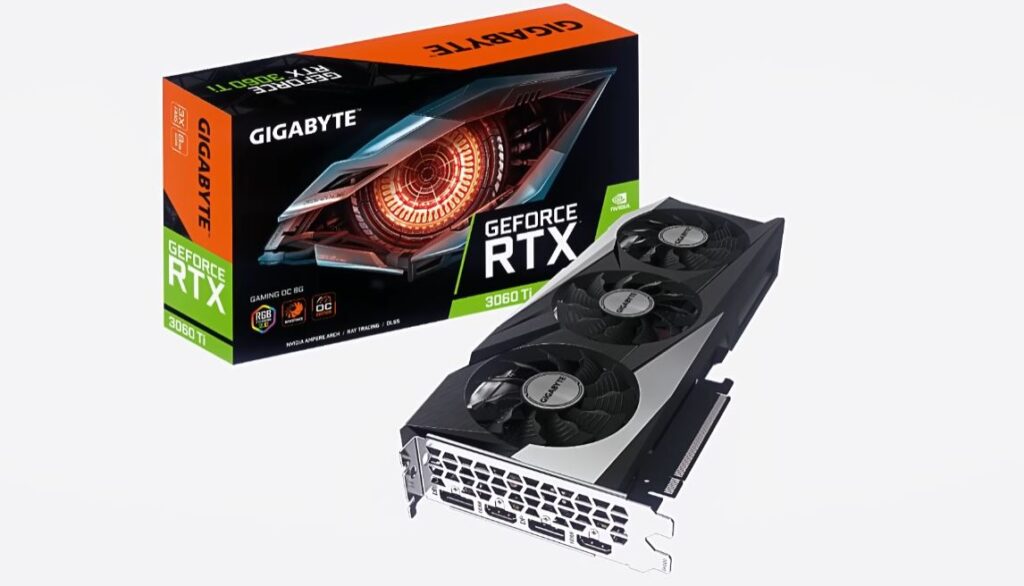
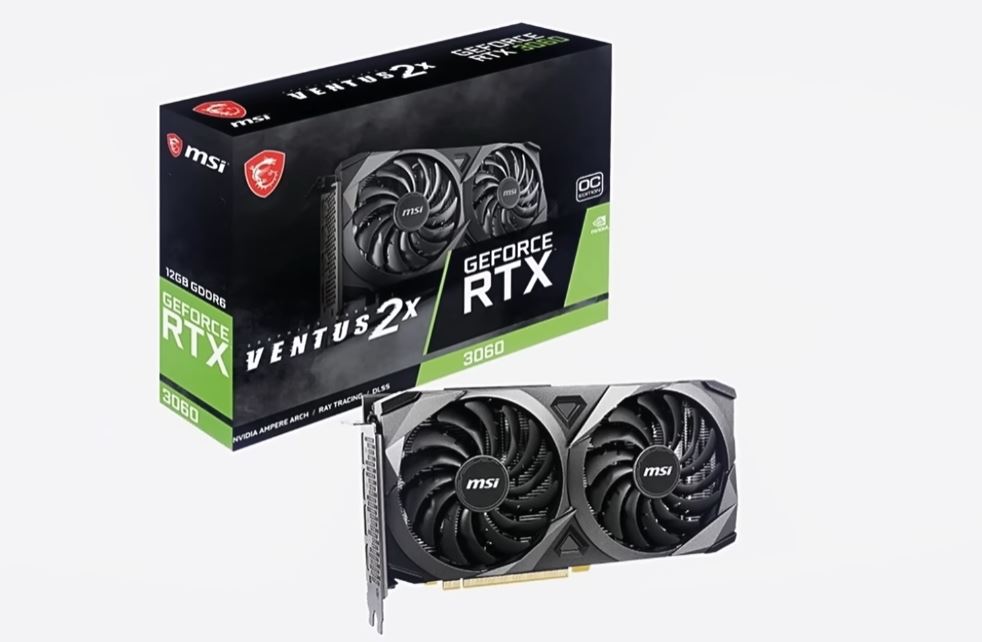
If you are into AI upscaling, ray tracing, and advanced gaming features, then NVIDIA graphics cards are an excellent choice for FPS gaming.
One of the biggest reasons many gamers choose NVIDIA GPUs is because of DLSS (Deep Learning Super Sampling). This technology helps increase FPS by rendering the game at a lower resolution and then using AI to upscale the image while still maintaining good visual quality.
DLSS is especially useful when using ray tracing since ray tracing can heavily reduce gaming performance and FPS. With DLSS enabled, you can enjoy:
- smoother gameplay,
- better image quality,
- higher FPS,
- and improved gaming performance.
This makes NVIDIA graphics cards perfect for gamers who want both beautiful visuals and stable FPS during gameplay.
Some Recommended NVIDIA GPUs for FPS Gaming
- RTX 3060
- RTX 3060 Ti
- RTX 3070
- RTX 4060
- RTX 5060
These NVIDIA GPUs are excellent for:
- competitive FPS gaming,
- high refresh rate gaming,
- ray tracing,
- streaming,
- and 1080p or 1440p gaming.
For gamers who want strong gaming performance together with advanced gaming technologies, NVIDIA graphics cards remain some of the best options available.
If you want a deeper breakdown of NVIDIA graphics cards, check out the full guide on the best budget NVIDIA GPUs for FPS games.
AMD GPUs FOR FPS GAMING
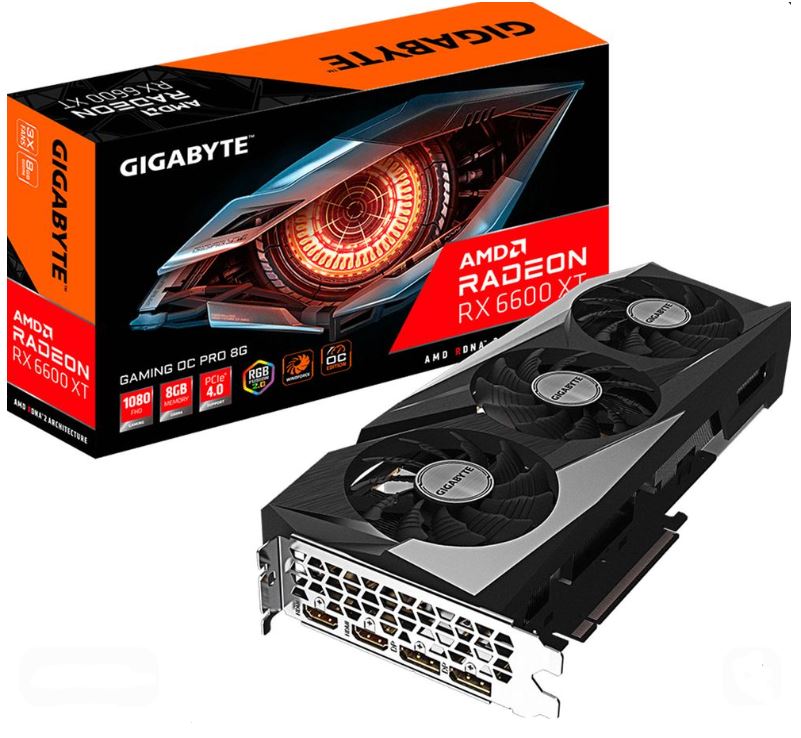
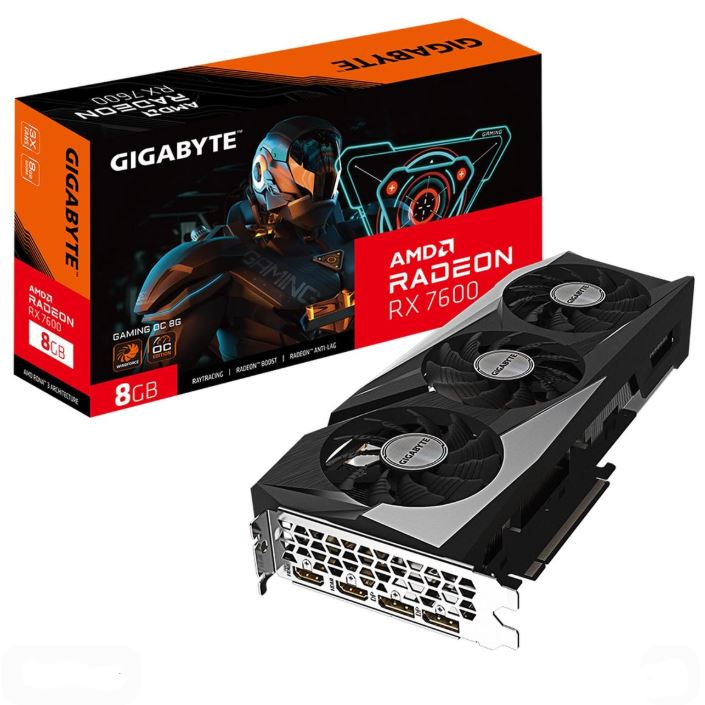
AMD graphics cards are perfect for gamers who mainly care about pure gaming performance and high FPS rather than advanced visual features.
One of the biggest advantages of AMD GPUs is the strong price-to-performance value. At a lower price, you can often get:
- more VRAM,
- higher FPS,
- and excellent gaming performance
compared to similarly priced NVIDIA graphics cards.
AMD GPUs are especially popular among competitive FPS gamers because they focus heavily on raw gaming performance and rasterization.
Another great feature AMD offers is:
AMD FidelityFX Super Resolution (FSR)
FSR helps increase FPS in supported games by upscaling the image while maintaining good visual quality. With mid-range and high-end AMD GPUs, enabling FSR can significantly boost gaming performance and help achieve even higher frame rates.
This makes AMD graphics cards excellent for:
- competitive gaming,
- high refresh rate gaming,
- and smooth 1080p or 1440p gameplay.
Some Recommended AMD GPUs for FPS Gaming
- RX 6600
- RX 6650 XT
- RX 6700 XT
- RX 7600
If you are planning to build a more powerful high-end gaming PC, then the:
RX 9070 XT
is an excellent option for high FPS gaming, 1440p gaming, and even demanding modern games at ultra settings.
Overall, AMD graphics cards remain some of the best choices for gamers who want strong gaming performance and high FPS without spending too much money.
If you want a deeper breakdown of AMD graphics cards, check out the full guide on the best budget AMD GPUs for FPS games.
WHICH BRAND GIVES MORE FPS?
This is probably the biggest question most gamers ask when choosing between AMD and NVIDIA graphics cards.
The truth is, the FPS you get depends on several things such as:
- the game you play,
- game optimization,
- your graphics settings,
- GPU software features,
- and your overall budget.
For pure gaming performance and raw FPS, AMD graphics cards usually have the advantage, especially in budget and mid-range gaming PCs.
AMD GPUs focus heavily on:
- rasterized gaming performance,
- higher VRAM capacity,
- and strong price-to-performance value.
Because many AMD cards come with more VRAM compared to similarly priced NVIDIA GPUs, they are often capable of delivering higher FPS in competitive games.
AMD also includes:
AMD FidelityFX Super Resolution (FSR)
FSR helps improve FPS in supported games by upscaling the image while maintaining good visual quality. This can significantly increase gaming performance, especially on mid-range and high-end AMD GPUs.
AMD’s strong rasterization performance also helps games render frames faster, making AMD graphics cards excellent for:
- competitive FPS gaming,
- high refresh rate gaming,
- and low latency gameplay.
However,
NVIDIA graphics cards are also extremely powerful for FPS gaming.
NVIDIA GPUs include advanced features such as:
- DLSS,
- Frame Generation,
- Ray Tracing,
- and NVIDIA Reflex.
DLSS is especially effective because it uses AI upscaling to improve FPS while still maintaining excellent image quality. NVIDIA’s technologies are also supported in many modern AAA games.
With NVIDIA GPUs, you are usually trading a little raw FPS for:
- better graphics quality,
- stronger lighting effects,
- improved ray tracing,
- and more advanced gaming features.
High FPS alone isn’t enough. Your monitor’s refresh rate also matters heavily, especially in competitive FPS games. Read 144Hz vs 240Hz for FPS games.
Final Verdict
AMD usually provides higher raw FPS and better value for competitive gaming. NVIDIA provides strong FPS together with better visuals, advanced features, and a more premium gaming experience. For competitive FPS gamers focused mainly on performance, AMD is usually the better value option. For gamers who want advanced graphics technologies together with strong gaming performance, NVIDIA is often the better overall choice.
To continue optimizing your setup, check out:
- best monitor settings for FPS games
- how to reduce input lag in FPS games
- best budget gaming monitor for FPS games
- best FPS settings for competitive gaming
Thank you for your time spent reading my article. It means the world to me. You are the reason I write. Hope you found what you were looking for.