Sensitivity is one of the most important settings in FPS games because it directly affects how you aim, track targets, and control recoil.
Having the right sensitivity can greatly improve your:
- Aim consistency
- Reaction speed
- Crosshair placement
- Overall hand-eye coordination
In simple terms, your sensitivity determines how comfortable and accurate your aim feels.
In competitive FPS games like Apex Legends, Valorant, and Counter-Strike 2, aiming is everything. The difference between an average player and a highly ranked player often comes down to:
- Better crosshair placement
- More consistent tracking
- Faster target adjustments
- Strong recoil control
And all of these are heavily affected by sensitivity settings.
Many players constantly change their sensitivity whenever they miss shots. This actually hurts improvement. Consistency is one of the most important parts of building good aim. Once you find a comfortable sensitivity, your muscle memory develops over time and your aim becomes more natural.
In this guide, you’ll learn the best sensitivity settings for FPS games, how DPI works, the difference between low and high sensitivity, and how to find the perfect settings for your playstyle.
What Is DPI?
DPI, also known as Dots Per Inch, measures how far your mouse cursor moves on screen when you move your mouse one inch physically.
In simple terms: The higher your DPI, the faster your cursor moves.
DPI is one of the most important settings in FPS games because it affects your overall mouse sensitivity and aiming precision.
High DPI vs Low DPI
Different FPS games and playstyles benefit from different DPI settings.
Low DPI (400–800 DPI)
Lower DPI provides:
- Better precision
- More controlled aiming
- Easier recoil control
- More consistent headshots
This is why many professional players in tactical FPS games like Valorant and Counter-Strike 2 prefer lower DPI settings.
Low DPI helps reduce overflicking and improves micro-adjustments during aiming.
High DPI (1600+ DPI)
Higher DPI allows:
- Faster cursor movement
- Easier tracking of fast targets
- Quicker turning and reactions
Fast-paced games like Apex Legends can feel smoother with higher DPI combined with optimized sensitivity settings.
However, very high DPI can also make aiming less stable if your sensitivity is too fast.
Why DPI Matters
Your DPI setting affects:
- Aim consistency
- Tracking accuracy
- Flick shots
- Overall comfort while aiming
Finding the right DPI is important because your aim should feel both comfortable and controllable—not too slow and not too fast.
Pro Tip:
Most competitive FPS players use:
- 400 DPI
- 800 DPI
These settings offer the best balance between speed and precision for most games.
High Sens vs Low Sens
Most mouse and keyboard FPS players fall into two categories:
- High sensitivity players
- Low sensitivity players
Both styles can be effective—the best choice depends on your playstyle, aim technique, and the type of FPS games you play.
High Sensitivity Players
High sensitivity players prefer:
- Faster movements
- Quick flicks
- Faster turning speed
High sensitivity allows players to look around quickly without making large hand movements.
This style is commonly associated with:
- Wrist aiming
- Fast-paced tracking
- Aggressive movement-heavy gameplay
Advantages of High Sens:
- Faster target switching
- Easier movement in close-range fights
- Better for tracking fast-moving enemies
- Requires less desk space
Disadvantages of High Sens:
- Harder recoil control
- Easier to overflick targets
- Less precise for long-range aiming
Games That Benefit From High Sens:
Fast-paced FPS games like Apex Legends often feel smoother with slightly higher sensitivity because players constantly:
- Track moving enemies
- Turn quickly
- React to movement abilities
Low Sensitivity Players
Low sensitivity players focus more on:
- Precision
- Control
- Aim consistency
This style relies more on larger arm movements rather than small wrist flicks.
Low sensitivity is especially effective for:
- Recoil control
- Accurate crosshair placement
- Precision weapons
Advantages of Low Sens:
- Better precision and consistency
- Easier recoil management
- More controlled micro-adjustments
- Improved long-range accuracy
Disadvantages of Low Sens:
- Requires larger mouse movements
- Needs more desk and mousepad space
- Slower turning speed in close fights
Games That Benefit From Low Sens
Tactical shooters like Valorant and Counter-Strike 2 reward lower sensitivity because precision aiming and crosshair placement are extremely important.
Even precision weapons like the Wingman in Apex Legends become easier to control with lower sensitivity settings.
Which One Is Better?
here is no “perfect” sensitivity for everyone.
The best sensitivity is the one that:
- Feels comfortable
- Allows consistent aiming
- Lets you track and flick naturally
The most important thing is consistency. Constantly changing sensitivity can slow down your improvement and prevent muscle memory from developing.
Best Sensitivity Settings for Different FPS Games
Different FPS games reward different aiming styles, which means your sensitivity should match the type of gameplay the game is built around.
Fast-paced tracking shooters usually benefit from slightly higher sensitivity, while tactical shooters reward lower sensitivity and precise crosshair placement.
Best Sensitivity for Apex Legends
Apex Legends is a movement-heavy FPS game that rewards:
- Tracking
- Fast reactions
- Quick target switching
Unlike tactical shooters, fights are faster and enemies move constantly, so slightly higher sensitivity settings are usually preferred.
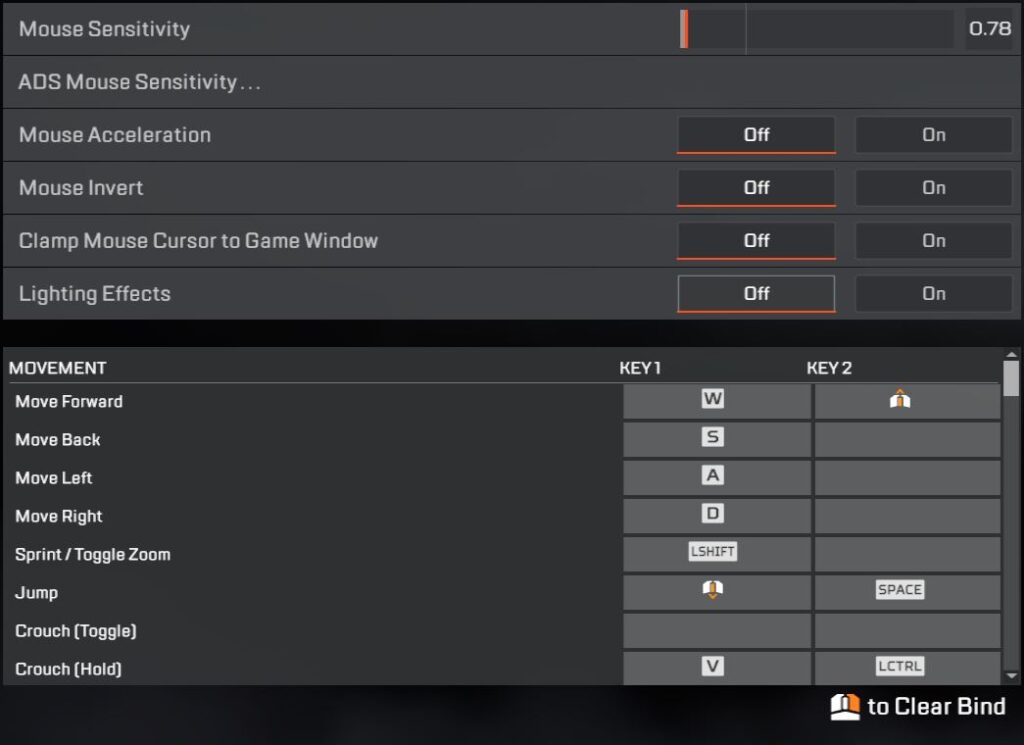
Recommended Settings
- DPI: 1600–1800
- In-Game Sensitivity: 0.8–1.2
These settings provide:
- Faster tracking
- Smooth movement
- Good balance between speed and precision
Many advanced movement players use similar sensitivity ranges because they make fast turns and tracking easier.
If the sensitivity feels too fast or too slow, adjust the in-game sensitivity first before changing your DPI.
Best Sensitivity for Valorant & Counter-Strike 2
Valorant and Counter-Strike 2 focus heavily on:
- Precision aiming
- Headshots
- Crosshair placement
- Recoil control
Because of this, lower sensitivity settings are generally preferred.
Recommended Settings
- DPI: 400–800
- In-Game Sensitivity: 0.5–1.5
These settings help:
- Improve precision
- Reduce overflicking
- Make recoil easier to control
Lower sensitivity is especially useful in Counter-Strike 2 because recoil patterns require consistent mouse control rather than relying on crosshair placement alone.
Best Sensitivity for Call of Duty: Warzone
Call of Duty: Warzone is fast-paced and requires:
- Fast reactions
- Tracking
- Aggressive movement
This makes medium-to-high sensitivity more comfortable for most players.
Recommended Settings
- DPI: 1600–1800
- In-Game Sensitivity: 1.0–1.8
These settings provide:
- Faster turning speed
- Better close-range tracking
- Easier movement in chaotic fights
Warzone fights can become extremely fast, so responsiveness and tracking are more important than ultra-low precision sensitivity.
Important Reminder
There is no universal “perfect sensitivity.”
The best sensitivity is the one that:
- Feels comfortable
- Allows consistent tracking
- Helps you control recoil naturally
Once you find a sensitivity that works for you:
- Stick with it
- Build muscle memory
- Avoid changing it constantly
Consistency is one of the biggest factors behind good aim.
Best Mousepad to Pair With Your Sensitivity
Your mousepad plays a major role in how your sensitivity feels during gameplay. Even with the perfect DPI and in-game settings, a bad mousepad can make your aim feel inconsistent. That’s why choosing the right mousepad for your playstyle and favorite FPS game is important.
Speed Mousepads
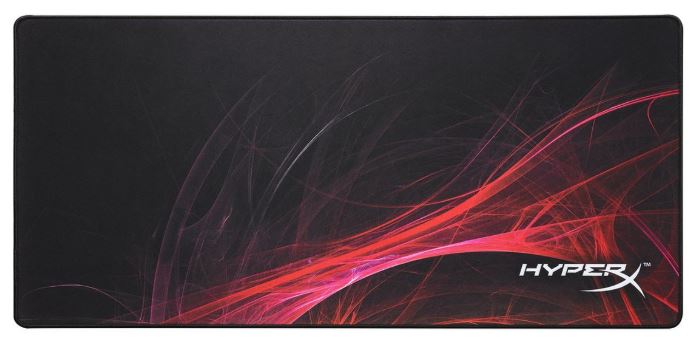
Speed mousepads are designed for:
- Faster glides
- Smoother tracking
- Faster hand movement
These mousepads work best for fast-paced FPS games like Apex Legends and Call of Duty: Warzone, where tracking moving targets quickly is important.
Common Speed Mousepad Materials
- Smooth polyester cloth
- Hard plastic surfaces
- Glass mousepads
These surfaces reduce friction, allowing your mouse to move quickly and smoothly.
Control Mousepads
Control mousepads focus more on:
- Precision
- Stopping power
- Stable aiming
These pads are preferred in tactical shooters like Valorant and Counter-Strike 2, where accurate crosshair placement matters more than fast movement.
Common Control Mousepad Materials:
- Cordura surfaces
- Rough cloth textures
- Poron foam bases
These materials increase friction slightly, making precise aiming easier.
Personal Recommendation
My personal favorite is the Zowie G-SR-SE because it offers a strong balance between:
- Speed
- Control
- Consistent glide
It works especially well for fast-paced FPS games while still maintaining good precision.
If you want more options, check out the best budget gaming mousepad for FPS.
Common Sensitivity Mistakes FPS Players Make
Many FPS players struggle with consistency not because of bad aim—but because of bad habits.
Here are some of the most common sensitivity mistakes that slow down improvement.
Thinking There Is One “Perfect” Sensitivity
There is no universal perfect sensitivity for every player.
The best sensitivity depends on:
- Your playstyle
- Your desk space
- Your mouse control
- The games you play
The settings suggested in this guide are only starting points.
If a sensitivity feels:
- Too fast
- Too slow
- Uncomfortable
Adjust it gradually until it feels natural.
Good aim comes from:
- Consistency
- Practice
- Muscle memory
—not from copying someone else’s settings perfectly.
Believing Expensive Gear Automatically Improves Aim
Buying better gear can help improve responsiveness and comfort, but it will not magically make your aim perfect.
A $200 gaming mouse will not replace:
- Practice
- Positioning
- Crosshair placement
- Aim control
Good peripherals give you a better foundation, but skill still matters most.
Think of it like sports:
Having expensive equipment does not automatically make someone a professional player.
Not Aim Training
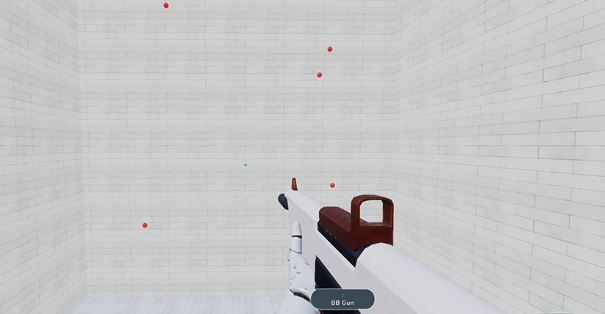
Aim is a skill that improves over time through repetition and practice.
For beginners especially, aim training can improve:
- Tracking
- Flicking
- Target switching
- Reaction speed
Recommended Aim Trainers
KovaaK’s
- More advanced scenarios
- Great for focused improvement
Aim Lab
- Free to use
- Beginner-friendly
Even 20–30 minutes of aim training consistently can improve your mechanics significantly over time.
Changing Sensitivity Every Time You Lose
This is one of the biggest mistakes FPS players make.
Constantly changing sensitivity:
- Resets muscle memory
- Slows improvement
- Makes aiming inconsistent
Once you find a comfortable sensitivity:
- Stick with it
- Adjust slowly over time if needed
Consistency is extremely important for developing reliable aim.
Expecting Perfect Aim Every Day
Even professional players have bad aim days.
Fatigue, stress, and lack of focus can affect:
- Tracking
- Reaction time
- Consistency
Improvement in FPS games is gradual.
Some days your aim will feel amazing. Other days it may feel inconsistent and that’s completely normal. The Important thing is:
- Keep practicing
- Stay consistent
- Focus on long-term improvement
Conclusion
Finding the best sensitivity for FPS games is not about copying a professional player’s settings—it’s about finding what feels comfortable and consistent for you.
Some players perform better with:
- High sensitivity for faster movement and tracking
- Low sensitivity for precision and recoil control
he most important thing is consistency.
Once you find a sensitivity that feels natural:
- Stick with it
- Practice regularly
- Build muscle memory over time
That is how good aim is developed.
Your gaming gear also plays a major role in how your sensitivity feels during gameplay.
For the best aim consistency:
- The Razer Cobra is one of the best budget gaming mice thanks to its low click latency and responsive sensor
- The Zowie G-SR-SE is an excellent mousepad that balances speed and control for FPS games
If you want more options, check out the:
You can also improve your responsiveness further by learning how to:
And if you’re planning to upgrade your entire setup, check out the best gaming setup under $1000 for a complete competitive gaming setup.