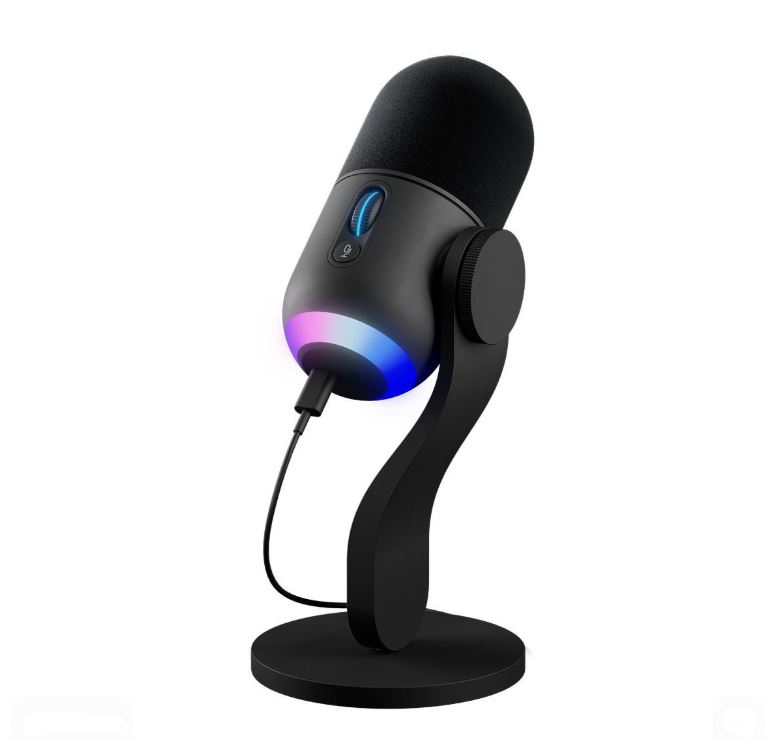
Having a good microphone can be the difference between sounding like a mosquito in your teammates’ ears and sounding clear, crisp and professional. Communication is a huge part of online gaming, especially in competitive multiplayer games where every callout matters.
While modern gaming headsets come with decent built-in microphones, they still can’t match the audio quality of a dedicated gaming microphone. If you regularly play competitive games, stream on Twitch, chat on Discord or create content for YouTube, investing in a standalone microphone is one of the best upgrades you can make.
A dedicated gaming microphone provides better voice clarity, improved noise isolation and a much more professional sound overall. Your teammates will hear you more clearly, your viewers will enjoy better audio quality and your recordings will sound significantly better compared to most headset microphones.
The good news is that you don’t need to spend hundreds of dollars to get excellent audio quality. Today, there are several affordable gaming microphones under $50 that deliver impressive performance for gaming, streaming, Discord calls and content creation.
Affiliate Disclosure
Some of the links in this article are affiliate links, which means I may earn a small commission if you purchase a product through one of these links, at no additional cost to you. This helps support me and allows me to continue creating gaming guides and hardware recommendations for you.
That said, what should you expect from a gaming microphone under $50?
What To Expect From a Gaming Microphone Under $50
At the $50 price range, you can expect gaming microphones that are easy to set up and capable of delivering surprisingly good audio quality. Most microphones in this category use USB connectivity, making them extremely simple to install. In most cases, it’s a plug-and-play experience where the only settings you’ll need to adjust are your microphone volume and input levels.
One of the most common features you’ll find is a Cardioid Pickup Pattern. This pickup pattern is designed to capture sound directly in front of the microphone while reducing unwanted background noise from the sides and rear. This makes it ideal for gaming, streaming and Discord calls because your voice remains the primary focus.
Compared to most headset microphones, dedicated gaming microphones generally sound fuller, clearer and more natural. This improvement in audio quality is especially noticeable when streaming on Twitch, recording YouTube videos, participating in Discord calls or communicating with teammates during competitive multiplayer games.
Many gaming microphones under $50 also include useful features such as microphone monitoring, which allows you to hear your own voice in real time. This can help you adjust your speaking volume and microphone position more accurately.
You can also expect accessories such as desktop stands, adjustable mounts and boom arm compatibility on some models. These additions improve comfort, positioning and overall audio quality by allowing you to place the microphone closer to your mouth.
While microphones in this price range won’t compete with professional studio equipment, they offer more than enough quality for gaming, streaming, content creation and everyday voice communication.
HyperX SoloCast (Best Gaming Microphone Under $50)
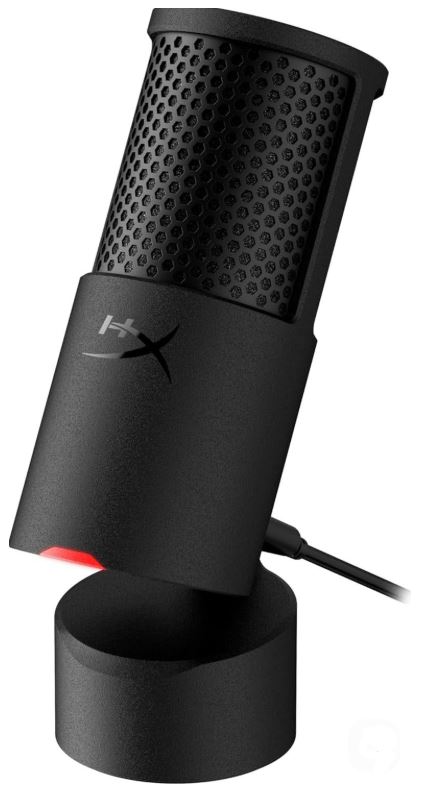
The HyperX SoloCast is one of the most popular budget gaming microphones thanks to its excellent voice quality, simple setup and streamer-friendly features. It delivers clear and natural audio that is a significant upgrade over most headset microphones.
Specifications
Type: Condenser
Pickup Pattern: Cardioid
Audio Quality: 24-bit / 96kHz
Connectivity: USB-C
Price: $35–$50
Features: Tap-to-Mute Sensor, Built-In Shock Mount, Adjustable Stand
Why Buy It?
The SoloCast offers excellent voice clarity, strong background noise rejection and a compact design that fits almost any gaming setup. Its plug-and-play functionality makes it perfect for beginners and experienced streamers alike.
Best For: Most gamers and streamers looking for the best overall microphone under $50.
Razer Seiren Mini (Best Compact Gaming Microphone)
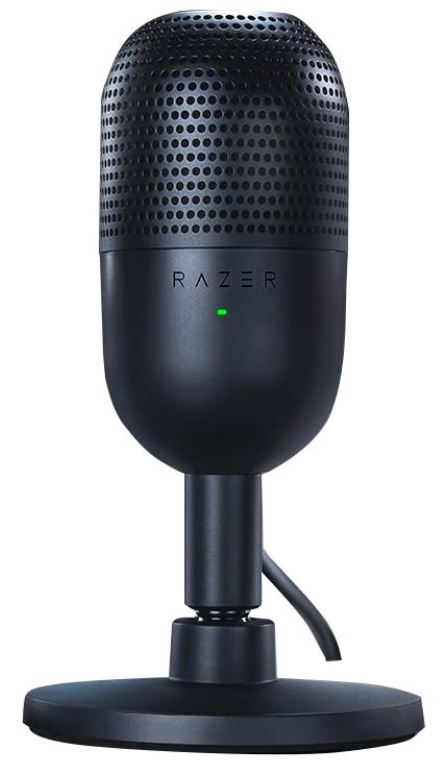
The Razer Seiren Mini proves that great audio quality doesn’t require a large microphone. Its compact design and impressive sound quality have made it a favorite among budget-conscious streamers.
Specifications
Type: Condenser
Pickup Pattern: Supercardioid
Audio Quality: 16-bit / 48kHz
Connectivity: USB
Price: $30–$45
Features: Built-In Shock Mount, Ultra-Compact Design
Why Buy It?
Its supercardioid pickup pattern helps reduce unwanted background noise while maintaining clear vocal quality. The compact size also makes it ideal for smaller desks.
Best For: Gamers with limited desk space.
FIFINE AmpliGame A6V / K669 (Best Value Gaming Microphone)
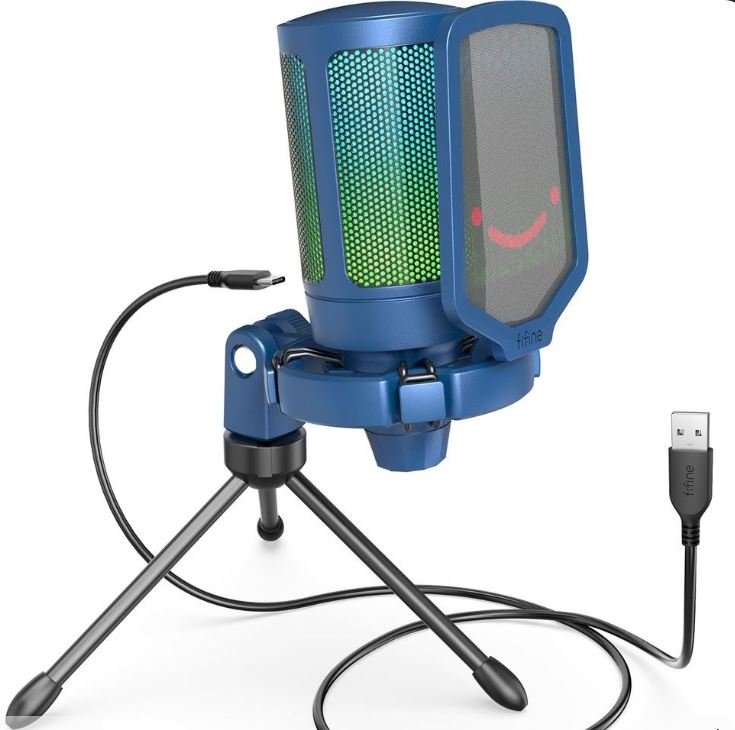
FIFINE continues to dominate the budget microphone market by offering excellent sound quality and useful features at very affordable prices.
Specifications
Type: USB Condenser
Pickup Pattern: Cardioid
Connectivity: USB
Price: $25–$40
Features: RGB Lighting (A6V), Mute Button, Volume Control, Optional Boom Arm Kits
Why Buy It?
The A6V and K669 deliver surprisingly clear audio for the price and often include accessories that would normally cost extra. They are excellent choices for first-time streamers.
Best For: Beginners looking for maximum value.
Amazon Basics USB Condenser Microphone (Best Ultra-Budget Option)
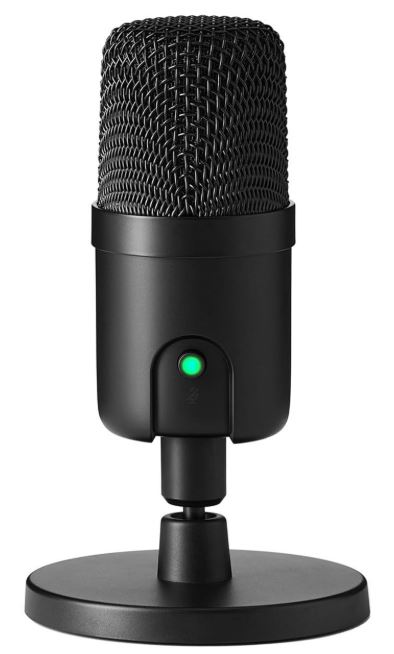
Amazon’s budget microphone may not have the flashiest design, but it delivers respectable sound quality for gamers and casual content creators.
Specifications
Type: Condenser
Pickup Pattern: Cardioid
Connectivity: USB
Price: $25–$35
Features: Plug-and-Play Setup, Tripod Stand Included
Why Buy It?
It provides clear voice reproduction, decent background noise control and reliable performance at a very affordable price.
Best For: Budget buyers and casual gamers.
TONOR TC30 / TC777 (Best Complete Starter Kit)
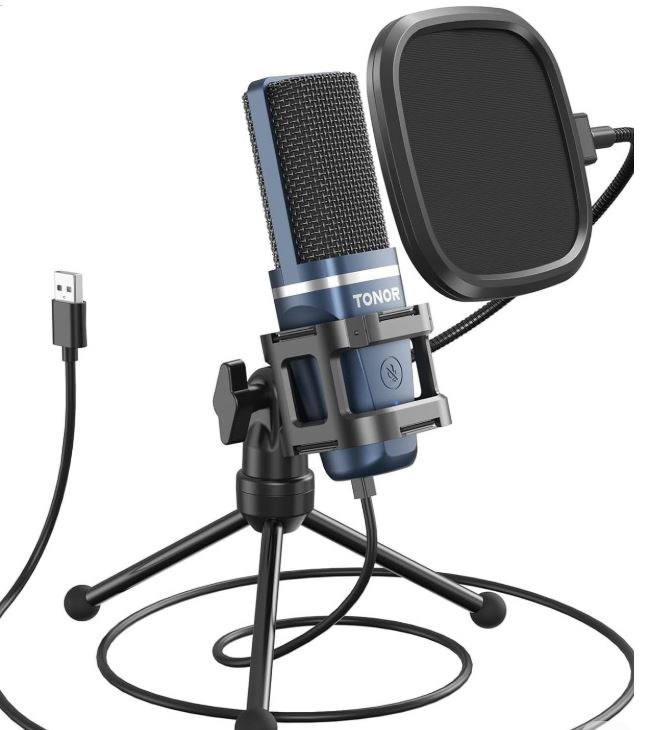
The TONOR TC30 and TC777 are popular because they include almost everything a beginner needs to start gaming, streaming or recording.
Specifications
Type: Condenser
Pickup Pattern: Cardioid
Connectivity: USB
Price: $30–$45
Features: Boom Arm, Shock Mount, Pop Filter, Tripod Stand, Volume Controls
Why Buy It?
The included accessories make setup simple and help improve audio quality without requiring additional purchases.
Best For: New streamers who want a complete microphone package out of the box.
Common Mistakes When Buying a Gaming Microphone Under $50
1. Buying RGB Instead of Audio Quality
Many buyers get distracted by flashy RGB lighting and choose a microphone primarily because it looks cool on their desk or stream.
Why It’s a Mistake
RGB lighting adds visual appeal but does absolutely nothing to improve audio quality. Some manufacturers focus heavily on aesthetics while neglecting the microphone capsule, sound processing and overall recording quality.
Consequences
- Poor voice clarity
- Lower-quality streams and recordings
- Wasted money on features that don’t improve audio
Recommendation
Always prioritize audio quality, voice clarity and noise rejection before considering RGB lighting. A microphone’s job is to sound good, not look good.
2. Ignoring Room Noise
Many people purchase a microphone without considering the environment they’ll be using it in.
Why It’s a Mistake
Microphones capture more than just your voice. Depending on the sensitivity of the microphone, it may also pick up:
- Keyboard clicks
- Mouse clicks
- Fans
- Air conditioners
- Street noise
- Room echo
Consequences
- Distracting background noise
- Less professional-sounding streams
- Lower audio quality during Discord calls
Recommendation
Before buying a microphone, evaluate how noisy your room is. If your room is noisy, consider using software features such as noise suppression, noise gates or background noise filters available in OBS, Discord and other streaming applications.
3. Placing the Microphone Too Far Away
This is one of the most common mistakes beginners make.
Why It’s a Mistake
The further a microphone is from your mouth, the more room noise it captures. Your voice also becomes quieter and less detailed.
Consequences
- Muffled voice quality
- Lower recording volume
- Increased background noise
- Poor communication during games
Recommendation
For the best audio quality, position the microphone approximately 6 to 10 inches (15 to 25 cm) from your mouth. A boom arm can make achieving this position much easier.
4. Buying a Condenser Microphone for a Noisy Room
Condenser microphones are extremely popular, but they aren’t always the best choice.
Why It’s a Mistake
Condenser microphones are highly sensitive and can capture a large amount of environmental noise. While this produces excellent audio quality in quiet rooms, it can become a problem in noisy environments.
Consequences
- Keyboard and mouse sounds become more noticeable
- Room echo becomes more obvious
- Streams and recordings sound less professional
Recommendation
For noisy environments, consider a dynamic microphone because it naturally rejects more background noise.
For quieter rooms, condenser microphones such as the HyperX SoloCast, Razer Seiren Mini and FIFINE microphones remain excellent choices.
5. Ignoring Boom Arm Compatibility
Many buyers focus entirely on the microphone itself and forget about mounting options.
Why It’s a Mistake
A microphone that cannot be positioned correctly will never sound as good as it should. Some microphones use uncommon mounting systems or require additional adapters.
Consequences
- Poor microphone placement
- Reduced audio quality
- Additional costs for adapters and accessories
Recommendation
Before purchasing, verify that the microphone supports standard 3/8-inch or 5/8-inch mounting threads or includes the necessary adapters. Most popular gaming microphones under $50 support common boom arms, but it’s always worth checking beforehand.
Conclusion
A quality gaming microphone can dramatically improve how you sound to your teammates, viewers and friends. Whether you’re making callouts in Counter-Strike 2, coordinating with your squad in Apex Legends, streaming on Twitch or chatting on Discord, clear audio makes a huge difference.
The good news is that you don’t need an expensive studio microphone to achieve excellent sound quality. The microphones featured in this guide offer impressive voice clarity, useful features and reliable performance while staying under the $50 budget. Whether you choose the HyperX SoloCast for its overall performance, the Razer Seiren Mini for its compact design or the FIFINE AmpliGame A6V for its incredible value, you’re getting a microphone capable of significantly improving your audio quality.
If you’re willing to spend a little more for even better sound quality and additional features, be sure to check out our Best Gaming Microphone for Gaming and Streaming Under $100 (2026 Guide) where we cover microphones aimed at more serious streamers and content creators.
To complete your gaming setup, you may also want to read our Best Gaming Headset for FPS Games (2026 Guide), Best Gaming Mouse Under $100 for FPS Games (2026 Guide), Best Mechanical Keyboard Under $100 (2026 Guide) and Best Budget Gaming Mousepad for FPS Games (2026 Guide).
At the end of the day, the best gaming microphone is the one that allows you to communicate clearly, minimizes background noise and fits comfortably within your budget. Thankfully, in 2026, there are plenty of excellent microphones under $50 that deliver far better audio quality than most built-in headset microphones without breaking the bank.