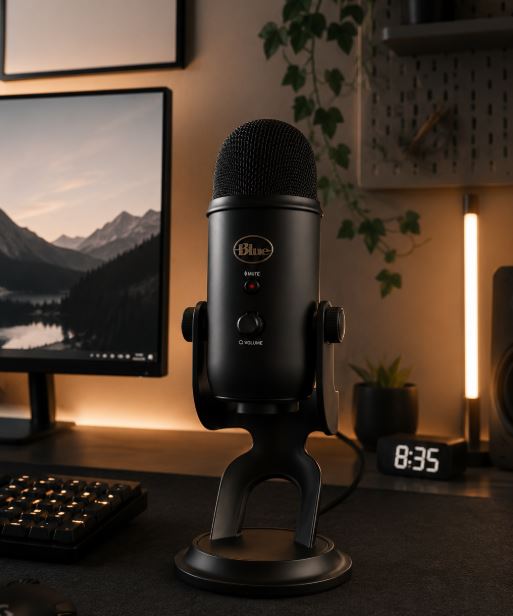
Clear communication is essential when playing competitive multiplayer games. Whether you’re making callouts in Counter-Strike 2, coordinating with your squad in Apex Legends or chatting with friends on Discord, having a high-quality microphone ensures your voice is heard loud and clear.
With a budget of under $100, you enter the semi-premium microphone category. Microphones in this price range offer a significant upgrade over the built-in microphones found on most gaming headsets. They deliver clearer voice reproduction, better background noise rejection and more natural-sounding audio, making conversations feel more professional and enjoyable.
One of the biggest advantages of investing in a dedicated gaming microphone is its longevity. A quality microphone can last for many years, and unless you’re upgrading to professional studio equipment or simply refreshing your setup, there’s little reason to replace it.
Microphones under $100 are not only excellent for gaming but also perform exceptionally well for streaming on Twitch, creating YouTube content, recording podcasts and participating in Discord calls. Many models include convenient features such as real-time microphone monitoring, onboard gain controls and mute buttons, allowing you to fine-tune your audio with ease.
The best part is that you don’t need to spend hundreds of dollars to achieve professional-sounding voice quality. Today’s gaming microphones under $100 offer outstanding performance for gamers, streamers and content creators alike.
Affiliate Disclosure
Some of the links in this article are affiliate links, which means I may earn a small commission if you purchase a product through one of these links, at no additional cost to you. This helps support me and allows me to continue creating gaming guides and hardware recommendations for you.
That said, what should you expect from a gaming microphone under $100?
What To Expect From a Gaming Microphone Under $100
With a budget of under $100, you can expect a noticeable improvement in audio quality over entry-level gaming microphones. Microphones in this price range produce a cleaner, fuller and more natural voice with greater detail and clarity. Your voice will sound richer and more professional, making them an excellent choice for gaming, streaming and content creation.
One of the biggest upgrades you’ll find is better background noise rejection. Many microphones under $100 use dynamic microphone technology, which is designed to focus primarily on your voice while reducing unwanted sounds from your surroundings. This means noises such as keyboard clicks, PC fans, air conditioners and even loud neighbors are much less likely to be picked up. If you plan to stream on Twitch, record YouTube videos or create voiceovers, a dynamic microphone is an excellent choice.
Most gaming microphones in this price range use USB or USB-C connectivity, making setup quick and straightforward. Simply plug the microphone into your PC, install any required software if available, and you’re ready to go. Many models also include useful onboard controls such as microphone gain adjustment, mute buttons and real-time microphone monitoring, allowing you to fine-tune your audio without constantly opening software settings.
Build quality also improves significantly. Unlike many budget microphones that use mostly plastic construction, microphones under $100 often feature metal housings and more durable stands. This makes them feel more premium and better suited for daily gaming and streaming. While no microphone is completely drop-proof, the stronger construction helps them withstand years of regular use.
Overall, if you’re serious about gaming, streaming, podcasting or content creation, a gaming microphone under $100 offers a substantial upgrade in voice quality, durability and features without requiring the cost of professional studio equipment.
AKG Lyra (Best Gaming Microphone Under $100)
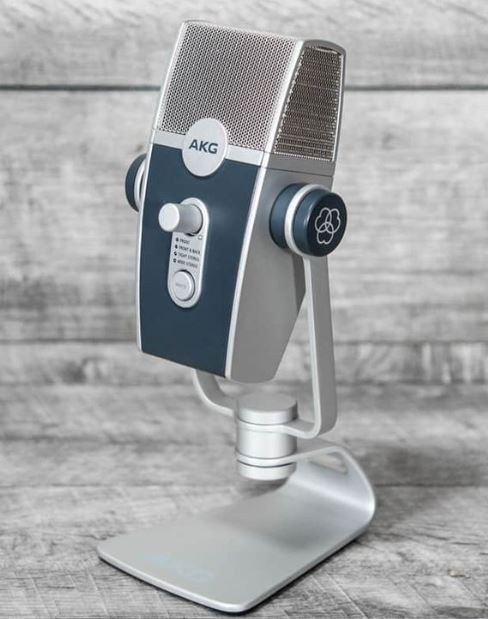
The AKG Lyra delivers exceptional voice quality and versatility, making it one of the best gaming and streaming microphones available under $100. Its multiple pickup patterns and premium construction make it suitable for gamers, streamers and content creators alike.
Specifications
Type: Condenser
Pickup Patterns: Cardioid, Omnidirectional, Stereo, Bidirectional
Audio Resolution: 24-bit / 192kHz
Connectivity: USB-C
Price: $90–$100
Features: Built-in DSP, Tap-to-Mute, LED Indicators, Desktop Stand
Why Buy It?
The AKG Lyra produces warm, detailed audio with excellent clarity. Its four pickup patterns allow you to adapt it for solo streaming, interviews or group recordings, making it one of the most versatile microphones in this price range.
Best For: Gamers and streamers wanting premium sound quality and flexibility.
HyperX QuadCast (Best Microphone for Streaming)
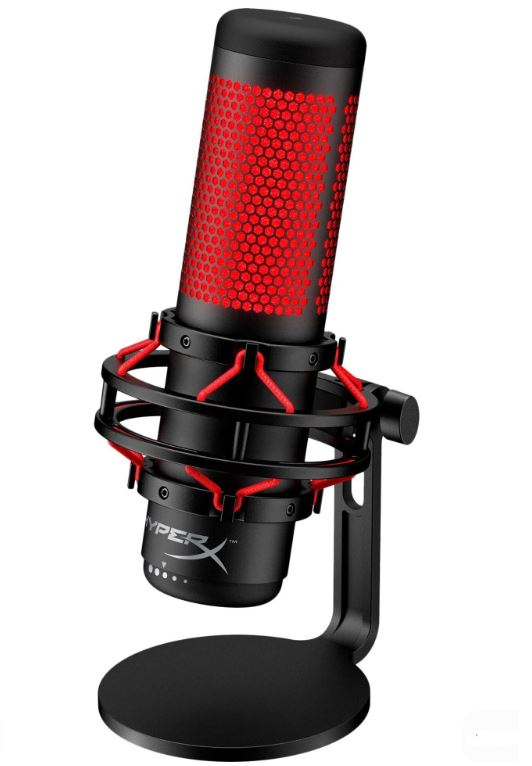
The HyperX QuadCast has become one of the most recognizable gaming microphones thanks to its excellent voice quality, streamer-friendly features and durable design.
Specifications
Type: Condenser
Pickup Patterns: Four Selectable Patterns
Connectivity: USB
Price: $80–$100
Features: Built-in Shock Mount, Internal Pop Filter, Tap-to-Mute Sensor, RGB Lighting
Why Buy It?
The QuadCast delivers rich, full vocals while minimizing unwanted vibrations through its integrated shock mount. Its multiple pickup patterns also make it suitable for streaming, podcasts and multiplayer gaming.
Best For: Twitch streamers and content creators.
Sennheiser Profile USB (Best Pure Voice Quality)
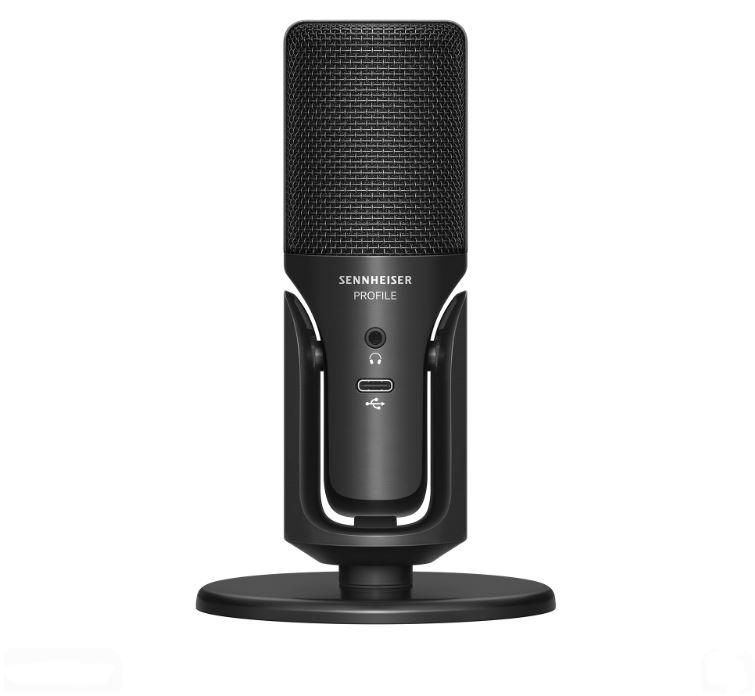
Sennheiser is well known for producing professional audio equipment, and the Profile USB continues that reputation with outstanding voice clarity.
Specifications
Type: Condenser
Pickup Pattern: Cardioid
Connectivity: USB-C
Price: $70–$100
Features: Headphone Monitoring, Gain Control, Mute Button
Why Buy It?
If your priority is natural, studio-like voice reproduction rather than RGB lighting or flashy features, the Profile USB is one of the strongest choices under $100.
Best For: Content creators who value natural voice quality.
MAONO PD200X (Best Dynamic Gaming Microphone)
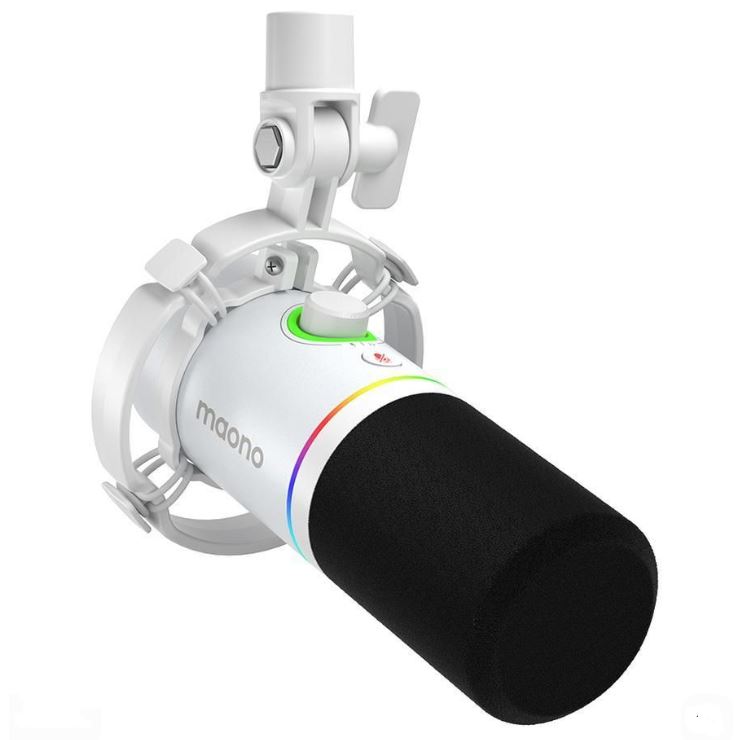
The MAONO PD200X is one of the best budget dynamic microphones available, offering excellent background noise rejection and a professional broadcast-style sound.
Specifications
Type: Dynamic
Pickup Pattern: Cardioid
Connectivity: USB-C / XLR
Price: $70–$90
Features: RGB Lighting, Onboard Controls, USB & XLR Support
Why Buy It?
Unlike condenser microphones, the PD200X naturally rejects more background noise, making it an excellent choice for gamers with noisy rooms or mechanical keyboards.
Best For: Gamers and streamers who need superior background noise rejection.
NZXT Capsule Elite / Mini (Best Design & Build Quality)
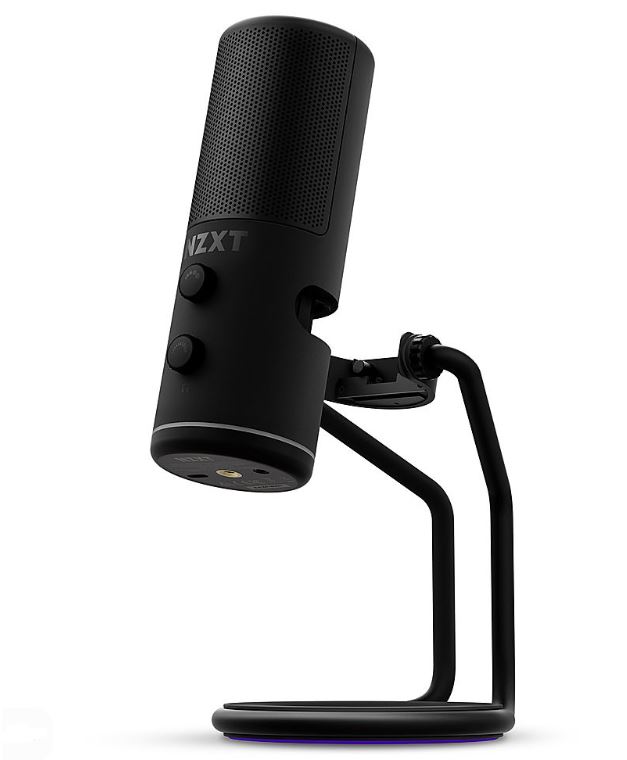
The NZXT Capsule combines premium aesthetics with impressive voice quality, making it an excellent addition to modern gaming setups.
Specifications
Type: Condenser
Pickup Pattern: Cardioid
Connectivity: USB
Price: $70–$95
Features: Adjustable Stand, Onboard Controls, LED Indicators
Why Buy It?
The Capsule delivers clear, balanced vocals while complementing minimalist gaming setups with its sleek design and quality construction.
Best For: Gamers who want excellent audio quality and a premium-looking setup.
Common Mistakes When Buying a Gaming Microphone Under $100
1. Buying the Wrong Microphone Type (Dynamic vs. Condenser)
Choosing the wrong microphone type for your gaming setup is one of the most common mistakes buyers make.
Why It’s a Mistake
Dynamic and condenser microphones are designed for different environments.
- Dynamic microphones are less sensitive and naturally reject background noise, making them ideal for noisy gaming rooms with mechanical keyboards, PC fans or air conditioners.
- Condenser microphones capture more detail and produce excellent vocal clarity, but they are also more sensitive to room echo and ambient noise. They perform best in quiet or acoustically treated rooms.
Consequences
- More background noise than expected
- Echoey or hollow recordings
- Lower overall voice quality
Recommendation
Before buying a microphone, consider your environment. If your room is noisy, a dynamic microphone is usually the better choice. If your room is quiet and well treated, a condenser microphone can deliver outstanding voice quality.
2. Ignoring Gain Settings
Many users either leave the microphone gain too high or rely entirely on automatic gain adjustment.
Why It’s a Mistake
Gain controls how much your microphone amplifies your voice. Setting it too high introduces background noise and distortion, while setting it too low makes your voice difficult to hear.
Consequences
- Hissing sounds
- Audio distortion
- Inconsistent voice volume
- Poor stream or Discord audio quality
Recommendation
Adjust the gain so your voice is loud and clear without clipping or distortion. If available, monitor your microphone levels in OBS, Discord or your recording software and make small adjustments until your voice sounds natural.
3. Recording Too Far Away
Placing the microphone too far from your mouth is one of the easiest mistakes to make.
Why It’s a Mistake
As the distance increases, your microphone captures more room reflections and less of your direct voice. This makes recordings sound distant and less professional.
Consequences
- Muffled voice
- More background noise
- Reduced vocal clarity
- Lower recording quality
Recommendation
Position your microphone approximately 6–12 inches (15–30 cm) from your mouth. A boom arm makes it much easier to maintain the ideal position during long gaming or streaming sessions.
4. Ignoring Room Acoustics
Even the best gaming microphone can’t completely overcome a poor recording environment.
Why It’s a Mistake
Hard walls, bare floors and large empty rooms create echoes and reverb that reduce voice clarity. Condenser microphones are especially sensitive to these reflections.
Consequences
- Echoey recordings
- Poor voice definition
- Less professional audio quality
Recommendation
Improve your recording environment with simple solutions such as curtains, rugs, bookshelves or acoustic foam panels. Even small changes can significantly improve the quality of your recordings.
5. Focusing on RGB Instead of Audio Quality
It’s easy to be attracted to microphones with colorful RGB lighting and flashy designs.
Why It’s a Mistake
RGB lighting has no impact on how your microphone sounds. Some gaming microphones prioritize appearance over audio quality, resulting in weaker voice clarity and poor background noise handling.
Consequences
- Paying more for aesthetics than performance
- Lower-quality recordings
- Disappointing voice communication
Recommendation
Prioritize sound quality, build quality and noise rejection before considering RGB lighting. A microphone that sounds excellent will always be a better investment than one that simply looks impressive on your desk.
Conclusion
A high-quality gaming microphone is one of the best investments you can make if you regularly play multiplayer games, stream on Twitch, create YouTube content or spend time chatting on Discord. Clear communication not only helps your teammates understand your callouts but also gives your streams and recordings a far more professional sound.
The good news is that you don’t need to spend hundreds of dollars to achieve excellent audio quality. With a budget of under $100, you can enjoy premium features such as cleaner voice reproduction, superior background noise rejection, durable metal construction and convenient onboard controls. Whether you choose the AKG Lyra for its outstanding versatility, the HyperX QuadCast for streaming, the Sennheiser Profile USB for exceptional voice quality or the MAONO PD200X for its excellent background noise rejection, every microphone on this list delivers excellent value for the price.
If you’re shopping on a tighter budget, don’t forget to check out our Best Gaming Microphone Under $50 (2026 Guide), where we cover the best affordable microphones for gaming, streaming and Discord calls.
To complete your gaming setup, you may also be interested in our Best Gaming Headset for FPS Games (2026 Guide), Best Gaming Mouse Under $100 for FPS Games (2026 Guide), Best Mechanical Keyboard Under $100 (2026 Guide) and Best Budget Gaming Mousepad for FPS Games (2026 Guide).
Ultimately, the best gaming microphone is one that matches your environment, produces clear and natural audio, and fits comfortably within your budget. Any of the microphones featured in this guide will provide a noticeable upgrade over a typical headset microphone and help you sound your best whether you’re gaming, streaming or creating content.