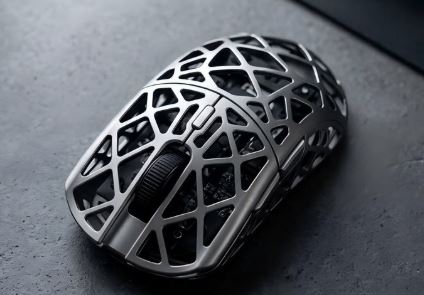
With a budget of $100, you enter the premium gaming mouse ecosystem. This is where you’ll find gaming mice used by professional esports players and serious competitive gamers. The reason these mice are so popular is simple: they offer top-tier performance with virtually no compromises.
At this price range, gaming mice become significantly more refined. You gain access to premium sensors from trusted manufacturers, extremely low click latency, lightweight designs and wireless technology that feels just as responsive as a wired connection. Many of these mice are also highly customizable, allowing you to adjust DPI, polling rate, button assignments and other settings to match your exact preferences.
For FPS games, a gaming mouse is one of the most important peripherals you can own. Whether you’re flicking heads in Counter-Strike 2, tracking enemies in Apex Legends or taking precise shots in Valorant, a quality gaming mouse can help you perform more consistently and comfortably during long gaming sessions.
If you’re serious about competitive gaming, climbing ranked ladders or even pursuing esports, investing in a premium gaming mouse is one of the smartest upgrades you can make.
The good news is that you no longer need to spend $150 or more to get professional-level performance. Today, there are several outstanding gaming mice available for under $100 that can compete with some of the best mice on the market.
Affiliate Disclosure
Some of the links in this article are affiliate links, which means I may earn a small commission if you purchase a product through one of these links, at no additional cost to you. This helps support me and allows me to continue creating gaming guides and hardware recommendations for you.
That said, what should you expect from a gaming mouse under $100?
What To Expect From a Gaming Mouse Under $100
At the $100 price range, gaming mice enter the premium category. This is where you’ll find flagship sensors, ultra-lightweight designs, near-instant click response and wireless performance that rivals traditional wired gaming mice.
Flagship Sensors
A flagship sensor is the most advanced sensor offered by a manufacturer. These sensors provide the highest level of tracking accuracy, consistency and responsiveness available.
Some of the best flagship sensors currently available include:
- PAW3395
- Razer Focus Pro 30K
- Logitech HERO 25K
- SteelSeries TrueMove Pro
Benefits of Flagship Sensors
- Extremely accurate tracking
- Reliable performance during fast flicks
- Very low latency
- Adjustable lift-off distance
- Minimal jitter and tracking errors
- Consistent performance across different sensitivity settings
Whether you’re tracking targets in Apex Legends or flicking between enemies in Counter-Strike 2, these sensors are capable of keeping up with even the fastest movements.
Ultra-Lightweight Designs
Modern FPS gaming mice have become significantly lighter than older models.
At this price range, you can expect weights between 45g and 70g, with some mice weighing even less.
Benefits of Lightweight Mice
- Faster flick shots
- Easier target tracking
- Reduced hand fatigue
- More comfortable long gaming sessions
This is one of the reasons lightweight gaming mice have become the preferred choice for many professional esports players.
Extremely Low Click Latency
Click latency is the delay between pressing a mouse button and the action registering on-screen.
Gaming mice under $100 typically offer click latency below 1 millisecond, allowing your inputs to register almost instantly.
For competitive gaming, every millisecond matters.
Premium Wireless Performance
Gone are the days when wireless gaming mice were noticeably slower than wired models.
Most premium gaming mice now use 2.4GHz wireless technology, delivering performance that is virtually indistinguishable from a wired connection.
Benefits include:
- Lower latency
- More stable connections
- Greater freedom of movement
- Cleaner gaming setup
Virgin-Grade PTFE Mouse Feet
Many gaming mice under $100 come equipped with Virgin-grade PTFE skates.
These premium mouse feet provide:
- Smoother gliding
- Less friction
- Better tracking consistency
- Reduced effort during fast movements
For FPS games, good mouse feet can make movement feel noticeably smoother and more precise.
Longer Battery Life
Battery life has improved dramatically in recent years.
Depending on the manufacturer and sensor efficiency, many gaming mice under $100 offer anywhere from 100 to 350 hours of battery life on a single charge or battery replacement.
This means less charging and more time spent gaming.
Higher Polling Rates
While 1000Hz remains the standard polling rate for gaming mice, some premium models now support:
- 2000Hz
- 4000Hz
- 8000Hz polling rates
Higher polling rates allow the mouse to communicate with your PC more frequently, resulting in even lower input latency and smoother cursor movement.
While not essential for every gamer, it’s a feature increasingly found in premium FPS gaming mice.
Logitech G PRO X Superlight (Most Reliable Esports Classic)
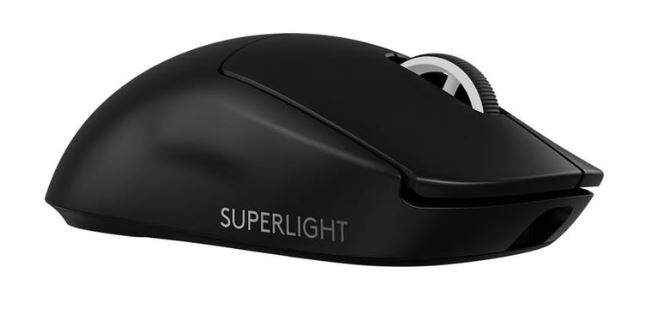
The Logitech G PRO X Superlight remains one of the most respected gaming mice in esports. Even years after its release, it continues to be used by professional players thanks to its reliable performance, lightweight design and exceptional battery life.
Specifications
Sensor: HERO 25K
Weight: 60–63g
Connectivity: LIGHTSPEED Wireless
Battery Life: 250+ Hours
Price: $70–$99
Why Buy It?
The G PRO X Superlight delivers flawless tracking, excellent battery life and one of the safest shapes available for competitive gaming. Its proven track record in esports makes it an easy recommendation.
Best For: Gamers seeking proven reliability and tournament-level performance.
Razer DeathAdder V3 (Best Overall FPS Gaming Mouse)
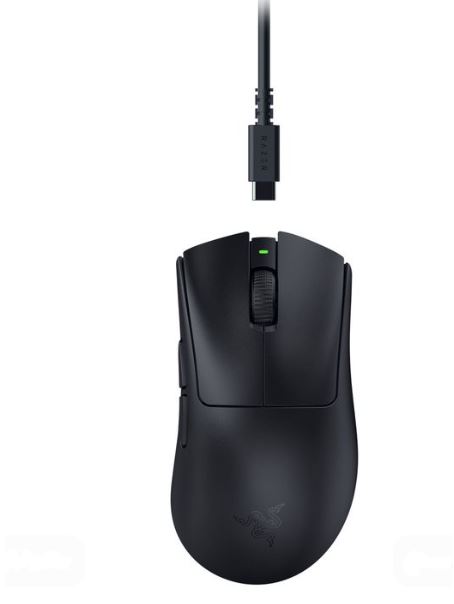
The DeathAdder V3 combines premium performance with one of the most comfortable ergonomic shapes available. It offers flagship-level tracking and some of the best optical switches currently on the market.
Specifications
Sensor: Focus Pro 30K
Weight: Approximately 59g
Connectivity: Wired or HyperSpeed Wireless
Polling Rate: Up to 8000Hz
Price: $60–$95
Why Buy It?
The DeathAdder V3 provides exceptional tracking accuracy, low click latency and outstanding comfort for long gaming sessions.
Best For: Right-handed gamers who prioritize comfort and performance.
MCHOSE L7 Pro / A7 Series (Best Value Flagship Gaming Mouse)
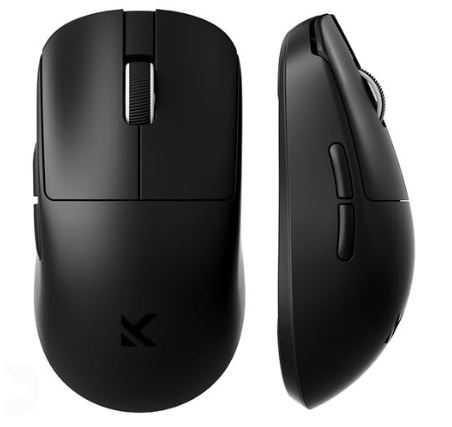
MCHOSE has quickly become a favorite among enthusiasts by offering premium specifications at surprisingly affordable prices.
Specifications
Sensor: PAW3395 or PAW3950
Weight: 39–59g
Connectivity: Tri-Mode Wireless
Polling Rate: Up to 8000Hz
Price: $45–$70
Why Buy It?
The L7 Pro delivers flagship-level performance, excellent wireless technology and extremely low latency at a fraction of the price of many premium competitors.
Best For: Competitive gamers looking for maximum value.
Corsair Sabre V2 Pro Ultralight (Best Ultra-Light Gaming Mouse)
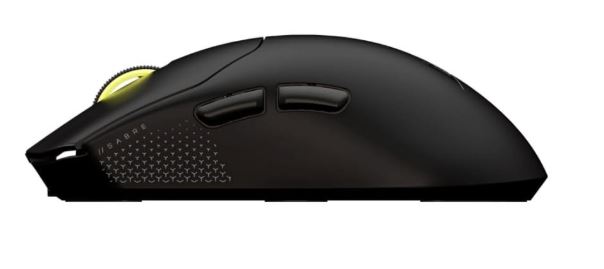
The Corsair Sabre V2 Pro Ultralight is designed for players who want the lightest possible mouse without sacrificing performance.
Specifications
Sensor: Marksman S Optical Sensor
Weight: Approximately 36g
Connectivity: Wireless
Polling Rate: Up to 8000Hz
Price: $70–$100
Why Buy It?
Its incredibly lightweight design makes fast flicks and target tracking feel effortless while maintaining excellent tracking accuracy.
Best For: FPS gamers who prioritize speed and agility.
Pulsar X2V2 (Best Competitive FPS Mouse)
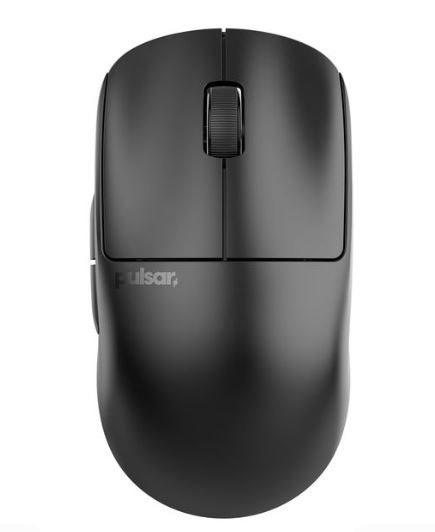
The Pulsar X2V2 has become one of the most popular enthusiast gaming mice thanks to its lightweight design, excellent sensor performance and competitive-focused shape.
Specifications
Sensor: PAW3395
Weight: Approximately 52–56g
Connectivity: Wireless
Polling Rate: Up to 4000Hz
Price: $85–$99
Why Buy It?
The X2V2 offers outstanding performance, excellent build quality and one of the best shapes available for claw and fingertip grip users.
Best For: Competitive FPS players who want a premium lightweight mouse.
Common Mistakes When Buying a Gaming Mouse Under $100
1. Overpaying for Brand Name and Hype
Many gamers assume that because a mouse costs $100 and carries a popular brand name, it must automatically be the best option available.
Why It’s a Mistake
At this price point, you’re paying for premium features, but not all premium gaming mice offer the same performance. Some models rely heavily on marketing, RGB lighting and brand recognition while providing specifications similar to cheaper alternatives.
Consequences
- Paying flagship prices for average performance
- Missing out on better value alternatives
- Spending money on features you’ll never use
Recommendation
Focus on specifications such as sensor quality, weight, shape, click latency and battery life rather than buying solely based on brand reputation.
2. Ignoring Mouse Weight
Many buyers still choose gaming mice weighing 90g to 110g because they assume heavier means more premium.
Why It’s a Mistake
Modern competitive FPS gaming heavily favors lightweight mice. A lighter mouse requires less effort to move and makes fast flicks, tracking and micro-adjustments easier.
Consequences
- Reduced aiming precision
- Slower flick shots
- Increased hand fatigue during long gaming sessions
Recommendation
For FPS gaming in 2026, aim for a mouse between 55g and 70g. Many professional players prefer mice within this range because they provide the best balance of control and speed.
3. Choosing the Wrong Shape for Your Grip Style
Many gamers buy a mouse because it looks good or because their favorite streamer uses it without considering their own grip style.
Why It’s a Mistake
Different grip styles require different mouse shapes.
Palm Grip
- Larger ergonomic mice
- Better hand support
- Comfortable for long sessions
Claw Grip
- Medium-sized mice
- Pronounced hump
- Better control for rapid movements
Fingertip Grip
- Smaller and lighter mice
- Maximum freedom of movement
- Excellent for fast aim adjustments
Consequences
- Poor comfort
- Wrist strain
- Less consistent aim
- Reduced performance over time
Recommendation
Choose a mouse that matches your grip style. The perfect shape often improves performance more than a better sensor.
4. Not Getting a Flagship Sensor
At the $100 price point, there is no reason to settle for an outdated or mid-range sensor.
Why It’s a Mistake
Premium gaming mice should offer premium tracking performance. A weaker sensor may introduce tracking inconsistencies during fast movements.
Consequences
- Tracking issues
- Jitter
- Less reliable aim
- Poor competitive performance
Recommendation
Look for flagship sensors such as:
- PixArt PAW3395
- Razer Focus Pro 30K
- Logitech HERO 25K
- SteelSeries TrueMove Pro
These sensors provide some of the best tracking performance currently available.
5. Overlooking Build Quality and Longevity
Many buyers focus entirely on weight and sensor specifications while ignoring overall build quality.
Why It’s a Mistake
A gaming mouse is something you’ll use every day. Poor quality switches, weak shell construction and inconsistent quality control can lead to problems over time.
Consequences
- Double-clicking issues
- Loose buttons
- Creaking shell
- Reduced lifespan
Recommendation
Before purchasing, read reviews focusing on:
- Click durability
- Build quality
- Side button performance
- Quality control
A slightly heavier mouse with excellent build quality will often outlast an ultra-light mouse with poor durability.
Conclusion
A gaming mouse is one of the most important peripherals for FPS games because it directly affects your aim, tracking and overall performance. Fortunately, you no longer need to spend hundreds of dollars to get professional-level hardware. With a budget of $100, you can access flagship sensors, ultra-lightweight designs, premium wireless technology and build quality that was once reserved for top-tier esports equipment.
Whether you choose the Logitech G PRO X Superlight for its proven reliability, the Razer DeathAdder V3 for its outstanding ergonomics, the MCHOSE L7 Pro for its incredible value or the Pulsar X2V2 for its competitive-focused design, each mouse on this list offers excellent performance for serious FPS gamers.
If you’re looking for more affordable alternatives, be sure to check out our Best Gaming Mouse Under $60 for FPS Games (2026 Guide), Best Wired Gaming Mouse Under $40 for FPS Games (2026 Guide) and Best Wireless Gaming Mouse Under $40 for FPS Games (2026 Guide). These guides feature excellent gaming mice for players who aren’t ready to spend close to $100.
To complete your gaming setup, you may also want to read our Best Mechanical Keyboard Under $100 (2026 Guide), Best Gaming Keyboard Under $50 (2026 Top Picks) and Best Budget Gaming Mousepad for FPS Games (2026 Guide). Pairing a premium gaming mouse with the right keyboard and mousepad can significantly improve your gaming experience.
If you’re still gaming on older hardware, our Best Gaming Laptop Under $1000 (2026 Guide) and Best Gaming Laptop Under $1500 (2026 Guide) can help you find a capable system for modern competitive games.
At the end of the day, the best gaming mouse is the one that fits your hand comfortably, matches your grip style and helps you perform consistently. The good news is that every mouse featured in this guide is capable of delivering the level of performance needed for competitive FPS gaming in 2026 and beyond.