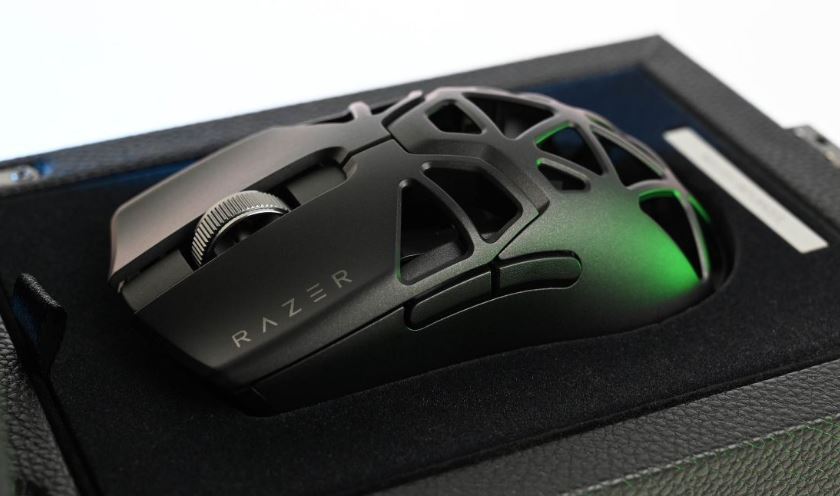
Gaming mice remain one of the most important gaming peripherals you can buy, especially if you spend most of your time playing FPS games. Unlike some upgrades that offer only minor improvements, a quality gaming mouse can have a direct impact on your aim, tracking and overall performance.
The $60 price range is where gaming mice start entering enthusiast territory. At this budget, you gain access to high-end sensors, lightweight designs, lower click latency and build quality that can rival gaming mice costing significantly more. In many cases, the performance difference between a good $60 gaming mouse and a premium $120 gaming mouse is much smaller than most people think.
FPS (First-Person Shooter) games are where a gaming mouse is truly put to the test. Games such as Apex Legends, Counter-Strike 2, Valorant and The Finals demand precise tracking, fast flicks and responsive clicks. This is where you’ll quickly notice the difference between a cheap office mouse and a gaming mouse designed specifically for competitive play.
A quality gaming mouse is also a long-term investment. A good sensor, comfortable shape and durable switches can easily serve you for years while improving your gaming experience every day.
The good news is that you don’t need to spend a fortune to get excellent performance. At the $60 price point, there are several outstanding gaming mice capable of competing with far more expensive options.
Affiliate Disclosure
Some of the links in this article are affiliate links, which means I may earn a small commission if you purchase a product through one of these links, at no additional cost to you. This helps support me and allows me to continue creating gaming guides and hardware recommendations for you.
That said, what should you expect from a gaming mouse under $60?
What To Expect From a Gaming Mouse Under $60
At the $60 price range, gaming mice begin entering enthusiast territory. This is where you’ll start seeing premium sensors, lightweight designs, lower click latency and build quality that rivals much more expensive gaming mice.
Premium Gaming Sensors
One of the biggest upgrades you’ll find in this price range is sensor quality. Modern gaming sensors are incredibly accurate and can track even the fastest flicks without issue.
HERO (Logitech)
Full Name: HERO 12K / HERO 25K
Best Known For: Efficiency and Reliability
Strengths:
- Extremely power efficient
- Excellent tracking accuracy
- Consistent and reliable performance
- Outstanding battery life in wireless mice
Used In: Logitech G305, G502 HERO, G Pro X Superlight and more.
Best For: Gamers who want dependable performance and long battery life.
PAW3395 (PixArt)
Best Known For: Raw Performance
Strengths:
- One of the best gaming sensors currently available
- Exceptional tracking speed and accuracy
- Extremely low latency
- Excellent lift-off distance control
- Supports very high DPI settings
Used In: Lamzu, Pulsar, Attack Shark, Mchose and many enthusiast gaming mice.
Best For: Competitive FPS gamers looking for top-tier sensor performance.
Focus Pro (Razer)
Full Name: Focus Pro 30K Optical Sensor
Best Known For: Precision and Advanced Features
Strengths:
- Extremely high DPI support
- Motion Sync technology
- Smart Tracking features
- Excellent responsiveness during fast movements
Used In: Razer DeathAdder V3, Razer Viper V3 and Basilisk series mice.
Best For: Gamers invested in the Razer ecosystem who want cutting-edge performance.
TrueMove (SteelSeries)
Versions: TrueMove Air, TrueMove Pro and TrueMove Core
Best Known For: Natural and Consistent Tracking
Strengths:
- Smooth and accurate tracking
- Performs well at both low and high sensitivities
- Excellent consistency during long gaming sessions
Used In: SteelSeries Rival, Aerox and Prime series mice.
Best For: Players who prefer a natural and predictable mouse feel.
Lightweight Designs
Gaming mice have become significantly lighter over the years. Most gaming mice under $60 weigh between 50g and 80g, with some wired models weighing as little as 48g.
A lighter mouse requires less effort to move, making fast flicks, target tracking and rapid adjustments easier in FPS games such as Apex Legends, Valorant and Counter-Strike 2.
Lower Click Latency
Click latency refers to the delay between pressing a mouse button and the action occurring on-screen. At this price range, many gaming mice offer click latency below 1ms, resulting in extremely responsive gameplay.
While a fraction of a millisecond may seem insignificant, competitive players appreciate every advantage they can get during intense matches.
Higher Polling Rates
The standard polling rate for modern gaming mice is 1000Hz, meaning the mouse communicates with your PC 1,000 times per second.
Some enthusiast gaming mice now support polling rates of up to 4000Hz or even 8000Hz, although these features are still relatively uncommon in the sub-$60 category.
Better Build Quality
At this price point, manufacturers begin paying more attention to overall build quality. You can expect features such as:
- Virgin-grade PTFE mouse feet for smoother gliding
- Flexible braided or paracord-style cables on wired models
- Better coatings for improved grip
- More durable switches and buttons
- Improved shell construction with less flex
Simply put, a gaming mouse under $60 offers far more than basic gaming performance. This is the price range where enthusiast-level features become accessible to budget-conscious gamers.
Logitech G305 LIGHTSPEED (Best Overall Gaming Mouse Under $60)
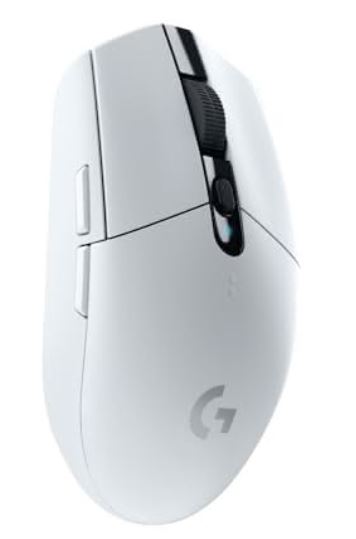
The Logitech G305 LIGHTSPEED remains one of the most popular gaming mice ever released. Despite being several years old, it continues to deliver excellent wireless performance, reliable tracking and incredible battery life at a budget-friendly price.
Specifications
Sensor: HERO 12K
Weight: 99g
Connectivity: LIGHTSPEED Wireless
Battery Life: Up to 250 Hours
Price: $29–$38
Why Buy It?
The G305 offers dependable wireless gaming performance, excellent sensor accuracy and outstanding battery life. It’s one of the safest recommendations for gamers who want a reliable FPS gaming mouse without spending a fortune.
Best For: Most gamers looking for the best overall gaming mouse under $60.
HyperX Pulsefire Haste 2 (Best Lightweight FPS Gaming Mouse)
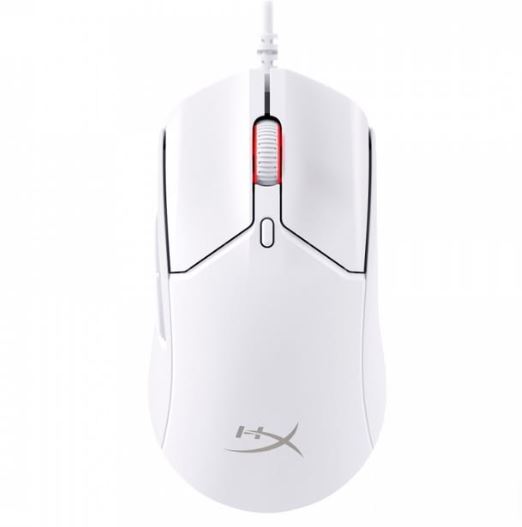
The HyperX Pulsefire Haste 2 is designed specifically for competitive gaming. Its lightweight design and responsive sensor make it an excellent choice for players who value fast movements and precise aiming.
Specifications
Sensor: HyperX Optical Sensor
Weight: 61g
Connectivity: Wired
Price: $35–$45
Why Buy It?
Its lightweight design makes flick shots, tracking and rapid target switching feel effortless. Combined with low click latency and excellent glide, it’s one of the strongest FPS gaming mice available in this price range.
Best For: Competitive FPS players.
Lamzu Atlantis / Thorn Mini (Best Premium Lightweight Mouse)
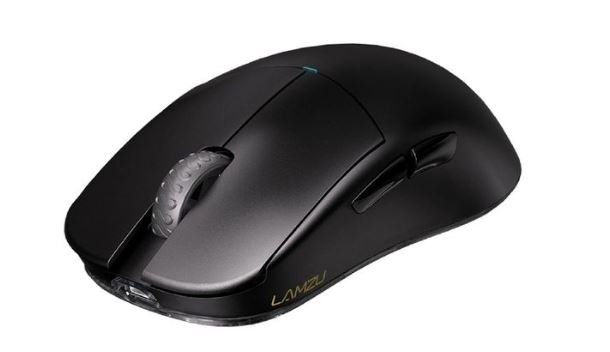
Lamzu has quickly become one of the most respected enthusiast mouse brands thanks to its focus on lightweight designs and high-end performance.
Specifications
Sensor: PAW3395
Weight: 55–65g
Connectivity: Wireless
Price: $45–$55
Why Buy It?
The combination of a top-tier sensor, lightweight construction and excellent click feel makes the Lamzu Atlantis and Thorn Mini fantastic choices for serious FPS players.
Best For: Gamers seeking enthusiast-level performance on a budget.
Razer Cobra (Best Razer FPS Mouse Under $60)
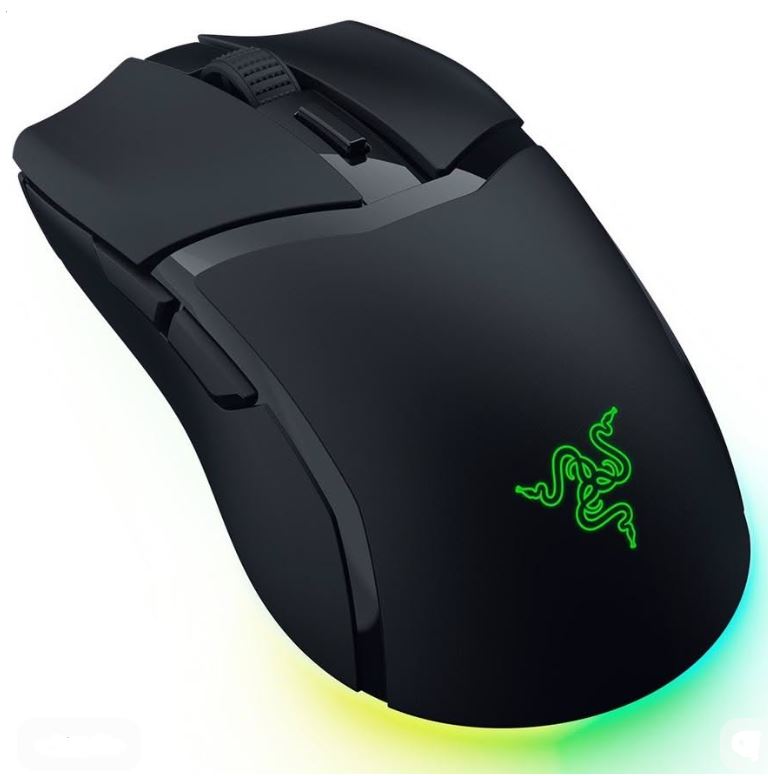
The Razer Cobra brings many of Razer’s premium gaming features to a more affordable price point. It offers excellent responsiveness, a comfortable shape and impressive gaming performance.
Specifications
Sensor: Razer Optical Sensor
Weight: Approximately 58g
Connectivity: Wired
Price: $40–$59
Why Buy It?
The Cobra is lightweight, accurate and comfortable, making it a strong choice for FPS players who prefer Razer’s ecosystem and design philosophy.
Best For: Claw grip and fingertip grip players.
Redragon M991 / M690 (Best Budget Gaming Mouse)
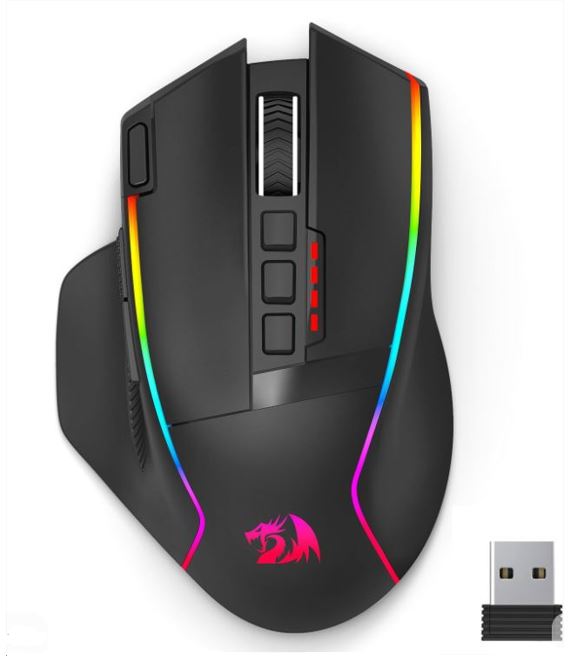
If you’re working with a tight budget but still want a gaming-focused mouse, Redragon continues to offer excellent value for money.
Specifications
Sensor: Optical Gaming Sensor
Weight: 75–85g
Connectivity: Wired
Price: $25–$35
Why Buy It?
The M991 and M690 deliver respectable gaming performance, customizable buttons and solid build quality while remaining highly affordable.
Best For: Beginners and budget-conscious gamers.
Common Mistakes When Buying a Gaming Mouse Under $60
Buying a Mouse That’s Too Heavy
Many beginners pick heavier mice thinking they feel more premium or durable.
Why It’s a Mistake
Modern FPS games reward quick reactions and fast mouse movements. A heavier mouse requires more effort to move, making flick shots, target tracking and rapid adjustments more difficult.
Consequences
- Slower mouse movements
- Increased hand fatigue
- Less comfortable during long gaming sessions
- Harder to perform fast flicks
Advice
For FPS gaming in 2026, aim for a mouse weighing between 55g and 75g. While weight preference is personal, most competitive players prefer lightweight mice because they require less effort to move.
Ignoring Grip Style
Many gamers purchase a mouse simply because it is popular without considering how they actually hold it.
Why It’s a Mistake
Different mice are designed for different grip styles:
- Palm Grip – Larger ergonomic mice
- Claw Grip – Medium-sized mice with a pronounced hump
- Fingertip Grip – Smaller and lighter mice
Consequences
- Reduced comfort
- Less control over your aim
- Hand fatigue during long sessions
Advice
Identify your grip style before purchasing a mouse. A comfortable shape can improve both performance and long-term comfort.
Focusing on DPI Marketing
Manufacturers often advertise extremely high DPI numbers as a major selling point.
Why It’s a Mistake
Most FPS players use between 400 and 1600 DPI. Beyond that, sensor quality becomes far more important than the maximum DPI number.
Consequences
- Paying extra for features you’ll never use
- Falling for marketing instead of focusing on performance
- Potentially choosing a worse sensor
Advice
Focus on proven sensors such as HERO, PAW3395, Focus Pro and TrueMove rather than chasing the highest DPI rating.
Buying Based on RGB Alone
RGB lighting looks great, but it doesn’t improve gaming performance.
Why It’s a Mistake
Some gaming mice prioritize flashy RGB effects while sacrificing more important features such as weight, sensor quality and click latency.
Consequences
- Worse performance for the same price
- Paying for aesthetics instead of functionality
Advice
Prioritize performance first and RGB second. A gaming mouse with a great sensor and comfortable shape will always outperform a flashy mouse with poor hardware.
Ignoring Sensor Quality
The sensor is the most important component of any gaming mouse.
Why It’s a Mistake
A poor sensor can introduce tracking issues such as jitter, spin-outs and inconsistent movement. These problems become especially noticeable in competitive FPS games where precision matters.
Consequences
- Missed shots
- Inconsistent aim
- Frustration during competitive matches
- Reduced confidence in your equipment
Advice
Always choose a gaming mouse with a reputable sensor. Some of the best sensors available in this price range include:
- Logitech HERO 12K / HERO 25K
- PixArt PAW3395
- Razer Focus Pro
- SteelSeries TrueMove
A quality sensor ensures smooth tracking, reliable performance and the accuracy needed for games such as Apex Legends, Valorant, Counter-Strike 2 and The Finals.
Conclusion
A gaming mouse is one of the few peripherals that can have an immediate impact on your gaming performance. Whether you’re tracking enemies in Apex Legends, landing headshots in Counter-Strike 2 or making quick flicks in Valorant, a quality gaming mouse can make aiming feel smoother, faster and more consistent.
The good news is that you don’t need to spend hundreds of dollars to get enthusiast-level performance. The gaming mice featured in this guide offer premium sensors, lightweight designs, low click latency and excellent build quality while remaining under the $60 budget. Whether you choose the Logitech G305 for its reliability, the HyperX Pulsefire Haste 2 for its lightweight design or the Lamzu Atlantis for its enthusiast-grade performance, you’re getting a gaming mouse capable of competing at a very high level.
If you’re looking for more affordable alternatives, be sure to check out our Best Wired Gaming Mouse Under $40 for FPS Games (2026 Guide) and Best Wireless Gaming Mouse Under $40 for FPS Games (2026 Guide). These guides feature excellent budget-friendly options that still deliver great performance for competitive gaming.
To complete your setup, you may also want to read our Best Gaming Keyboard Under $50 (2026 Top Picks), Best Budget Gaming Headset for FPS Games (2026 Guide) and Best Budget Gaming Mousepad for FPS Games (2026 Guide). Pairing a quality gaming mouse with the right peripherals can significantly improve your overall gaming experience.
At the end of the day, the best gaming mouse is the one that fits your hand comfortably, matches your grip style and helps you perform consistently in your favorite games. Thankfully, with the options available today, getting incredible FPS gaming performance no longer requires spending a fortune.