Counter-Strike 2 is one of the hardest FPS games ever made. If you think I’m exaggerating, try controlling the recoil of an AK-47 as a brand-new player. You’ll quickly realize that CS2 is a game built around precision, consistency, and thousands of hours of practice. To make things even tougher, the game is filled with veterans who have spent well over 10,000 hours mastering every spray pattern, angle, and movement mechanic. That means you’ll need every competitive advantage you can get.
Although Counter-Strike 2 technically supports controllers, the game is overwhelmingly dominated by mouse and keyboard players. Choosing a controller is essentially putting yourself at a disadvantage, as precise aiming and flick shots are much easier with a mouse.
That’s where this guide comes in. We’ll look at the best gaming mice for Counter-Strike 2—mice that eliminate hardware limitations with accurate sensors, low click latency, lightweight designs, and flawless tracking. While buying a great mouse won’t instantly make you a better player, it will give you the consistency you need to build muscle memory. And in Counter-Strike 2, the more you practice with a reliable mouse, the better you’ll become.
So, what should you actually look for when buying a gaming mouse specifically for Counter-Strike 2?
Affiliate Disclosure
Some of the links in this article are affiliate links, which means I may earn a small commission if you purchase a product through one of these links, at no additional cost to you. This helps support me and allows me to continue creating gaming guides and hardware recommendations.
What to Expect
Counter-Strike 2 is a game built around precision, consistency, and muscle memory. Unlike movement-heavy shooters, every flick, spray transfer, and micro-adjustment can determine whether you win or lose a duel. That’s why choosing the right gaming mouse is so important. Here’s what you should look for.
Mouse Weight
We’re looking for lightweight gaming mice that make precise aiming easier. Since you’ll constantly be keeping your crosshair at head level and making small adjustments, a lighter mouse reduces fatigue and makes flick shots feel more natural. A mouse weighing 40g–80g is ideal for Counter-Strike 2. Anything significantly heavier can become tiring during long competitive sessions.
Sensor Performance
A gaming mouse is only as good as its sensor. A high-quality sensor provides accurate tracking without spin-outs, acceleration, or jitter, making every movement consistent. Since Counter-Strike 2 requires precise recoil control and accurate flick shots, choosing a mouse with a modern sensor is one of the most important decisions you’ll make.
Shape & Grip Style
Mouse shape is purely personal preference. Players with larger hands generally feel more comfortable using palm or claw grip, while smaller hands often suit fingertip or claw grip. If your hands fall somewhere in between, you can comfortably use all three grip styles. The most important thing is choosing a mouse that feels natural in your hand because comfort leads to better consistency over time.
Click Latency
Click latency is the time between pressing your mouse button and your shot being registered in-game. In a close duel where both players react at nearly the same time, lower click latency can make your weapon fire slightly sooner. While player skill always matters most, choosing a gaming mouse with extremely low click latency ensures your hardware never becomes the reason you lose an engagement.
Polling Rate
Polling rate measures how many times your mouse reports its position to your PC every second. 1000Hz is the standard for modern gaming mice and is more than enough for most players. Higher polling rates like 4000Hz and 8000Hz are available on premium mice, but the real-world difference is very small for most people. A reliable 1000Hz gaming mouse is still an excellent choice for Counter-Strike 2.
Wired vs Wireless
If you’re shopping on a budget, a wired gaming mouse is still an excellent option. They offer low latency, reliable performance, and are usually more affordable. If your budget allows, modern wireless gaming mice have virtually eliminated latency concerns while offering exceptional battery life and the freedom of playing without cable drag. Today, premium wireless gaming mice perform just as well as their wired counterparts.
Build Quality
A gaming mouse should feel solid and well-built. Look for durable switches, high-quality PTFE mouse feet, a comfortable scroll wheel, and sturdy side buttons. A quality mouse not only performs better but also lasts much longer through thousands of hours of Counter-Strike 2.
Future-Proofing
A good gaming mouse is something you’ll likely use for several years. Investing in a mouse with a modern sensor, lightweight design, durable switches, and reliable wireless technology (if you choose wireless) ensures it will remain competitive long after future Counter-Strike 2 updates and new FPS games are released.
Best Gaming Mice for Counter-Strike 2
Counter-Strike 2 is a game of small, repeatable movements—clean flicks, controlled sprays, and pixel-perfect crosshair placement. A mouse that’s too heavy, has an inconsistent sensor, or introduces even the slightest amount of latency can quietly cost you duels you should have won. Below are our top gaming mouse recommendations for Counter-Strike 2, each selected for its sensor performance, click latency, comfort, and competitive reliability.
Best Overall Gaming Mouse
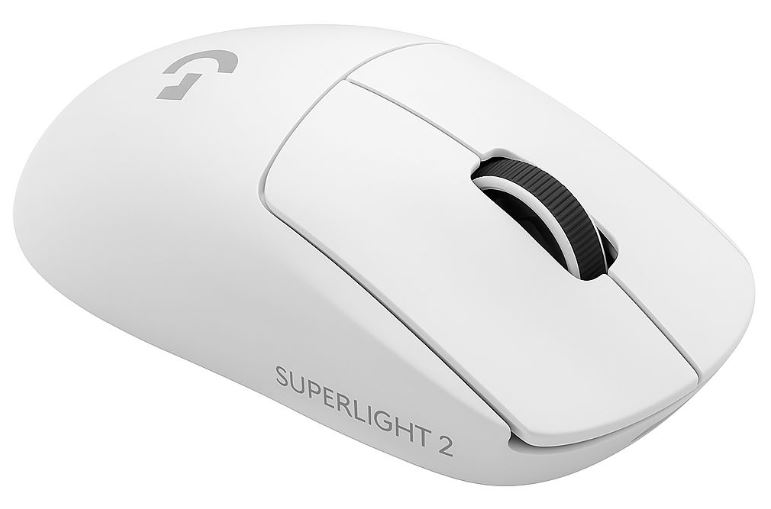
Logitech G Pro X Superlight 2 (Wireless / 60g / HERO 2 Sensor)
~$159.99
Best For: Most Competitive Players
Why It’s the Best:
The Logitech G Pro X Superlight 2 is currently the most-used gaming mouse among professional Counter-Strike 2 players, and for good reason. It delivers everything competitive players need—a lightweight 60g design, flawless HERO 2 sensor, incredibly low wireless latency, and a comfortable symmetrical shape that suits nearly every grip style. It doesn’t rely on flashy features or gimmicks; it simply performs at the highest level every time.
Pros:
- Most-used gaming mouse among professional CS2 players
- Outstanding HERO 2 sensor accuracy
- Extremely reliable wireless performance
- Long battery life of up to 95 hours
- Comfortable symmetrical shape
Cons:
- Premium price
- Minimal extra buttons for users who prefer additional controls
Best Budget Gaming Mouse
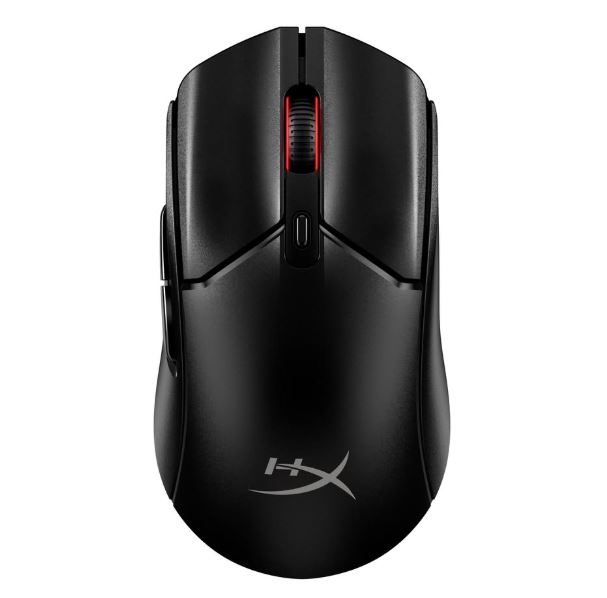
HyperX Pulsefire Haste 2 Wireless (~59g / HyperX 26K Sensor)
~$49.99
Best For: Budget Competitive Gaming
Why It’s the Best:
Finding a quality wireless gaming mouse under $50 is difficult, but the HyperX Pulsefire Haste 2 proves it’s possible. Instead of spending money on unnecessary RGB lighting or flashy features, HyperX focused on what matters most—excellent sensor performance, low latency, lightweight construction, and impressive battery life.
Pros:
- Excellent value for money
- Accurate HyperX 26K gaming sensor
- Lightweight and comfortable design
- Up to 100 hours of battery life
- Frequently discounted
Cons:
- Fewer programmable buttons
- Build quality isn’t as premium as flagship models
Best Value Gaming Mouse
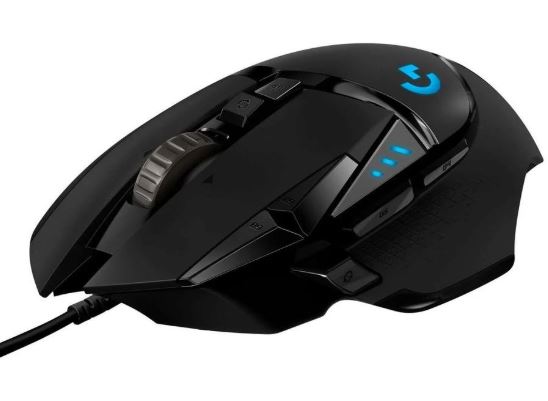
Logitech G502 X (Wired / HERO 25K Sensor)
~$69.99
Best For: Best Price-to-Performance
Why It’s the Best:
The Logitech G502 series has earned its reputation by consistently offering premium features at a reasonable price. While it isn’t part of the ultra-lightweight trend, its HERO 25K sensor, comfortable ergonomic design, and durable switches make it an outstanding option for players who prefer a more controlled feel.
Pros:
- Outstanding HERO 25K sensor
- Comfortable ergonomic shape
- Extra programmable buttons
- Durable optical switches
- Excellent long-term reliability
Cons:
- Heavier than dedicated esports mice
- Wired version only at this price
Best Lightweight Gaming Mouse
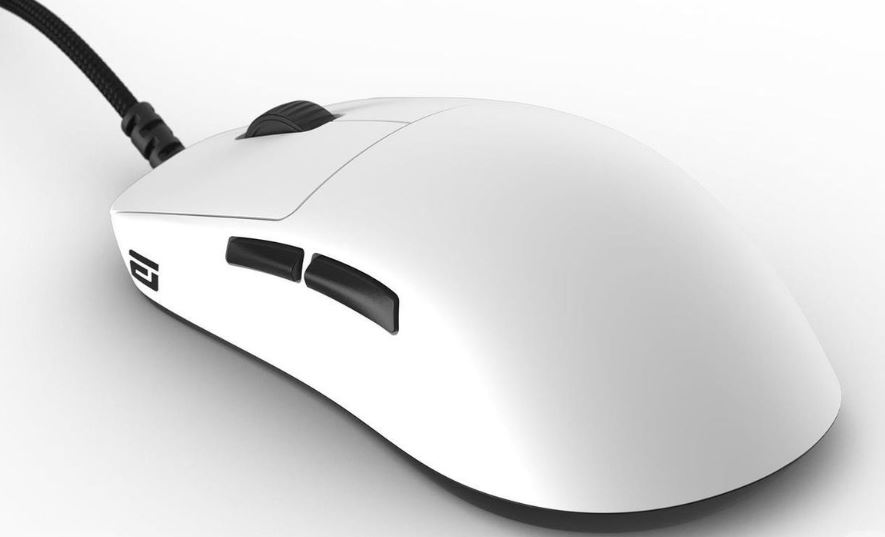
Endgame Gear OP1 8K (Wired / 52g / PixArt 3395 Sensor)
~$79.99
Best For: Lightweight Competitive Gaming
Why It’s the Best:
If your priority is minimizing weight and input latency, few gaming mice compete with the Endgame Gear OP1 8K. At only 52 grams, combined with an 8,000Hz polling rate and the highly regarded PixArt 3395 sensor, it offers exceptional responsiveness without the premium pricing of flagship wireless mice.
Pros:
- Extremely lightweight 52g design
- 8,000Hz polling rate
- Excellent PixArt 3395 sensor
- Premium PTFE skates included
- Outstanding value
Cons:
- Wired-only design
- Smaller shape may not suit large hands
Best Gaming Mouse for Streamers & Content Creators
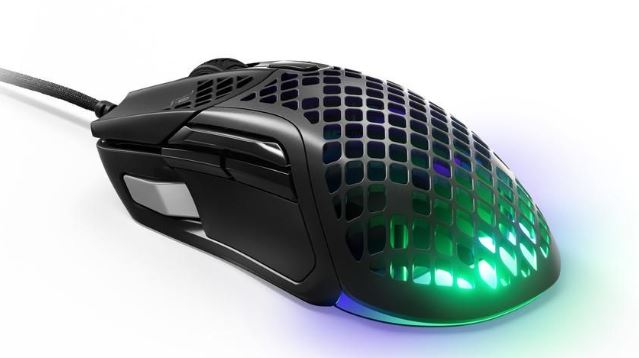
SteelSeries Aerox 5 Wireless (66g / TrueMove Air Sensor)
~$129.99
Best For: Streaming & Content Creation
Why It’s the Best:
The SteelSeries Aerox 5 Wireless combines competitive gaming performance with a visually striking design. Its lightweight honeycomb shell, customizable RGB lighting, and additional programmable buttons make it perfect for creators who want a mouse that performs well in-game while also complementing a streaming setup.
Pros:
- Excellent RGB lighting for streaming setups
- Lightweight and comfortable
- Accurate TrueMove Air sensor
- Extra programmable buttons
- Water-resistant construction
Cons:
- Honeycomb shell isn’t for everyone
- Lower maximum DPI than flagship competitors
Best Premium Gaming Mouse
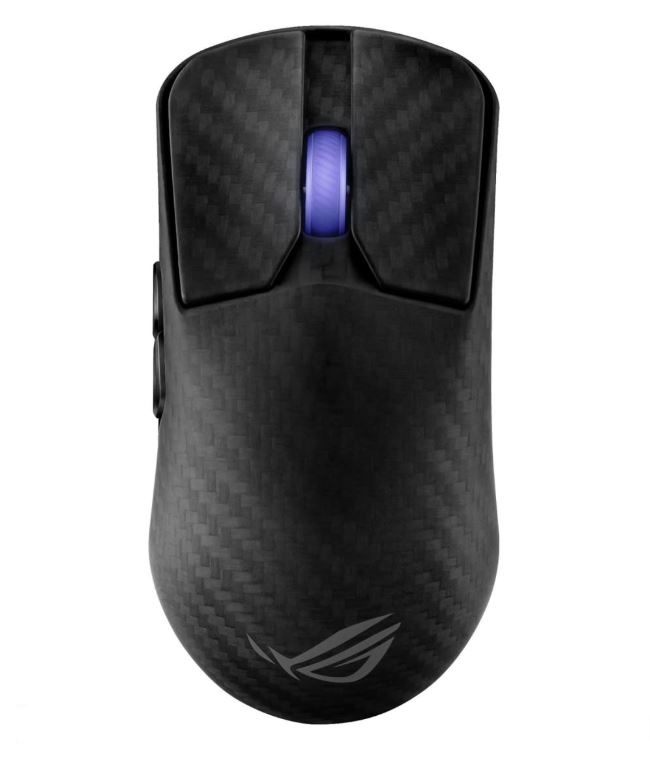
ASUS ROG Harpe Ace Extreme (Wireless / 47g / Carbon Fiber / AimPoint Pro Sensor)
~$249.99
Best For: Ultimate No-Compromise Gaming
Why It’s the Best:
The ASUS ROG Harpe Ace Extreme is one of the most advanced gaming mice currently available. Its carbon fiber shell keeps the weight down to just 47 grams while maintaining exceptional rigidity. Combined with ASUS’s flagship AimPoint Pro sensor, an 8,000Hz polling rate, and tri-mode connectivity, it delivers elite-level performance for players who demand the absolute best.
Pros:
- Ultra-lightweight carbon fiber construction
- Outstanding AimPoint Pro sensor
- 8,000Hz polling rate
- Tri-mode connectivity
- Premium build quality
Cons:
Battery life decreases noticeably when RGB is enabled
Most expensive gaming mouse on this list
Conclusion
Choosing the best gaming mouse for Counter-Strike 2 isn’t about buying the most expensive mouse on the market—it’s about finding one that feels comfortable in your hand and allows you to aim consistently every single round. A lightweight mouse with an accurate sensor, low click latency, and a shape that matches your grip style will help remove hardware limitations so you can focus on improving your mechanics.
Whether you’re buying your very first gaming mouse or upgrading to a professional-grade model, remember that no mouse can replace practice. Counter-Strike 2 is a game built on muscle memory, precision, and repetition. The more time you spend practicing with a mouse that suits you, the more consistent your aim, flicks, and spray control will become.
If you’re building the ultimate Counter-Strike 2 gaming setup, don’t forget to check out my Best Gaming Monitor for Counter-Strike 2, Best Gaming Laptop for Counter-Strike 2, Best Gaming PC for Counter-Strike 2, Best CPU for Counter-Strike 2, Best GPU for Counter-Strike 2, Best Gaming Keyboard for Counter-Strike 2, Best Gaming Headset for Counter-Strike 2, and Best Gaming Mousepad for Counter-Strike 2 guides. Together, they’ll help you build a setup that’s optimized for higher FPS, lower input lag, smoother gameplay, and a better overall Counter-Strike 2 experience.
At the end of the day, the best gaming mouse for Counter-Strike 2 is the one that disappears in your hand and lets your aim not your hardware win you the round.