Counter-Strike 2 is the game we all love and hate. It’s one of the greatest competitive FPS games ever made, with one of the biggest and most prestigious esports scenes in gaming history. For over a decade, Counter-Strike has continued to evolve while remaining the benchmark for tactical shooters, and Counter-Strike 2 shows no signs of slowing down.
Unlike fast-paced shooters where you can quickly recover from mistakes, Counter-Strike 2 is a methodical, tactical game where a single missed shot or delayed reaction can cost your team an entire round. That’s why every piece of your setup matters. Our goal is to eliminate as many hardware limitations as possible so your skill—not your equipment—determines the outcome of each match.
In this guide, we’ll help you find the best gaming monitor for Counter-Strike 2. Whether you’re a casual player, climbing Premier, grinding FACEIT, or competing in tournaments, choosing the right monitor can improve motion clarity, reduce input lag, and make tracking enemies feel smoother and more responsive.
But before buying a gaming monitor specifically for Counter-Strike 2, what should you actually look for?
Affiliate Disclosure
Some of the links in this article are affiliate links, which means I may earn a small commission if you purchase a product through one of these links, at no additional cost to you. This helps support me and allows me to continue creating gaming guides and hardware recommendations.
What to Expect
Whether we like it or not, Counter-Strike 2 is heavily influenced by the professional esports scene. Every competitive player is looking for any legitimate advantage they can get, and one of the biggest advantages comes from what you see on your screen. A high-quality gaming monitor can make enemy movement appear smoother, improve target tracking, and help you react more quickly during intense matches.
Refresh Rate
Refresh rate is the number of times your monitor refreshes the screen every second. The higher the refresh rate, the smoother movement appears on your display. Refresh rate is measured in Hertz (Hz), so a 60Hz monitor refreshes the image 60 times every second.
For Counter-Strike 2, a higher refresh rate is one of the biggest upgrades you can make. Playing on a 60Hz monitor puts you at a disadvantage because enemy movement appears less fluid, making it harder to react quickly. A 144Hz or 165Hz monitor is the sweet spot for budget-conscious players, while 240Hz to 300Hz monitors are ideal for serious competitive players looking for every possible advantage.
Response Time
Response time measures how quickly your monitor changes pixels from one color to another. For Counter-Strike 2, you should look for monitors with a 1ms MPRT (Motion Picture Response Time) rating. MPRT gives a better indication of motion clarity during fast gameplay, helping reduce ghosting when tracking moving enemies.
Be cautious of GtG (Gray-to-Gray) or GtW (Gray-to-White) response time ratings. These measurements are often taken under ideal testing conditions and don’t always reflect real-world gaming performance.
Panel Type
For Counter-Strike 2, the best panel types are IPS, TN, and OLED.
IPS panels offer the best balance of fast response times, vibrant colors, and wide viewing angles, making them the best choice for most players.
TN panels provide some of the fastest response times available and remain popular among professional esports players. However, they sacrifice color accuracy and viewing angles compared to IPS displays.
OLED panels deliver incredible response times, exceptional image quality, and deep blacks, but they are significantly more expensive. They also carry a risk of burn-in, where static images displayed for long periods can leave permanent marks on the screen.
VA panels are generally not recommended for competitive Counter-Strike 2 because they typically have slower response times, which can lead to noticeable ghosting during fast-paced gameplay.
Resolution and Screen Size
For most Counter-Strike 2 players, 1080p on a 24-inch monitor remains the competitive standard. This combination provides a sharp image while keeping enemies easy to spot and maintaining high frame rates.
If you prefer a larger display, 27-inch monitors are best paired with a 1440p resolution to maintain image clarity without sacrificing sharpness.
Adaptive Sync
Monitors that support AMD FreeSync or NVIDIA G-SYNC help eliminate screen tearing, resulting in a smoother gaming experience. While many competitive players disable adaptive sync to minimize latency, it’s still a useful feature for players who experience screen tearing or fluctuating frame rates.
Input Lag
Input lag is the delay between your mouse or keyboard input and the action appearing on your screen. Lower input lag makes Counter-Strike 2 feel more responsive, allowing your aim and reactions to translate into the game as quickly as possible. Most modern gaming monitors offer very low input lag, but it’s still worth checking reviews before making a purchase.
Future-Proofing
A gaming monitor is something you’ll likely keep through several PC upgrades, so it’s worth investing in one that can last for years. Choosing a monitor with a high refresh rate, fast response time, Adaptive Sync support, and a quality IPS or OLED panel will ensure your display remains competitive for future Counter-Strike 2 updates and other esports titles.
Best Gaming Monitors for Counter-Strike 2
Counter-Strike 2 is a game of frames and fractions of a second—a monitor that refreshes faster and reacts quicker can genuinely mean seeing (and eliminating) an enemy before they see you. Below are our top picks across six categories, each chosen specifically for how it performs in CS2 based on refresh rate, response time, input lag, and how well it holds up during long competitive sessions.
Best Overall Gaming Monitor
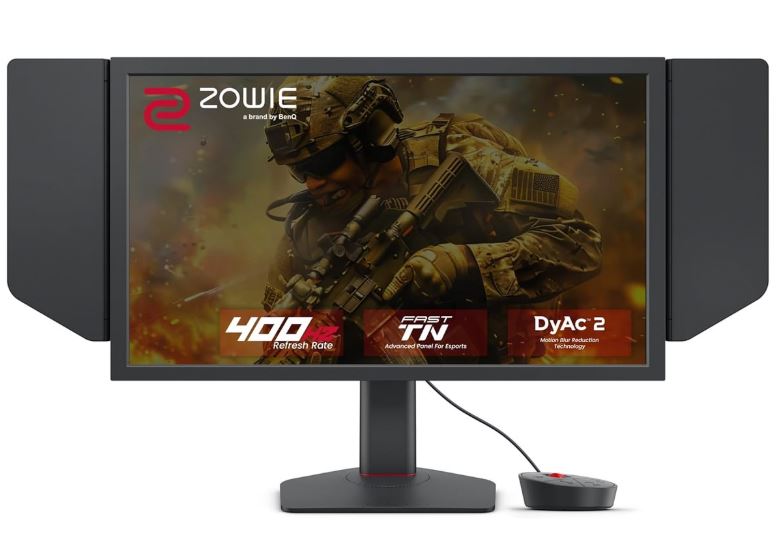
BenQ ZOWIE XL2546K (24.5″ / 1080p / 240Hz / TN)
~$429
Best For: Competitive Players & Esports Enthusiasts
Why It’s Here:
ZOWIE monitors are used by roughly 9 out of 10 professional Counter-Strike players, and the XL2546K is the accessible version of that tournament-grade pedigree. It checks every box that matters—240Hz, a genuinely fast 1ms TN panel, and BenQ’s DyAc+ motion clarity technology—without venturing into niche or overpriced territory.
Why It’s Good for Counter-Strike 2:
CS2 is a game decided by clean flicks, crosshair placement, and split-second reactions. The XL2546K’s TN panel is built to eliminate ghosting during fast turns, while DyAc+ improves motion clarity so enemies remain easier to track during intense firefights. The included S-Switch lets you instantly swap between saved display profiles, and the detachable side shields reduce peripheral distractions—the same tournament-ready setup you’ll find at professional LAN events.
Pros:
- Trusted and used at the professional level across major CS2 tournaments
- Excellent motion clarity thanks to BenQ’s DyAc+ technology
- S-Switch makes changing display profiles effortless
- Fully adjustable stand with height, tilt, and pivot adjustments
Cons:
- TN panel offers weaker colors and viewing angles than IPS or OLED
- Limited to 1080p resolution
Best Budget Gaming Monitor
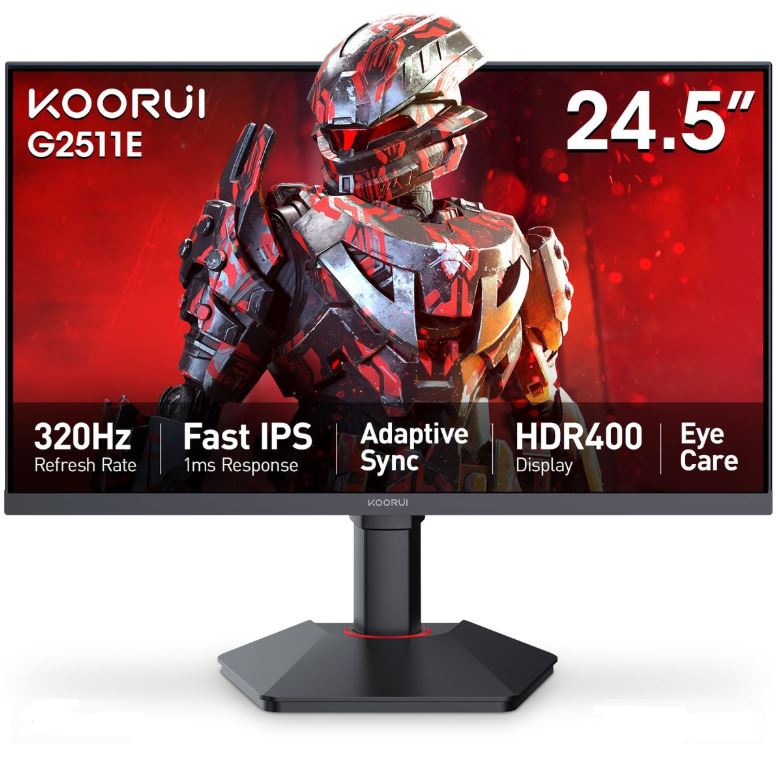
KOORUI 24.5″ 200Hz IPS
~$140
Best For: Budget Competitive Builds
Why It’s Here:
For under $150, this is one of the few monitors that doesn’t force you to choose between speed and picture quality. It delivers a smooth 200Hz refresh rate, a fast 1ms response time, and an IPS panel that produces vibrant colors instead of the washed-out image commonly found on budget displays.
Why It’s Good for Counter-Strike 2:
Counter-Strike 2 doesn’t require an expensive display—it needs a refresh rate well above 144Hz and Adaptive Sync to keep gameplay smooth. At 200Hz, this monitor already puts you ahead of the 60Hz and 144Hz displays many casual players still use, while Adaptive Sync helps eliminate screen tearing during quick peeks and fast-paced gunfights.
Pros:
- Excellent value for a genuine 200Hz IPS gaming monitor
- Better color reproduction than most budget TN displays
- Adaptive Sync support is rare at this price
- Great as both a primary or secondary gaming monitor
Cons:
- 200Hz is still behind the 240Hz+ standard preferred by serious competitive players
- Basic stand and average overall build quality
Best Value Gaming Monitor
Samsung Odyssey G4 25″ (1080p / 240Hz / IPS)
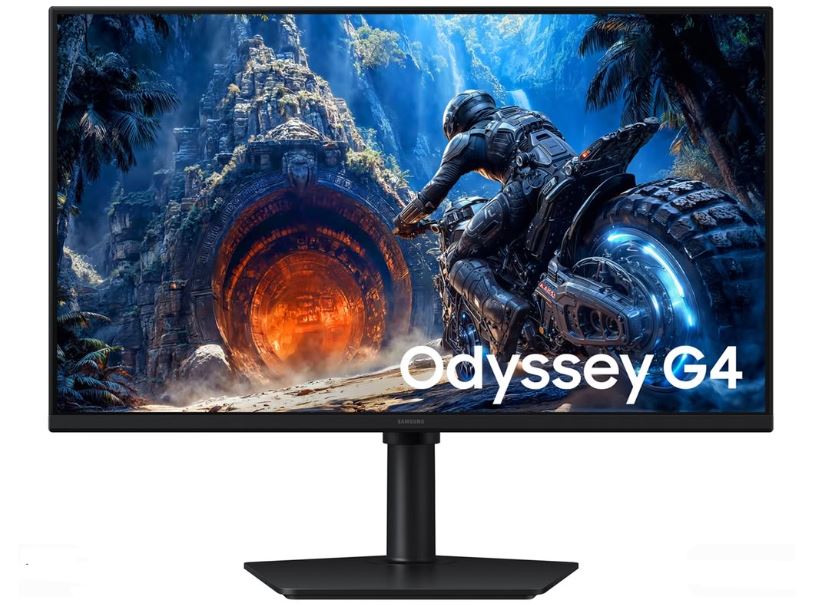
~$249 (Frequently on sale for $190–$220)
Best For: Best Price-to-Performance
Why It’s Here:
The Samsung Odyssey G4 has remained one of the best-value 240Hz gaming monitors for years because its price keeps dropping while the hardware remains just as competitive. It combines a 25-inch IPS panel, a true 240Hz refresh rate, a fast 1ms response time, and a fully adjustable stand that rivals monitors costing much more.
Why It’s Good for Counter-Strike 2:
A 25-inch 1080p display closely matches the screen size preferred by many professional players because it keeps your entire field of view within comfortable sight, allowing you to track enemies without moving your eyes excessively. Combined with its 240Hz refresh rate and G-SYNC/FreeSync compatibility, the Odyssey G4 delivers the smoothness competitive Counter-Strike players demand without sacrificing the superior colors of an IPS panel.
Pros:
- Outstanding price-to-performance ratio
- 25-inch screen matches the size preferred by many professional players
- Fully adjustable stand with height, tilt, and swivel
- Compatible with both NVIDIA G-SYNC and AMD FreeSync
Cons:
- 1080p resolution isn’t ideal for productivity or content creation
- No USB-C connectivity or premium extra features
Best 1440p Gaming Monitor
ASUS ROG Swift PG27AQDM (27″ / 1440p / OLED / 240Hz)
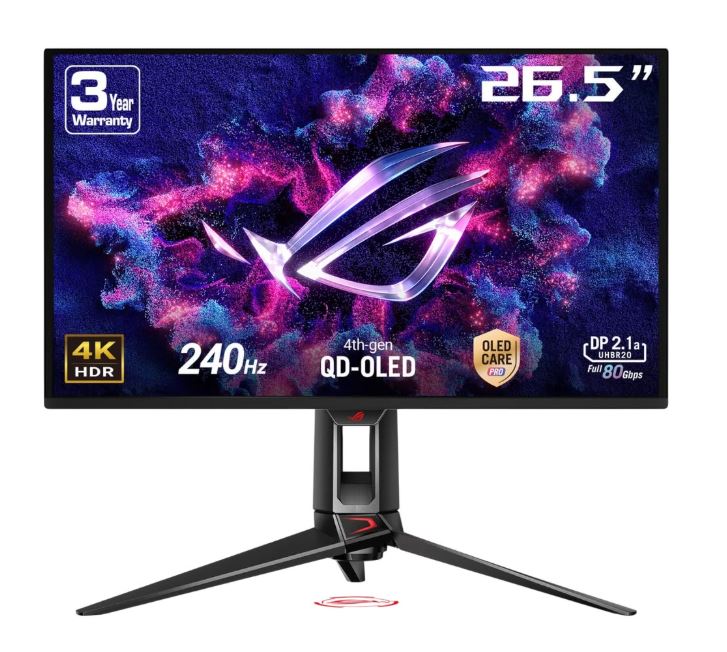
~$749 (Frequently discounted to $600–$650)
Best For: Competitive 1440p Gaming
Why It’s Here:
The ASUS ROG Swift PG27AQDM was one of the first OLED gaming monitors to successfully combine exceptional speed with premium image quality. It features a 240Hz refresh rate, an ultra-fast OLED panel, G-SYNC compatibility, and a custom heatsink that helps maintain consistent brightness during long gaming sessions.
Why It’s Good for Counter-Strike 2:
At 1440p, distant enemies appear noticeably sharper than on a standard 1080p display, making it easier to spot fine details while still maintaining excellent frame rates on modern gaming PCs. OLED’s near-instant 0.03ms pixel response keeps fast-moving targets crisp instead of blurred, while 240Hz remains more than fast enough for serious competitive play.
Pros:
- Outstanding motion clarity thanks to OLED response times
- Sharper image quality than 1080p without sacrificing competitive performance
- Excellent HDR performance and contrast for gaming and entertainment
- Custom heatsink helps maintain brightness during extended sessions
Cons:
- OLED panels carry a long-term burn-in risk with static HUD elements
- More expensive than traditional esports monitors
Best Gaming Monitor for Streamers & Content Creators
Alienware AW2725DF (27″ / 1440p / QD-OLED / 360Hz)
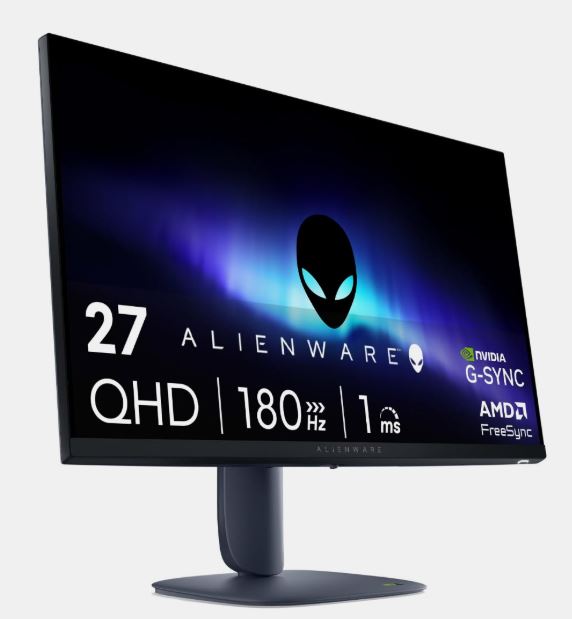
~$899
Best For: Streamers & Content Creators
Why It’s Here:
The Alienware AW2725DF answers the question, “Why can’t I have speed and color accuracy at the same time?” Its QD-OLED panel delivers vibrant, accurate colors for editing thumbnails, videos, and stream overlays while still reaching an incredibly fast 360Hz refresh rate for competitive gaming.
Why It’s Good for Counter-Strike 2:
Content creators need a monitor that looks fantastic while editing without compromising gaming performance. The AW2725DF offers 99.3% DCI-P3 color coverage for accurate visuals when reviewing clips or designing overlays, alongside a blistering 360Hz refresh rate and VESA DisplayHDR True Black 400 certification that ensure Counter-Strike 2 remains incredibly smooth and responsive.
Pros:
- Exceptional color accuracy for editing videos, thumbnails, and graphics
- 360Hz refresh rate delivers outstanding competitive performance
- Stylish design with subtle RGB lighting and a compact footprint
- Three-year warranty that includes OLED burn-in coverage
Cons:
- Premium price compared to most 1440p gaming monitors
- OLED panels still require care to minimize burn-in over time
Best Premium Gaming Monitor
LG UltraGear 27GX790A-B (27″ / 1440p / OLED / 480Hz)
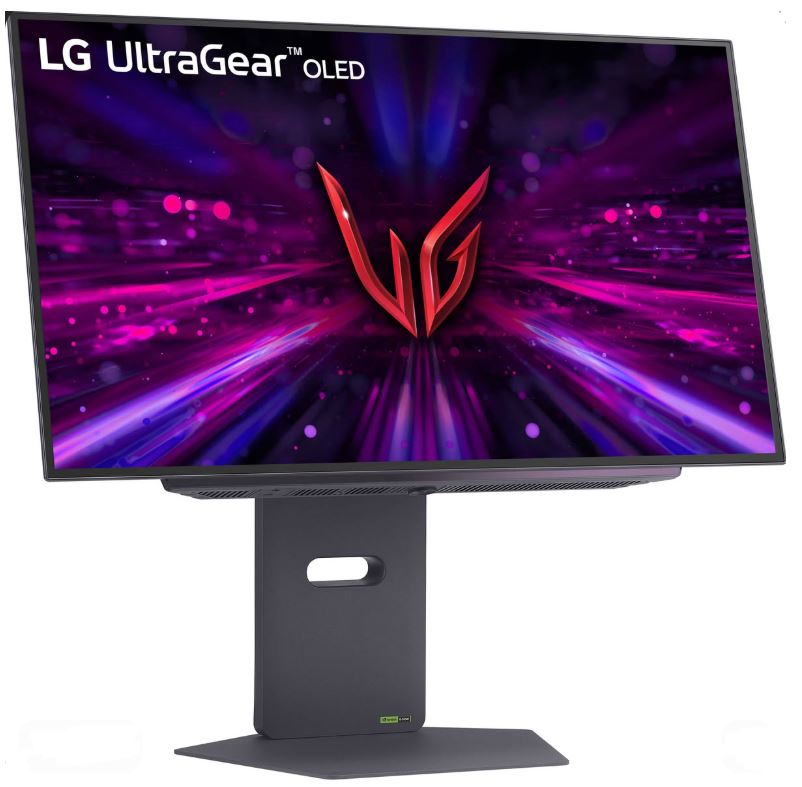
~$999
Best For: Ultimate No-Compromise Gaming
Why It’s Here:
The LG UltraGear 27GX790A-B represents the current peak of gaming monitor technology, combining a stunning OLED panel with an incredible 480Hz refresh rate, 1440p resolution, DisplayHDR True Black 400 certification, and DisplayPort 2.1 connectivity for maximum future-proofing.
Why It’s Good for Counter-Strike 2:
A 480Hz refresh rate renders motion in much smaller intervals than a standard 240Hz monitor, making fast peeks, flick shots, and spray transfers feel incredibly smooth—provided your PC can consistently deliver the frame rate to match. Combined with its near-instant 0.03ms OLED response time, this monitor offers some of the clearest motion and lowest perceived blur currently available while maintaining the sharpness and vibrant colors of a premium 1440p display.
Pros:
- One of the fastest OLED gaming monitors currently available
- Beautiful 1440p image quality with outstanding contrast
- DisplayPort 2.1 supports full bandwidth for 480Hz gameplay
- Premium build quality with an adjustable stand and OLED warranty
Cons:
- Requires an extremely powerful PC to fully utilize its 480Hz refresh rate
- Highest price on this list, with OLED burn-in remaining a long-term consideration
Conclusion
Finding the best gaming monitor for Counter-Strike 2 ultimately comes down to your budget, your hardware, and how seriously you take competitive gaming. While a higher refresh rate and faster response time won’t magically improve your aim, they can make enemy movement smoother, reduce motion blur, and give you the confidence to react faster when every millisecond counts.
If you’re playing on a budget, a good 144Hz or 200Hz monitor is already a massive upgrade over a standard 60Hz display. For more competitive players, 240Hz remains the sweet spot, while 360Hz and 480Hz monitors are designed for those chasing every possible competitive advantage.
No matter which monitor you choose, pairing it with the right gaming hardware will give you the best Counter-Strike 2 experience. If you’re upgrading your entire setup, be sure to check out our other Counter-Strike 2 buying guides:
- Best Gaming PC for Counter-Strike 2
- Best Gaming Laptop for Counter-Strike 2
- Best CPU for Counter-Strike 2
- Best GPU for Counter-Strike 2
- Best Gaming Mouse for Counter-Strike 2
- Best Gaming Keyboard for Counter-Strike 2
- Best Gaming Headset for Counter-Strike 2
- Best Gaming Mousepad for Counter-Strike 2
At the end of the day, Counter-Strike 2 is a game built around precision, consistency, and split-second decisions. Choosing the right gaming monitor removes one more limitation from your setup, letting your skill—not your hardware—decide the outcome of every round.