We’ve all been there—watching top-level esports tournaments and wishing we could compete at that level too.
You want the opportunity to improve your skills and maybe even play like your favorite pro. But the reality is, not everyone has the budget for a mid to high-end gaming laptop—and that’s completely okay.
Many gamers rely on limited funds or external support, especially when starting out. The good news is that you can still get into competitive gaming without spending a fortune.
If that sounds like you, this guide is for you.
By the end of this article, you’ll be able to choose the best gaming laptop under $500 for esports that fits your budget and performance needs. And if you want to tweak your for higher FPS? Check out our article on how to increase FPS on apex legends.
Affiliate Disclosure
Some of the links in this article are affiliate links, which means I may earn a small commission if you purchase a product through one of these links, at no additional cost to you. This helps support me and allows me to continue creating gaming guides and hardware recommendations for you.
What to Expect From a $500 Gaming Laptop
At the $500 price range, you should expect to run esports titles on low settings but that’s not necessarily a bad thing. You will have to prioritize performance over quality. I currently game on a low-end Lenovo Legion 5 gaming Laptop so trust me, it gets better.
You are not alone in playing low settings in competitive games in fact, many professional players in games like Apex Legends, Valorant, and Counter-Strike 2 prefer low settings to reduce input lag and achieve higher, more stable FPS even on high-end PCs.
Performance Expectations
To get the best experience, you’ll need to:
- Optimize your in-game settings
- Adjust system settings for performance
Keeping your settings on low will help you achieve smoother gameplay and better responsiveness.
The section below will give you a clearer idea of the minimum specs you should aim for.
Minimum Specs to Expect Under $500
GPU (Graphics Card)
At this price range, you should look for:
- NVIDIA GeForce GTX 1650 / 1650 Ti (most common and reliable)
- RTX 2050 (if you find a good deal)
- GTX 1050 Ti (only as a last option)
The GTX 1650 and 1650 Ti handle e-sports titles like Apex Legends, Valorant, and Counter-Strike 2 very well because these games were designed to run on lower-end hardware. You may meet other GPU’s like the GTX 1050 2gb, avoid them opt for 4gb VRAM minimum. 2gb in 2026 is basically obsolete.
The RTX 2050 offers additional features like DLSS and ray tracing, which can improve performance in supported games.
CPU (Processor)
For CPUs, aim for:
- AMD Ryzen 5 4600H / 5500UAMD
- Ryzen 5 5600H (better option if available)
- Intel Core i5-11400H / i5-12450H
These processors are more than capable of handling CPU-heavy esports games like Valorant and Counter-Strike 2.
RAM
At this price point, you’ll typically get:
8GB DDR4 RAM
This is usable for low settings, but:
Upgrading to 16GB RAM will significantly improve performance and reduce stuttering.
Storage (SSD)
look for:
- NVMe SSD (preferred)
- 256GB minimum
- 512GB if possible
NVMe SSDs are much faster than SATA SSDs, giving you quicker load times and smoother system performance.
Which Laptop Should You Choose?
The laptops listed above have very similar core specs, so the decision comes down to cooling, build quality, and overall usability.
Lenovo IdeaPad Gaming 3 (Best Overall)
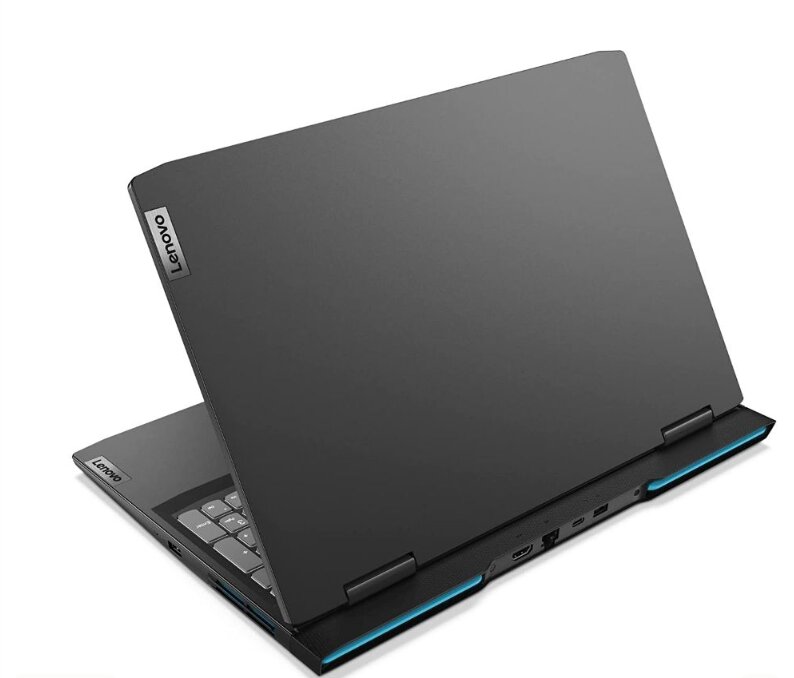
$449–$499
Key Specs
- GPU: NVIDIA GTX 1650
- CPU: AMD Ryzen 5 4600H
- RAM: 8GB DDR4
- Storage: 512GB SSD
Pros:
- Excellent thermals for the price
- Quieter fans compared to competitors
- Comfortable keyboard for long sessions
Cons:
- Plastic build quality
- Dim display on base models
The Lenovo IdeaPad Gaming 3 is the best overall choice.
It stands out because of its:
- Excellent thermal system
- Stable performance under load
- Comfortable keyboard
- Upgradable RAM
Thanks to its cooling, you’re less likely to experience thermal throttling, stuttering, or FPS drops during gameplay.
The keyboard also stays relatively cool during long sessions, which makes it reliable even if you don’t use an external keyboard.
While the plastic build may feel less premium, it actually helps with heat management. Just make sure to handle it carefully, as it’s not as durable as metal.
ASUS TUF A15 (Best Build Quality)
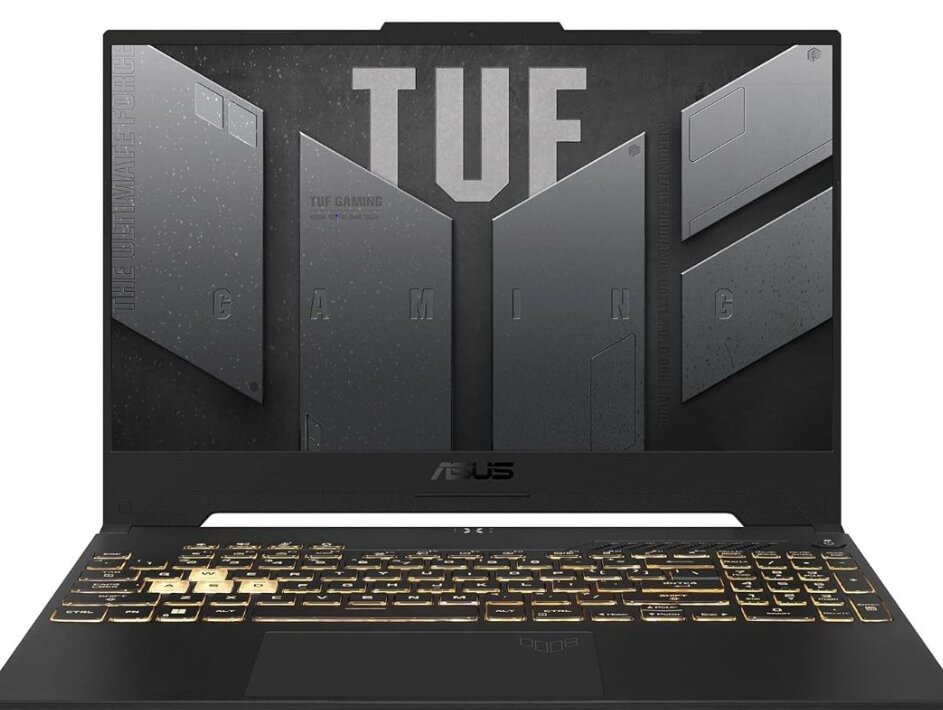
At $476–$499
Key Specs:
- GPU: NVIDIA GTX 1650
- CPU: AMD Ryzen 5 4600H
- RAM: 8GB DDR4
- Storage: 512GB SSD
Pros:
- Best build quality and durability
- Solid keyboard
- Good cooling with dual fans
Cons:
- Poor display quality
- Heavier than other options
- Ships with single-channel 8GB RAM
The ASUS TUF A15 comes in second.
It offers:
- Strong and durable build quality
- Solid cooling with dual fans
- Good keyboard for gaming
However, the biggest drawback is the display, which has low brightness and can be difficult to use in well-lit environments.
It’s also heavier than the IdeaPad, and the single-channel 8GB RAM limits performance unless upgraded.
MSI Thin GF63 (Budget Option)
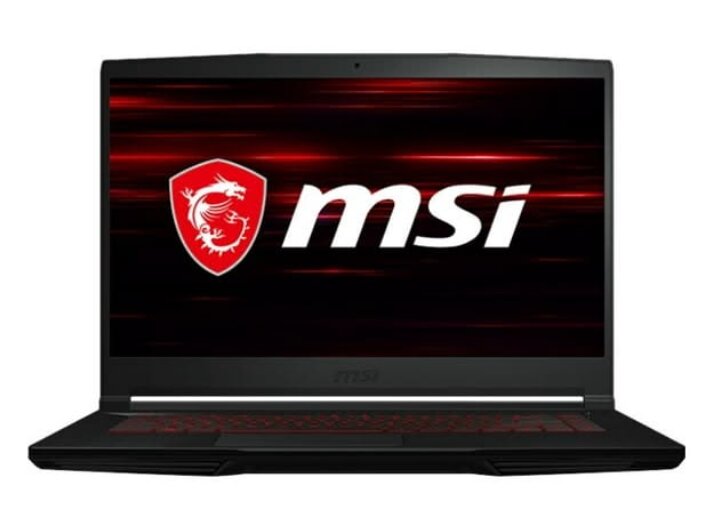
AT $429–$479
Key Specs:
- GPU: NVIDIA GTX 1650
- CPU: AMD Ryzen 5 4600H
- RAM: 8GB DDR4
- Storage: 512GB SSD
Pros:
- Cheapest option for the specs
- Lightweight and portable
- Slim design
Cons:
- Poor thermals (can throttle under load)
- Weak keyboard quality
- Only one RAM slot (limited upgradeability)
The MSI Thin GF63 is the cheapest option with similar specs.
It features a Lightweight and slim design at an affordable price point
However, it has noticeable downsides is it’s weak cooling system, Lower-quality keyboard and only one RAM slot, limiting upgrade options
Best suited for:
- Light esports gaming
- Users on a very tight budget
Conclusion
Finding a good gaming laptop under $500 can be challenging, but as you’ve seen, there are still solid options that can handle esports titles smoothly.
Whether you go for the Lenovo IdeaPad Gaming 3 for its balanced performance, the ASUS TUF A15 for its durability, or the MSI Thin GF63 for its affordability, each of these laptops can deliver a decent gaming experience when properly optimized.
Games like Apex Legends, Valorant, and Counter-Strike 2 don’t require extremely powerful hardware—but they do benefit from the right settings and upgrades.
And since you are into esports titles how about a wired gaming mouse under $40 check out my article Best Wired Gaming Mouse Under $40 for FPS Games (2026 Guide) and maybe you want a gaming laptop under $500 which is for gaming in general and with more picks check out Best Gaming Laptop Under $500 for Gaming (2026 Guide)
At the end of the day, even on a tight budget, you can still enjoy competitive gaming—you just need the right laptop and smart optimization.
Thank you for spending some time reading my article. Hope you found what you were looking for. And always remember to stay gaming 🙂