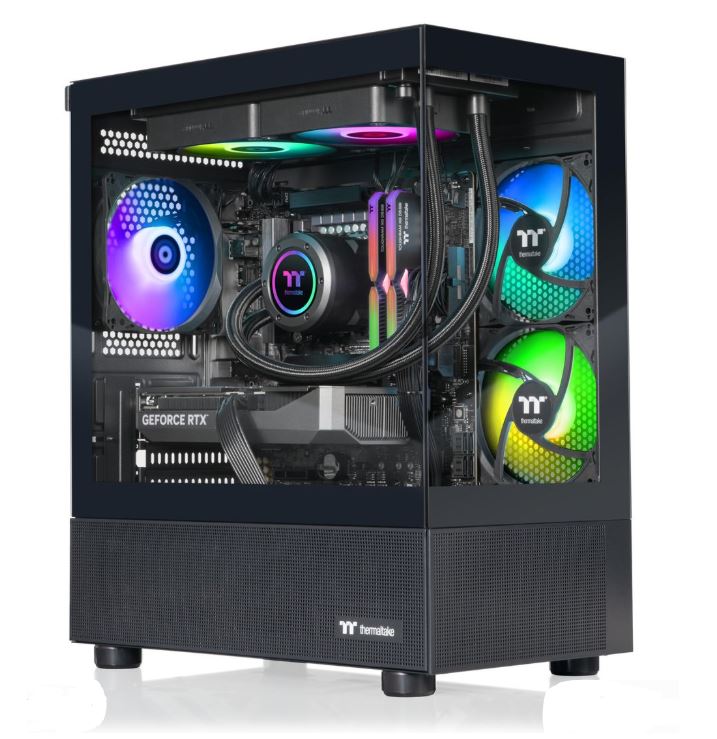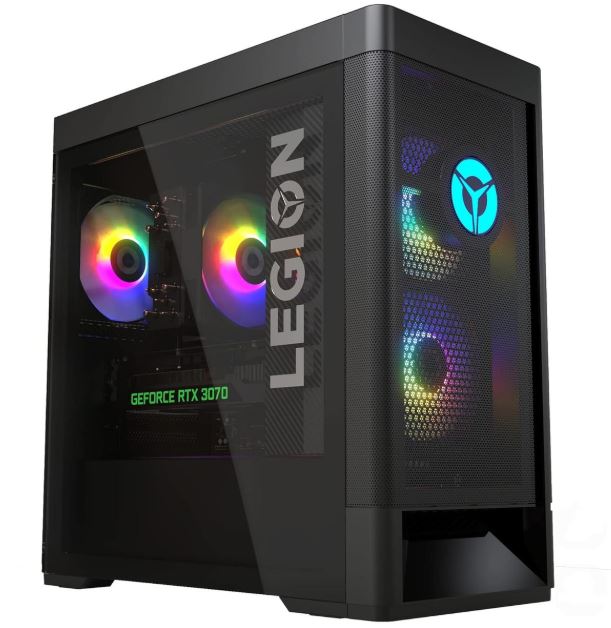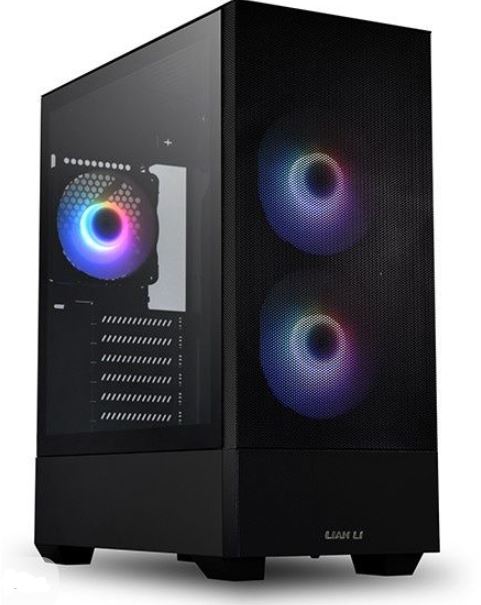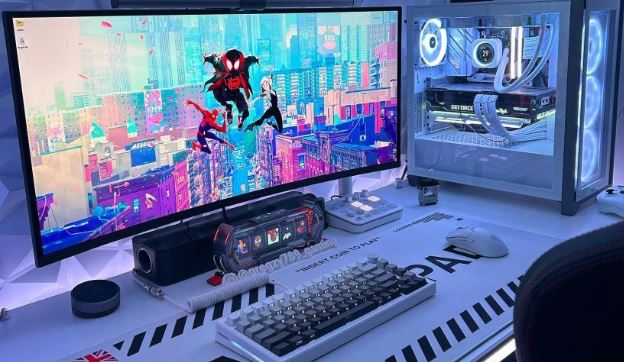
Not everybody wants to build a gaming PC, and that is perfectly fine. Building a PC can be frustrating because you have to keep track of which parts are compatible, which parts are not, and how everything fits together. And when one small mistake can potentially cost you hundreds of dollars, it is understandable why many gamers would rather avoid the trouble entirely.
That is exactly why prebuilt gaming PCs continue to be such a popular option. They are time-saving, convenient, and far more plug-and-play than building a system from scratch. Instead of spending hours researching parts, watching build tutorials, and hoping everything turns on the first time, you can simply unbox the PC, set it up, and start gaming.
At $2000, prebuilt gaming PCs start becoming genuinely impressive. This budget is more than enough for high-end 1440p gaming, stronger cooling systems, better cases, and more balanced specifications overall. In other words, you are no longer just looking for a PC that is “good enough” — you are shopping in a price range where a prebuilt can feel properly premium.
That said, buying a prebuilt still comes with a few risks. Some brands may cheap out on the power supply, motherboard, cooling, or even the RAM configuration by using single-channel memory instead of dual-channel. The good news is that with a $2000 budget, you have much more room to avoid those compromises and buy a system that is genuinely powerful, well-cooled, and easier to upgrade later.
Affiliate Disclosure
Some of the links in this article are affiliate links, which means I may earn a small commission if you purchase a product through one of these links, at no additional cost to you. This helps support me and allows me to continue creating gaming guides and hardware recommendations.
What to Expect From a Prebuilt Gaming PC Under $2000
At a $2000 budget, a prebuilt gaming PC should no longer feel like a compromise machine. This is the price range where you should start expecting a system that is genuinely powerful, balanced, and much better equipped for high refresh rate 1440p gaming, modern AAA titles, streaming, and even some content creation on the side. When browsing Amazon, Best Buy, Newegg, or any site that sells prebuilt gaming PCs, these are the specifications and features you should be looking out for.
GPU Expectations
For the GPU, this is where prebuilt gaming PCs start getting very exciting. At $2000, you should realistically expect NVIDIA RTX 4070, RTX 4070 Super, and on the AMD side Radeon RX 7800 XT or Radeon RX 7900 GRE. Depending on sales, newer market conditions, or a particularly generous configuration, you may even come across a system with an RTX 5070 at a similar price.
These GPUs are powerful enough for 1440p high refresh rate gaming, and that is exactly what I would expect from a prebuilt in this price range. Competitive FPS titles like Apex Legends, Valorant, Counter-Strike 2, Rainbow Six Siege, and The Finals will have no problem pushing very high frame rates, while demanding AAA games will also run beautifully at high settings.
NVIDIA still has the advantage of features like DLSS, Frame Generation, and stronger ray tracing performance, while AMD continues to offer excellent rasterization performance and usually more value for the money. So if you care mainly about pure gaming performance and high FPS, AMD cards are still very attractive. If you care about ray tracing, streaming, productivity, or want NVIDIA’s extra features, then the RTX 4070 / 4070 Super route makes a lot of sense.
CPU Expectations
For the CPU, this is the budget where I start expecting something genuinely strong, not just “good enough.” On the AMD side, good options include the Ryzen 7 7700, Ryzen 7 7700X, Ryzen 7 5700X, and if you are lucky during Black Friday, Prime Day, or other major sales, you may even find a prebuilt with a Ryzen 7 7800X3D, which is one of the best gaming CPUs available.
On the Intel side, I would be looking for processors like the Intel Core i7-13700F, Core i7-14700F, or Core i7-14700. These CPUs are excellent for gaming, especially in CPU-intensive titles, and they also give you enough power for multitasking, streaming, and content creation if you do more than just game.
At this price range, I would not be very impressed by a prebuilt that still uses a weak CPU just because it has a flashy GPU. A good prebuilt under $2000 should have a balanced CPU and GPU combination, not one strong part dragging along a weaker supporting cast.
RAM Expectations
For RAM, 32GB of DDR5 memory becomes a very realistic expectation at this budget. At $2000, I no longer think 16GB is ideal unless the rest of the build is unbelievably strong or the prebuilt is heavily discounted.
Modern games are getting more demanding, multitasking is common, and a lot of gamers now keep Discord, a browser, game launchers, recording software, or streaming apps open in the background. That is where 32GB starts to feel much more comfortable and future-proof.
More importantly, make sure the memory is running in dual-channel. A prebuilt with 2×16GB DDR5 RAM is far better than one with a single 32GB stick, because dual-channel memory improves gaming performance and helps the system use RAM more efficiently.
Storage Expectations
A 1TB NVMe SSD is the bare minimum I would accept in a prebuilt gaming PC under $2000, and honestly, this is the price range where a 2TB SSD starts becoming a realistic possibility. Modern games are massive, Windows itself takes space, and once you install a few competitive games, a couple of AAA titles, Discord, launchers, and maybe editing software, 1TB can disappear faster than people expect.
If possible, prioritize a prebuilt with a Gen4 NVMe SSD rather than a slower SATA SSD or a no-name drive with poor speeds. Faster SSDs help with boot times, game loading, Windows responsiveness, and general system smoothness. If a prebuilt also includes an extra HDD or additional storage slots, that is a nice bonus, but the SSD should always be the priority.
Cooling and Airflow
Cooling matters even more at $2000 because the hardware inside these prebuilts is much more powerful and therefore generates more heat. This is the price range where I would expect at least a strong tower air cooler or, even better, a 240mm AIO liquid cooler for the CPU. Better airflow cases, multiple case fans, and more thoughtful internal layouts should also be much more common here than they are in cheaper prebuilts.
A strong GPU like an RTX 4070 Super or RX 7900 GRE deserves proper airflow. If the case has poor ventilation, weak fans, or a restricted front panel, the system may run hotter, louder, and lose performance because of thermal throttling. A premium prebuilt should not only be powerful — it should also be able to keep that power under control during long gaming sessions.
PSU and Motherboard Quality
This is one of the biggest areas where cheap prebuilts usually cut corners, but at $2000, I am much less forgiving. Some budget systems still use unnamed power supplies, lower-end motherboards, or proprietary components that make future upgrades annoying. At this price range, I expect much better.
Ideally, a prebuilt under $2000 should come with a reputable 750W or 850W PSU, a motherboard from a recognizable brand, and enough quality in the supporting parts that the system does not feel like it was built around one flashy GPU and nothing else. A better motherboard also means more USB ports, better VRMs, better memory support, and a more comfortable upgrade path later.
Upgradability
One of the biggest reasons people buy a gaming PC instead of a gaming laptop is upgradability, and that should still apply to a prebuilt. At $2000, I would strongly prefer systems that use standard ATX or micro-ATX parts, a normal power supply, and a case with enough room for future GPU or cooling upgrades.
Avoid prebuilts that trap you inside proprietary cases, weird motherboard layouts, or no-name parts that are hard to replace. If you are spending this much money, you want a PC that can still be improved later with more storage, more cooling, more RAM, or even a stronger graphics card when the time comes.
Wi-Fi, Bluetooth, and Ports
This is a smaller point, but still worth checking. At $2000, I would expect the prebuilt to come with Wi-Fi, Bluetooth, and a decent selection of USB ports, especially if you use wireless accessories, gamepads, external drives, or capture devices. Some prebuilts still hide weak connectivity or poor rear I/O behind a flashy GPU, so always check the full spec sheet before buying.
Skytech / Stormcraft Ryzen 7 + RTX 4070 Build (Best Overall)
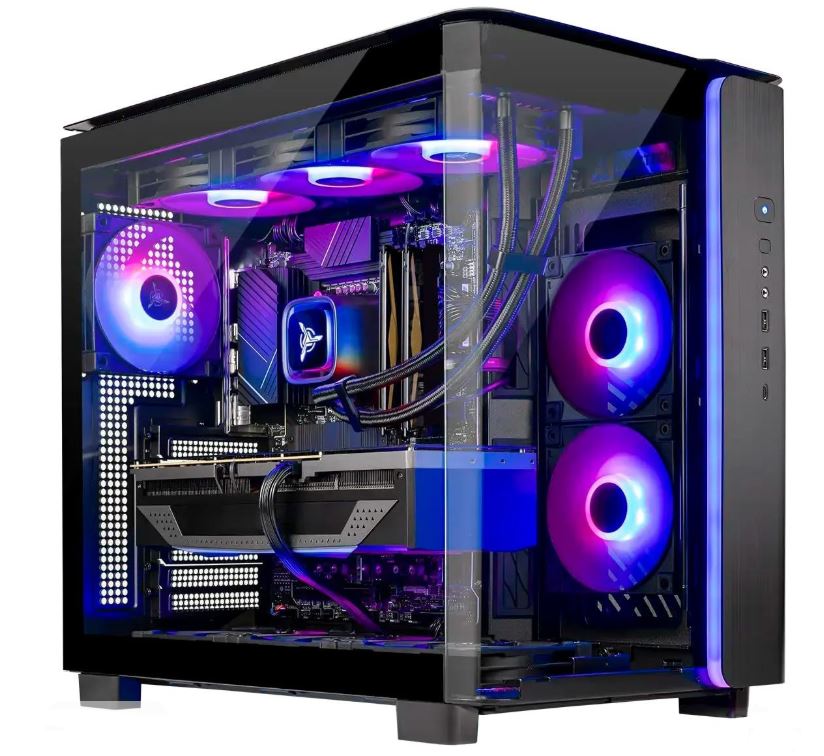
Approx. Price: $1,600–1,900
A strong Skytech or Stormcraft prebuilt with a Ryzen 7 7700 and RTX 4070 is one of the safest all-round recommendations under $2000. This kind of build gives you exactly what most gamers want at this budget: excellent 1440p high refresh rate performance, access to DLSS and ray tracing, and enough CPU power to keep up in both competitive shooters and modern AAA games.
The rest of the specs should ideally include 32GB DDR5 RAM, a 1TB NVMe SSD, a 750W PSU, and a case with proper airflow and multiple fans. Some configurations may even come with a 240mm AIO cooler or a higher-end air cooler, which is exactly the kind of thing I want to see at this price point.
Best For: Gamers who want a balanced 1440p gaming prebuilt with strong all-round performance, upgradeability, and good long-term value.
iBUYPOWER RDY / Element Pro or Similar (Best Premium Plug-and-Play Option)
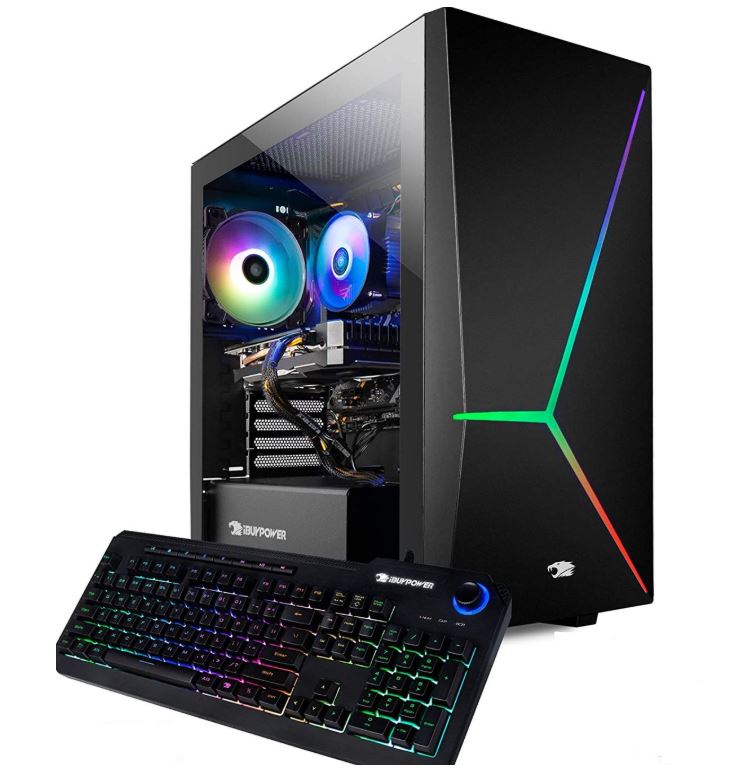
Approx. Price: $1,600–1,900
If you want a prebuilt that feels polished out of the box, iBUYPOWER RDY or Element Pro systems are some of the better premium options to watch. Under $2000, the realistic targets here are RTX 4070, RTX 4070 Super, or RX 7800 XT configurations paired with a Ryzen 7 7700 or Intel Core i7-14700F.
A good configuration should also include 32GB RAM, a 1TB SSD, decent case airflow, and a reliable power supply. iBUYPOWER prebuilts are attractive because they often look closer to a custom-built PC than a generic office-style desktop, and they are usually easy to upgrade later.
Best For: Buyers who want a more polished plug-and-play prebuilt with strong gaming performance and a cleaner premium feel. And the price feel like a steal.
ABS / CyberPowerPC 1440p Value Build (Best Value)
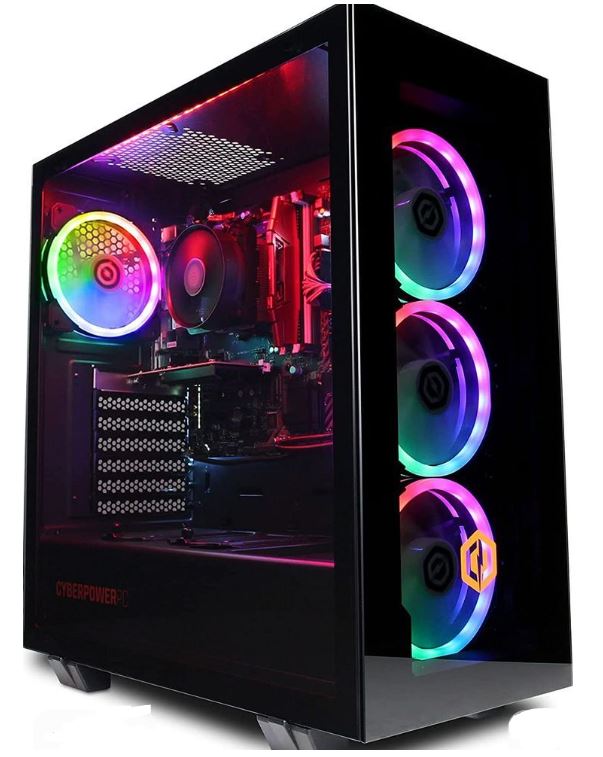
Approx. Price: $1,400–1,700
If your goal is to squeeze as much gaming performance as possible out of the budget without overspending, ABS and CyberPowerPC often have some of the strongest value configurations. At this price point, I would look for systems with an RTX 4070, RX 7800 XT, or on a very good deal maybe even an RX 7900 GRE, paired with a Ryzen 5 7600, Ryzen 7 5700X, or Ryzen 7 7700.
The reason I like this category is simple: it often gives you the performance you want without making you pay as much for branding. Just make sure you still check the supporting parts, especially the PSU, cooling, and RAM configuration, because value-focused prebuilts are still more likely to cut corners somewhere.
Best For: Gamers who care more about raw 1440p performance per dollar than premium branding or fancy aesthetics.
Lenovo Legion Tower / HP Omen (Best Mainstream Brand Pick)
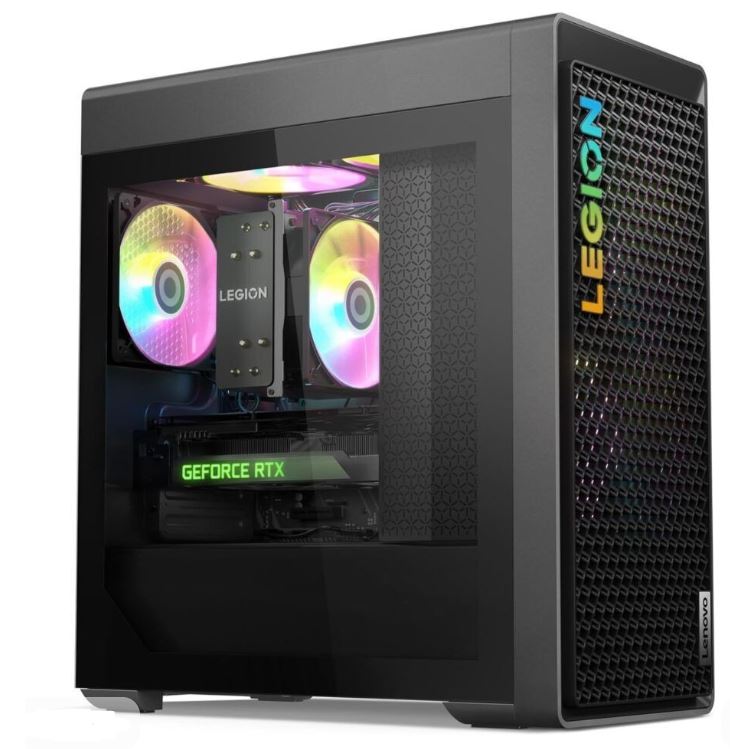
Approx. Price: $1,600–1,950
If you prefer a more mainstream gaming brand, the Lenovo Legion Tower and HP Omen desktops are both worth watching in this budget range. On sale, you can find configurations with an RTX 4070, RTX 4070 Super, or RX 7800 XT, paired with a Ryzen 7 or Intel Core i7 processor.
These systems are attractive because they usually come with a cleaner design, decent warranty support, and a more polished plug-and-play experience. They may not always offer the absolute best value per dollar compared to Skytech or CyberPowerPC, but they often make up for it with better brand trust, cleaner build quality, and easier availability.
Best For: Buyers who want a recognizable gaming brand, solid warranty support, and a prebuilt that feels more refined out of the box.
Fusion or Similar High-End Build (Best Near-$2000 Performance)
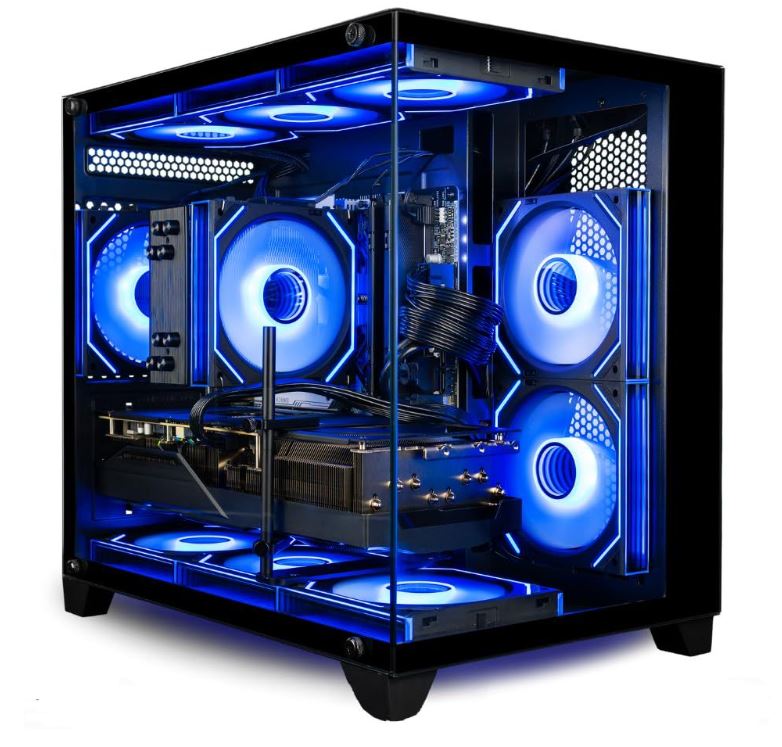
Approx. Price: $1,800–1,999
If you are willing to go close to the full $2000 budget, this is where prebuilts start feeling properly high-end. A Skytech Azure, Skytech Fusion, or a similar upper-tier prebuilt can sometimes be found with an RTX 4070 Super, RX 7800 XT, or even an RX 7900 GRE, paired with a Ryzen 7 7700 or Intel Core i7-14700F.
This is also the category where I would start expecting 32GB RAM, a 1TB or even 2TB SSD, stronger cooling, and a more premium overall case and airflow setup. It is not quite “ultra high-end PC” territory, but it is definitely the point where a prebuilt starts feeling like a serious enthusiast machine rather than just a convenient gaming desktop.
Best For: Gamers who want to push as close to a high-end 1440p gaming PC as possible without crossing the $2000 mark.
Common Mistakes When Buying a Prebuilt Gaming PC
1. Paying $2000 and Still Getting Only 16GB RAM
At $2000, I expect more than the bare minimum, yet some prebuilts in this price range still ship with only 16GB of RAM.
Why it’s a mistake: While 16GB can still handle many games today, it starts to feel restrictive at this budget—especially if you keep Discord, a browser, launchers, recording software, or background apps open while gaming. It also makes the PC feel less future-proof, which is disappointing when you are already spending premium money.
Better approach: At this price range, I would strongly prefer 32GB of RAM, ideally 2×16GB DDR5 in dual-channel. A prebuilt under $2000 should feel ready for modern gaming, multitasking, and a few years of use without immediately making you think about a RAM upgrade.
2. Paying Premium Money for a Prebuilt with Weak Cooling
A prebuilt can have a great GPU and CPU on paper but still disappoint badly if the cooling is weak.
Why it’s a mistake: Powerful components like the RTX 4070, RTX 4070 Super, RX 7800 XT, or RX 7900 GRE generate serious heat. If the case airflow is poor or the CPU cooler is weak, the system may run hotter, louder, and even lose performance through thermal throttling during long gaming sessions.
Better approach: At $2000, I expect a prebuilt to have a case with good airflow, multiple fans, and ideally a strong tower air cooler or 240mm AIO depending on the CPU. Weak cooling is much less forgivable once you enter this price range.
3. Buying a Premium GPU but Pairing It with a Mediocre 1080p Monitor
If you are spending this much on a gaming PC, your monitor also needs to make sense.
Why it’s a mistake: A powerful graphics card like an RTX 4070 Super or RX 7900 GRE is wasted if it is paired with a basic 1080p 60Hz or mediocre low-refresh monitor. You end up paying for performance that you never actually get to enjoy properly.
Better approach: A prebuilt gaming PC under $2000 deserves at least a 1440p high refresh rate monitor, ideally 165Hz or higher. That is where these GPUs really start to shine, especially in competitive FPS games and modern AAA titles.
4. Ignoring PSU and Motherboard Quality Because “It Has an RTX 4070”
One of the easiest mistakes to make with prebuilts is getting distracted by the GPU and forgetting everything else.
Why it’s a mistake: A prebuilt can look impressive because it has an RTX 4070 in the title, but if it uses a weak power supply, a lower-end motherboard, or proprietary components, it can hurt stability, reduce upgrade flexibility, and make the system feel less premium than the price suggests.
Better approach: At $2000, I want to see at least a 750W PSU from a reputable brand or, at minimum, a unit with decent reviews and clear specifications. The motherboard also matters more than people think because it affects upgradeability, VRM quality, USB connectivity, and general reliability.
Paying for RGB and Branding Instead of Actual Performance
RGB lighting, tempered glass, and big brand names can make a prebuilt look amazing, but they should not come at the expense of the actual hardware quality.
Why it’s a mistake: Some prebuilts charge extra for the brand, the aesthetics, or a flashy case design while quietly cutting corners on the RAM, cooling, power supply, or storage. That means you may be paying more money without actually getting a better gaming experience.
Better approach: Prioritize performance, cooling, RAM, storage, and upgradability first. Once the fundamentals are strong, then the RGB and aesthetics become a nice bonus rather than a distraction from weaker internals.
Conclusion
A prebuilt gaming PC under $2000 is where things start getting seriously exciting. At this budget, you are no longer shopping for a system that is merely “good enough” for gaming—you are looking at a prebuilt that can genuinely deliver high-refresh 1440p gaming, stronger cooling, more premium components, and a much more balanced overall experience. Whether you play competitive shooters like Apex Legends, Valorant, Counter-Strike 2, and Rainbow Six Siege, or you spend more time in demanding AAA games, a good prebuilt in this price range should feel powerful for years rather than just acceptable for today.
The most important thing, though, is to remember that the best prebuilt gaming PC under $2000 is not simply the one with the biggest GPU name in the title. A flashy RTX 4070, RTX 4070 Super, or RX 7900 GRE does not automatically make a system a good buy if the prebuilt cuts corners on the RAM, cooling, power supply, motherboard, or storage. At this price point, you should expect a system that is balanced from top to bottom, not one premium part carrying a bunch of weaker supporting components.
That is why I would strongly prioritize a prebuilt with 32GB of RAM, a 1TB NVMe SSD or better, a reliable 750W+ PSU, good airflow, and standard upgrade-friendly parts over a machine that looks fancy but quietly cheapens out on the essentials. A prebuilt at this budget should not only perform well today, it should also leave room for future upgrades and still feel like a smart investment a few years from now.
If you want the convenience of a plug-and-play gaming PC without dealing with the stress of building one yourself, this is one of the best budgets to do it with. And if you would rather compare a cheaper option first, check out my Best Prebuilt Gaming PC Under $1500 guide. If you are building a full battlestation around your new desktop, I also recommend my Best Budget Gaming Setup Under $2000, Best Gaming Monitor Under $400, Best Gaming Chair Under $500, and Best Gaming Desk Under $500 guides.
At the end of the day, a great prebuilt gaming PC under $2000 should save you time, avoid compatibility headaches, and still give you the kind of performance that makes PC gaming feel worth the money. So if building a gaming PC sounds like a long, stressful side quest, there is absolutely nothing wrong with skipping straight to the part where you unbox the machine, peel off the plastic, install your games, and start chasing frames.
Thank you for clicking and reading my article to this point. It means so much to me.