We’ve all been there—on a tight budget but still wanting to enjoy the games we love in our free time.
Not everyone can afford a high-end gaming laptop, especially if you’re not earning yet or relying on limited funds. But the good news is that $600 is still enough to get a solid gaming laptop that can handle e-sports titles like Apex Legends, Counter-Strike 2, Valorant, and even Fortnite.
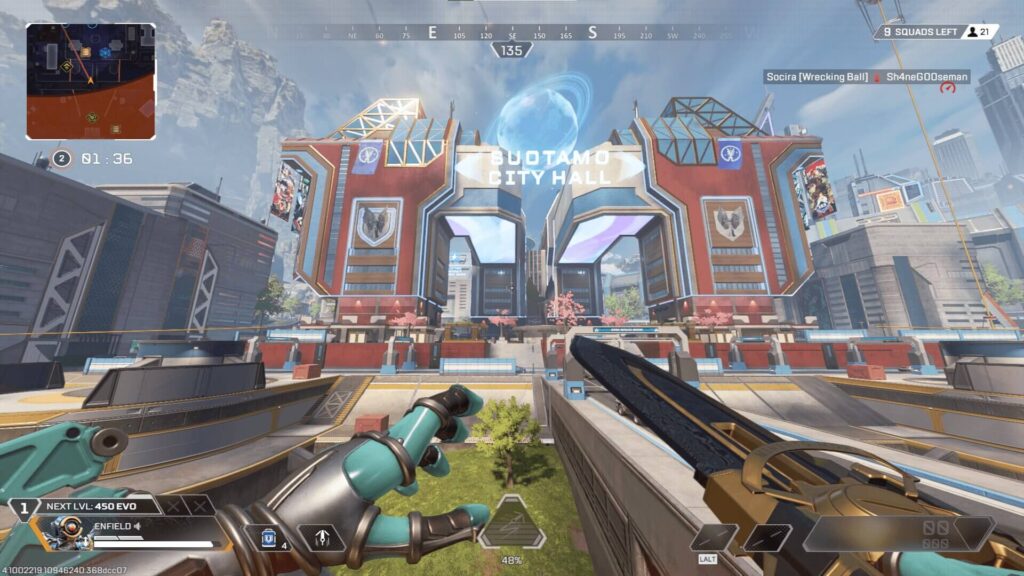
While you won’t be maxing out graphics settings, the right laptop combined with proper optimization can still deliver smooth and competitive gameplay. And if you play Apex Legends check out how to increase your FPS on Apex Legends
By the end of this guide, you’ll be able to confidently choose the best gaming laptop under $600 for esports that fits your needs and budget. And it’s safe to say that I myself have a gaming laptop at this price range where I have been gaming on for 5yr the secret to enjoying a budget gaming laptop in this price range is tweaking the in-game graphics settings.
Affiliate Disclosure
Some of the links in this article are affiliate links, which means I may earn a small commission if you purchase a product through one of these links, at no additional cost to you. This helps support me and allows me to continue creating gaming guides and hardware recommendations for you.
What to expect from a $600 Gaming laptop.
Let’s be realistic—technology is improving fast, and while $600 is enough to get a gaming laptop, it won’t give you high-end specs.
In this price range, you should expect GPUs like:
- GTX 1650 / GTX 1650 Ti
- RTX 2050
- (If you’re lucky) RTX 3050 — all with around 4GB VRAM
For CPUs, common options include:
- Ryzen 5 5600H / Ryzen 5 4600H
- Intel Core i5-12450H
Gaming Performance
You’ll be running most games on low to medium settings, but for e-sports titles, it’s best to prioritize low settings. And at this price range graphics isn’t the priority, performance is.
Higher FPS = better responsiveness and competitive advantage
Expected FPS
Depending on the game and your optimization:
You can expect around 60–120 FPS in esports titles, especially if your in-game and Windows settings are properly configured.
Minimum Specs for Esports Gaming
Before downloading any game, you’ll usually see minimum and recommended system requirements.
But here, we’re focusing on a balanced minimum setup—something strong enough to run most e-sports titles smoothly without major issues.
GPU (Graphics Card)
A GTX 1650 is the minimum you should aim for.
Avoid going below this level.
Older GPUs like the GTX 1050 (2GB VRAM) will struggle to run games like Apex Legends at stable FPS. I had a friend who currently has the GTX 1050. Tried playing Apex Legends on it. I always ask how he manages. For the love of God run away from GTX 1050 it’s basically obsolete.
If possible, go for:
- GTX 1650 Ti
- RTX 2050
These provide better performance and stability.
CPU (Processor)
Stick within:
- Intel Core i5
- AMD Ryzen 5
Games like Valorant, Counter-Strike 2, and Dota 2 rely heavily on CPU performance.
A strong CPU helps you achieve higher and more stable FPS.
RAM
While many laptops come with 8GB RAM, it’s best to upgrade to 16GB. In 2026 16GB RAM is basically the minimum RAM you need installed in your Laptop or PC.
This helps:
- Reduce stuttering
- Improve multitasking
- Stabilize FPS during gameplay
Storage (SSD)
An SSD is essential.
Compared to HDD:
- Faster load times
- Smoother system performance
- Less stuttering in some games
Best Gaming Laptops Under $600
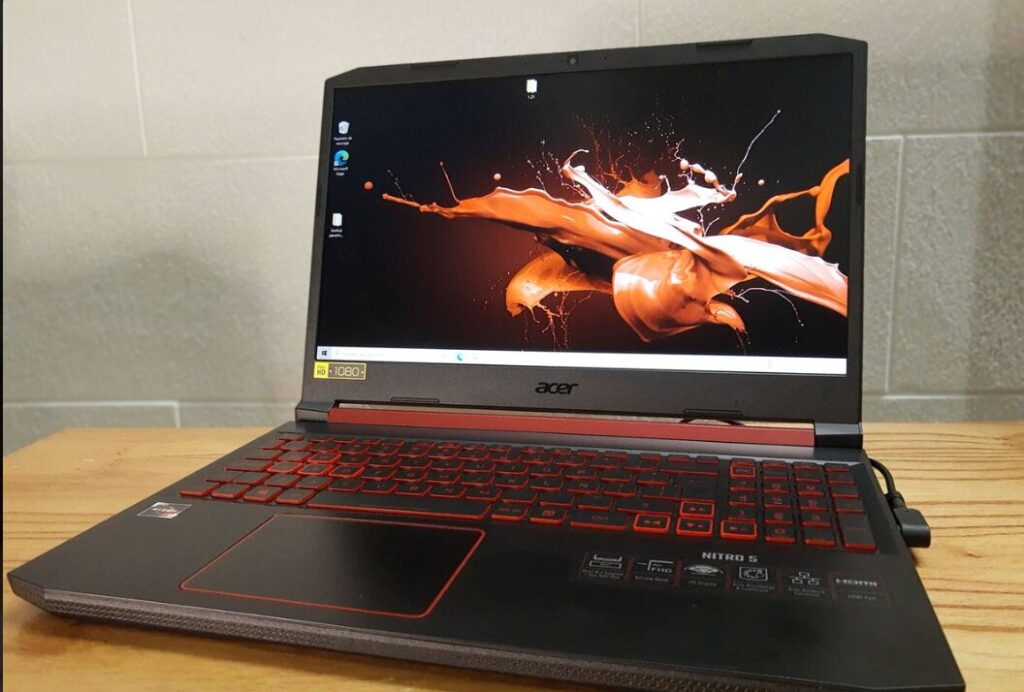
Acer Nitro V 15 – $549–$599
Key Specs
- CPU: i5-12450H / Ryzen 5 7535HS
- GPU: RTX 2050
- RAM: 8GB DDR4
Pros
- One of the best cooling systems in this price range
- Dual-fan setup
- Upgradeable RAM (2 slots)
Cons
- Ships with only 8GB RAM
- Slightly bulky design
Verdict
Best overall option under $600 if you find a deal with RTX 3050 (6GB) or better.
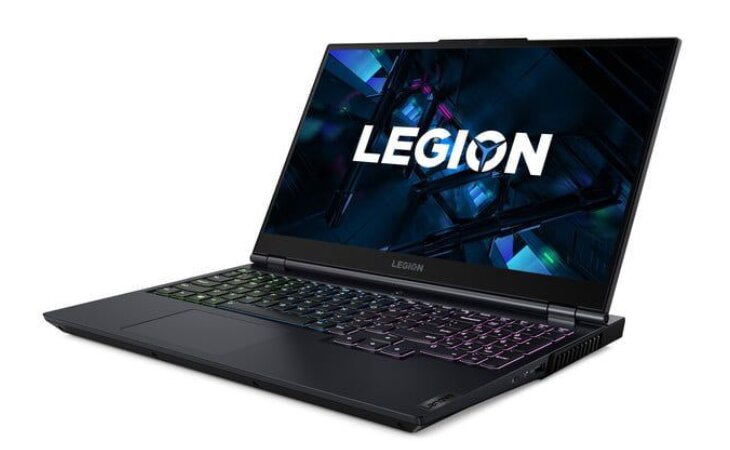
Lenovo Legion 5 – ~$579.99
Key Specs
- CPU: AMD Ryzen 5 4600H
- GPU: GTX 1650 Ti
- RAM: 8GB
- Storage: 256GB SSD + 1TB HDD
Pros
- Excellent cooling system
- Sturdy and durable build
- Dual RAM slots (easy upgrade)
- Clean, minimal design
Cons
- Heavy and less portable
- Fans can get loud
- Screen bleed may develop over time
- Battery weakens after extended use
I literally have this laptop in possession for 5yrs and it still performs very well as at 2026, I play Apex legends and The Finals every day with this gaming laptop and a stable 120FPS. Changed the thermal paste recently since it was thermal throttling. But in 2026 this laptop is low end so if you have money go for a better latop.
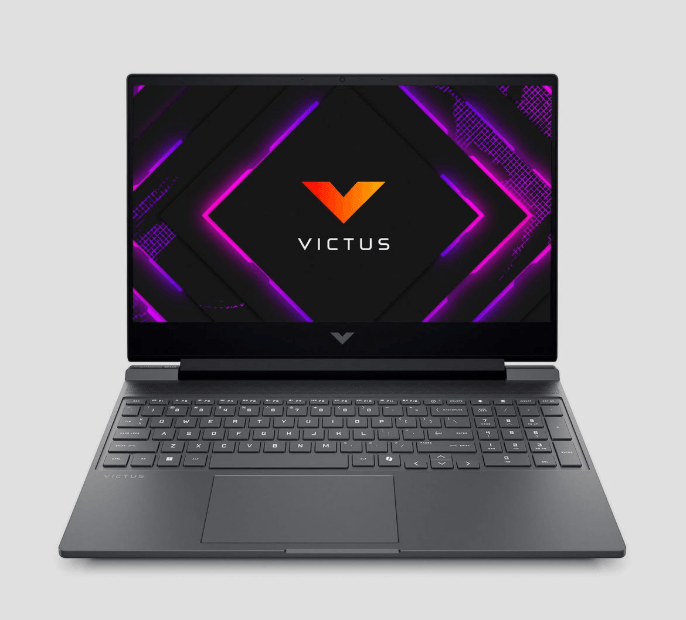
HP Victus 15 – $499–$579
Key Specs
- CPU: Ryzen 5 5600H / 7535HS
- GPU: RX 6550M / RTX 3050
- RAM: 8GB DDR4
Pros
- Often the cheapest with decent specs
- Clean “gaming” design
- Good battery life (4–5 hours for light use)
Cons
- 8GB single-channel RAM limits performance
- Can run hot (~90°C under load)
- 4GB VRAM versions struggle in newer games
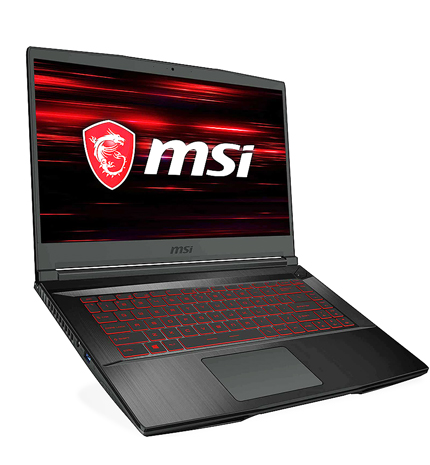
MSI Thin GF63 – $449–$529
Key Specs
- CPU: i5-12450H
- GPU: RTX 2050
- RAM: 8GB DDR4
Pros
- Cheapest entry into RTX GPUs
- Lightweight and portable
- Frequently discounted
Cons
- Poor thermals (can throttle under load)
- Weak build quality
- Flexible screen
- Low-power GPU (45W) limits performance
Verdict
Only worth it if you find it around $449 and mainly play lighter esports titles like Valorant or Counter-Strike 2 on low settings.
Which Laptop Should You Choose?
Acer Nitro V 15 (Best Overall)
The laptops listed above are all solid options, but the Acer Nitro V 15 stands out as the best overall choice.
If you’re lucky enough to find a version with an RTX 3050 (6GB) on sale, it becomes one of the best deals under $600. This deals comes mostly on Black Friday on Amazon.
It offers:
- Strong overall performance
- Reliable cooling system
- Upgradeable RAM
Adding an extra 8GB RAM (to make 16GB) will significantly improve performance and stability.
Lenovo Legion 5 (Best Build Quality)
The Lenovo Legion 5 is my second pick.
It features a clean, minimalistic design that doesn’t scream “gaming,” making it great for:
- School
- Work
- Everyday use
With its:
- Ryzen 5 4600H
- GTX 1650 Ti
It delivers solid e-sports performance while also offering excellent build quality and durability.
HP Victus 15 (Best Value)
The HP Victus 15 is a strong budget option.
It offers:
- Good performance for the price
- Clean design
- Decent battery life for a gaming laptop
However, the main drawback is the 8GB single-channel RAM, which limits performance unless upgraded. This laptop is viable only when you close all background app when gaming.
MSI Thin GF63 (Budget Entry Option)
The MSI Thin GF63 is the cheapest option on the list.
It provides:
- Entry-level RTX 2050 performance
- Lightweight and portable design
However, it struggles with:
- Poor cooling
- Weaker build quality
Best suited for:
- Light esports gaming (e.g., Valorant, Counter-Strike 2)
- Low settings gameplay
Conclusion
Finding a good gaming laptop under $600 might seem difficult, but as you’ve seen, there are still solid options that can handle esports titles smoothly.
Whether you choose the Acer Nitro V 15 for the best overall performance, the Lenovo Legion 5 for durability, or the HP Victus 15 for value, each of these laptops can deliver a great experience when properly optimized.
Games like Apex Legends, Valorant, and Counter-Strike 2 don’t require extremely powerful hardware—but they do benefit from the right settings and upgrades.
At the end of the day, you don’t need an expensive setup to compete—you just need the right laptop and smart optimization.
And as a fellow gamer I suggest you get yourself a wired or wireless gaming mouse, luckily for you I have written an article about just that Best Wired Gaming Mouse Under $40 for FPS Games (2026 Guide) and Best Wireless Gaming Mouse Under $40 for FPS Games (2026 Guide)
and you know what, the problem about competitive games is audio, enemies can appear out of nowhere and beam you at your backside that why I also recommend the Best Budget Gaming Headset for FPS (2026 Guide)
One last thing,
Thank You for reading this article. You’re a STAR!