Gaming laptops are widely known for their compact design, but that compactness comes at a cost. Unlike gaming PCs, where you can install multiple case fans to improve airflow, gaming laptops have limited internal space and rely heavily on a carefully designed cooling system to keep temperatures under control.
This is one of the main reasons why a gaming PC often outperforms a gaming laptop with similar specifications. A desktop has significantly more room for airflow, allowing components to run cooler and maintain higher performance for longer periods.
The good news is that there are ways to improve a gaming laptop’s cooling performance. One of the most popular solutions is a laptop cooling pad. A cooling pad sits underneath your laptop and uses additional fans to push fresh air toward the laptop’s intake vents, helping improve airflow and reduce temperatures during gaming sessions.
While a cooling pad won’t completely eliminate overheating, it can help lower temperatures, reduce thermal throttling and improve overall comfort during long gaming sessions. Many cooling pads also include useful features such as adjustable height settings, fan speed controls and additional USB ports.
Best of all, you don’t need to spend a fortune. At the $40 price range, there are several excellent cooling pads capable of improving airflow and helping your gaming laptop maintain consistent performance under heavy workloads.
In this guide, we’ll look at the best cooling pads for gaming laptops under $40 and help you choose the right one for your setup.
Affiliate Disclosure
Some of the links in this article are affiliate links, which means I may earn a small commission if you purchase a product through one of these links, at no additional cost to you. This helps support me and allows me to continue creating gaming guides and hardware recommendations for you.
What To Expect From a Cooling Pad Under $40
With a budget of $40, you can still expect a significant improvement in your gaming laptop’s cooling performance. Many cooling pads in this price range are capable of reducing temperatures by several degrees, helping your laptop maintain better performance during long gaming sessions.
One of the first things you’ll notice is that your laptop’s fans may not need to work as aggressively as before. Because the cooling pad helps improve airflow underneath the laptop, some of the cooling workload is shared between the laptop’s built-in cooling system and the external fans of the cooling pad. This can lead to lower temperatures, reduced thermal throttling and, in some cases, quieter fan noise.
Cooling pads can be especially useful for gaming laptops that draw fresh air from vents located on the bottom of the chassis. By supplying a constant stream of cool air to these intake vents, the cooling pad helps the CPU and GPU maintain more consistent temperatures under heavy loads.
However, it’s important to understand that a cooling pad is not a replacement for proper laptop maintenance. Dust can still accumulate inside your laptop over time, restricting airflow and reducing cooling performance. Regular cleaning and occasional thermal paste replacement remain important parts of keeping your gaming laptop running efficiently.
Simply put, a cooling pad under $40 won’t perform miracles, but it can be an affordable and effective way to improve airflow, reduce temperatures and make your gaming experience more comfortable.
Havit HV-F2056 (Best Overall Cooling Pad Under $40)
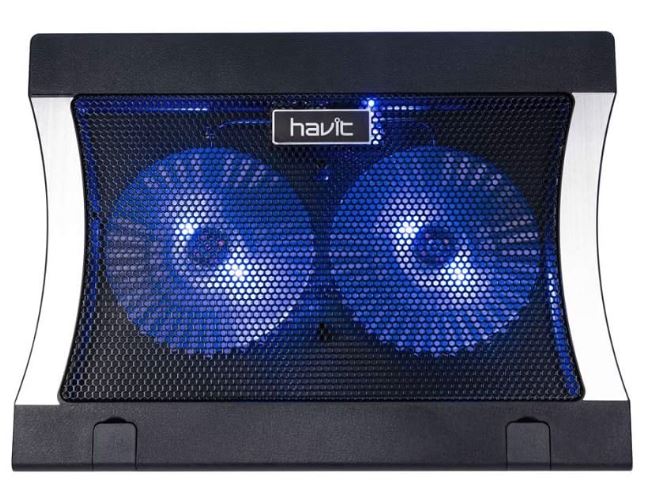
The Havit HV-F2056 has been one of the most popular laptop cooling pads for years, and for good reason. It combines quiet operation, effective cooling and excellent portability at an affordable price. Whether you’re gaming, working or studying, this cooling pad offers a balanced cooling solution without breaking the bank.
Specifications
Price: $25–$30
Fan Configuration: 3 Quiet Fans
Compatibility: 15.6-inch to 17-inch Laptops
Features: Adjustable height, slim design, dual USB ports
Why Buy It?
The Havit HV-F2056 provides an excellent balance between cooling performance and noise levels. It improves airflow underneath your laptop while remaining lightweight enough for travel and everyday use.
Best For: Gamers looking for the best overall cooling pad under $40.
Kootek Laptop Cooling Pad (Chill Mat 5) (Best Multi-Fan Cooling Pad)
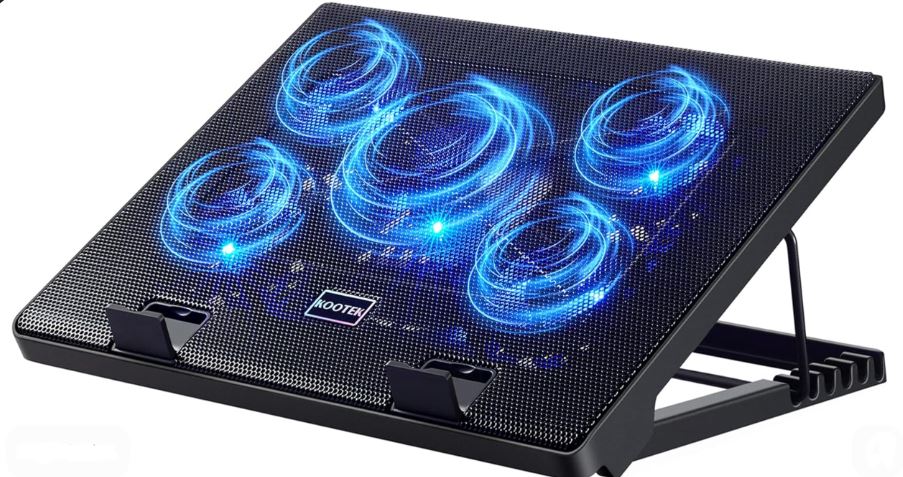
The Kootek Chill Mat 5 focuses on maximizing airflow by utilizing multiple fans across the entire cooling surface. This makes it particularly effective for larger gaming laptops that generate significant heat during long gaming sessions.
Specifications
Price: $25–$35
Fan Configuration: 5 Fans (1 Large + 4 Small)
Compatibility: 12-inch to 17-inch Laptops
Features: Adjustable height, LED lighting, fan controls, dual USB ports
Why Buy It?
The multiple fan setup helps distribute airflow more evenly across the bottom of your laptop, resulting in better overall cooling performance. The adjustable fan controls also allow you to customize airflow depending on your needs.
Best For: Gaming laptops that require maximum airflow coverage.
TeckNet Laptop Cooling Pad (Best Budget Cooling Pad)
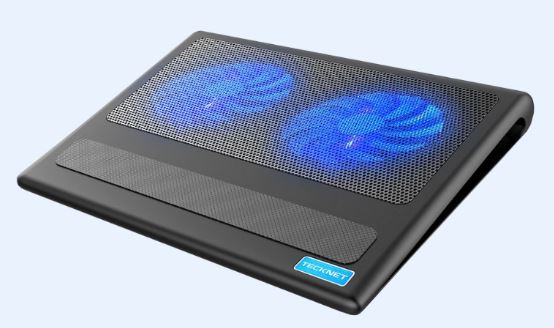
If you’re looking for a simple and affordable cooling solution, the TeckNet Laptop Cooling Pad offers impressive value. It provides enough airflow to improve laptop temperatures while remaining quiet and easy to carry around.
Specifications
Price: $20–$30
Fan Configuration: Dual Fans
Compatibility: 12-inch to 16-inch Laptops
Features: Adjustable fan speed, ergonomic design, LED lighting
Why Buy It?
The TeckNet cooling pad is an excellent choice for students, casual gamers and anyone looking for an inexpensive way to improve laptop airflow without spending much money.
Best For: Budget-conscious gamers and students.
KLIM Wind (Best Value Cooling Pad)
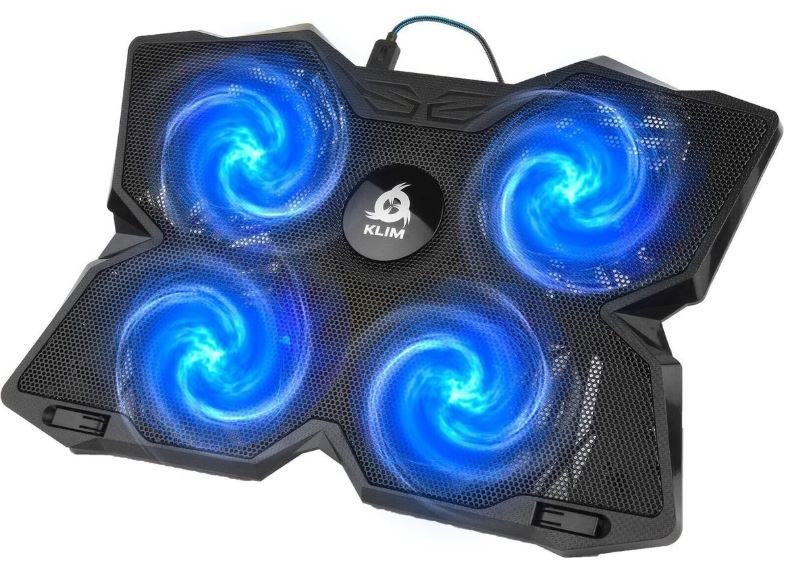
The KLIM Wind has built a strong reputation among gamers thanks to its reliable cooling performance and durable construction. It offers solid airflow while remaining relatively quiet during operation.
Specifications
Price: $25–$35
Fan Configuration: 4 Fans
Compatibility: Up to 17-inch Laptops
Features: Multiple color options, USB powered, sturdy design
Why Buy It?
The KLIM Wind delivers dependable cooling performance and excellent build quality for the price. It is one of the most trusted cooling pads available in the budget category.
Best For: Gamers looking for the best value under $40.
Targus Chill Mat (Best for Comfort and Lap Use)
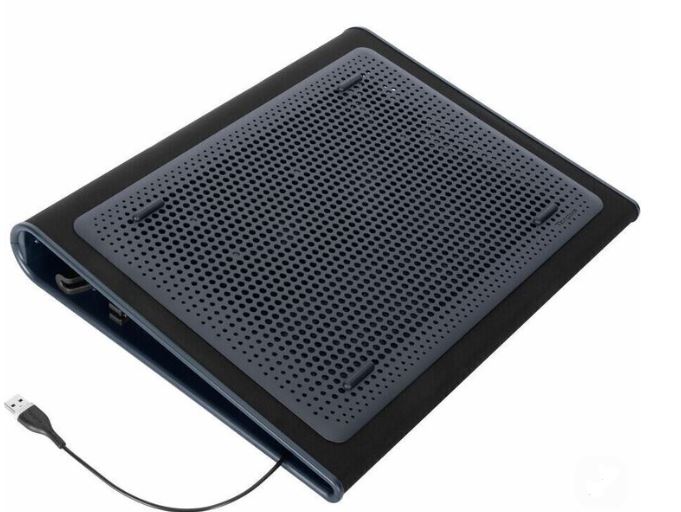
The Targus Chill Mat takes a slightly different approach by focusing on comfort and ergonomics in addition to cooling. It works well for users who frequently use their laptops on desks, couches or their laps.
Specifications
Price: $25–$35
Fan Configuration: Dual Fans
Compatibility: Most 15-inch to 17-inch Laptops
Features: Ergonomic design, USB hub support, comfortable lap use
Why Buy It?
While it may not provide the aggressive cooling performance of some multi-fan alternatives, it offers a comfortable and practical solution for everyday gaming and productivity use.
Best For: Users who want improved cooling and comfort during long sessions.
Common Mistakes When Buying a Cooling Pad Under $40
Expecting a Cooling Pad to Fix a Dusty Laptop
One of the biggest misconceptions about cooling pads is that they can completely solve overheating issues on their own. While cooling pads improve airflow underneath your laptop, they cannot fix internal dust buildup.
Over time, dust accumulates inside laptop fans, heatsinks and air vents, restricting airflow and trapping heat. If your laptop is filled with dust, even the best cooling pad will struggle to make a noticeable difference.
For the best results, regularly clean your laptop and consider replacing the thermal paste if temperatures have become unusually high. A cooling pad works best when paired with a clean and properly maintained cooling system.
Blocking Your Laptop’s Intake Vents
Not every cooling pad works equally well with every laptop. Many gaming laptops pull fresh air through vents located on the bottom of the chassis. If the cooling pad’s fan placement doesn’t align with these vents, airflow may be less effective than expected.
Before purchasing a cooling pad, take a moment to check where your laptop’s intake vents are located. Choosing a cooling pad with multiple fans or a large mesh surface often provides the best compatibility across different laptop designs.
Buying the Wrong Size
Cooling pads come in various sizes, and selecting the wrong one can reduce their effectiveness.
A cooling pad that is too small may fail to provide airflow to critical areas of the laptop, while an oversized model may not properly support smaller laptops. For the best experience, choose a cooling pad designed for your laptop’s screen size and overall dimensions.
Most gaming laptops between 15.6 and 17 inches work well with the cooling pads recommended in this guide.
Ignoring Noise Levels
Many budget cooling pads focus on airflow but overlook noise levels. While additional cooling is beneficial, excessively loud fans can become distracting during gaming, studying or content creation.
A quieter cooling pad may provide a better overall experience than a louder model with slightly stronger airflow. If noise is important to you, look for models with adjustable fan speeds and check user reviews before making a purchase.
Using a Cooling Pad on a Bed or Blanket
A cooling pad can only work effectively if it has access to fresh air. Using your laptop and cooling pad on soft surfaces such as beds, blankets or couches can block airflow and reduce cooling performance.
For the best results, always place your laptop and cooling pad on a hard, flat surface such as a desk or table. This allows both the cooling pad and the laptop to draw in cool air and expel hot air efficiently.
Simply put, even the best cooling pad under $40 cannot perform properly if airflow is restricted from the start.
Conclusion
A cooling pad is one of the easiest and most affordable upgrades you can make to your gaming laptop. While it won’t completely eliminate high temperatures or replace proper laptop maintenance, it can improve airflow, reduce thermal throttling and help your system maintain more consistent performance during long gaming sessions.
Whether you choose the Havit HV-F2056 for its excellent all-around performance, the Kootek Chill Mat 5 for maximum airflow, the TeckNet Cooling Pad for affordability, the KLIM Wind for value or the Targus Chill Mat for comfort, each cooling pad on this list offers a practical way to keep your laptop running cooler without spending more than $40.
Remember that cooling pads work best when paired with regular cleaning, proper ventilation and good gaming habits. Keeping dust out of your laptop and ensuring unrestricted airflow can make just as much difference as the cooling pad itself.
If you’re currently shopping for a gaming laptop, be sure to check out our Best Gaming Laptop Under $500 (2026 Guide), Best Gaming Laptop Under $1000 (2026 Guide), Best Gaming Laptop Under $2000 (2026 Guide) and Best Gaming Laptop Under $3000 (2026 Guide) for recommendations at every budget.
For gamers building a complete setup, our Best Gaming Setup Under $600 (2026 Budget Guide) and Best Gaming Setup Under $800 (2026 Budget Guide) can help you choose the right hardware without overspending.
You can also further improve gaming performance and temperatures with our How to Reduce CPU Temperature While Gaming (2026 Guide), How to Reduce GPU Temperature While Gaming (2026 Guide) and Best Apex Legends Settings for Low-End Laptop (2026 Guide).
At the end of the day, a quality cooling pad under $40 is a small investment that can help improve comfort, lower temperatures and extend the lifespan of your gaming laptop, making it one of the best budget accessories a laptop gamer can buy.