When planning to build your gaming PC setup, after choosing all your hardware components, it is very important to choose the right PC case that will properly house your entire build.
A PC case is not just for aesthetics. It also plays a huge role in:
- airflow,
- cooling,
- cable management,
- dust protection,
- and overall system temperatures.
When choosing a gaming PC case, one of the most important things to prioritize is:
airflow.
This is because major hardware components like:
- the CPU,
- GPU,
- and motherboard VRMs
can generate a lot of heat during gaming.
Poor airflow can cause:
- higher temperatures,
- thermal throttling,
- unstable performance,
- and lower hardware lifespan.
A good gaming case helps improve:
- cooling efficiency,
- airflow circulation,
- and overall gaming stability during long gaming sessions.
This is especially important for:
- competitive gaming,
- high FPS gaming,
- and high-end gaming builds.
In this article, we will look at some of the:
- best budget gaming PC cases,
- best mid-range cases,
- and best high-end PC cases
for FPS gaming and modern gaming setups.
Why PC Cases Matter for FPS Gaming.
Airflow
One of the biggest reasons gaming PCs perform better thermally than gaming laptops is:
airflow.
Gaming PCs have larger cases with better airflow which helps:
- reduce temperatures,
- improve cooling,
- and maintain stable gaming performance.
Many gaming PC cases come with:
- preinstalled fans,
- mesh front panels,
- and airflow-focused designs.
You can also install additional fans yourself when building your gaming PC.
Good airflow is extremely important because high temperatures can cause:
- thermal throttling,
- unstable FPS,
- and lower hardware performance.
Custom Fan Installation
One of the best parts about building a gaming PC is:
customization.
You can customize:
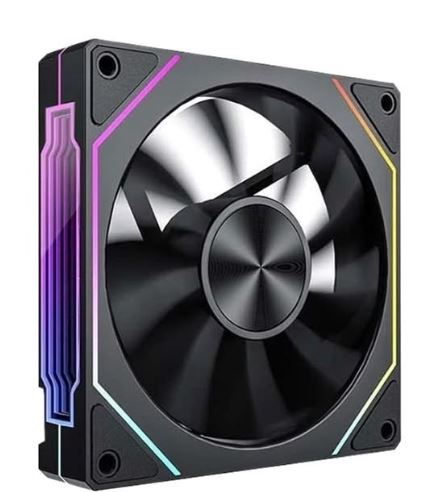
- RGB fans,
- cooling layout,
- fan orientation,
- and airflow design.
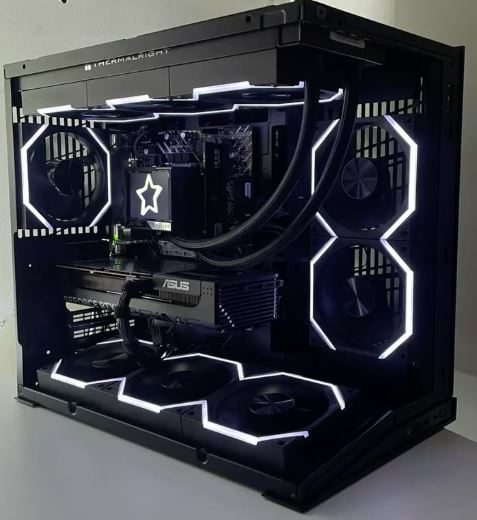
When installing fans, there are three major airflow configurations:
- Positive airflow
- Neutral airflow
- Negative airflow
Positive Airflow
Positive airflow means:
intake fans are greater than exhaust fans.
This setup helps push filtered air into the case while reducing dust buildup.
Benefits include:
- better dust control,
- cleaner components,
- and cooler temperatures.
Positive airflow is one of the most recommended airflow setups for gaming PCs.
Neutral Airflow
Neutral airflow means:
intake fans and exhaust fans are balanced equally.
This provides:
- smooth airflow,
- stable cooling,
- and consistent thermal performance.
Many balanced gaming setups use neutral airflow because it creates stable temperatures across the system.
Negative Airflow
Negative airflow means:
exhaust fans are greater than intake fans.
This setup removes heat quickly and can help reduce:
- heat pockets,
- and trapped hot air
especially in:
- smaller PC cases,
- or compact gaming builds.
However, negative airflow can sometimes increase:
dust buildup
because air gets pulled through small openings in the case.
Hardware Temperatures
Your PC case directly affects the temperatures of:
- the CPU,
- GPU,
- motherboard,
- SSD,
- and power supply.
That is why choosing the right case size and airflow setup is extremely important.
The:
GPU
and
CPU
usually generate the most heat during gaming.
A good airflow-focused case helps:
- reduce temperatures,
- improve thermal performance,
- and maintain stable FPS during long gaming sessions.
If you want to optimize overall gaming performance, also check out:
Cable Management
Good cable management is extremely important for both:
- airflow,
- and aesthetics.
A messy PC with cables blocking airflow can trap:
- dust,
- heat,
- and restrict cooling performance.
A well-managed PC setup looks:
- cleaner,
- more professional,
- and improves airflow efficiency.
When buying a gaming PC case, make sure it has:
- proper cable routing space
- rear cable management support
- enough room behind the motherboard tray
to help keep your setup:
- organized,
- cooler,
- and visually appealing.
ATX vs Micro-ATX vs Mini-ITX
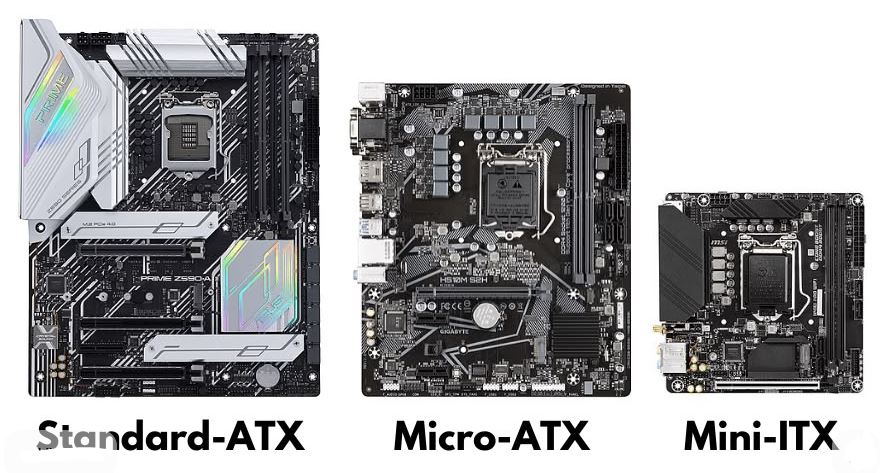
ATX, Micro-ATX, and Mini-ITX are the different motherboard sizes used in gaming PCs.
Before buying a PC case, it is very important to know your motherboard size so the motherboard can properly fit inside the case.
Different motherboard sizes affect:
- airflow,
- upgrade flexibility,
- cooling support,
- and overall PC size.
ATX Motherboard
The:
ATX motherboard
is the standard and most commonly used motherboard size.
Size
305 × 244 mm
ATX motherboards are popular because they provide:
- the best airflow,
- strong VRMs for overclocking,
- more expansion slots,
- and more room for components.
Most ATX boards typically include:
- 4 RAM slots,
- multiple M.2 SSD slots,
- several SATA ports,
- and up to 7 PCIe slots.
This allows gamers to install:
- multiple storage drives,
- capture cards,
- WiFi cards,
- and large GPUs easily.
Best For
- High-end gaming setups
- Streaming PCs
- Workstation builds
- First-time PC builders
- Competitive FPS gaming setups
ATX cases are usually easier to build in because they provide:
- more cable management space,
- better airflow,
- and easier hardware installation.
Micro-ATX (mATX)
The:
Micro-ATX motherboard
is the medium-sized motherboard option.
Size
244 × 244 mm
Micro-ATX motherboards are considered the:
middle-ground option
because they are:
- smaller than ATX,
- but still provide good upgrade flexibility.
Most Micro-ATX boards include:
- 4 RAM slots,
- 1–4 PCIe slots,
- and multiple storage options.
These motherboards are extremely popular for:
- budget gaming PCs,
- mid-range builds,
- and compact gaming setups.
Best For
- Budget gaming PCs
- Mid-tower gaming builds
- Competitive gaming setups
- Gamers wanting a smaller PC footprint
Micro-ATX motherboards usually provide:
- good airflow,
- solid gaming performance,
- and cheaper motherboard prices
while still supporting powerful gaming hardware.
Mini-ITX
The:
Mini-ITX motherboard
is the smallest motherboard size among the three.
Size
170 × 170 mm
Mini-ITX boards are specifically designed for:
Small Form Factor (SFF) gaming PCs.
Even though they are small, Mini-ITX motherboards are often:
- expensive,
- premium,
- and more difficult to build with.
Because of their compact size, they usually include:
- only 2 RAM slots,
- and a single PCIe slot.
This means you rely heavily on:
- onboard WiFi,
- M.2 SSD storage,
- and integrated motherboard features.
Best Budget PC Cases for FPS Gaming
A good budget gaming case should provide:
- strong airflow,
- good cable management,
- enough GPU clearance,
- and proper cooling support
without costing too much money.
These cases are excellent for:
- competitive gaming,
- budget gaming PCs,
- and high airflow gaming builds.
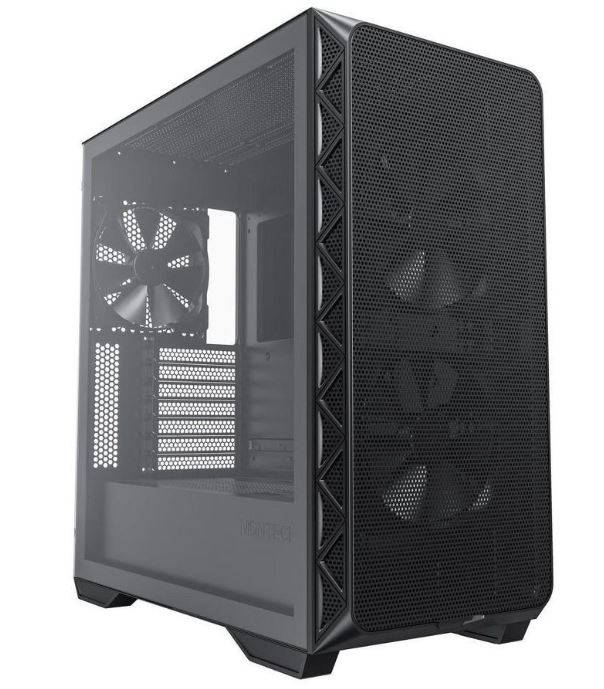
Montech Air 903 — Best Overall Budget PC Case
Price
Around $65–$75
Why It Wins
The Montech Air 903 is currently one of the best budget airflow cases because it offers features normally found in more expensive cases.
It includes:
4x 140mm ARGB fans preinstalled
mesh front panel
strong airflow design
proper cable management space
Thermal performance is surprisingly close to:
$120 gaming cases.
The case also features:
- 0.7mm steel construction,
- a PSU shroud,
- and tool-less side panels.
This makes it excellent for:
- budget gaming PCs,
- high airflow gaming setups,
- and first-time PC builders.
Cable Management
The Montech Air 903 has:
25mm cable space behind the motherboard tray
along with:
- velcro straps,
- good cable cutouts,
- and easy routing paths.
This makes building inside the case much easier and cleaner.
Downside
The:
- plastic front panel feels somewhat cheap,
- and the stock fans become loud at maximum speed.
However, reducing fan speed slightly usually fixes the noise issue.
Verdict
Best overall budget PC case for airflow and gaming thermals.
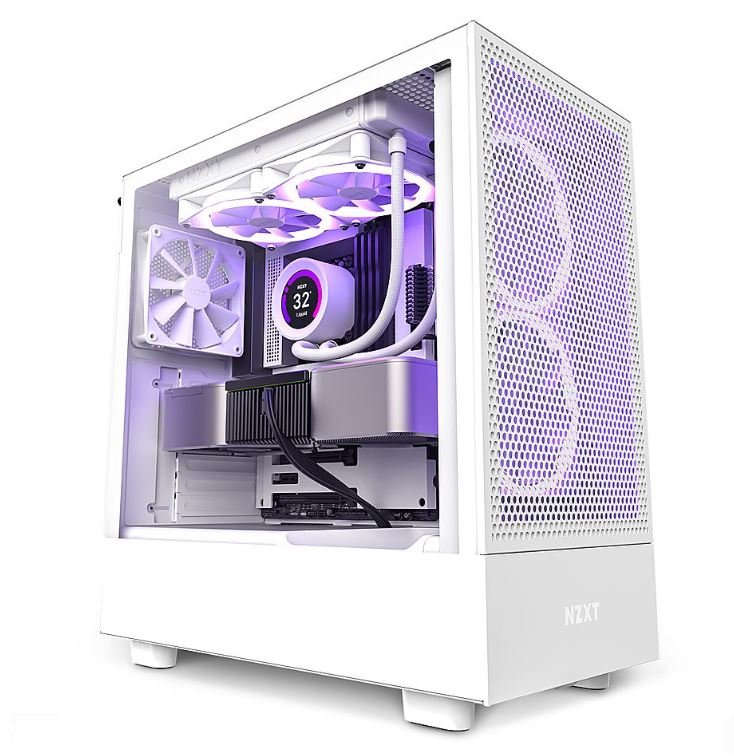
NZXT H5 Flow — Best for Clean Aesthetics
Price
Around $85–$95
Why It’s Good
The NZXT H5 Flow is one of the cleanest looking gaming cases currently available.
It focuses heavily on:
- aesthetics,
- cable management,
- and build quality.
The case includes:
- strong steel construction,
- tempered glass side panel,
- and excellent interior layout.
This case is especially popular for:
- minimalist gaming setups,
- RGB gaming PCs,
- and first-time builders.
Cable Management
NZXT cases are known for:
excellent cable management systems.
The H5 Flow includes:
- cable routing channels,
- organized cutouts,
- and rear cable space
which helps keep the setup looking:
- clean,
- professional,
- and organized.
Downside
The case only includes:
2x 120mm fans.
To get the best airflow performance, most gamers will need:
- additional intake fans.
This increases the total build cost.
Compared to the Montech Air 903:
- airflow is slightly more restricted,
- and out-of-box thermals are not as strong.
Verdict
Best budget case if you care heavily about aesthetics and clean cable management.
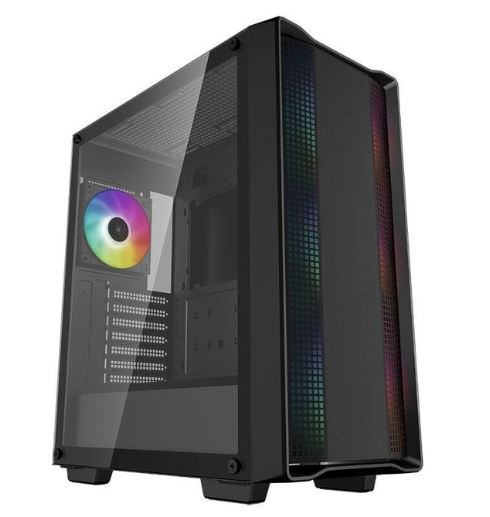
DeepCool CC560 — Best Ultra Budget PC Case
Price
Around $55–$65
Why It’s Good
The DeepCool CC560 is one of the cheapest airflow-focused gaming cases available.
Despite the low price, it still includes:
mesh front airflow
4x 120mm ARGB fans
which is impressive for the price range.
This makes it excellent for:
- ultra budget gaming builds,
- esports setups,
- and beginner PC gaming builds.
Build Quality and Cable Management
The main compromise comes from:
- thinner steel construction,
- tighter cable management space,
- and cheaper materials.
The case uses:
0.6mm steel
which can feel less sturdy compared to more premium cases.
Cable management space is also tighter, making routing:
- GPU cables,
- and 24-pin motherboard cables
slightly harder.
Downside
The:
- side panels can rattle,
- dust filters feel cheaper,
- and cable routing is more difficult.
Verdict
Best choice only if you are strictly limited to a very low budget.
It still gets the job done for gaming, but building inside it requires more patience.
Best Mid-Range PC Cases for FPS Gaming.
Mid-range gaming cases are the sweet spot for most gamers because they provide:
- excellent airflow,
- strong build quality,
- better cable management,
- and premium gaming features
without entering extreme high-end pricing.
These cases are excellent for:
- competitive FPS gaming,
- high airflow gaming PCs,
- streaming setups,
- and modern AAA gaming builds.
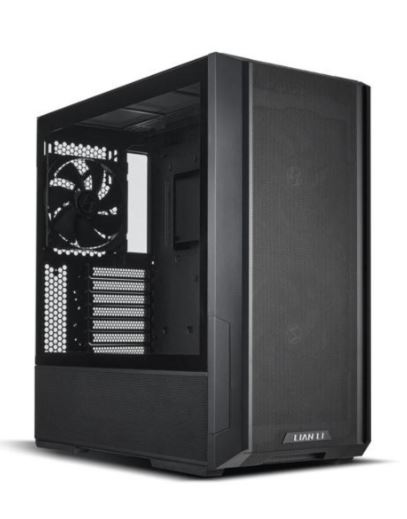
Lian Li Lancool 216 — Best Overall Mid-Range PC Case
Price
Around $99
Why It Wins
The Lian Li Lancool 216 is currently one of the best airflow-focused gaming cases in the mid-range category.
It includes:
massive 160mm front intake fans
140mm rear exhaust fan
mesh airflow front panel
The:
160mm intake fan
moves more air than:
- dual 120mm fans
while producing:
- lower temperatures,
- and less noise.
This gives the Lancool 216:
exceptional airflow performance.
Airflow Performance
Out of the box, this case has some of the best thermals in its price range.
It keeps:
- GPUs,
- CPUs,
- and motherboard temperatures
extremely cool even during:
- long gaming sessions,
- competitive gaming,
- and high-end hardware usage.
This makes it excellent for systems using:
- Ryzen 7 7900X3D,
- RTX 4070 Ti,
- and other powerful gaming components.
Build Quality and Cable Management
The case uses:
0.8mm steel construction
which gives it:
- strong panels,
- minimal flex,
- and a premium feel.
Cable management is also excellent with:
- 28mm rear cable space,
- dedicated SSD mounting,
- and clean cable routing.
Downside
The industrial front fan design may not appeal to everyone aesthetically.
The case is also:
quite wide
which may not fit smaller desk setups.
Verdict
Best mid-range gaming case overall for airflow, cooling, and thermals.
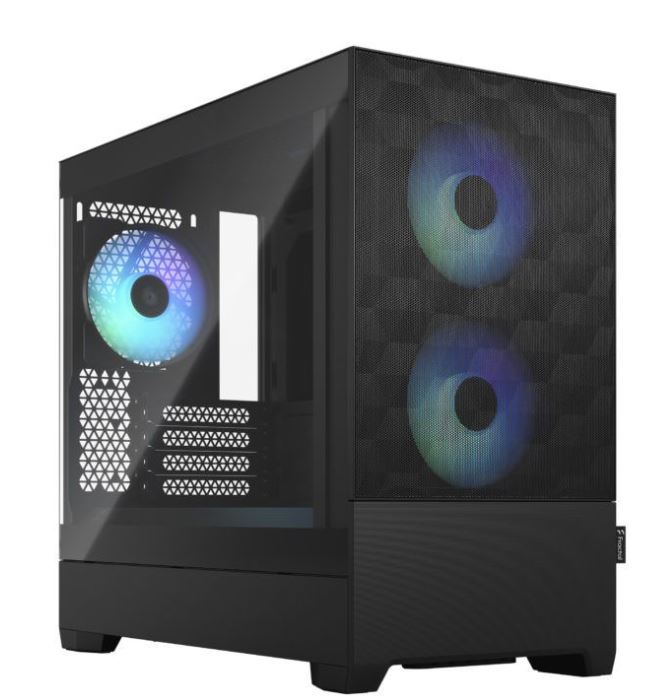
Fractal Pop Air — Best Balance of Looks and Airflow
Price
Around $95–$105
Why It’s Good
The Fractal Pop Air combines:
- clean aesthetics,
- premium build quality,
- and strong airflow performance.
Its Scandinavian-inspired design makes it one of the cleanest looking gaming cases currently available.
This case is excellent for:
- minimalist gaming setups,
- RGB gaming builds,
- and clean desk aesthetics.
Airflow and Cooling
The Fractal Pop Air includes:
2x 140mm front fans
which provide:
- strong airflow,
- quieter operation,
- and stable temperatures.
Thermals are slightly warmer than the Lancool 216 under heavy load, but still excellent for gaming.
Build Quality
Fractal cases are known for:
premium build quality.
The case includes:
- tool-less panels,
- removable dust filters,
- and excellent cable management support.
Building inside the case feels:
- clean,
- organized,
- and beginner friendly.
Downside
The included fan hub is basic, so many gamers manually configure fan curves in BIOS for optimal cooling.
Verdict
Best all-round mid-range case for aesthetics, airflow, and ease of building.
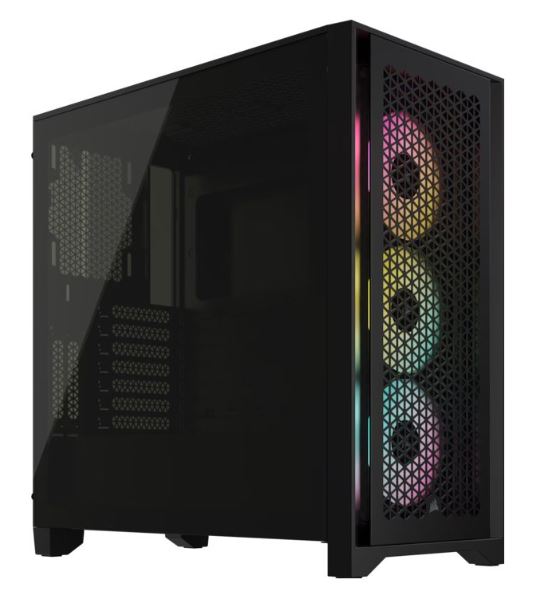
Corsair 4000D Airflow — Best Compact Mid-Range Case
Price
Around $90–$95
Why It’s Good
The Corsair 4000D Airflow is one of the most popular gaming PC cases because of its:
- compact size,
- clean appearance,
- and excellent cable management.
It is perfect for:
- smaller gaming setups,
- minimalist desk setups,
- and clean gaming builds.
Airflow Performance
The case includes:
only 2x 120mm fans
which is somewhat weak for modern high-performance gaming PCs.
Once additional fans are installed, airflow becomes much better and temperatures improve significantly.
Compared to the Lancool 216:
- stock thermals are warmer,
- but overall airflow is still decent.
Build Quality and Cable Management
Corsair’s cable management system is one of the best available.
The case includes:
- rear cable channels,
- removable PSU shroud,
- and organized routing paths
which makes the setup look:
- cleaner,
- more professional,
- and visually appealing.
Downside
To get the best thermals:
additional fans are highly recommended.
This increases the total build cost and slightly reduces the value compared to the other options.
Verdict
Best choice if you want a compact gaming case with excellent cable management and plan to upgrade cooling later.
BEST HIGH-END PC CASES FOR FPS GAMING
High-end gaming cases are designed for:
- premium airflow,
- extreme cooling,
- custom water cooling,
- better cable management,
- and powerful gaming hardware.
These cases are perfect for:
- enthusiast gaming PCs,
- streaming setups,
- showcase builds,
- and ultra high-end gaming systems.
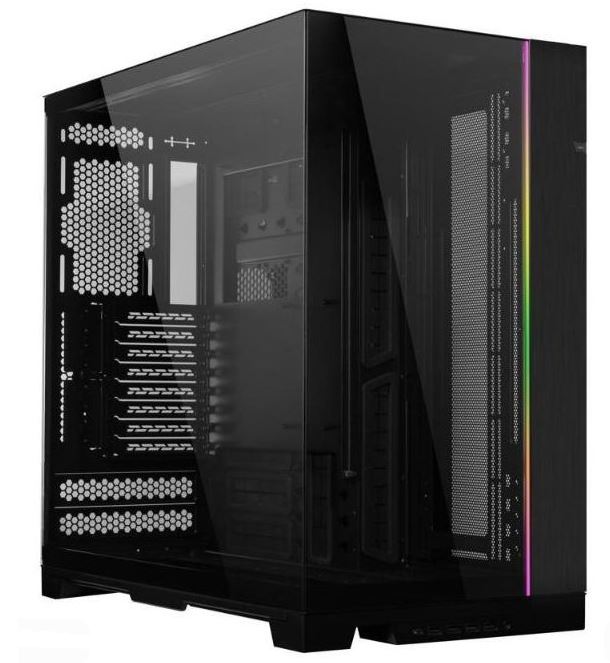
Lian Li O11 Dynamic EVO — Best Overall High-End PC Case
Price
Around $170–$180
Why It Wins
The Lian Li O11 Dynamic EVO is considered one of the best premium gaming PC cases because of its:
- flexibility,
- airflow potential,
- and premium build quality.
This case is essentially:
a blank canvas for enthusiasts.
You can configure it for:
- maximum airflow,
- water cooling,
- vertical GPU mounting,
- or fully custom cooling loops.
Airflow Performance
The O11 Dynamic EVO supports:
- top fans,
- bottom fans,
- and side-mounted fans
without heavily blocking airflow.
It supports:
3x 120mm or 140mm fans
on:
- the top,
- side,
- and bottom sections.
With a fully populated fan setup, this case delivers:
- incredible cooling,
- strong GPU thermals,
- and excellent airflow performance.
This makes it perfect for:
- high-end RTX builds,
- Ryzen X3D systems,
- and competitive gaming PCs.
Build Quality and Flexibility
The case uses:
1.0mm steel
aluminum trim
premium tempered glass panels
which gives it an extremely premium feel.
Cable management is excellent with:
- large rear cable space,
- removable backplate,
- and dual chamber layout.
The case also supports:
- inverted layouts,
- vertical GPUs,
- 420mm AIOs,
- and custom loops.
Verdict
Best overall high-end gaming case for airflow, customization, and enthusiast gaming builds.
Fractal North XL — Best Quiet High-End Case
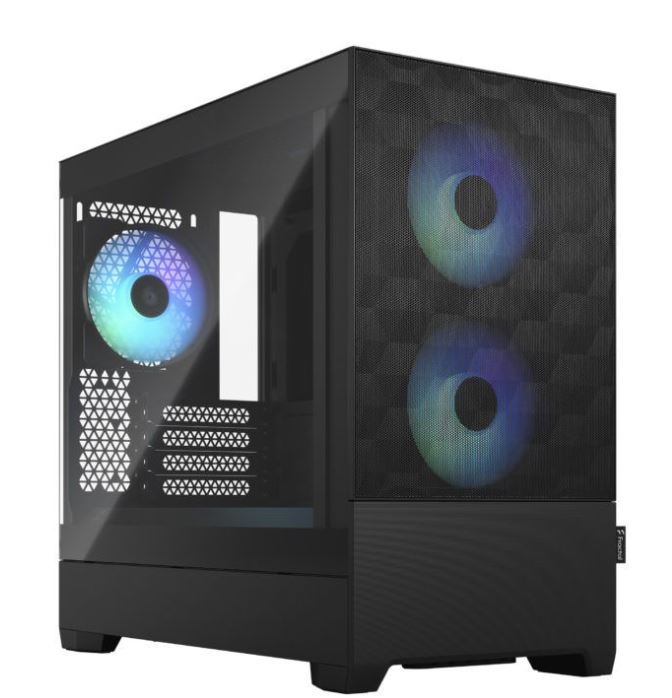
Price
Around $190–$210
Why It’s Good
The Fractal North XL focuses on:
- aesthetics,
- low noise,
- and premium build quality.
Its:
wood front panel
gives it one of the cleanest and most premium appearances among modern gaming cases.
This is the perfect case for gamers who prefer:
- clean setups,
- quiet gaming,
- and minimalist aesthetics
instead of aggressive RGB designs.
Cooling and Airflow
The Fractal North XL includes:
2x 180mm fans
which move large amounts of air while remaining:
- quieter,
- smoother,
- and less aggressive sounding.
Thermals remain excellent even during:
- long gaming sessions,
- high-end GPU usage,
- and CPU-heavy workloads.
Build Quality
The build quality is exceptional with:
- 1.0mm steel,
- real wood panels,
- and premium materials throughout.
The case feels:
- sturdy,
- luxurious,
- and extremely well built.
It also supports:
- large GPUs,
- E-ATX motherboards,
- and 420mm AIO coolers.
Downside
The wooden front design limits:
RGB visibility
compared to glass-focused gaming cases.
Airflow is also slightly more restricted compared to fully mesh cases.
Verdict
Best high-end gaming case for quiet gaming setups and premium aesthetics.
HYTE Y70 — Best Showcase Gaming Case
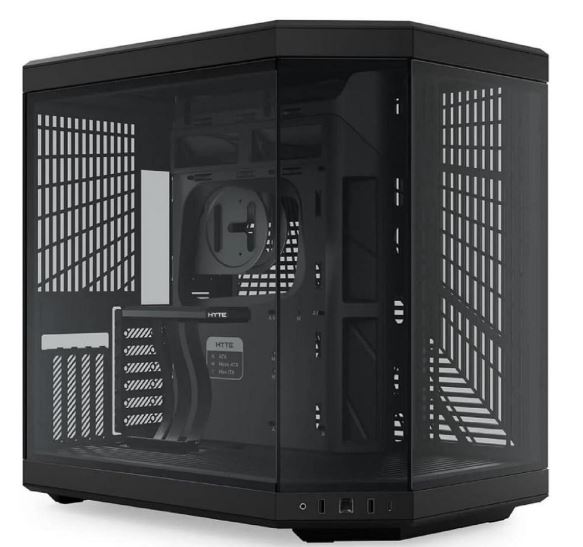
Price
Around $200–$220
Why It’s Good
The HYTE Y70 is built mainly for:
showcase gaming PCs.
Its:
- panoramic tempered glass panels,
- dual chamber layout,
- and modern design
make gaming setups look extremely clean and premium.
This case is especially popular for:
- RGB gaming builds,
- aesthetic gaming setups,
- and streaming PCs.
Airflow Performance
The HYTE Y70 uses:
- bottom intake,
- side intake,
- and top exhaust airflow.
Cooling performance is decent, but because of the:
large glass panels,
temperatures can run warmer than airflow-focused mesh cases.
To match cases like the O11 EVO:
stronger and faster fans are usually needed.
This can:
- increase noise,
- and slightly increase build cost.
Build Quality and Features
The HYTE Y70 includes:
thick tempered glass
strong steel construction
premium finish
Some versions also include:
a 14.5-inch integrated side display
for additional customization.
Cable management remains good because of the:
- dual chamber layout,
- though rear space can feel tighter.
Downside
The biggest downsides are:
- higher price,
- warmer thermals,
- and additional cooling requirements.
Verdict
Best high-end PC case for aesthetic showcase gaming builds and RGB setups.
Common PC Case Mistakes for FPS Gaming
A gaming PC case affects:
- airflow,
- temperatures,
- cable management,
- and overall gaming stability.
Choosing the wrong case can lead to:
- overheating,
- thermal throttling,
- loud fan noise,
- and poor gaming performance.
Here are some common mistakes gamers make when choosing a PC case.
Prioritizing RGB Over Airflow
One of the biggest mistakes beginners make is choosing a case only because it:
- looks flashy,
- has lots of RGB,
- or uses large glass panels.
Some beautiful gaming cases actually have:
terrible airflow.
This causes:
- higher GPU temperatures,
- hotter CPUs,
- louder fans,
- and unstable gaming performance.
For FPS gaming, airflow should always come first.
Mesh-front gaming cases usually provide:
much better cooling
than closed-front RGB-focused cases.
Buying a Case Too Small for Hardware
Modern gaming GPUs are becoming:
- larger,
- thicker,
- and hotter.
Many beginners accidentally buy compact cases that:
- cannot fit large GPUs,
- block radiator space,
- or restrict airflow.
Always check:
- GPU clearance,
- CPU cooler clearance,
- motherboard compatibility,
- and radiator support
before buying a gaming case.
This is especially important for:
- RTX 4070/4080 cards,
- Ryzen X3D builds,
- and high-end gaming systems.
Poor Fan Configuration
Some gamers install fans incorrectly which creates:
- poor airflow,
- trapped heat,
- and dust buildup.
The best airflow setups usually use:
positive airflow
or
balanced airflow.
This helps:
- cool components properly,
- reduce dust,
- and improve thermals.
Random fan placement can actually:
make cooling worse.
If you use:
- powerful CPUs,
- high-end GPUs,
- or overclocked systems,
good airflow planning becomes extremely important.
Conclusion
A good gaming PC case is much more than just aesthetics.
The right case helps improve:
- airflow,
- cooling,
- hardware temperatures,
- cable management,
- and overall gaming stability.
Even though PC cases do not directly increase FPS, they help maintain:
stable performance
by reducing:
- thermal throttling,
- overheating,
- and excessive fan noise.
For most gamers:
airflow-focused mesh cases
are the best option because they provide:
- cooler temperatures,
- better GPU thermals,
- and smoother long gaming sessions.
Budget gamers can still get excellent airflow cases at affordable prices, while high-end enthusiasts may prefer:
- showcase cases,
- custom watercooling support,
- or premium aesthetics.
The most important thing is choosing a PC case that properly supports:
- your motherboard size,
- GPU size,
- cooling setup,
- and future upgrades.
If you want to optimize your gaming PC further, also check out:
- Best Gaming Motherboard for FPS Gaming (2026 Guide)
- NVIDIA vs AMD GPUs for FPS Games (2026 Guide)
- Best Budget RAM for FPS Gaming (2026 Guide)
for a more balanced and high-performance gaming setup.