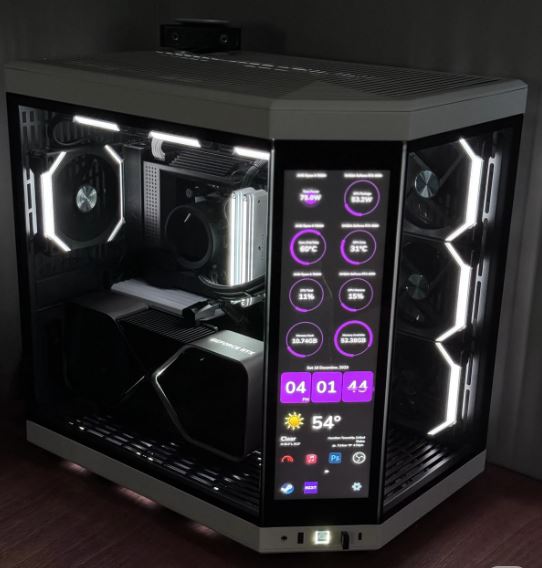
The motherboard is one of the most important components in a gaming PC because without the right motherboard, your setup will not function properly or perform efficiently.
The motherboard is what connects all the parts of the PC together and allows them to communicate with each other.
Components connected directly to the motherboard include:
- the CPU,
- GPU,
- RAM,
- SSD,
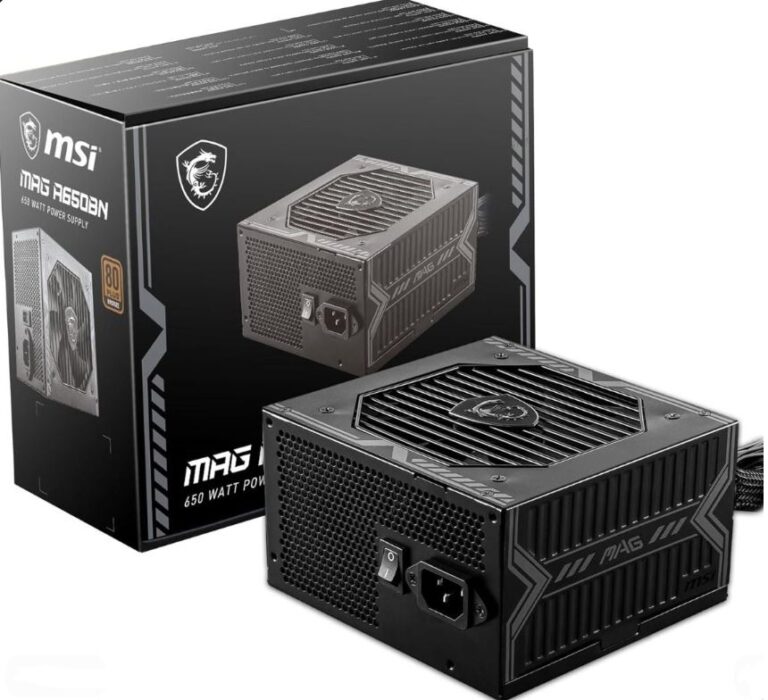
- power supply,
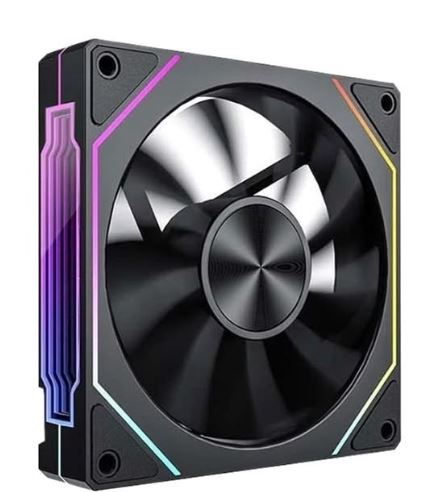
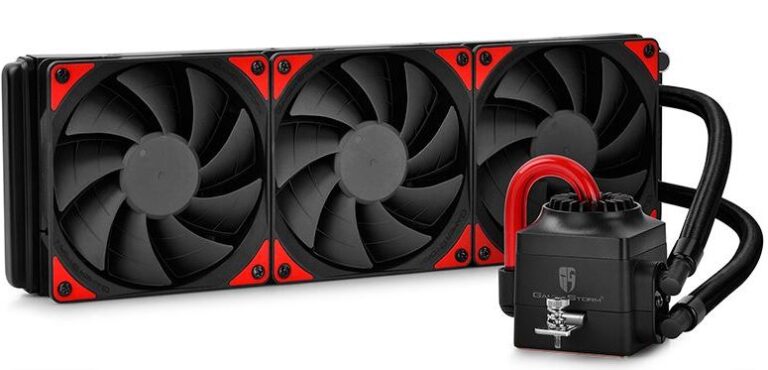
- cooler fans,
- and other PC hardware.
That is why choosing the right motherboard for your gaming setup is extremely important.
Since the motherboard controls communication and power distribution across the entire system, a good motherboard helps improve:
- system stability,
- RAM compatibility,
- upgrade flexibility,
- and overall gaming performance.
Before choosing a gaming motherboard, there are some important things you need to understand.
RAM Compatibility
RAM comes in different generations, mainly:
- DDR4
- and DDR5.
Each RAM generation requires a compatible motherboard.
For example:
- DDR4 RAM only works on DDR4-supported motherboards,
- while DDR5 RAM requires DDR5-compatible motherboards.
That is why it is important to know which RAM generation your motherboard supports before building your gaming PC.
If you want to know more about gaming RAM performance, check out the Best Budget RAM for FPS Gaming (2026 Guide).
CPU Compatibility
The CPU is installed directly into the motherboard, so compatibility is very important.
Different CPUs require different motherboard sockets.
For example:
- AMD Ryzen CPUs use:
- AM4
- and AM5 sockets
while Intel CPUs use:
- LGA1700 motherboards.
This means not every motherboard works with every CPU.
That is why researching the best motherboard for your gaming setup is extremely important before buying PC components.
Everything about:
- motherboard compatibility,
- RAM support,
- CPU sockets,
- and gaming performance
will be explained further in this article.
WHY MOTHERBOARDS MATTER FOR FPS GAMING
Not all motherboards are built the same. Different motherboards come with different features, upgrade options, and performance capabilities.
Some motherboards include:
- more USB and Type-C ports,
- multiple PCIe Gen4 or Gen5 SSD slots,
- stronger VRMs for stable power delivery,
- RAM overclocking support,
- and CPU overclocking support.
Others may have:
- fewer RAM slots,
- weaker cooling,
- limited upgrade options,
- or fewer expansion features.
That is why FPS gamers, PC enthusiasts, and competitive gamers are very careful when choosing the right motherboard for their gaming setup.
Stability Matters for FPS Gaming
FPS gamers care heavily about:
- stable FPS,
- frame pacing,
- lower temperatures,
- and system stability.
A good motherboard helps support all these things by properly handling:
- CPU power delivery,
- RAM stability,
- SSD speeds,
- and overall hardware communication.
This helps your gaming setup run:
- smoother,
- cooler,
- and more consistently during long gaming sessions.
RAM and CPU Support
Many gamers choose motherboards that support:
DDR4 RAM
or
DDR5 RAM
because RAM speed and stability are important for:
- smoother gameplay,
- better multitasking,
- and stable frame pacing.
Some motherboards also allow:
RAM overclocking
which can slightly improve:
- gaming responsiveness,
- memory performance,
- and system smoothness.
Overclocking Support
Some motherboards support:
CPU overclocking
which allows gamers to increase CPU clock speeds for more gaming performance.
This is especially useful for:
- competitive gaming,
- esports titles,
- and CPU-intensive games like:
- Valorant,
- CS2,
- Fortnite,
- and League of Legends.
Overclocking-capable motherboards usually have:
- stronger VRMs,
- better cooling,
- and more stable power delivery.
Motherboards Do NOT Directly Increase FPS
One important thing to understand is:
motherboards do not directly increase FPS massively.
However, a good motherboard helps improve:
- system stability,
- thermals,
- upgrade flexibility,
- RAM performance,
- and overall hardware efficiency.
When paired with:
- the right CPU,
- fast RAM,
- and a strong GPU,
a good motherboard helps create a smoother and more reliable gaming experience overall.
AMD VS INTEL MOTHERBOARDS
The two major CPU brands:
- AMD
- and Intel
do not use the same motherboards.
This difference mainly comes from:
- CPU sockets,
- motherboard chipsets,
- RAM compatibility,
- and upgrade paths.
Even though AMD and Intel motherboards may look similar physically, the:
- CPUs they support,
- upgrade flexibility,
- and motherboard features
can be very different in 2026.
AMD MOTHERBOARDS
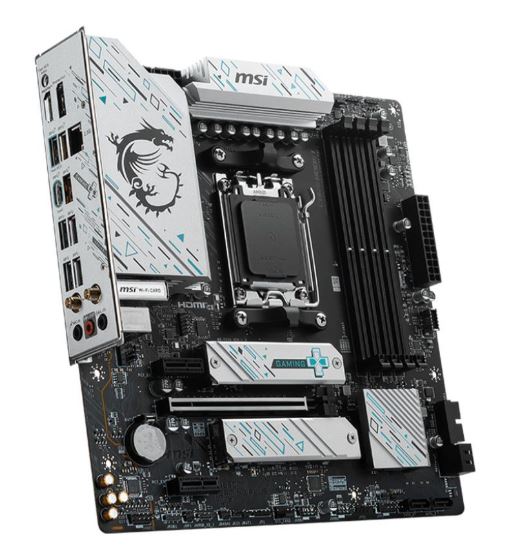
AM5 Motherboards
AM5 is AMD’s newest motherboard platform for modern Ryzen gaming CPUs.
Supports:
- Ryzen 7000 processors
- Ryzen 9000 processors
Features
- Pins are located on the motherboard, not the CPU
- Supports DDR5 RAM
- Supports PCIe Gen5 SSDs
- Uses 600-series and 800-series chipsets
Best For
- High-end Ryzen gaming PCs
- Future-proof gaming builds
- DDR5 gaming setups
- Competitive FPS gaming
One major advantage of AM5 motherboards is:
long-term upgrade support
which allows gamers to upgrade future Ryzen CPUs without replacing the motherboard.
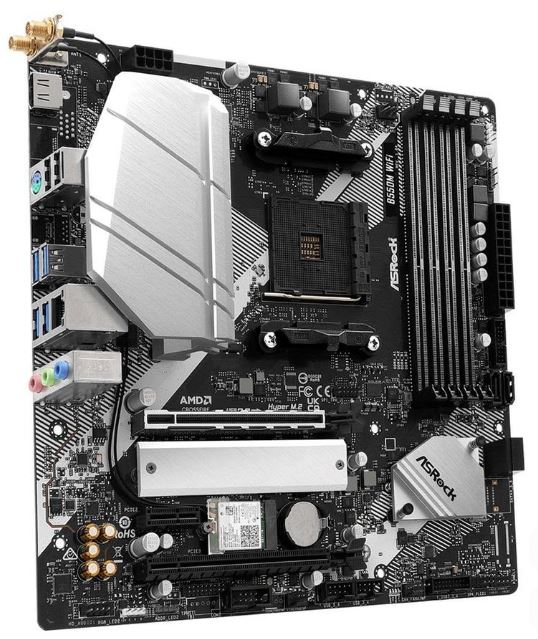
AM4 Motherboards
AM4 motherboards are the older Ryzen platform but are still extremely popular for budget gaming PCs.
Supports:
- Ryzen 5000 processors
Features
- CPU pins are located directly on the processor
- Supports DDR4 RAM
- Uses 400-series and 500-series chipsets
Best For
- Budget gaming builds
- DDR4 gaming systems
- Affordable FPS gaming PCs
Even though AM4 is now considered a legacy platform, it still provides:
- excellent gaming performance,
- strong value,
- and cheaper upgrade options.
This is why many budget gamers still choose AM4 systems in 2026.
INTEL MOTHERBOARDS
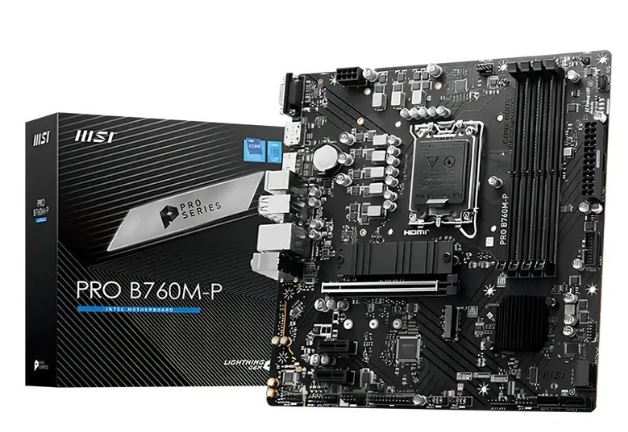
LGA1700 Motherboards
LGA1700 is Intel’s motherboard socket for:
- 12th Gen CPUs,
- 13th Gen CPUs,
- and 14th Gen processors.
LGA means:
Land Grid Array
which means:
- the pins are located on the motherboard,
- not on the CPU itself.
The CPU uses flat contact pads that connect directly to the motherboard pins.
The:
“1700”
represents the number of contact points on the socket.
Because of this, LGA1700 is physically larger than older Intel sockets like:
- LGA1200.
Compatible Intel CPU Generations
12th Gen — Alder Lake
- Intel Core i3-12100
- up to Intel Core i9-12900K
13th Gen — Raptor Lake
- Intel Core i3-13100
- up to Intel Core i9-13900KS
14th Gen — Raptor Lake Refresh
- Intel Core i3-14100
- up to Intel Core i9-14900KS
Intel Motherboard Features
Intel LGA1700 motherboards can support:
- DDR4 RAM
- or DDR5 RAM
depending on the motherboard version.
This gives gamers:
- more flexibility,
- easier upgrades,
- and multiple budget options.
Intel motherboards are excellent for:
- esports gaming,
- CPU-intensive games,
- and high FPS gaming setups.
If you want to understand more about Intel and AMD gaming performance, check out:
BEST BUDGET MOTHERBOARDS FOR FPS GAMING
If you are building a budget gaming PC in 2026, choosing the right motherboard is extremely important because it determines:
- CPU compatibility,
- RAM support,
- upgrade path,
- SSD support,
- and overall system stability.
For pure budget gaming builds, these are some of the best gaming motherboards currently available.
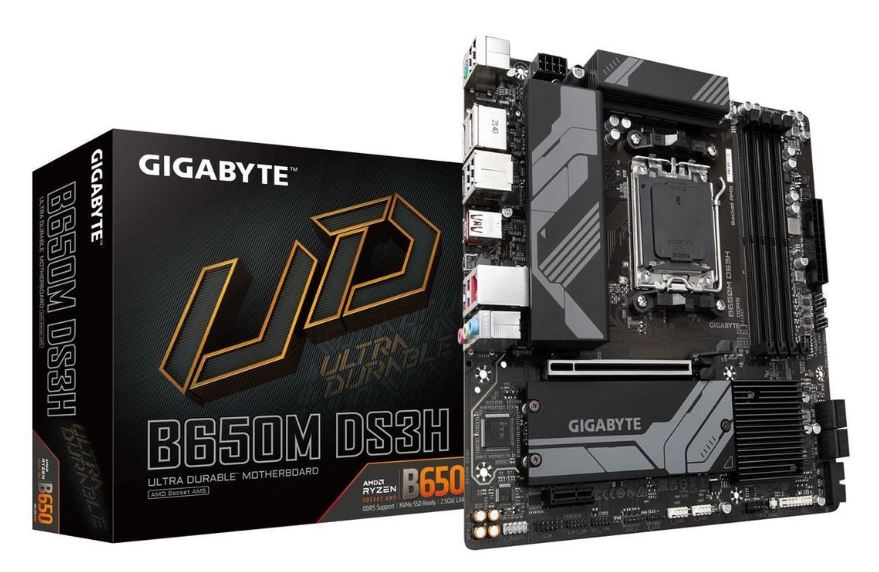
Gigabyte B650M DS3H — Best Overall Budget Motherboard
Price
Around $95–$110
Platform
- AM5
- DDR5 only
Why It Wins
The Gigabyte B650M DS3H is currently one of the best budget motherboards for new Ryzen gaming builds because it gives gamers the cheapest entry into:
the AM5 platform.
Features include:
- PCIe Gen5 NVMe support,
- DDR5-6000 EXPO support,
- and future Ryzen CPU upgrade support.
This motherboard works extremely well with CPUs like:
- Ryzen 5 7500F,
- Ryzen 5 7600,
- and Ryzen 7 7700.
It is perfect for:
- budget AM5 gaming builds,
- competitive FPS gaming,
- and future-proof gaming PCs.
Downside
The:
6+2+1 VRM setup
is basic and not ideal for extremely power-hungry CPUs like:
- Ryzen 9 9950X3D.
It also has:
- limited rear USB ports,
- no USB4,
- and fewer premium features.
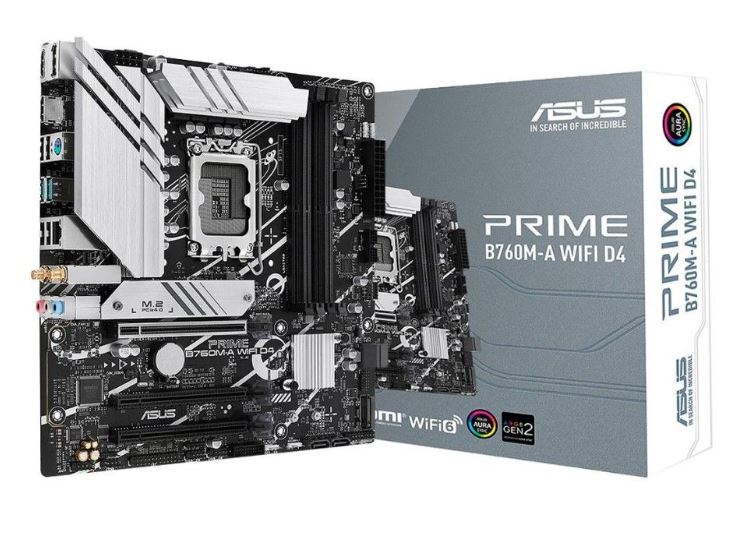
ASUS Prime B760M-A — Best Intel Budget Motherboard
Price
Around $90–$120
Platform
- LGA1700
- DDR4 or DDR5 versions available
Why It’s Good
The ASUS Prime B760M-A is one of the best budget Intel motherboards for FPS gaming because it offers:
- stronger VRMs,
- better cooling,
- and better rear I/O
compared to many budget boards.
The B760 chipset can comfortably run CPUs like:
- Intel Core i5-13600K,
- and Intel Core i5-14600K
without major thermal issues.
The:
DDR4 version
is excellent for cheaper gaming builds,
while the:
DDR5 version
offers better long-term performance.
Downside
One downside is that:
LGA1700 is near end-of-life.
This means future Intel CPUs may require a completely new motherboard platform.
Also:
- the DDR5 version costs more,
- while the DDR4 version limits future RAM upgrades.
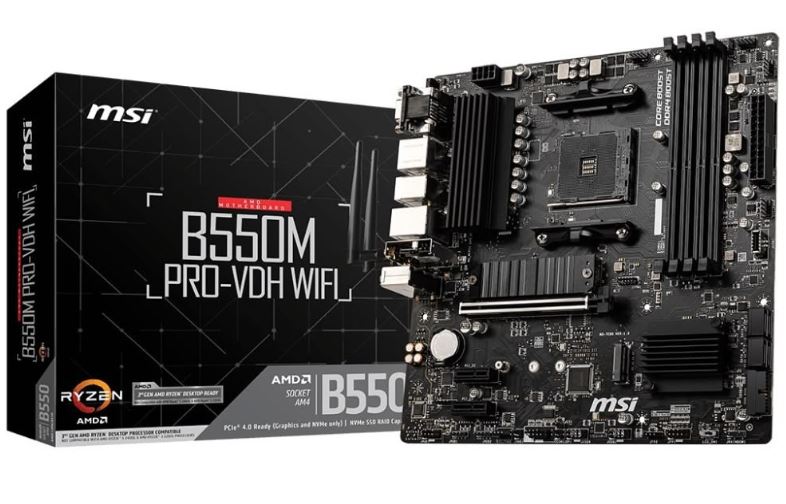
MSI B550M PRO-VDH — Best Ultra Budget Motherboard
Price
Around $70–$85
Platform
- AM4
- DDR4 only
Why It’s Good
The MSI B550M PRO-VDH has become one of the most popular ultra-budget gaming motherboards because of its:
- excellent value,
- solid VRMs,
- and stable gaming performance.
Its:
8+2 VRM design
is surprisingly strong for the price and can comfortably handle CPUs like:
- Ryzen 7 5800X3D.
This motherboard is perfect for:
- budget esports gaming,
- older Ryzen builds,
- and affordable FPS gaming PCs.
Downside
AM4 is now considered a legacy platform.
The:
Ryzen 7 5800X3D
is essentially the final major upgrade for the AM4 socket.
This motherboard also lacks:
- DDR5 support,
- PCIe Gen5,
- and future upgrade flexibility.
Which Budget Motherboard Should You Choose?
Choose the Gigabyte B650M DS3H if you want:
- AM5 support,
- DDR5 memory,
- and future CPU upgrades.
Choose the ASUS Prime B760M-A if you want:
- a strong Intel gaming build,
- esports performance,
- and flexible DDR4/DDR5 options.
Choose the MSI B550M PRO-VDH if you want:
- the cheapest gaming motherboard possible,
- strong AM4 value,
- and affordable competitive gaming performance.
BEST MID-RANGE MOTHERBOARDS FOR FPS GAMING
These motherboards are all excellent mid-range gaming boards, but they target different CPU platforms.
Your choice mainly depends on:
- the CPU you are using,
- your upgrade plans,
- and whether you prefer AMD or Intel.
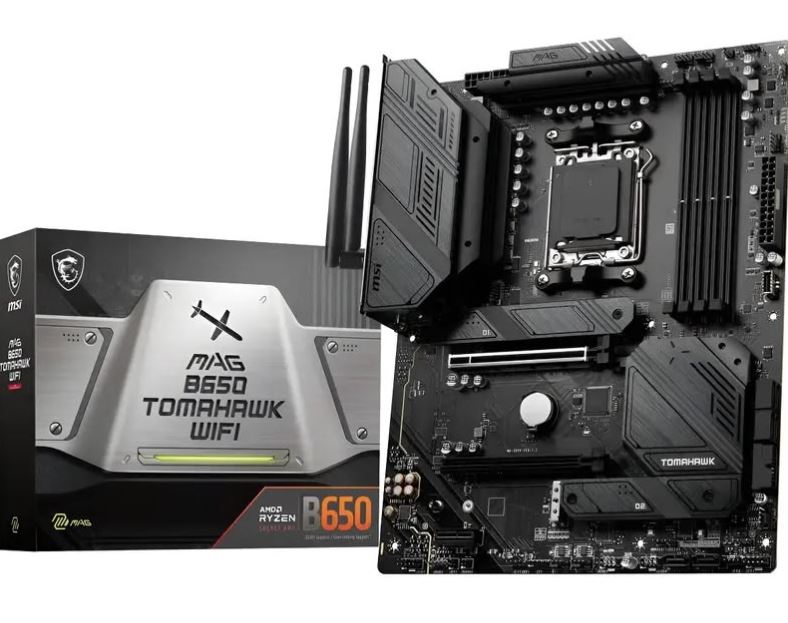
MSI MAG B650 Tomahawk WiFi — Best Overall Mid-Range Motherboard
Price
Around $180–$200
Platform
- AM5
- DDR5 only
Why It Wins
The MSI MAG B650 Tomahawk WiFi is currently one of the best all-round AM5 gaming motherboards because it combines:
- strong VRMs,
- excellent cooling,
- future upgrade support,
- and premium gaming features.
It comes with:
14+2+1 Phase 80A VRM
which is powerful enough to comfortably run high-end CPUs like:
- Ryzen 9 9950X3D.
Features include:
- PCIe Gen5 NVMe support,
- 2.5G LAN,
- WiFi 6E,
- BIOS Flashback,
- and strong rear I/O connectivity.
Why FPS Gamers Love It
This motherboard is excellent for:
- competitive FPS gaming,
- high refresh rate gaming,
- streaming,
- and future upgrades.
One major advantage is:
AM5 future-proof support.
AMD plans to support the AM5 platform for several more years, meaning you may upgrade future Ryzen CPUs without replacing the motherboard.
Verdict
Best overall mid-range motherboard for AMD gaming builds.
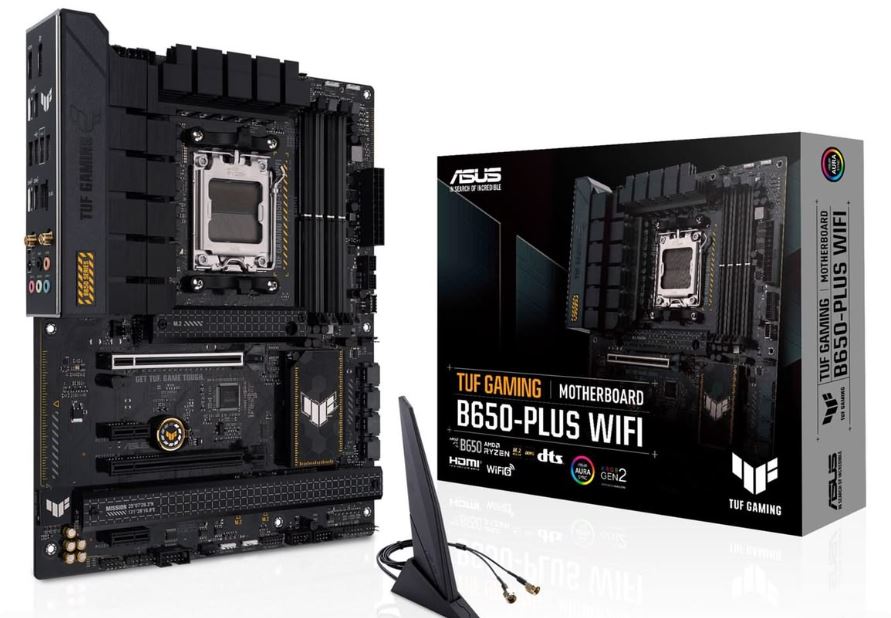
ASUS TUF Gaming B650-Plus WiFi — Best Build Quality
Price
Around $170–$190
Platform
- AM5
- DDR5 only
Why It’s Good
The ASUS TUF Gaming B650-Plus WiFi focuses heavily on:
- durability,
- cooling quality,
- and component reliability.
It uses:
12+2 Phase 60A VRM
which is still strong enough for CPUs like:
- Ryzen 7 7900X3D,
- and Ryzen 7 9700X3D.
ASUS TUF motherboards are popular because they include:
- stronger heatsinks,
- military-grade components,
- and solid audio quality.
This motherboard is excellent for:
- long gaming sessions,
- stable thermals,
- and reliable gaming performance.
Downside
Compared to the MSI Tomahawk:
- rear USB ports are fewer,
- early revisions lacked BIOS Flashback,
- and VRMs are slightly weaker.
Verdict
Best choice if you care more about motherboard durability and component quality.
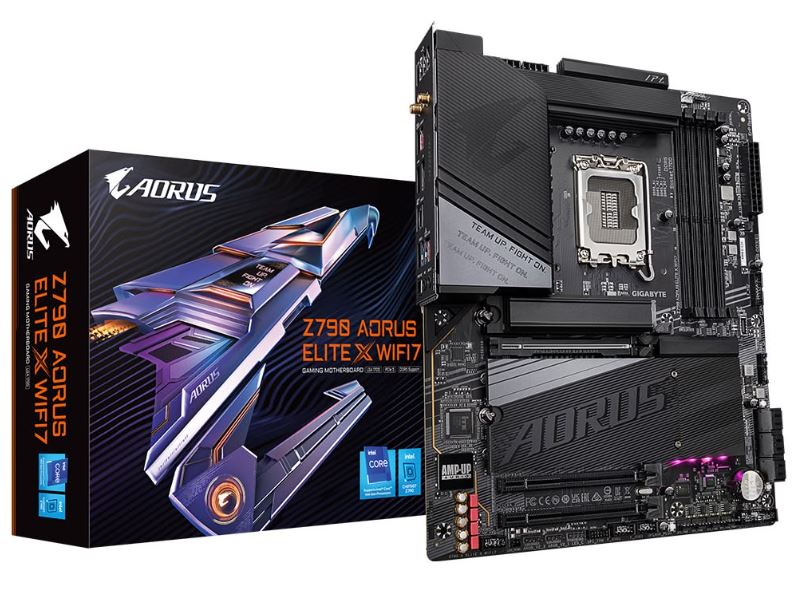
Gigabyte Z790 Aorus Elite — Best Mid-Range Intel Motherboard
Price
Around $220–$240
Platform
- LGA1700
- DDR5 only
Why It’s Good
The Gigabyte Z790 Aorus Elite is one of the strongest mid-range Intel gaming motherboards currently available.
It features:
16+1+2 Phase 70A VRM
which is powerful enough for CPUs like:
- Intel Core i7-14700K,
- and Intel Core i9-14900K.
Features include:
- PCIe Gen5 NVMe support,
- 2.5G LAN,
- strong BIOS support,
- and excellent gaming stability.
This motherboard is perfect for:
- high FPS gaming,
- esports gaming,
- and Intel gaming builds.
Downside
The main issue is:
LGA1700 has no major future upgrade path after 14th Gen Intel CPUs.
Also:
- Intel high-end CPUs consume more power,
- generate more heat,
- and often require strong cooling like:
- a 360mm AIO cooler.
Verdict
Excellent if you already own a 13th or 14th Gen Intel CPU or find a strong deal.
However, for completely new gaming builds in 2026:
AM5 generally provides a better future upgrade path.
BEST HIGH-END MOTHERBOARDS FOR FPS GAMING
High-end motherboards are built for:
- extreme gaming performance,
- heavy overclocking,
- strong power delivery,
- and future high-end PC builds.
These boards are designed for gamers who want:
- the best thermals,
- premium features,
- faster RAM support,
- and maximum stability during long gaming sessions.
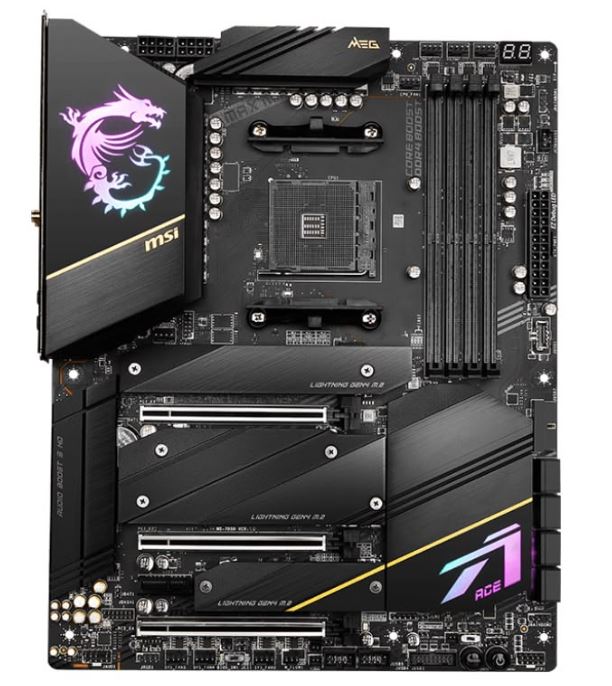
MSI MEG Z790 ACE — Best for Maximum Performance
Price
Around $699–$709
Platform
- Intel LGA1700
- DDR5 only
Why It Wins
The MSI MEG Z790 ACE is one of the strongest high-end Intel gaming motherboards currently available.
It is especially popular among:
- competitive gamers,
- overclockers,
- and high refresh rate gaming enthusiasts.
One major reason this board performs so well is:
exceptional DDR5 memory overclocking.
It can commonly achieve:
8000–9000 MT/s DDR5 speeds
which is excellent for:
- 1080p competitive gaming,
- esports titles,
- and ultra high refresh rate gaming like:
- 240Hz,
- 360Hz,
- and higher.
Premium Features
The MSI MEG Z790 ACE includes:
- 2x Thunderbolt 4 ports,
- WiFi 7 support on MAX versions,
- 5x M.2 SSD slots,
- PCIe Gen5 NVMe support,
- and dual 2.5G LAN.
This motherboard is built for:
- extreme multitasking,
- high-end gaming,
- streaming,
- and heavy workloads.
Downside
The biggest downside is:
LGA1700 has reached end-of-life.
There are no major CPU upgrades expected after Intel 14th Gen processors.
This means future Intel CPU upgrades will likely require:
- a completely new motherboard platform.
Verdict
Best choice if you want the absolute highest Intel gaming performance right now.
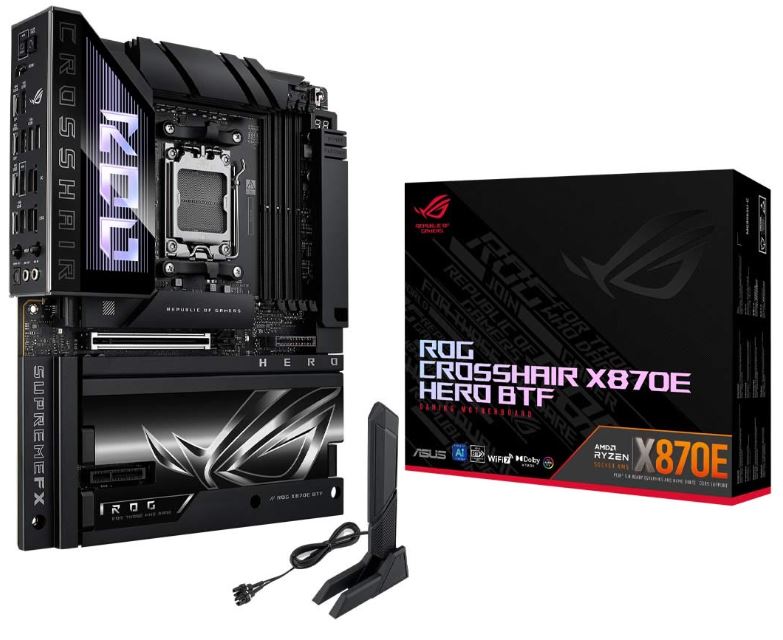
ASUS ROG Crosshair X670E Hero — Best High-End AMD Motherboard
Price
Around $699.99
Platform
- AMD AM5
- DDR5 only
Why It’s Great
The ASUS ROG Crosshair X670E Hero is one of the best premium AM5 motherboards for Ryzen gaming builds.
It features:
20+2 Phase 110A VRM
which is powerful enough to comfortably handle CPUs like:
- Ryzen 9 9950X3D
even during:
- overclocking,
- gaming,
- and heavy workloads.
This motherboard is excellent for:
- high-end FPS gaming,
- streaming,
- multitasking,
- and future Ryzen upgrades.
Premium Features
Features include:
- PCIe Gen5 GPU support,
- PCIe Gen5 NVMe SSD support,
- USB4,
- WiFi 6E,
- and 5x M.2 SSD slots.
One major advantage is:
AM5 future support.
AMD plans to support the AM5 platform for several more years, allowing gamers to upgrade future Ryzen CPUs without replacing the motherboard.
Downside
Compared to Intel Z790 boards, AM5 motherboards currently have:
- lower DDR5 memory overclocking limits.
Most AM5 systems typically stabilize around:
7200–7600 MT/s
which is lower than extreme Intel DDR5 overclocking setups.
Verdict
Best high-end motherboard for gamers who want:
- long-term upgrade flexibility,
- Ryzen gaming performance,
- and future-proof gaming builds.
COMMON MOTHERBOARD MISTAKES FOR FPS GAMING
Choosing the wrong motherboard can cause:
- instability,
- poor upgrade options,
- overheating,
- and wasted money.
Here are some common mistakes gamers make when building a gaming PC.
Buying the Wrong Socket Motherboard
One of the biggest mistakes beginners make is buying a motherboard that is not compatible with their CPU.
For example:
- AM5 motherboards only support newer Ryzen CPUs,
- while Intel LGA1700 boards support Intel 12th, 13th, and 14th Gen processors.
This means:
not every CPU works with every motherboard.
Before buying, always check:
- CPU socket compatibility,
- chipset support,
- and RAM compatibility.
Overspending on a Motherboard
Many gamers spend too much money on extremely expensive motherboards while using:
- budget CPUs,
- mid-range GPUs,
- or slow RAM.
For example:
buying a $700 motherboard for a Ryzen 5 5600G build makes little sense.
A motherboard should match the:
- overall gaming setup,
- CPU level,
- and upgrade plans.
Sometimes it is smarter to invest more money into:
- the GPU,
- CPU,
- or SSD
instead of overspending on motherboard features you may never use.
Ignoring VRM and Cooling Quality
Some cheap motherboards come with weak:
- VRMs,
- heatsinks,
- and poor power delivery.
This can cause:
- thermal throttling,
- unstable FPS,
- overheating,
- and reduced CPU performance.
This is especially important for:
- high-end CPUs,
- overclocking,
- and competitive gaming builds.
A motherboard with good VRMs helps maintain:
- stable power,
- cooler temperatures,
- and smoother gaming performance.
CONCLUSION
The motherboard is the foundation of every gaming PC because it connects and powers all the major hardware components together.
Even though motherboards do not directly increase FPS, they are extremely important for:
- system stability,
- RAM support,
- CPU compatibility,
- SSD performance,
- and future upgrades.
For budget gamers:
AM4 and B550 motherboards
still offer excellent value.
For modern and future-proof gaming builds:
AM5 motherboards
are currently some of the best choices because they support:
- DDR5 RAM,
- PCIe Gen5 SSDs,
- and future Ryzen CPU upgrades.
Intel motherboards still remain excellent for:
- esports gaming,
- high FPS gaming,
- and strong CPU performance,
especially for competitive titles like:
- Valorant,
- CS2,
- and Fortnite.
The most important thing is choosing a motherboard that properly matches:
- your CPU,
- RAM,
- SSD,
- and gaming goals.
If you are building a gaming PC, also check out:
- Best Budget RAM for FPS Gaming (2026 Guide)
- Best SSD for FPS Gaming (2026 Guide)
- NVIDIA vs AMD GPUs for FPS Games (2026 Guide)
for a more balanced and optimized gaming setup.