The SSD (Solid State Drive) is the modern and much faster upgrade to the older HDD (Hard Disk Drive). Since SSDs became mainstream, HDDs have slowly become outdated for gaming PCs because of how much slower they are.
Storage devices are responsible for storing:
- Windows,
- videogames,
- applications,
- and other important files.
The reason SSDs became so popular is because of their incredible speed compared to traditional hard drives.
When gaming on an HDD, you may notice:
- very long loading times,
- textures loading slowly,
- delayed game assets,
- stuttering during transitions,
- and games looking incomplete for a few seconds while assets load.
This happens because HDDs are significantly slower at reading and transferring game data. SSDs on the other hand load information much faster, helping improve:
- game loading times,
- Windows responsiveness,
- texture streaming,
- multitasking,
- and overall gaming smoothness.
Compared to HDDs, SSDs can be:
5–10x faster
depending on the type of SSD you use.
That is why modern gaming PCs should always use:
SSD storage
especially for:
- Windows installation,
- videogames,
- and important applications.
You can still use an HDD for:
- movies,
- documents,
- backups,
- and other less important files,
but for gaming performance and responsiveness, SSDs are now the standard. If you want smoother gaming performance overall, pairing a fast SSD with the right CPU and RAM setup is very important. Check out:
to better optimize your gaming setup.
WHY SSD MATTERS FOR FPS GAMING
In FPS gaming, smooth gameplay and fast responsiveness are extremely important. That is why upgrading to an SSD is one of the best upgrades you can make for your gaming PC. Even though SSDs do not directly increase FPS, they massively improve:
- loading speeds,
- game responsiveness,
- texture streaming,
- and overall gaming smoothness.
Drastically Reduces Loading Times
One of the biggest advantages of using an SSD is the huge reduction in loading times. Because SSDs are extremely fast, they can load:
- maps,
- weapons,
- skins,
- textures,
- shadows,
- and game assets
within seconds. Compared to HDDs, SSDs make games feel much faster and smoother. You no longer need to:
- wait several minutes for maps to load,
- deal with delayed textures,
- or experience slow transitions during gameplay.
This is especially noticeable in:
- large multiplayer games,
- open-world games,
- and modern AAA titles.
Better Windows Responsiveness
Installing Windows on an SSD makes a massive difference in everyday PC performance.
If you previously used an HDD, you will immediately notice:
- faster boot times,
- quicker wake times,
- faster app launches,
- smoother multitasking,
- and better overall responsiveness.
Windows feels significantly faster when running on an SSD because files and applications load almost instantly. This improves the entire gaming experience, not just games themselves.
Better Open-World Performance
In open-world games, SSDs are extremely important because they constantly load:
- textures,
- terrain,
- buildings,
- NPCs,
- and world assets
while you move around the game. With an SSD, the world loads much more smoothly and seamlessly.
You are less likely to experience:
- missing textures,
- blurry environments,
- delayed object loading,
- or characters loading incorrectly.
Games feel:
- smoother,
- more immersive,
- and more responsive
because the SSD can quickly stream game assets in real time.
Important Clarification About SSDs
Even though SSDs improve:
- loading times,
- texture streaming,
- Windows responsiveness,
- and open-world smoothness,
they do:
NOT directly increase FPS.
An SSD mainly improves:
- storage speed,
- system responsiveness,
- and loading performance.
If you want higher FPS in games, upgrading your:
- GPU,
- CPU,
- RAM,
- and graphics settings
will have a much bigger impact on gaming performance.
If you have some GPU in mind and want help to make your decision for your build, checkout the Best Budget Nvidia GPU for FPS Games (2026 Guide) and the Best Budget AMD GPUs for FPS Games (2026 Guide)
SATA SSD VS NVMe SSD
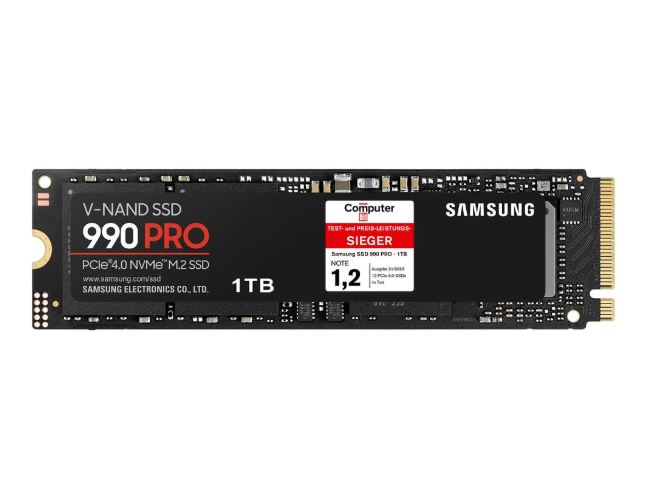
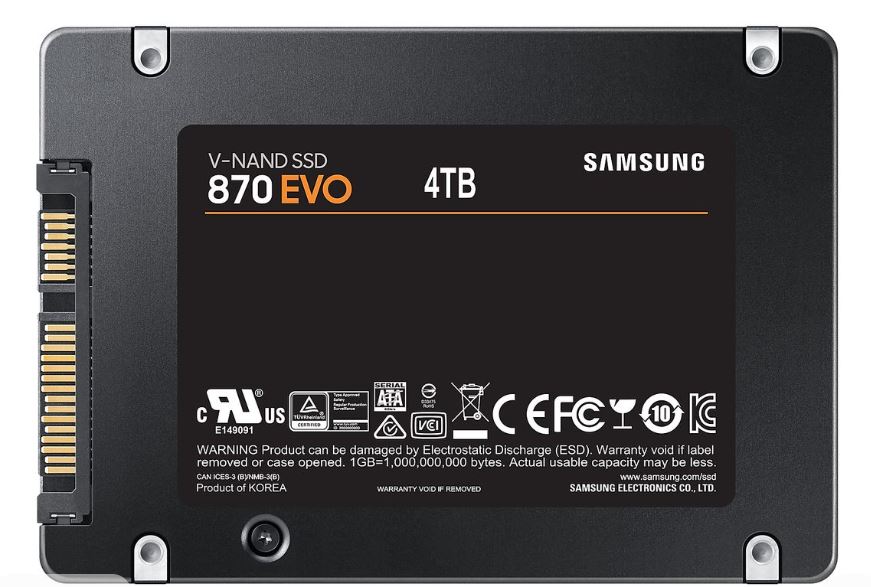
There are two main types of SSDs used in modern gaming PCs:
- SATA SSDs
- and NVMe SSDs.
The SATA (Serial ATA) SSD is the older SSD technology, while the NVMe (Non-Volatile Memory Express) SSD is the newer and much faster version.
Both are significantly faster than traditional HDDs, but NVMe SSDs offer:
- much higher read and write speeds,
- faster game loading,
- better multitasking,
- and improved overall responsiveness.
Below is a quick tabular comparison between SATA SSDs and NVMe SSDs to help you understand the differences more easily.
| FEATURE | SATA SSD | NVMe SSD |
| Max Speed | ~550 MB/s | 3,000 to 14,000+ MB/s |
| Interface | SATA III, mSATA, or 2.5″ | PCIe (usually via M.2 slots) |
| Use Case | General web browsing, basic storage | Gaming, 4K video editing, large file transfers |
| Windows Boot | 18 seconds | 10 seconds |
| Copy 50gb file | 1min 50sec | 12sec |
| Price | Cheaper per Gigabyte | More expensive |
BEST BUDGET SSDs FOR FPS GAMING
If you are building a gaming PC in 2026, getting a fast SSD is one of the best upgrades for:
- faster loading times,
- smoother Windows performance,
- texture streaming,
- and overall responsiveness.
For budget gaming PCs, NVMe SSDs now provide incredible speeds at affordable prices and are much faster than traditional SATA SSDs.
Best Overall Budget SSD
Crucial P3 Plus 1TB
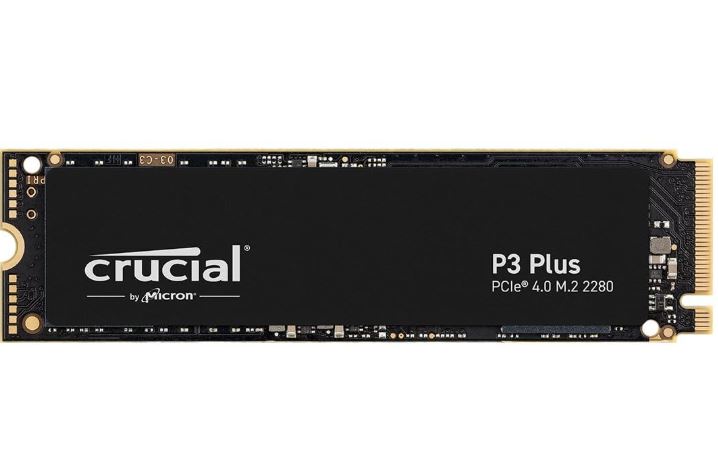
Crucial P3 Plus 1TB NVMe SSD
Price
Around $209.99
Features
- 1TB Storage
- PCIe Gen 4 NVMe
- Read Speeds up to 5,000MB/s
- Compatible with desktops and laptops
Why It’s Good
The Crucial P3 Plus is one of the best value NVMe SSDs for gaming because it delivers:
- fast boot times,
- strong game loading performance,
- and excellent everyday responsiveness.
It is also:
backward compatible with PCIe Gen3 systems
making it great for:
- budget gaming builds,
- esports gaming,
- and general gaming setups
WD Blue SN580 1TB
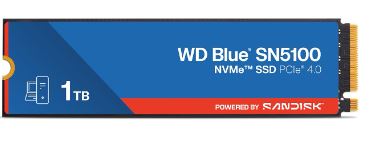
WD Blue SN580 1TB SSD
Price
Around $189.99
Features
- 1TB Storage
- PCIe x4 NVMe
- Read Speeds up to 7,100MB/s
- Desktop and laptop compatible
Why It’s Good
The WD Blue SN580 is excellent for gamers who want:
- faster loading times,
- smoother multitasking,
- and stronger Gen4 SSD performance.
The:
7,100MB/s read speed
makes this SSD extremely fast for:
- Windows booting,
- modern AAA games,
- and open-world texture streaming.
This is an excellent SSD for:
- mid-range gaming builds,
- competitive gaming,
- and future-proof gaming PCs.
Kingston NV2 1TB
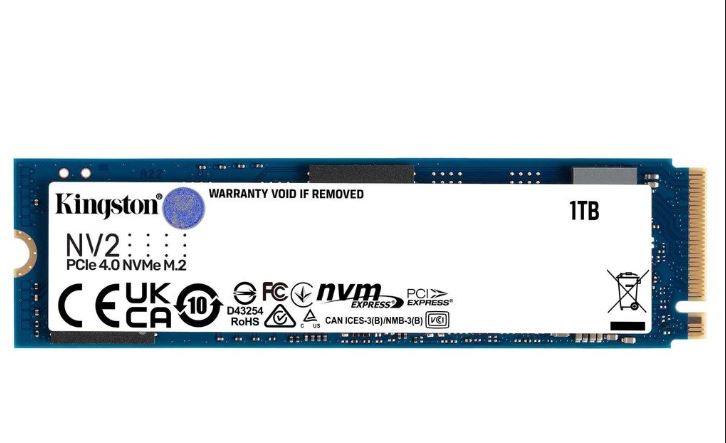
Kingston NV2 1TB SSD
Price
Around $164.99
Features
- 1TB Storage
- PCIe x4 NVMe
- Read Speeds up to 6,000MB/s
- Desktop and laptop compatible
Why It’s Good
The Kingston NV2 is one of the cheapest Gen4 NVMe SSDs currently available while still offering excellent gaming performance.
It is perfect for:
- budget gaming PCs,
- esports setups,
- and gamers upgrading from HDD storage.
Compared to traditional HDDs, the Kingston NV2 delivers:
- drastically faster loading times,
- quicker Windows responsiveness,
- and smoother overall system performance.
| Attribute | Crucial P3 Plus 1TB NVMe SSD | WD Blue SN580 1TB SSD | Kingston NV2 1TB SSD |
|---|---|---|---|
| Storage Capacity | 1TB | 1TB | 1TB |
| Interface | PCIe Gen4 NVMe | PCIe x4 NVMe | PCIe x4 NVMe |
| Max Read Speed | 5,000MB/s | 7,100MB/s | 6,000MB/s |
| Best For | Budget gaming builds | Mid-range gaming builds | Cheapest Gen4 upgrade |
| Compatible Devices | Desktop & Laptop | Desktop & Laptop | Desktop & Laptop |
| Main Strength | Great value | Fastest speeds | Cheapest option |
BEST MID-RANGE SSDs FOR FPS GAMING
Mid-range NVMe SSDs are perfect for gamers who want:
- extremely fast loading times,
- smoother open-world gaming,
- faster Windows responsiveness,
- and future-proof gaming storage.
These SSDs are excellent for:
- competitive gaming,
- AAA gaming,
- multitasking,
- and modern gaming PCs.
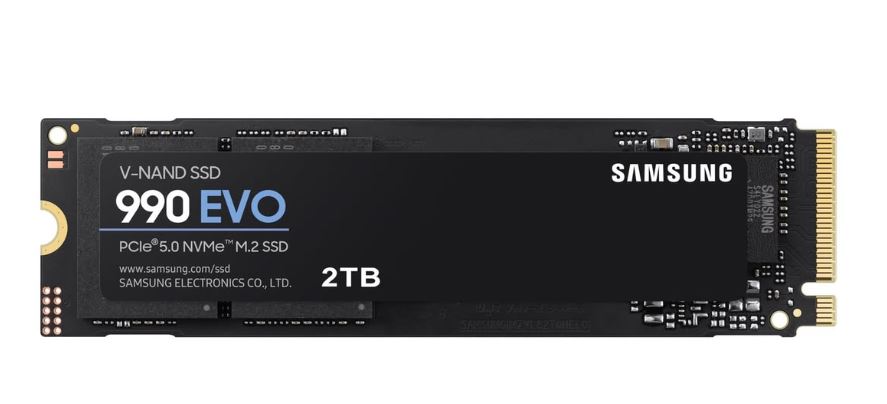
Samsung 990 EVO
Price
Around $286.88
Features
- 1TB Storage
- Speeds up to 7,150MB/s
- HMB Technology
- Intelligent TurboWrite 2.0
- Internal NVMe SSD
Why It’s Good
The Samsung 990 EVO is one of the fastest and most reliable gaming SSDs currently available.
Its extremely fast read speeds help improve:
- game loading times,
- Windows boot speeds,
- texture streaming,
- and overall system responsiveness.
Samsung SSDs are also known for:
- reliability,
- stable performance,
- and strong long-term durability.
This SSD is excellent for:
- high-end gaming PCs,
- open-world gaming,
- and competitive gaming setups.
WD Black SN850X
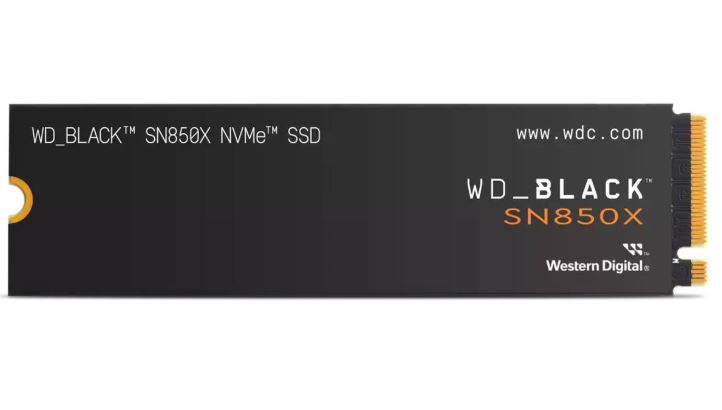
- 1TB Storage
- WD_BLACK Dashboard Support
- Write Speeds up to 6,300MB/s
Why It’s Good
The WD Black SN850X is one of the best gaming-focused SSDs for FPS gaming.
It delivers:
- extremely fast loading times,
- smooth texture streaming,
- and excellent gaming responsiveness.
The:
WD_BLACK Dashboard
also allows gamers to:
- monitor SSD temperatures,
- optimize performance,
- and update firmware easily.
This SSD performs extremely well for:
- AAA gaming,
- esports gaming,
- and multitasking.
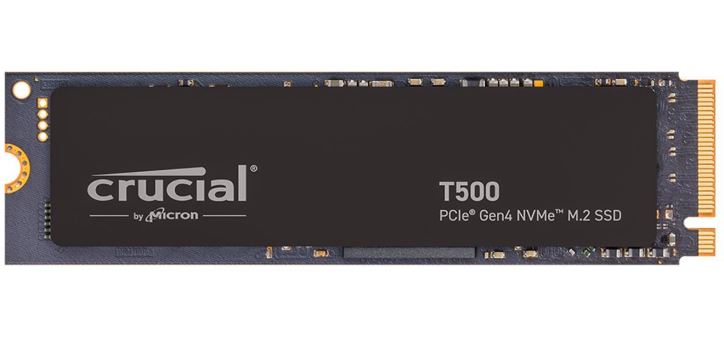
Crucial T500
Features
- 1TB Storage
- Speeds up to 7,300MB/s
- Compatible with desktops, gaming consoles, and laptops
Why It’s Good
The Crucial T500 is currently one of the fastest mid-range SSDs available for gaming.
Its high read speeds help:
- reduce loading screens,
- improve open-world streaming,
- and make gaming feel smoother overall.
The Crucial T500 is also excellent for:
- PlayStation 5 upgrades,
- gaming laptops,
- and high-performance gaming PCs.
This SSD is a great balance between:
- speed,
- gaming performance,
- and value.
| SSD | Samsung 990 EVO | WD Black SN850X | Crucial T500 |
|---|---|---|---|
| Storage Capacity | 1TB | 1TB | 1TB |
| Max Read Speed | 7,150MB/s | — | 7,300MB/s |
| Max Write Speed | — | 6,300MB/s | — |
| Best For | High-end gaming builds | Gaming-focused performance | Fast all-round gaming |
| Compatible Devices | Desktop PCs | Desktop PCs | Desktop, Laptop, PS5 |
| Main Strength | Reliability & speed | Gaming optimization | Excellent speed-to-value |
For most gamers:
- the Samsung 990 EVO is excellent for reliability,
- the WD Black SN850X is perfect for gaming-focused performance,
- while the Crucial T500 offers some of the fastest speeds for the price.
BEST SSD SIZE FOR GAMING
When it comes to gaming, SSD size matters a lot because modern games are becoming extremely large.
Many newer AAA games now require:
- 80GB,
- 100GB,
- or even over 200GB
just for a single installation.
That is why saving up for a:
1TB or 2TB SSD
is one of the best long-term upgrades for a gaming PC.
Best SSD Size for Budget Gamers
If you are on a tight budget, a:
500GB SSD
is still enough for:
- Windows,
- esports games,
- and a few AAA titles.
You can also pair it with:
a 1TB HDD
for:
- movies,
- backups,
- documents,
- and additional storage.
However:
never install Windows or videogames on the HDD.
Use the SSD for:
- Windows,
- applications,
- and games
because the speed difference is massive.
Best SSD Size for Most Gamers
For most gamers, the sweet spot is:
1TB SSD
A 1TB SSD gives enough space for:
- Windows,
- multiple AAA games,
- competitive FPS games,
- and everyday applications
without constantly uninstalling games.
This is currently the best balance between:
- price,
- storage,
- and gaming performance.
Best SSD Size for High-End Gaming
If you play:
- lots of AAA games,
- open-world games,
- modded games,
- or 4K gaming,
then:
2TB SSD
is highly recommended.
A 2TB SSD gives you:
- much more storage space,
- faster overall system management,
- and less stress about deleting games constantly.
This is especially useful for games like:
- Call of Duty,
- Warzone,
- Starfield,
- and other massive modern titles.
Recommended Storage Setup
A very good gaming setup is:
1TB–2TB SSD
for:
- Windows,
- videogames,
- important applications
PLUS
1TB HDD
for:
- backups,
- movies,
- and general file storage.
This gives you:
- fast gaming performance,
- smoother responsiveness,
- and additional cheap storage space.
COMMON SSD MISTAKES FOR FPS GAMING
SSDs are one of the best upgrades for gaming PCs, but many gamers still make mistakes that hurt:
- loading performance,
- responsiveness,
- storage lifespan,
- and overall gaming smoothness.
Here are some common SSD mistakes you should avoid.
Installing Games on an HDD
One of the biggest mistakes gamers still make is installing modern games on an HDD instead of an SSD.
Hard drives are much slower and can cause:
- very long loading times,
- delayed texture streaming,
- stuttering during transitions,
- and slow Windows responsiveness.
Modern games are designed around SSD speeds, especially:
- open-world games,
- AAA games,
- and competitive multiplayer titles.
Always install:
Windows
videogames
important applications
on your SSD.
Use HDDs only for:
- movies,
- backups,
- documents,
- and extra storage.
Filling Your SSD Completely
Another common mistake is filling the SSD almost to maximum capacity.
When SSDs become nearly full, performance can noticeably decrease.
This can lead to:
- slower loading times,
- reduced responsiveness,
- and slower file transfers.
For best performance, try to keep:
10–20% free storage space
on your SSD at all times.
This helps maintain:
- stable speeds,
- smoother performance,
- and better SSD lifespan.
Buying an Expensive Gen5 SSD Unnecessarily
Many gamers overspend on extremely expensive Gen5 SSDs expecting huge FPS increases.
The truth is:
SSDs do not directly increase FPS.
A very expensive Gen5 SSD usually provides only:
- slightly faster loading times,
- and small responsiveness improvements
compared to a good Gen4 SSD during gaming.
For most gamers:
Gen4 NVMe SSDs
already provide:
- excellent gaming performance,
- fast loading times,
- and smooth responsiveness.
Instead of overspending on SSD speed, it is often better to invest more money into:
- a better GPU,
- CPU,
- or RAM.
CONCLUSION
SSDs are now one of the most important components in modern gaming PCs because they greatly improve:
- loading times,
- Windows responsiveness,
- texture streaming,
- and overall gaming smoothness.
Even though SSDs do not directly increase FPS, they make games feel:
- faster,
- smoother,
- and much more responsive.
For most gamers:
NVMe SSDs
are the best choice because they provide:
- excellent speed,
- strong gaming performance,
- and future-proof storage technology.
If you are on a budget:
a 500GB SSD
is still a great starting point.
However, for most gaming setups:
1TB–2TB SSDs
are the best long-term options because modern games are becoming much larger.
The most important thing is to:
- install games on your SSD,
- avoid filling the SSD completely,
- and pair it with the right gaming hardware.
To fully optimize your gaming setup, also check out:
for smoother gameplay and better gaming performance overall.