Counter-Strike 2 is one of the most popular competitive FPS games in the world, and when you’re buying a gaming PC specifically for competitive play, you need a system that doesn’t become a limitation to your performance.
The last thing you want is to lose a duel because your PC is thermal throttling, stuttering, dropping frames, or struggling to maintain consistent performance. If you rage, it should be because of something you did in the game — not because your hardware suddenly decided to betray you.
So, why buy a prebuilt gaming PC when you can build one yourself?
Building your own gaming PC can give you more control over the components and potentially better value, but it also requires you to choose compatible parts, assemble everything correctly, install Windows and drivers, and troubleshoot any hardware problems that may arise. If you don’t want to deal with all of that, buying a prebuilt gaming PC is a perfectly reasonable option.
And when it comes to Counter-Strike 2, choosing the right prebuilt isn’t as complicated as it might seem. CS2 benefits heavily from strong CPU performance, high and consistent clock speeds, high FPS, and good 1% lows, while the GPU still needs to be capable enough to maintain those frame rates at your chosen resolution and settings.
That’s why this guide focuses specifically on the best prebuilt gaming PCs for Counter-Strike 2. Whether you’re looking for a budget system, a competitive esports-focused PC, or a powerful machine that can handle CS2 alongside streaming and other demanding games, we’ll help you find a prebuilt that gives you the performance you need without introducing unnecessary hardware limitations.
Affiliate disclosure
Some of the links in this article are affiliate links, which means I may earn a small commission if you purchase a product through one of these links, at no additional cost to you. This helps support me and allows me to continue creating gaming guides and hardware recommendations.
What to Expect
When looking for a prebuilt gaming PC specifically for Counter-Strike 2, you shouldn’t simply look at the most expensive graphics card or the highest advertised FPS number. CS2 is heavily dependent on CPU performance, and competitive players care about consistent frame rates and low frame-time spikes just as much as peak FPS.
Here are the main things we should look for when choosing a prebuilt PC for CS2.
CPU Performance
The CPU is one of the most important components in a CS2 gaming PC. Unlike many graphically demanding games that place most of the workload on the GPU, CS2 can be heavily CPU-bound when you’re trying to push very high frame rates.
This is especially important if you’re using a 240Hz, 360Hz, or even higher-refresh-rate monitor. A powerful CPU helps the game maintain higher FPS and, more importantly, better 1% lows during intense situations.
For a competitive CS2 PC, processors with strong single-core performance and high gaming performance should be prioritized. AMD’s X3D processors are particularly attractive for high-FPS gaming because their large 3D V-Cache can provide excellent performance in CPU-sensitive games.
GPU Performance
The GPU is still important, but you don’t need an extremely powerful graphics card just to play CS2 competitively.
At 1080p competitive settings, CS2 can reach very high frame rates on relatively modest GPUs when paired with a strong CPU. This means spending your entire budget on a flagship GPU while pairing it with a weaker processor isn’t necessarily the best strategy for CS2.
Instead, we want a balanced system where the GPU is powerful enough to maintain the frame rate your monitor can display.
If you also play demanding AAA games, stream, or want to play at 1440p or higher settings, then stepping up to a stronger GPU makes more sense.
FPS and 1% Lows
Don’t judge a gaming PC purely by its average FPS.
Average FPS tells you how many frames the PC can produce on average, but 1% lows give you a better idea of how consistent that performance is. A system that averages 400 FPS but regularly drops to 100 FPS can feel much worse than a system that stays consistently above 250–300 FPS.
This is particularly important in CS2 because sudden frame-time spikes can happen during hectic situations involving smokes, grenades, multiple players, and rapid movements.
For competitive gaming, we’re looking for a PC that can maintain high FPS rather than simply produce an impressive number in ideal conditions.
RAM
For a modern gaming PC, 16GB of RAM is still usable for CS2, especially if you’re mainly playing the game without many background applications.
However, 32GB is becoming the better choice for a new prebuilt gaming PC. It gives you more room for Discord, browsers, Steam, recording software, OBS, and other applications without putting unnecessary pressure on system memory.
If you’re buying a PC that you expect to keep for several years, 32GB is the sweet spot we’d prefer.
Cooling and Thermal Performance
A powerful processor is only useful if the PC can keep it running at its intended performance.
Poor cooling can cause thermal throttling, where the CPU or GPU reduces its clock speeds to prevent overheating. This can lead to lower FPS and inconsistent performance during longer gaming sessions.
This is why cooling is particularly important when choosing a prebuilt. We want to see adequate CPU cooling, good case airflow, and enough fans to keep temperatures under control during extended CS2 sessions.
A PC that performs well for ten minutes but starts losing performance after an hour isn’t ideal for competitive gaming.
SSD Storage
Modern gaming PCs should come with an NVMe SSD rather than an old mechanical hard drive.
An SSD won’t magically increase your CS2 FPS, but it will make Windows, Steam, CS2, and other applications load much faster. It also makes the entire PC feel considerably more responsive.
For a new gaming PC, 1TB of NVMe SSD storage is a good starting point. If you play several large games or record gameplay regularly, 2TB or more is worth considering.
Upgradeability
One advantage of building your own PC is having complete control over future upgrades, but a good prebuilt should still give you some room to upgrade.
Before buying, we want to consider whether the motherboard supports additional RAM, whether there are additional M.2 SSD slots, whether the power supply can handle a future GPU upgrade, and whether the case has enough space for larger components.
A prebuilt that gives you an easy upgrade path can save you from replacing the entire PC when your performance requirements increase.
Monitor Matching
There’s no point buying a PC capable of producing 400 FPS if you’re pairing it with a 60Hz monitor.
Your PC and monitor should complement each other. For competitive CS2, 144Hz and 165Hz are good starting points, while 240Hz and 360Hz make more sense for players who are serious about competitive play and have a PC capable of pushing those frame rates.
This is why we’ll consider the monitor you’re likely to pair with each PC when deciding which prebuilt makes the most sense.
Price-to-Performance
Finally, we don’t want to recommend a $3,000 PC simply because it’s faster than a $1,000 PC.
The goal is to find the right PC for your needs and budget.
A budget gaming PC capable of pushing high FPS in CS2 can be a much better purchase for a competitive player than an expensive flagship machine that produces hundreds of FPS you may never fully utilize.
Our picks will therefore cover different budgets and use cases, from affordable systems designed primarily for competitive CS2 to high-end machines built for CS2, streaming, content creation, and demanding AAA games.
Best Prebuilt Gaming PCs for Counter-Strike 2
Choosing a prebuilt gaming PC for Counter-Strike 2 isn’t simply about buying the system with the biggest graphics card. CS2 is particularly sensitive to CPU performance, high frame rates, and frame-time consistency, especially when you’re playing on a 240Hz, 360Hz, or higher-refresh-rate monitor.
For competitive players, consistent performance matters more than a huge peak FPS number. A system that can maintain high frame rates without thermal throttling or major frame-time drops will provide a much more reliable experience during long Premier matches, ranked sessions, and scrims.
We’ve selected six prebuilt gaming PCs across different price points and use cases, from affordable systems capable of delivering high-FPS CS2 performance to premium machines designed for competitive gaming, streaming, and long-term performance.
| Category | Pick | Brand | CPU |
| Overall | BLD | NZXT | AMD Ryzen 7 9800X3D |
| Budget | Gamer Xtreme | CyberPowerPC | Intel Core Ultra 5 225F |
| Value | Cyclone Aqua | ABS | Intel Core i7-14700F |
| Competitive | Aegis R2 | MSI | AMD Ryzen 7 9800X3D |
| Streaming | Neuron | Origin PC | Custom Multi-Core |
| Premium | Vybe | Maingear | Flagship Config |
Best Overall Prebuilt PC for Counter-Strike 2
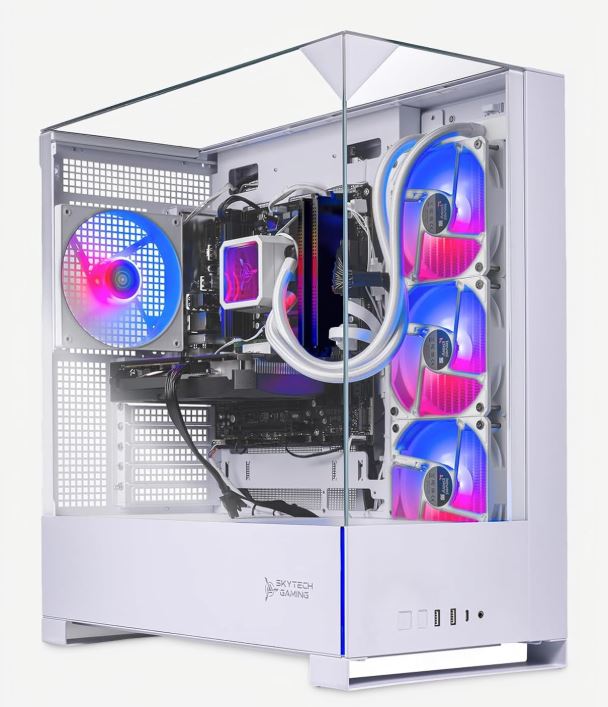
NZXT BLD / Skytech Gaming Archangel 5 (Ryzen 7 9800X3D / RTX 5070 Ti / 32GB DDR5)
~$1,899.99
Why it’s here: NZXT BLD stands out for its clean system designs, straightforward configurations, and strong attention to build quality. This configuration pairs AMD’s Ryzen 7 9800X3D with an RTX 5070 Ti, creating a particularly strong combination for players who want high-FPS competitive performance without stepping into an unnecessarily expensive flagship system.
Why it’s good for Counter-Strike 2: The Ryzen 7 9800X3D is an excellent fit for CPU-sensitive competitive games like CS2, where maintaining high FPS and strong frame-time consistency is important. The RTX 5070 Ti provides plenty of GPU headroom for 1080p or 1440p gaming, while 32GB of DDR5 memory gives you enough capacity for CS2 alongside Discord, browsers, recording software, and other background applications.
The combination makes this a strong all-around choice for players who want a PC capable of driving high-refresh-rate monitors while still having enough performance for other modern games.
Pros:
- Excellent CPU and GPU combination for high-FPS gaming
- 32GB DDR5 provides comfortable multitasking headroom
- Strong GPU performance for both competitive and AAA gaming
- Clean case design with an emphasis on airflow
- Straightforward prebuilt configuration and purchasing process
Cons:
- More expensive than necessary if CS2 is the only game you play
- Limited customization compared with boutique PC builders
- High-end components make it overkill for players using a 144Hz monitor
Best Budget Prebuilt PC for Counter-Strike 2
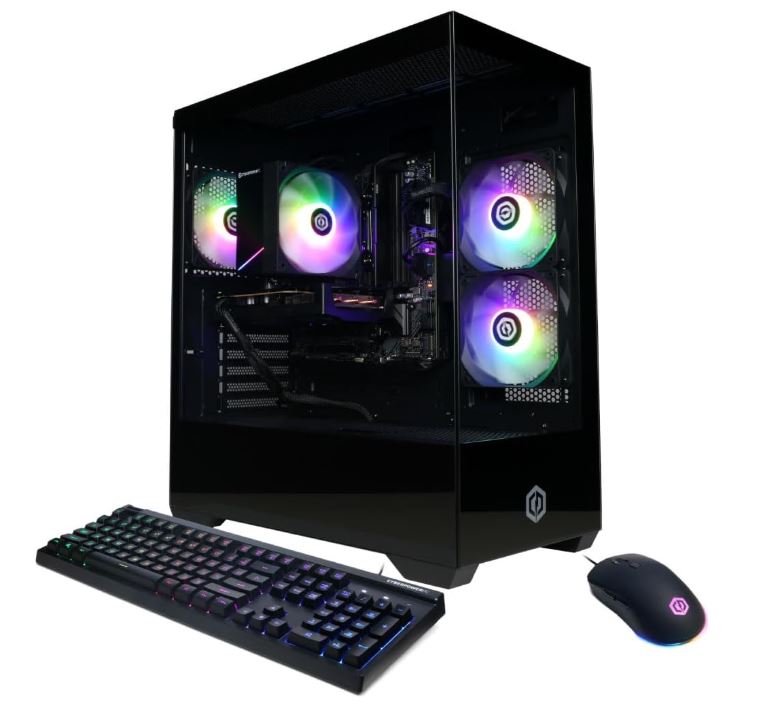
CyberPowerPC Gamer Xtreme (Core Ultra 5 225F / RTX 5050 / 16GB DDR5)
~$985.00
Why it’s here: Getting a capable gaming PC below $1,000 can be difficult because cheaper prebuilts often compromise on the components that actually affect gaming performance. This configuration puts the budget toward a modern CPU and dedicated NVIDIA GPU rather than unnecessary extras.
Why it’s good for Counter-Strike 2: CS2 is relatively light on the GPU compared with demanding modern AAA games, particularly when using competitive settings. The RTX 5050 is capable of delivering high-FPS 1080p gaming, while the Core Ultra 5 225F provides the CPU performance needed to keep CS2 running smoothly.
For someone entering competitive PC gaming, this is a sensible starting point. You can pair it with a 144Hz or 165Hz monitor now and upgrade other components later as your needs increase.
Pros:
- Capable CS2 performance for a sub-$1,000 prebuilt
- Modern CPU and dedicated GPU combination
- 1TB SSD provides useful storage capacity
- 16GB DDR5 is sufficient for CS2 and normal gaming
- Frequently available at competitive prices
Cons:
- 16GB RAM leaves less room for heavy multitasking
- Basic case and cooling configuration
- Limited upgrade headroom compared with more expensive systems
- RTX 5050 is better suited to esports than demanding AAA gaming
Best Value Prebuilt PC for Counter-Strike 2
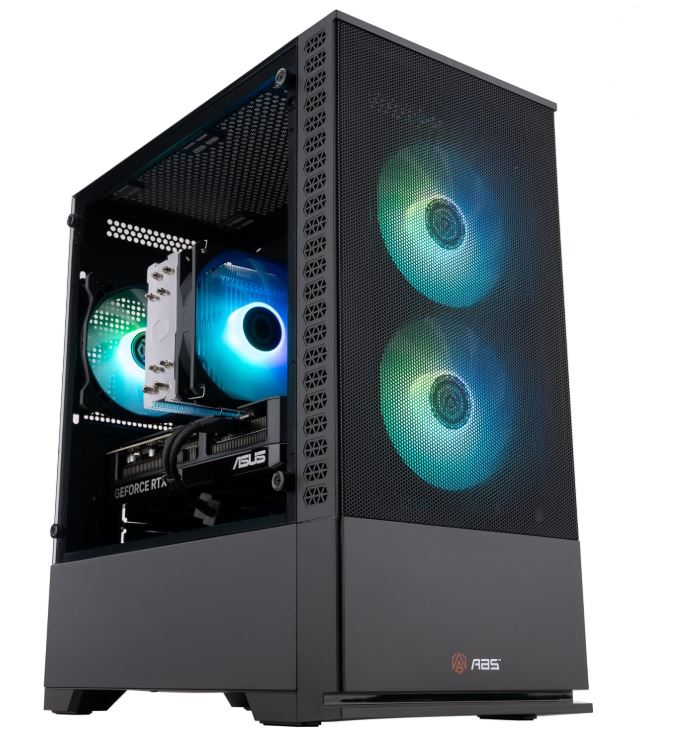
ABS Cyclone Aqua (Core i7-14700F / RTX 5060 / 16GB DDR4)
~$1,599.99
Why it’s here: The ABS Cyclone Aqua offers a strong balance between CPU performance, GPU capability, and price. Rather than spending heavily on one component, this configuration provides enough performance across the board for competitive gaming while adding liquid CPU cooling at a relatively accessible price.
Why it’s good for Counter-Strike 2: The Core i7-14700F provides substantial CPU performance for a CPU-sensitive game like CS2, while the RTX 5060 has more than enough GPU capability for competitive 1080p gaming.
The included cooling is also useful for sustained gaming sessions. Maintaining reasonable temperatures under prolonged load helps the processor sustain its performance rather than repeatedly reducing clock speeds because of thermal limitations.
The main compromise is the use of DDR4 memory rather than DDR5, but that doesn’t prevent the system from being a capable CS2 gaming machine.
Pros:
- Strong CPU performance for competitive gaming
- RTX 5060 provides plenty of GPU performance for CS2
- Liquid CPU cooling helps with sustained workloads
- Good price-to-performance balance
- Suitable for both esports and general gaming
Cons:
- Uses DDR4 rather than DDR5 memory
- 16GB RAM is less comfortable for heavy multitasking
- Case design is less premium than more expensive alternatives
Best Competitive Prebuilt PC for Counter-Strike 2
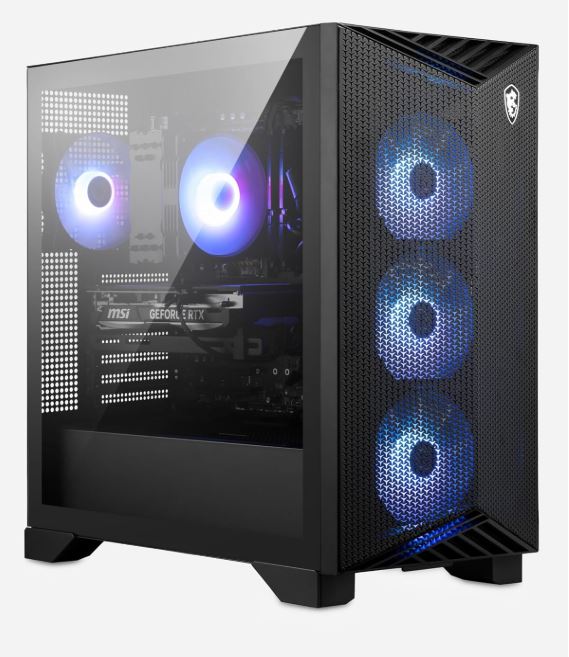
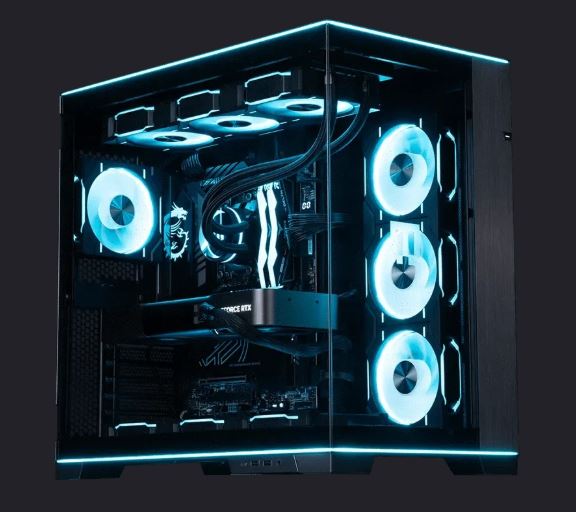
MSI Aegis R2 (Ryzen 7 9800X3D / RTX 5070 Ti / 32GB DDR5)
~$1,999.99
Why it’s here: Competitive CS2 players should prioritize frame-time consistency and CPU performance rather than simply chasing the largest GPU available. The MSI Aegis R2 combines one of AMD’s strongest gaming CPUs with a high-end GPU and 32GB of DDR5 memory, creating a well-balanced configuration for high-refresh-rate competitive gaming.
Why it’s good for Counter-Strike 2: The Ryzen 7 9800X3D is particularly well suited to high-FPS gaming, and its 3D V-Cache gives it an advantage in CPU-sensitive workloads. Paired with the RTX 5070 Ti, this system has the performance headroom needed to take advantage of high-refresh-rate 1440p monitors while maintaining excellent performance at competitive settings.
For players using a 240Hz, 360Hz, or higher-refresh-rate display, this is the type of configuration that makes sense when your priority is keeping the hardware from becoming the limiting factor.
Pros:
- Excellent CPU for high-FPS competitive gaming
- Strong CPU/GPU balance
- 32GB DDR5 provides plenty of multitasking headroom
- Well suited to high-refresh-rate gaming
- Compact design with capable cooling
Cons:
- More expensive than necessary for 144Hz CS2 gaming
- Limited customization compared with boutique builders
- RTX 5070 Ti is more GPU power than CS2 strictly requires at 1080p
Best Prebuilt PC for CS2 Streamers & Content Creators
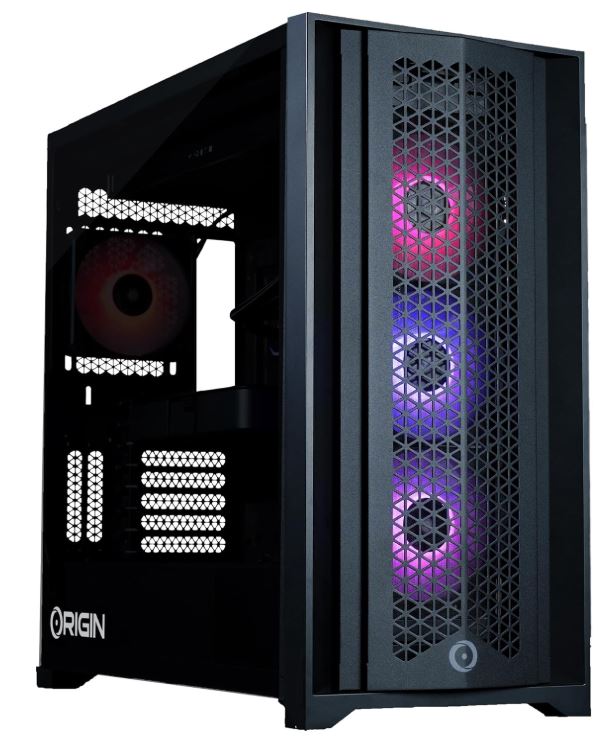
Origin PC Neuron (Custom Multi-Core Configuration / RTX 5070 Ti / 32GB DDR5)
~$2,499.99
Why it’s here: Streaming changes what you should look for in a CS2 PC. Instead of optimizing exclusively for maximum FPS, you also need enough CPU and system resources to run OBS, Discord, browser tabs, recording software, and other applications simultaneously.
Origin PC’s configurable approach makes the Neuron particularly attractive for users who want to tailor the system around their workload rather than buying a fixed configuration.
Why it’s good for Counter-Strike 2: A strong multi-core CPU configuration gives you additional headroom for running CS2 and streaming software at the same time. The RTX 5070 Ti also includes NVIDIA’s hardware video encoding capabilities, allowing supported streaming and recording workloads to be handled efficiently without placing the entire encoding workload on the CPU.
This makes the Neuron a better fit for creators who want their gaming PC to function as both a competitive gaming machine and a content-creation workstation.
Pros:
- Highly configurable hardware
- Strong CPU options for simultaneous gaming and streaming
- RTX 5070 Ti provides excellent gaming performance
- Hardware encoding helps reduce CPU workload during streaming
- Professional cable management and custom-build options
Cons:
- Boutique pricing is higher than mass-market prebuilts
- Custom configurations can increase the final price significantly
- Some configurations are excessive if you only play CS2
Best Premium Prebuilt PC for Counter-Strike 2
Maingear Vybe (Flagship Configuration / RTX 5080 or 5090 / 64GB DDR5)
~$2,999.99
Why it’s here: The Maingear Vybe is aimed at buyers who want a premium prebuilt without compromising on component selection or build quality. With configurations extending into flagship hardware, it offers substantial performance headroom for players who want their system to remain capable for years rather than simply targeting today’s CS2 requirements.
Why it’s good for Counter-Strike 2: At this performance level, CS2 is no longer a difficult workload for the system. A high-end CPU combined with an RTX 5080 or RTX 5090 provides enormous performance headroom for high-refresh-rate gaming, while 64GB of DDR5 leaves plenty of capacity for streaming, recording, content creation, and heavy multitasking.
The biggest reason to buy a system at this level isn’t that CS2 requires it — it doesn’t. You’re paying for long-term performance, premium components, and the ability to play demanding games beyond CS2 without worrying about hardware limitations.
Pros:
- Flagship-level CPU and GPU configurations
- 64GB DDR5 provides extensive multitasking headroom
- Premium build quality and component selection
- Strong cooling and cable management
- Excellent long-term performance potential
- Suitable for competitive gaming, streaming, and demanding AAA titles
Cons:
- Flagship components consume considerably more power
- Significant overkill for CS2 alone
- Highest price point on this list
- Large portion of the cost goes toward performance you may never use in CS2
Conclusion
Choosing the best prebuilt gaming PC for Counter-Strike 2 doesn’t mean you need to spend thousands of dollars on the most powerful hardware available. CS2 is much more dependent on strong CPU performance and consistent frame rates than simply having the most powerful GPU.
For most players, the NZXT BLD with the Ryzen 7 9800X3D and RTX 5070 Ti is an excellent all-around choice. It provides the CPU performance CS2 benefits from while giving you plenty of GPU headroom for high-refresh-rate gaming and other demanding titles.
If you’re working with a tighter budget, the CyberPowerPC Gamer Xtreme gives you a solid entry point into high-FPS CS2 gaming without forcing you into flagship pricing. Meanwhile, the ABS Cyclone Aqua offers a stronger middle ground for players who want more CPU and GPU performance without jumping too far up the price ladder.
Competitive players who want to pair their PC with a 240Hz or 360Hz monitor should look closely at the MSI Aegis R2 and its Ryzen 7 9800X3D and RTX 5070 Ti combination. If you’re also streaming and creating content, the Origin PC Neuron gives you the flexibility to configure the system around those additional workloads.
Finally, the Maingear Vybe is the premium option for anyone who wants substantial performance headroom and doesn’t mind paying for it. Just remember that this level of hardware is far beyond what CS2 actually requires.
Ultimately, the best prebuilt PC for CS2 is the one that can maintain high FPS, strong 1% lows, and stable temperatures without forcing you to spend money on performance you won’t use. Pair the right PC with a high-refresh-rate monitor, a responsive gaming mouse, and a good keyboard, and your hardware should stop being the limitation — leaving your aim, movement, and decision-making to do the talking.
If you’re building a complete Counter-Strike 2 setup, your PC is only one part of the equation. Pair it with the right gaming monitor for CS2 to take advantage of higher refresh rates, a responsive gaming mouse for CS2 for precise flicks and recoil control, and a gaming keyboard for CS2 for faster and more consistent counter-strafing. You should also consider a gaming headset for CS2 to make the most of footsteps and other important audio cues, while a quality mousepad for CS2 can give you the control and consistency needed for low-sensitivity aiming. If portability is more important to you, check out our guide to the best gaming laptops for CS2 for high-FPS performance without being tied to a desktop.
Thank you for reading, always takes a time and efforts to write these articles. I appreciate your time spent on my work.