Counter-Strike 2 is one of those games where your hardware can genuinely affect how consistently you play. Unlike slower-paced games where dropping a few frames may not matter much, CS2 constantly tests your reaction time, aim, movement, and ability to respond to what is happening on screen.
A gaming laptop gives you the advantage of having everything in one machine. You don’t have to build a desktop, buy a separate monitor, or worry about moving your setup whenever you want to play somewhere else. However, not every gaming laptop is a good choice for CS2.
Since Counter-Strike 2 is heavily CPU-dependent and competitive players often target very high frame rates, we need to look beyond just the GPU. A good CS2 laptop needs a capable processor, enough RAM, a fast display, and a GPU that can comfortably push high FPS at the laptop’s native resolution.
Whether you’re a casual player, a ranked grinder, an aspiring competitive player, or someone who wants a laptop for gaming and content creation, this guide will help you find the right gaming laptop for Counter-Strike 2.
Affiliate Disclosure
Some of the links in this article are affiliate links, which means I may earn a small commission if you purchase a product through one of these links, at no additional cost to you. This helps support me and allows me to continue creating gaming guides and hardware recommendations.
That said, what should we actually look for when buying a gaming laptop specifically for Counter-Strike 2?
What to Expect
CPU Performance
The CPU is extremely important in Counter-Strike 2 because the game can become CPU-limited when you’re pushing very high frame rates. We want a laptop with a modern processor that can maintain strong FPS and, just as importantly, stable 1% lows.
A powerful CPU paired with a capable GPU will help prevent frame-time spikes and keep the game feeling responsive during intense fights.
GPU Performance
You don’t need an RTX 5090 to play CS2. In fact, spending most of your budget on an extremely powerful GPU can make little sense if your goal is competitive 1080p gaming.
For most players, a mid-range laptop GPU is more than enough to deliver high FPS at 1080p. More powerful GPUs become useful if you also want to play demanding games at 1440p or use the laptop for content creation.
RAM
16GB of RAM should be the minimum for a modern gaming laptop.
CS2 itself doesn’t require an enormous amount of memory, but having 16GB gives you enough room to run the game alongside Discord, Steam, a browser, and other background applications.
If you stream, record gameplay, edit videos, or multitask heavily, 32GB is the better long-term choice.
Display and Refresh Rate
This is one of the most important parts of a CS2 gaming laptop.
A powerful CPU and GPU are wasted if you’re playing on a 60Hz screen. For competitive CS2, I’d recommend looking for at least a 144Hz or 165Hz display.
If your budget allows it, 240Hz is even better for players who can consistently push very high frame rates.
Cooling
Gaming laptops squeeze powerful components into a relatively small chassis, so cooling matters.
A laptop that can perform well for five minutes but begins thermal throttling during a long gaming session isn’t useful for competitive gaming. We want a laptop with a decent cooling system that can maintain CPU and GPU performance during extended CS2 sessions.
Upgradeability
Ideally, your laptop should allow you to upgrade the RAM and storage.
Being able to move from 16GB to 32GB of RAM or add a larger SSD can significantly extend the useful life of your laptop without requiring you to replace the entire machine.
Best Gaming Laptops for Counter-Strike 2
CS2 isn’t a demanding game to render, but it’s an unusually demanding game to run well. Competitive settings can push the CPU harder than the GPU, and frame-time consistency matters more than simply having a huge peak FPS number. A great CS2 laptop needs strong sustained performance, a fast display, and cooling that can prevent thermal throttling during long matches. Here are our top picks across six categories, each chosen specifically for how it performs in Counter-Strike 2.
Best Overall Gaming Laptop
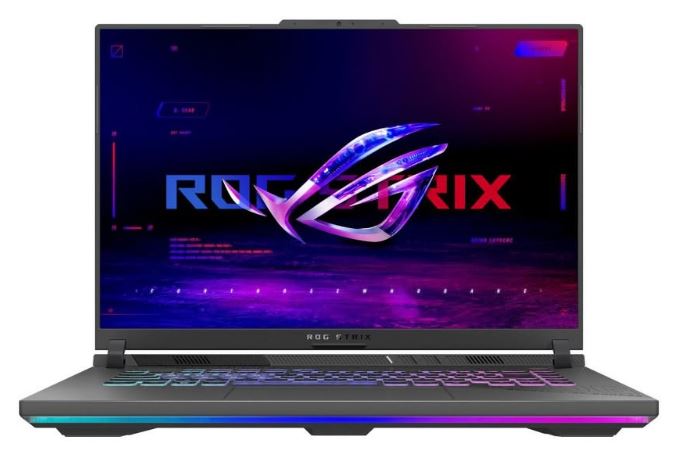
ASUS ROG Strix G16 — RTX 5070 Ti / Ryzen 9 9955HX3D / 240Hz
~$1,999.99
Why It’s Here: The ROG Strix G16 hits an excellent balance between performance, display quality, cooling, and build quality. It gives you a powerful CPU and GPU combination without making major compromises in the areas that matter for competitive gaming.
Why It’s Good for Counter-Strike 2: The Ryzen 9 9955HX3D’s 3D V-Cache is particularly useful for CPU-sensitive games like CS2, while the 240Hz Nebula display with a 3ms response time keeps fast movement looking sharp. With 32GB of RAM, you also have plenty of headroom for Discord, Steam, browsers, and other background applications while gaming.
Pros:
- Excellent CPU for a CPU-sensitive game like CS2
- 240Hz display with a 3ms response time
- Strong cooling for sustained performance
- 32GB RAM and fast PCIe Gen 4 storage
Cons:
- Large and relatively heavy for carrying to LAN events
- Battery life drops significantly when running at full performance
Best Budget Gaming Laptop
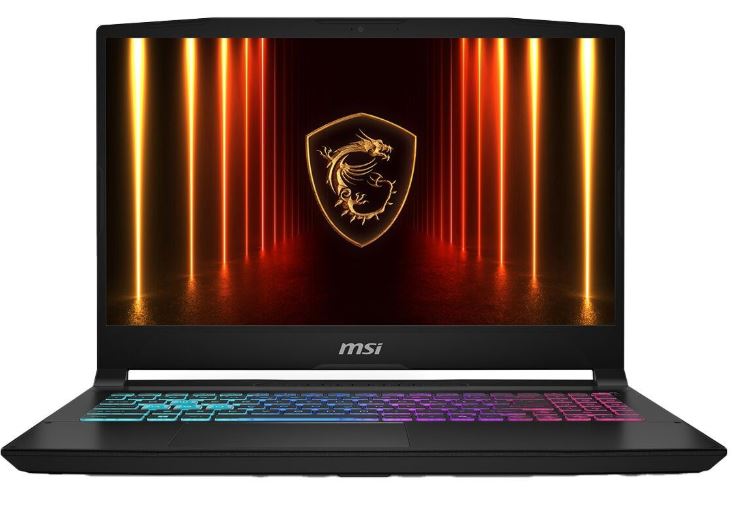
MSI Katana 15 HX — Core i7 / RTX 5050
\~$999.99
Why It’s Here: The MSI Katana 15 HX gives you capable esports performance without pushing the price too far beyond $1,000. While it doesn’t have the most impressive display or premium construction, it puts its budget where it matters most for competitive gaming: the CPU and GPU.
Why It’s Good for Counter-Strike 2: CS2 doesn’t require a high-end GPU when you’re playing at competitive settings. The RTX 5050 paired with a modern Core i7 is capable of delivering high frame rates at 1080p, making this a strong entry point for players focused on matchmaking and Premier rather than maximum graphics settings.
Pros:
- Strong esports performance for the price
- Four-zone RGB keyboard
- Reasonably portable 15.6-inch design
- Good entry point into PC gaming
Cons:
- Display quality doesn’t fully take advantage of its potential FPS
- Fans become noticeably louder under sustained load
Best Value Gaming Laptop
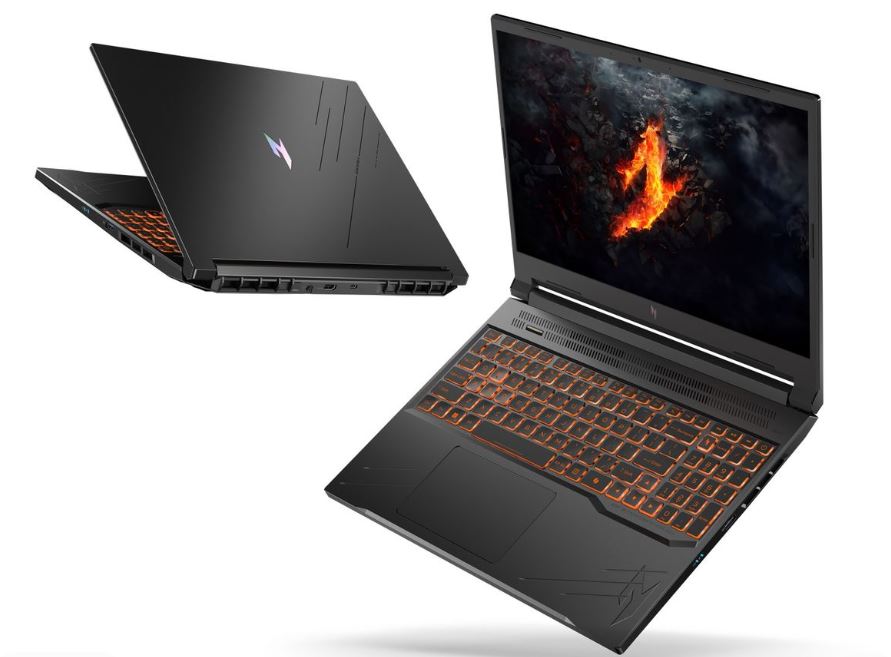
Acer Nitro V 16 AI — RTX 5060 / 180Hz / 16-inch 1200p
~$1,299.99
Why It’s Here: The Acer Nitro V 16 AI offers an impressive combination of performance and display quality for its price. You get a larger 16-inch screen, a 180Hz refresh rate, and a capable RTX 5060 without jumping into the premium gaming-laptop price range.
Why It’s Good for Counter-Strike 2: The RTX 5060 can take advantage of the laptop’s 180Hz refresh rate when CS2 is running at competitive settings. The 16-inch 1200p display also provides more screen space than traditional 15.6-inch 1080p laptops, giving you a more immersive experience while still maintaining high frame rates.
Pros:
- Excellent performance-to-price ratio
- 180Hz display pairs well with the RTX 5060
- Larger 16-inch display
- Capable cooling for its price range
Cons:
- Build quality isn’t as refined as premium competitors
- RTX 5060 requires lower settings in more demanding modern games
Best Competitive Gaming Laptop
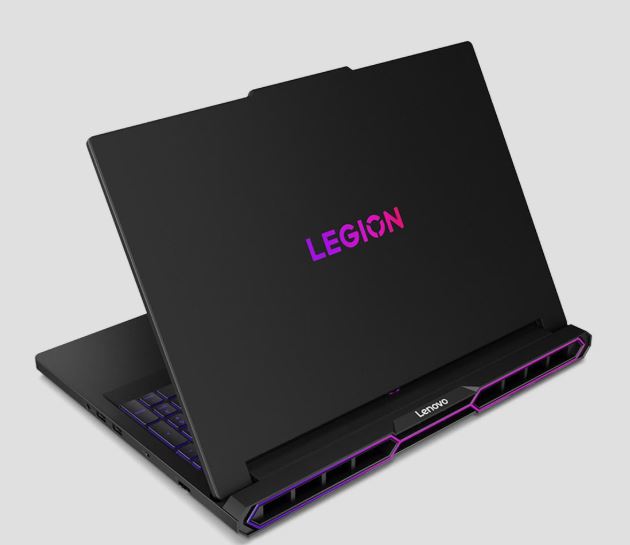
Lenovo Legion Pro 7i — RTX 50-Series / 240Hz+
~$2,499.99
Why It’s Here: Competitive gaming isn’t just about peak FPS. Stable frame times and sustained performance are arguably more important, and the Legion Pro 7i is built around delivering exactly that.
Why It’s Good for Counter-Strike 2: CS2 players can spend hours playing ranked or Premier matches, so maintaining consistent performance throughout a session matters. The Legion Pro 7i’s strong cooling, high-end hardware, and 240Hz+ display give competitive players the performance and consistency needed to take advantage of a high-refresh-rate screen.
Pros:
- Excellent thermal consistency during long sessions
- 240Hz+ display takes advantage of high FPS
- Strong 1% lows and frame-time stability
- Comfortable keyboard for extended gaming
Cons:
- Bulky and heavier than more portable gaming laptops
- Fans become loud in maximum-performance modes
Best Gaming Laptop for Streamers & Content Creators
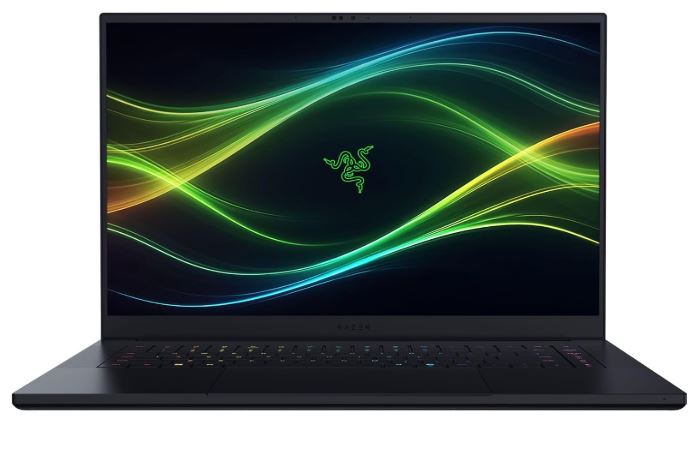
Razer Blade 16 — Dual-Mode Display / Premium Build
~$2,999.99
Why It’s Here: The Razer Blade 16 combines strong gaming performance with the premium display, build quality, and portability that content creators need. It’s designed to work as both a gaming machine and a serious productivity device.
Why It’s Good for Counter-Strike 2: The dual-mode display allows you to prioritize high refresh rates while gaming and switch to a higher-resolution mode when editing videos, reviewing VODs, or working on other content. Its strong overall hardware also provides the headroom needed for streaming and multitasking alongside CS2.
Pros:
- Excellent build quality and color-accurate display
- Dual-mode display for gaming and content creation
- Strong battery life for a gaming laptop
- Sleek design that works well for content creators
Cons:
- Expensive compared with similarly performing gaming laptops
- Can become hot and loud under heavy workloads
Best Premium Gaming Laptop
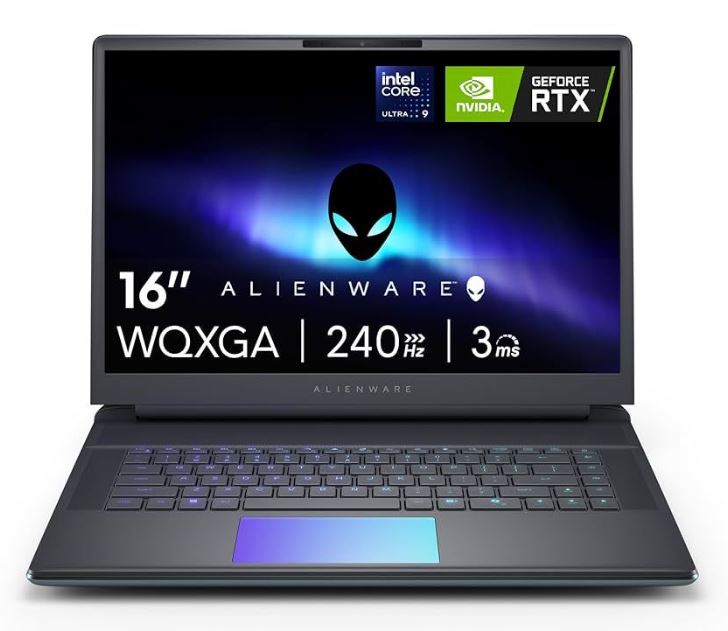
Alienware Area-51 — Core Ultra 9 275HX / RTX 5090 / 300Hz
~$3,999.99
Why It’s Here: The Alienware Area-51 is a true desktop-replacement gaming laptop for players who want the highest level of performance without worrying about the price. With an RTX 5090, Core Ultra 9 275HX, up to 64GB of DDR5-6400 RAM, and a 300Hz display, this machine is built for extreme performance.
Why It’s Good for Counter-Strike 2: CS2 won’t come close to fully utilizing this hardware in most situations, but that’s exactly why it’s the premium choice. The enormous performance headroom gives you room for future game updates and demanding titles while the 300Hz display allows competitive players to take advantage of extremely high frame rates.
Pros:
- Flagship CPU and GPU with enormous performance headroom
- 300Hz, 500-nit display
- Excellent connectivity, including Thunderbolt 5 and 5GbE Ethernet
- Durable magnesium-alloy chassis
Cons:
- Extremely expensive
- Heavy and better suited to desk use
- Short battery life under demanding workloads
Conclusion
Choosing the best gaming laptop for Counter-Strike 2 ultimately comes down to how seriously you play and how much you’re willing to spend. The MSI Katana 15 HX is a solid entry point for budget-conscious players, while the Acer Nitro V 16 AI offers a great balance of performance and value. If competitive performance is your priority, the Lenovo Legion Pro 7i is a stronger choice thanks to its high-refresh-rate display and consistent performance, while the ROG Strix G16 gives you an excellent all-around package. For streamers and creators, the Razer Blade 16 offers the flexibility of a powerful gaming and content-creation machine, while the Alienware Area-51 is the no-compromise option for players who want the absolute best.
If you’re building the ultimate Counter-Strike 2 gaming setup, don’t forget to check out my Best Gaming Monitor for Counter-Strike 2, Best Gaming Mouse for Counter-Strike 2, Best Gaming Keyboard for Counter-Strike 2, Best Gaming Headset for Counter-Strike 2, and Best Gaming Mousepad for Counter-Strike 2 guides. Together, they’ll help you build a setup that’s optimized for higher FPS, lower input latency, better aim, clearer audio, and a more competitive CS2 experience.
Thank you for reading.