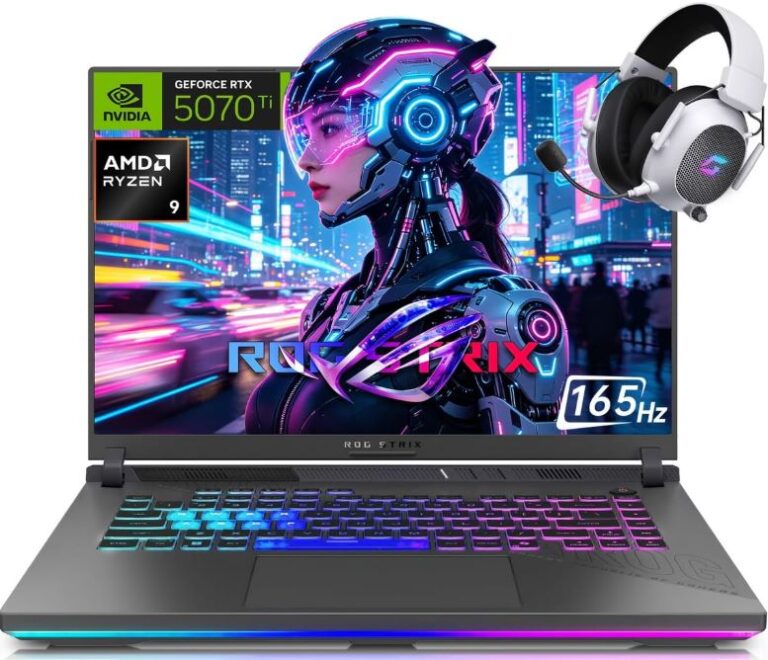
A $500 gaming laptop is considered an entry-level gaming laptop. If you’re reading this article, there’s a good chance you’re new to gaming laptops, shopping on a tight budget or looking for a laptop for a friend or family member without spending a fortune.
Not everyone can afford a $1000 or $1500 gaming laptop, and the good news is that you don’t always need one. For light gaming, schoolwork, web browsing and everyday productivity, a budget gaming laptop can still provide a great experience.
If you’re into competitive esports games such as Counter-Strike 2, Valorant, League of Legends and Rocket League, you’ll be happy to know that many modern esports titles do not require extremely powerful hardware to run well. This means a carefully chosen laptop in the $500 price range can still deliver enjoyable gameplay.
However, it’s important to keep your expectations realistic. A $500 gaming laptop is not designed to run every modern AAA game at high settings, and there will be some compromises compared to more expensive models.
That said, if you understand what this budget can and cannot do, you can still find excellent value for your money. Before we look at the best gaming laptops under $500, let’s first discuss what you should expect from a gaming laptop in this price range.
Affiliate Disclosure
Some of the links in this article are affiliate links, which means I may earn a small commission if you purchase a product through one of these links, at no additional cost to you. This helps support me and allows me to continue creating gaming guides and hardware recommendations for you.
What To Expect From A $500 Gaming Laptop
At the $500 price range, it’s important to keep your expectations realistic. Unlike premium gaming laptops, you won’t be getting the latest RTX graphics cards, OLED displays or ultra-fast 240Hz screens. Instead, you’ll be focusing on getting the best performance possible for your money.
Most laptops in this budget either rely on powerful integrated graphics or older dedicated GPUs found in refurbished and open-box gaming laptops. Because of this, modern AAA games will typically need to be played at 1080p Low settings to maintain smooth frame rates. While the graphics may not look as impressive as they do on more expensive systems, performance should always be the priority at this budget.
The good news is that esports titles and CPU-focused games perform exceptionally well on affordable gaming laptops. Games such as Counter-Strike 2, Valorant, League of Legends, Rocket League and Minecraft are designed to run on a wide range of hardware, making them excellent choices for budget-conscious gamers.
If competitive gaming is your main focus and you’re willing to lower graphical settings, a $500 gaming laptop can still provide a surprisingly enjoyable experience. You’ll be able to play popular esports titles, handle schoolwork, browse the web and complete everyday productivity tasks without major issues.
Simply put, a $500 gaming laptop is not built for maximum graphics quality. It’s built for gamers who prioritize value, performance and affordability while saving for a future upgrade.
Best Gaming Laptops Under $500
Acer Aspire Go 15 / Aspire 3 (Best Overall Gaming Laptop Under $500)
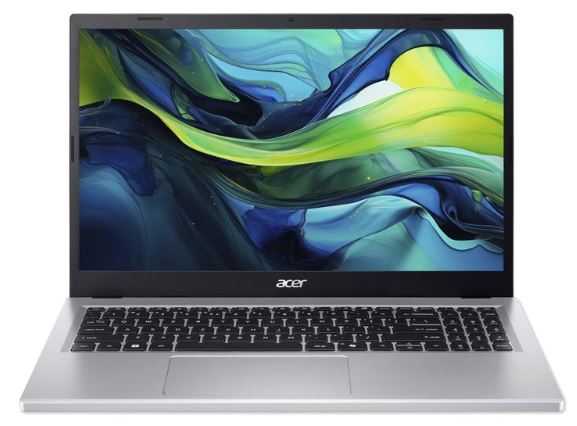
The Acer Aspire series offers some of the best value in the budget laptop market. While it isn’t a dedicated gaming laptop, its modern processors, fast SSD storage and generous memory make it capable of handling light gaming, schoolwork and everyday productivity tasks.
Specifications
CPU: AMD Ryzen 5 or Intel Core i5 (13th/14th Gen)
GPU: Integrated Radeon Graphics or Intel Iris Xe
Display: 15.6-inch or 16-inch Full HD (1080p)
RAM: 16GB
Storage: 512GB SSD
Price: $380–$480
Why Buy It?
The Acer Aspire provides a great balance of performance, battery life and affordability. It can comfortably run esports titles such as Valorant, League of Legends, Minecraft and Roblox while also serving as an excellent laptop for students and everyday users.
Best For: Gamers looking for the best overall value under $500.
ACEMAGIC AX18Pro / LX15Pro (Best Budget Gaming-Focused Option)
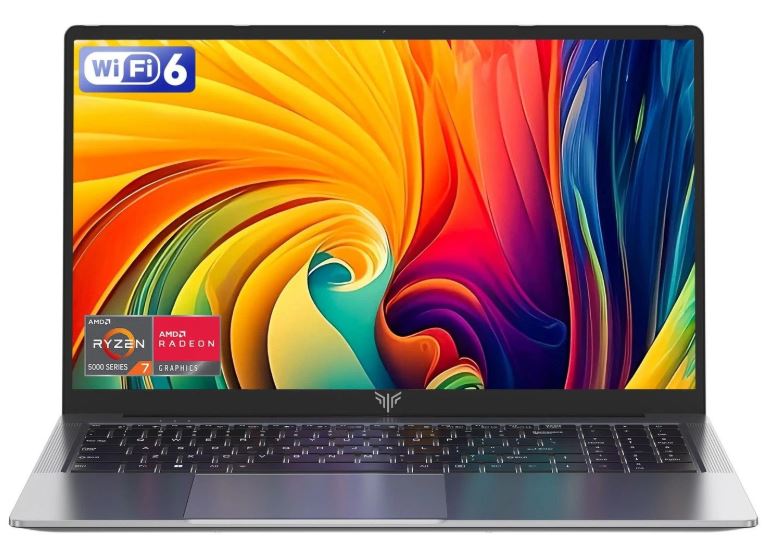
The ACEMAGIC AX18Pro and LX15Pro are marketed toward budget gamers and offer surprisingly capable hardware for the price. While they don’t include dedicated graphics cards, their Ryzen processors and integrated Radeon graphics can handle many popular games at lower settings.
Specifications
CPU: AMD Ryzen 5 7430U or Ryzen 3
GPU: Radeon Vega 8 Graphics
Display: 15.6-inch or 18.5-inch Full HD
RAM: 16GB
Storage: 512GB SSD
Price: $420–$499
Why Buy It?
These laptops provide good gaming performance for esports titles and older games while offering plenty of RAM and storage for the price. They are an excellent option for gamers on a strict budget.
Best For: Budget gamers looking for the closest thing to a gaming laptop under $500.
Lenovo IdeaPad 1i / Slim 3 (Best Alternative)
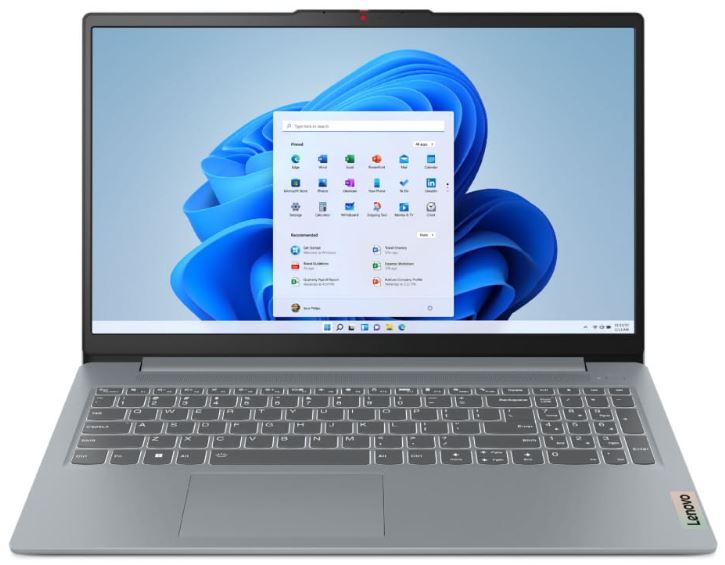
Lenovo’s IdeaPad lineup has built a reputation for reliability, comfort and excellent keyboards. While gaming performance is limited compared to more powerful laptops, it remains a solid option for casual gamers and students.
Specifications
CPU: Intel Core i5
GPU: Intel UHD Graphics or Intel Iris Xe
Display: 15.6-inch Full HD
RAM: 8GB–16GB
Storage: 512GB SSD
Price: $399–$480
Why Buy It?
The IdeaPad offers dependable performance, excellent build quality for the price and one of the better keyboards in this budget category. It handles everyday tasks easily and can run lighter esports titles when graphical settings are lowered.
Best For: Students and casual gamers who want a reliable laptop for both gaming and productivity.
Lenovo IdeaPad Gaming 3 (Best Refurbished Gaming Laptop Under $500)
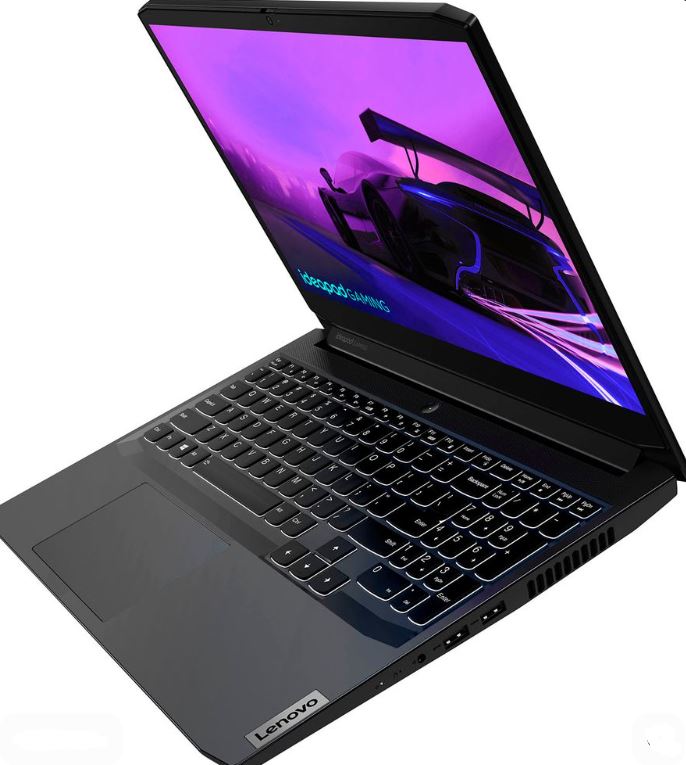
If you’re willing to consider a refurbished gaming laptop, the Lenovo IdeaPad Gaming 3 is one of the best values available under $500. Unlike many new laptops in this price range that rely on integrated graphics, refurbished IdeaPad Gaming 3 models often include dedicated NVIDIA graphics cards, making them significantly better for gaming.
Specifications
CPU: AMD Ryzen 5 5600H or Intel Core i5
GPU: NVIDIA GeForce GTX 1650 or RTX 2050 (varies by configuration)
Display: 15.6-inch Full HD 120Hz
RAM: 8GB–16GB DDR4
Storage: 256GB–512GB SSD
Price: $400–$500 (Refurbished)
Why Buy It?
The IdeaPad Gaming 3 offers true gaming laptop hardware at a budget price. Thanks to its dedicated GPU, it can comfortably run esports titles such as Valorant, Counter-Strike 2, Rocket League and Fortnite at much higher settings and frame rates than laptops using only integrated graphics.
While battery life is average and buying refurbished always carries some risk, the gaming performance you get for the money is difficult to beat.
Best For: Gamers who want the highest gaming performance possible under $500.
HP Victus 15 (Best Budget Gaming Laptop Alternative)
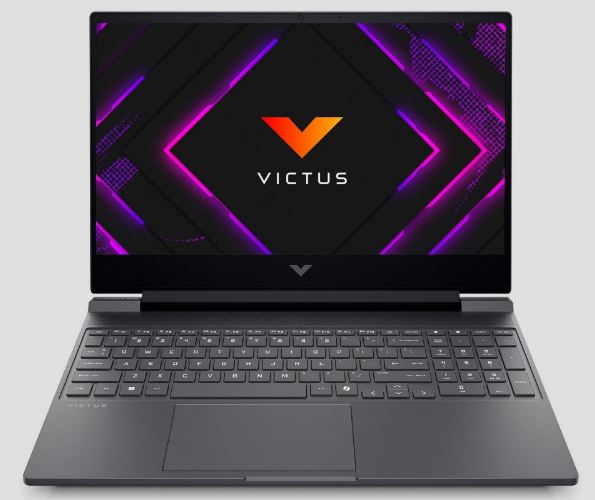
The HP Victus 15 is one of the most popular budget gaming laptops on the market. While brand-new models often cost more than $500, refurbished and open-box versions can frequently be found within this budget. Thanks to its dedicated graphics card and gaming-focused design, it offers a much better gaming experience than most standard laptops.
Specifications
CPU: AMD Ryzen 5 or Intel Core i5
GPU: NVIDIA GeForce GTX 1650, RTX 2050 or RTX 3050 (varies by configuration)
Display: 15.6-inch Full HD 144Hz
RAM: 8GB–16GB DDR4
Storage: 512GB SSD
Price: $450–$500 (Refurbished/Open-Box)
Why Buy It?
The HP Victus 15 provides true gaming laptop performance at a budget-friendly price. The dedicated GPU allows it to run popular esports titles such as Valorant, Counter-Strike 2, Fortnite, Apex Legends and Rocket League at much higher settings and frame rates than laptops relying solely on integrated graphics.
It also offers a gaming-inspired design, decent cooling and future upgrade options for RAM and storage. For buyers willing to shop refurbished, the Victus 15 is one of the strongest gaming laptop deals available under $500.
Best For: Gamers looking for a dedicated gaming laptop on a tight budget.
Common Mistakes When Buying a Gaming Laptop Under $500
Expecting AAA Gaming at Ultra Settings
One of the biggest mistakes buyers make is expecting a budget gaming laptop to run modern AAA games at Ultra settings with high frame rates. While many laptops in this price range can handle gaming, they are not designed to deliver the same experience as a premium gaming laptop.
Modern games such as Cyberpunk 2077, Alan Wake 2 and future AAA releases are extremely demanding. On a $500 gaming laptop, you’ll often need to lower graphical settings to achieve smooth gameplay.
If your main goal is playing the latest AAA games at high settings, it may be worth saving for a more powerful system. However, for esports games and older titles, a budget gaming laptop can still provide an excellent experience.
Buying a Laptop With Only 8GB of RAM
In 2026, 8GB of RAM is quickly becoming the bare minimum for Windows and modern applications. Between your operating system, browser tabs, Discord and background programs, a large portion of that memory can be used before you even launch a game.
This often leads to stuttering, slower loading times and poor multitasking performance. Whenever possible, choose a laptop with 16GB of RAM or make sure the memory can be upgraded later.
Ignoring Refurbished Gaming Laptops
Many buyers only consider brand-new laptops and completely overlook refurbished models. This is a mistake because refurbished gaming laptops often provide significantly better hardware for the same price.
A refurbished laptop is simply a pre-owned device that has been professionally inspected, repaired if necessary and restored to proper working condition. In many cases, you can find gaming laptops with dedicated graphics cards for the same price as a new laptop with only integrated graphics.
When buying refurbished, always choose reputable sellers and ensure the laptop includes a warranty.
Buying an Old Dual-Core Processor
Processor performance plays a major role in both gaming and everyday responsiveness. Older dual-core processors struggle with modern games, multitasking and even basic productivity workloads.
For the best experience, look for at least an Intel Core i5 (12th Generation or newer) or an AMD Ryzen 5 processor. These CPUs provide enough performance to handle gaming, schoolwork and everyday use without feeling sluggish.
Ignoring SSD Storage
Storage is one of the most overlooked components when shopping for a budget laptop. Some low-cost laptops still include slow storage solutions that can make the entire system feel unresponsive.
A modern SSD dramatically improves boot times, application loading and overall system responsiveness. For gaming, it also reduces loading screens and improves the overall user experience.
Whenever possible, choose a laptop with at least a 512GB SSD. Not only will your games load faster, but the entire laptop will feel much more responsive during everyday use.
Conclusion
A $500 gaming laptop may not offer the same level of performance as more expensive gaming machines, but it can still be a great starting point for new gamers, students and anyone shopping on a tight budget. With realistic expectations, you can find a laptop capable of handling esports titles, older games, schoolwork and everyday productivity tasks without spending a fortune.
Whether you choose the Lenovo IdeaPad Gaming 3 for its dedicated graphics, the Acer Aspire series for its excellent value, the HP Victus 15 as a budget gaming alternative or one of the other options on this list, each laptop offers a solid balance of affordability and performance.
The key is understanding what matters most at this budget. Focus on getting a modern processor, at least 16GB of RAM, an SSD and, if possible, a dedicated graphics card. These components will have a much bigger impact on your gaming experience than flashy marketing or unnecessary features.
If your budget allows, you may also want to explore our Best Gaming Laptop Under $1000 (2026 Guide), Best Gaming Laptop Under $1500 (2026 Guide), Best Gaming Laptops Under $800 for Apex Legends(2026 Guide) and Best Gaming Laptop Under $3000 (2026 Guide) for more powerful gaming options.
Once you’ve chosen your gaming laptop, you can improve your gaming experience even further by following our How to Increase FPS in Apex Legends on Laptop (2026 Guide) and learning how to keep temperatures under control with our How to Reduce GPU Temperature While Gaming (2026 Guide) and How to Reduce CPU Temperature While Gaming (2026 Guide).
For gamers who want the most affordable entry point into PC gaming, a carefully chosen $500 gaming laptop can still provide years of enjoyable gaming and everyday use.