In building a gaming PC, it is crucial you have airflow in mind. And this is one of the biggest things that separates gaming laptops from gaming PCs. Gaming PCs come with a lot more customizable freedom, which also makes final decisions harder because there are many questions to ask before building your setup.
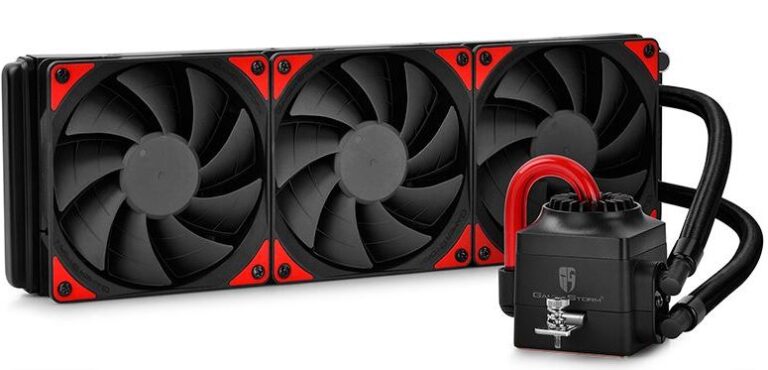
In our previous article, we talked about CPU coolers and AIO liquid coolers, but those were mainly focused on CPU temperature dissipation. PC fans on the other hand, cool the entire internal system of the PC. The fans help cool the GPU, SSD, motherboard, RAM and even the power supply by maintaining proper airflow throughout the case.
When there is effective fan placement inside the case, hot air is exhausted properly while cool air is pulled into the system. This allows your hardware components to run with fewer heat constraints, better stability and smoother gaming performance during long gaming sessions.
Why PC Fans Matter for FPS Gaming
PC fans are responsible for creating airflow inside the case and exhausting hot air to prevent overheating. When air constantly moves throughout the PC case, it becomes harder for heat and dust to build up inside the system. This helps reduce GPU temperatures, lower CPU temps and improve the overall cooling performance of the PC.
With proper airflow, thermal throttling is greatly reduced because the hardware is able to maintain safer temperatures even under heavy workloads. This allows games to run more smoothly without placing too much heat strain on the hardware.
PC hardware in general hates heat, but at the same time generates a lot of heat during gaming. That is why it is very important to properly dissipate the heat for effective cooling, stable performance and smoother long gaming sessions.
Positive vs Negative vs Neutral Airflow
When installing fans inside a gaming PC case, you have complete freedom over how airflow moves through the system. You decide how many fans pull cool air into the case and how many fans exhaust hot air out. Depending on your fan setup, your airflow configuration will fall under one of these three categories: Positive, Negative or Neutral airflow.
Positive Airflow
Positive airflow happens when the intake fans are more than the exhaust fans. For example, in a 9-fan setup, you may have 6 intake fans bringing cool air into the case and only 3 exhaust fans pushing hot air out.
With this setup, the internal air pressure inside the case becomes higher. This helps force dust and hot air out through unfiltered openings and small gaps in the case. Positive airflow is very popular because it helps reduce dust buildup when paired with proper dust filters.
The downside however is that too much positive pressure can sometimes trap warm air inside the case slightly longer, especially if the exhaust airflow is weak. This may result in slightly higher temperatures in some builds.
Negative Airflow
Negative airflow is the opposite. This happens when the exhaust fans remove more air than the intake fans supply, creating a slight vacuum effect inside the case.
Because hot air is removed aggressively, fresh cool air gets pulled into the system very quickly. This helps clear hotspots efficiently and can lower internal temperatures faster in some gaming setups.
The downside is that the PC case starts behaving almost like a vacuum cleaner. Since the pressure inside the case becomes lower, dust and outside air get pulled through every small crack, seam and unfiltered opening. This causes dust buildup much faster over time.
Neutral Airflow
Neutral airflow is achieved when the intake airflow and exhaust airflow are balanced. Technically, this happens when the total CFM (Cubic Feet per Minute) of the intake fans closely matches the exhaust fans.
This creates smooth and predictable airflow throughout the case because cool air enters and hot air exits at nearly the same rate.
The downside is that maintaining perfect neutral airflow is difficult because fan speeds constantly change depending on gaming workloads and temperatures. Also, since neutral airflow does not push air outward strongly, dust can still slowly accumulate through unfiltered openings over time.
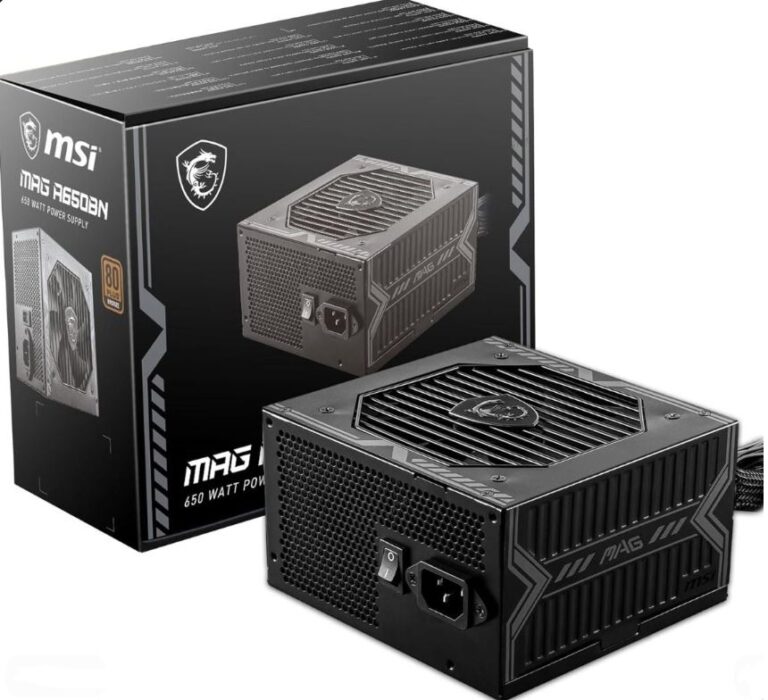
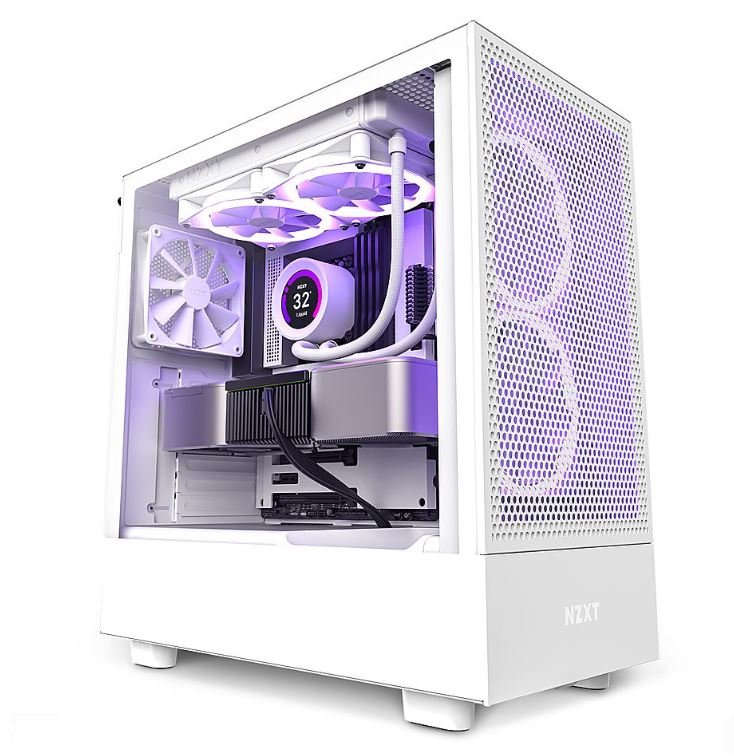
For proper airflow optimization, fan placement also matters alongside your PC case design and CPU cooling setup. If you want to improve overall cooling performance, check out:
Fan Sizes
The fan size you choose will mostly depend on the size of your PC case and the amount of airflow your setup needs. Different fan sizes perform differently when it comes to airflow, noise levels and cooling efficiency.
120mm Fans
120mm fans are considered the industry standard for most gaming PCs. They offer a great balance between:
- airflow,
- static pressure,
- cooling performance,
- and quiet operation.
Most gaming PC cases support multiple 120mm fans, making them one of the most common options for both intake and exhaust airflow setups.
140mm Fans
140mm fans are larger and generally quieter than 120mm fans because they can push more air at lower RPMs. This allows them to move large amounts of airflow without becoming too noisy during gaming.
These fans are excellent for:
- mid-tower builds,
- full tower gaming PCs,
- and high airflow setups.
They are especially useful for gamers who want:
- lower temperatures,
- quieter systems,
- and smoother airflow.
80mm and 92mm Fans
80mm and 92mm fans are mostly found in:
- compact gaming PCs,
- office systems,
- and Mini-ITX builds
where space is limited.
Because of their smaller size, they usually need to spin at much higher RPMs to move enough air. This often makes them:
- louder,
- less efficient,
- and weaker in airflow compared to larger fans.
200mm Fans
200mm fans are usually found on the front panels of larger gaming PC cases. These fans move massive amounts of air while remaining surprisingly quiet because they spin at lower speeds.
The downside is that:
- not many PC cases support them,
- and replacement options are more limited.
Airflow Fans vs Static Pressure Fans
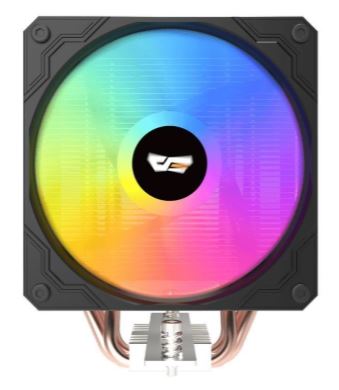
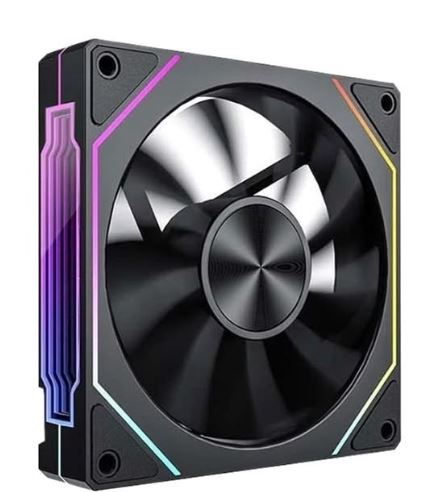
Now that you understand fan sizes, the next important thing to know is the difference between airflow fans and static pressure fans. Even though both move air, they are designed for completely different purposes inside a gaming PC.
Airflow Fans
Airflow fans are designed to move the highest amount of air possible throughout the PC case. They usually feature thinner blades with more aggressive angles to maximize the amount of air pushed every minute.
These fans work best in areas with little airflow restriction, making them perfect for:
- front intake,
- top exhaust,
- and rear exhaust setups.
Airflow fans are excellent for reducing overall case temperatures and improving GPU cooling because they help maintain smooth airflow across the entire system.
Static Pressure Fans
Static pressure fans are designed to push air through restricted areas. They use wider blades with smaller gaps between them to create stronger air pressure.
These fans are best used on:
- CPU heatsinks,
- AIO liquid cooler radiators,
- and behind thick dust filters
because they can maintain strong airflow even when resistance blocks the air path.
Static pressure fans are very important for radiator cooling and high-performance CPU cooling setups where normal airflow fans would struggle to push enough air through tight spaces.
Best Budget PC Fans
A good budget PC fan should provide:
- strong airflow,
- low noise,
- good durability,
- and proper cooling performance
without becoming too expensive. These budget fans are excellent for improving airflow, reducing temperatures and keeping your gaming PC stable during long gaming sessions.
Arctic P12 PWM PST — Best Overall Performance
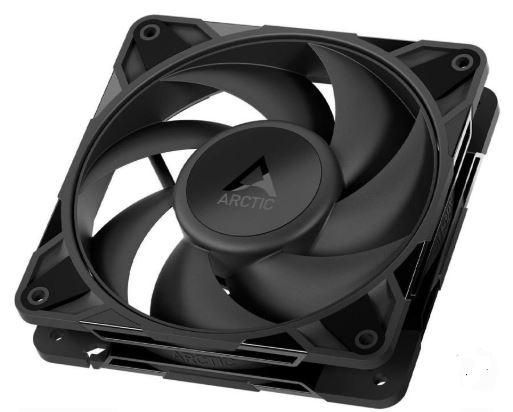
The Arctic P12 PWM PST is easily one of the best budget PC fans for gaming builds because of its incredible balance between:
- airflow,
- static pressure,
- noise levels,
- and price.
At around $10 per fan, or roughly $35 for a 5-pack, it offers cooling performance that competes with much more expensive fans.
One of the biggest strengths of the P12 is its versatility. It performs extremely well both as:
- a case airflow fan,
- and as a radiator fan for AIO coolers.
The PST daisy-chain system also makes cable management much easier since multiple fans can connect together cleanly. Noise levels are excellent too, remaining very quiet across most RPM ranges.
The main downside is that some units may develop a slight humming sound around the mid RPM range near 1000 RPM, though this usually depends on fan curves and case vibration.
Overall, this is one of the smartest budget cooling upgrades you can make for a gaming PC.
Thermalright TL-C12C — Best Value
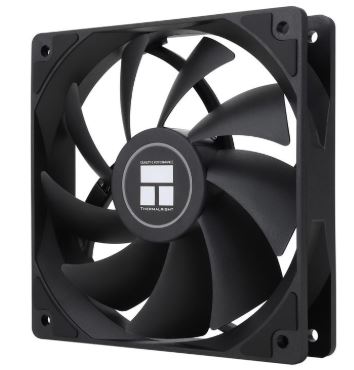
The Thermalright TL-C12C delivers some of the best value currently available in the budget fan market. At roughly $5–$7 per fan, or around $15 for a 3-pack, the price-to-performance ratio is extremely impressive.
Despite the low price, these fans still provide surprisingly strong airflow and decent static pressure performance. This makes them very good for:
- intake airflow,
- exhaust setups,
- and budget gaming builds.
Thermalright also includes silicone anti-vibration pads on the fan corners which help reduce noise and vibration during gaming.
The main compromise is the build quality. Compared to Arctic fans, the materials feel slightly lighter and more plastic-like, though cooling performance itself remains excellent for the price.
If you are building a budget gaming PC and want maximum airflow without spending much money, this is easily one of the best choices available.
DeepCool FK120 — Best Build Quality and Aesthetics
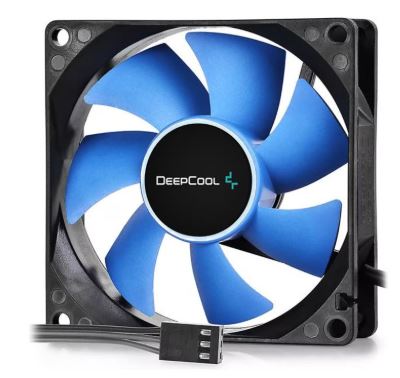
The DeepCool FK120 focuses more on:
- premium feel,
- cleaner aesthetics,
- and stronger overall construction.
Originally designed for high-end air coolers like the DeepCool AK620, the FK120 feels much more solid and refined compared to many budget fans.
The square frame design helps reduce air leakage, making it excellent for:
- radiators,
- heatsinks,
- and restricted airflow setups.
It also features a very wide PWM range, allowing the fan to remain quiet at low speeds while still delivering strong cooling under heavy gaming workloads.
The downside is pricing. The FK120 is usually more expensive than both the Arctic P12 and Thermalright TL-C12C, especially since it rarely comes in ultra-cheap multi-pack bundles.
However, if you care about:
- aesthetics,
- build quality,
- and quieter operation,
the FK120 is one of the best looking budget gaming fans available.
BEST MID-RANGE PC FANS
Mid-range PC fans are where you start getting:
- better acoustics,
- stronger airflow,
- improved durability,
- and premium build quality.
These fans are perfect for gamers who want:
- lower temperatures,
- quieter gaming sessions,
- and cleaner airflow setups
without fully entering expensive enthusiast territory.
be quiet! Silent Wings 4 — Best Pure Performance and Silence
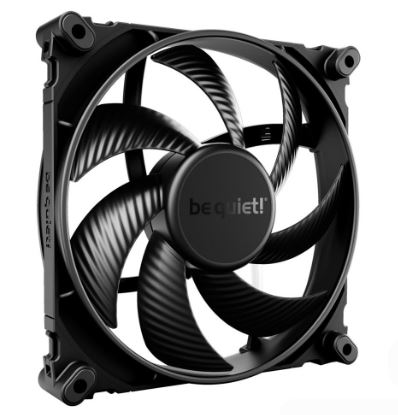
The be quiet! Silent Wings 4 is one of the most advanced mid-range PC fans currently available. It is built for gamers who care about:
- low noise,
- smooth airflow,
- and premium cooling performance.
At around $20–$25 per fan, it directly competes with some of the best flagship fans on the market, including premium Noctua models.
One of the biggest strengths of the Silent Wings 4 is how incredibly quiet it remains even under higher fan speeds. The fan has excellent linear speed response, meaning noise levels increase very smoothly without sudden turbulence or annoying pitch changes.
The fan also uses:
- extremely tight blade clearance,
- minimal vibration design,
- and interchangeable mounting corners
which allows it to work very well both as:
- a case airflow fan,
- and a radiator fan.
The only major downside is that there is:
- no RGB lighting,
- and the higher-end Pro versions can become expensive quickly.
Still, if your goal is:
- maximum silence,
- smooth acoustics,
- and premium cooling,
this is easily one of the best mid-range fans for gaming PCs.
Lian Li Uni Fan SL120 V2 — Best Design and Aesthetics
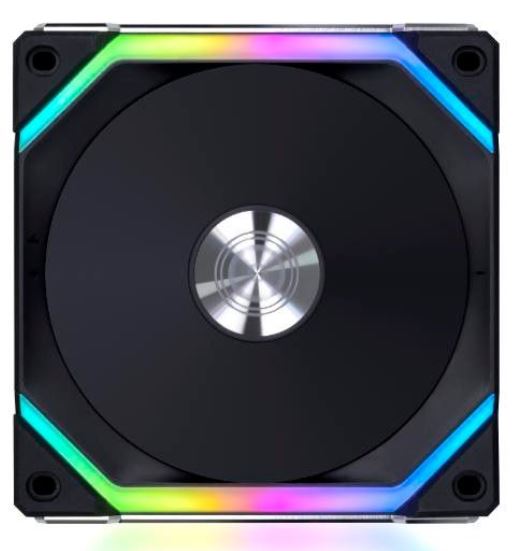
The Lian Li Uni Fan SL120 V2 is built mainly for:
- clean cable management,
- RGB aesthetics,
- and showcase gaming builds.
At around $25–$30 per fan, or over $80 for a 3-pack with a controller, these fans focus heavily on creating one of the cleanest looking gaming PC setups possible.
The biggest feature is the interlocking fan system. Instead of every fan requiring separate cables, the fans physically connect together and use a single cable connection. This massively reduces cable clutter inside the PC case and creates a much cleaner build overall.
The updated V2 version also improves:
- airflow,
- fan efficiency,
- and side-profile RGB lighting
compared to the older V1 models.
Cooling performance itself is still very strong, though at higher RPMs the fans are not quite as quiet as the Silent Wings 4.
If you care heavily about:
- aesthetics,
- RGB synchronization,
- and clean PC builds,
the SL120 V2 is one of the best looking fan setups available today.
Noctua NF-P12 redux — Best Value and Reliability
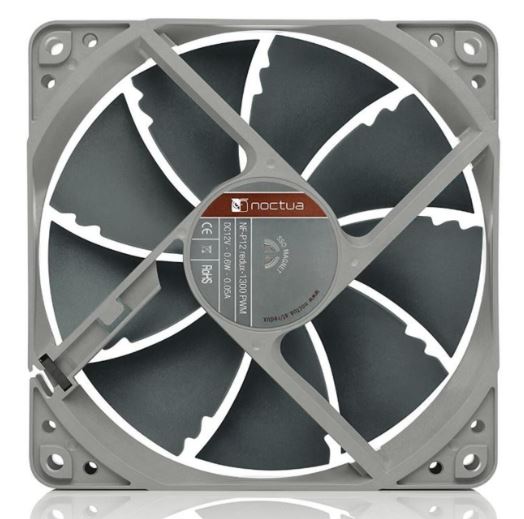
The Noctua NF-P12 redux focuses on:
- reliability,
- static pressure,
- and long-term durability.
At roughly $15–$18 per fan, it delivers premium Noctua engineering without the expensive accessories and classic brown color design.
This fan is especially strong for:
- radiators,
- CPU coolers,
- and restrictive airflow environments
because of its excellent static pressure performance.
The legendary Noctua SSO bearing system also gives the fan exceptional long-term reliability, making it one of the safest long-term cooling investments for a gaming PC.
The downside is that the redux line is more basic compared to newer fan designs. It lacks:
- RGB,
- daisy-chain systems,
- and built-in anti-vibration pads.
However, if your main goal is:
- dependable cooling,
- long lifespan,
- and strong airflow performance,
the NF-P12 redux remains one of the smartest mid-range fan choices for gaming systems.
BEST HIGH-END PC FANS
High-end PC fans are built for gamers and enthusiasts who want:
- maximum airflow,
- lower temperatures,
- quieter acoustics,
- and premium build quality.
These fans are usually found in:
- high-end gaming PCs,
- overclocked systems,
- custom cooling builds,
- and showcase gaming setups.
Phanteks T30-120 — The Performance King
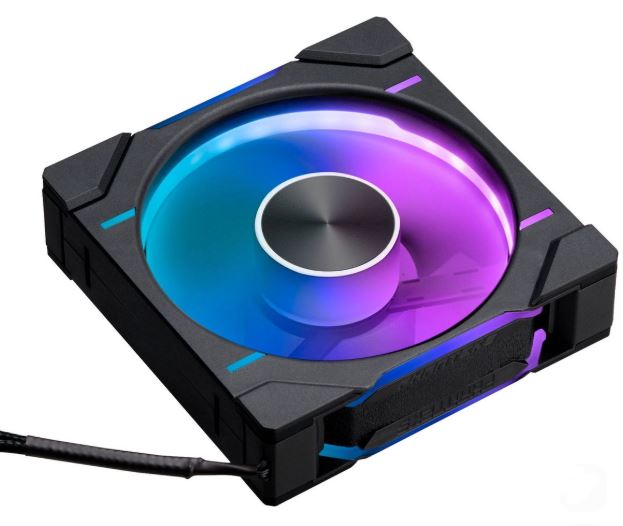
The Phanteks T30-120 is considered by many enthusiasts as one of the best performing PC fans ever made. At around $32–$35 per fan, it focuses entirely on:
- raw airflow performance,
- static pressure,
- and cooling efficiency.
Unlike standard 25mm fans, the T30 uses a thicker 30mm design. This allows the fan blades to become much larger, helping it move significantly more air while generating stronger static pressure than most traditional fans.
One of the best features is the physical performance switch located on the fan hub. This lets you toggle between:
- Hybrid mode,
- Performance mode,
- and Advanced mode
depending on your cooling needs and noise preferences.
In most fan benchmarks, the T30 consistently dominates the competition in:
- airflow-to-noise ratio,
- radiator performance,
- and raw cooling capability.
The only major downside is compatibility. Because the fan is thicker than standard fans, it may create clearance problems inside:
- compact cases,
- Mini-ITX builds,
- or thick radiator setups.
Still, if your main goal is:
- maximum airflow,
- aggressive cooling,
- and top-tier thermal performance,
the Phanteks T30 is easily one of the best high-end PC fans available.
Noctua NF-A12x25 — The Acoustic Gold Standard
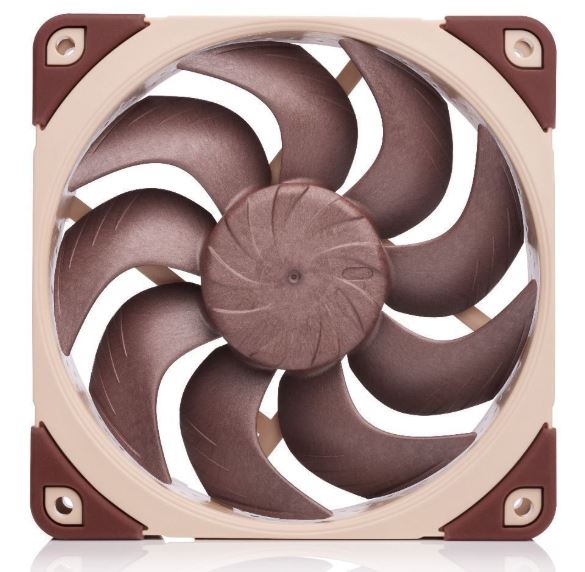
The Noctua NF-A12x25 is one of the most respected premium fans in the PC gaming industry. It is engineered heavily around:
- acoustic performance,
- airflow efficiency,
- and premium engineering.
The fan uses a special Sterrox Liquid Crystal Polymer material which allows the blades to maintain an incredibly tight 0.5mm clearance from the frame. This helps reduce air leakage and improves cooling efficiency significantly.
What makes the NF-A12x25 special is not just the cooling performance, but the sound profile itself. Unlike many fans that produce:
- sharp turbulence,
- annoying motor noise,
- or high-pitched whining,
the Noctua produces a very smooth low-frequency hum that sounds much quieter during gaming sessions.
Another major advantage is compatibility. Since it uses the standard 25mm thickness, it fits almost every:
- gaming case,
- radiator,
- CPU cooler,
- and airflow setup
without issues.
The only downside is the classic brown and beige Noctua color design, though the black Chromax version solves this problem for many gamers.
While it may not outperform the thicker Phanteks T30 in raw airflow, it remains one of the best balanced fans for:
- cooling,
- acoustics,
- and reliability.
Corsair QX120 RGB — The Smart Tech Leader
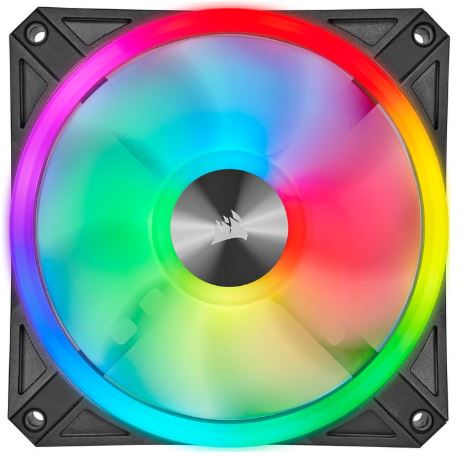
The Corsair QX120 RGB focuses heavily on:
- RGB aesthetics,
- smart ecosystem integration,
- and advanced cable management.
At around $50 per fan, this is easily one of the most expensive fan ecosystems currently available.
The biggest feature is Corsair’s:
- iCUE LINK ecosystem.
The fans physically connect together and use a single cable for:
- power,
- RGB lighting,
- and data communication.
This massively reduces cable clutter and creates extremely clean gaming PC builds.
The QX120 also includes:
- dual-zone RGB lighting,
- built-in temperature sensors,
- and advanced software monitoring
through Corsair’s iCUE software.
Cooling performance itself is still very strong, though in pure thermal performance per dollar, it loses to both:
- the Phanteks T30,
- and Noctua NF-A12x25.
The biggest downside is pricing. The fans require Corsair’s proprietary iCUE LINK hub, making the total setup very expensive compared to traditional fan systems.
However, if you care heavily about:
- RGB synchronization,
- smart software control,
- and ultra-clean cable management,
the Corsair QX120 RGB is one of the most advanced premium gaming fan systems available today.
Common PC Fan Mistakes
Poor Intake and Exhaust Balance
One of the biggest mistakes gamers make is installing too many exhaust fans and very few intake fans. This creates poor airflow balance inside the case and can cause dust buildup much faster over time.
A gaming PC should have proper airflow movement where cool air enters the case efficiently while hot air exits smoothly. If airflow is unbalanced, hot air can become trapped around important hardware components like the GPU and CPU.
Buying Fans Only for RGB
Another common mistake is buying fans mainly because of RGB aesthetics instead of actual airflow performance. Some cheap RGB fans may look beautiful inside the case but perform poorly under heavy gaming workloads.
Good airflow and strong static pressure matter far more than excessive lighting when building a stable gaming PC for long gaming sessions.
Incorrect Fan Orientation
Many gamers also install fans in the wrong direction. Incorrect intake and exhaust placement can completely disrupt airflow inside the system.
This can trap hot air around the:
- graphics card,
- processor,
- and motherboard
leading to:
- higher temperatures,
- thermal throttling,
- and unstable gaming performance.
Buying Cheap Low-Quality Fans
Some builders purchase very cheap fans with:
- weak motors,
- poor bearings,
- and low durability.
Cheap fans often:
- become noisy over time,
- lose airflow efficiency,
- and fail much earlier than quality fans from trusted brands.
A quality fan setup will always provide:
- better airflow,
- lower temperatures,
- and smoother gaming stability in the long run.
Conclusion
PC fans are one of the most important parts of maintaining proper airflow and stable temperatures inside a gaming PC. Even though fans do not directly increase FPS, they help your hardware maintain stable performance by reducing heat buildup and preventing thermal throttling during long gaming sessions.
Choosing the right:
- fan size,
- airflow setup,
- and fan type
can greatly improve:
- cooling efficiency,
- hardware lifespan,
- and overall gaming stability.
For most gamers, a balanced airflow setup with quality intake and exhaust fans is more than enough to keep temperatures under control. Meanwhile, high-end gaming systems and overclocked PCs benefit heavily from premium airflow and static pressure fans.
If you want to further optimize your gaming setup, also check out:
- Best SSD for FPS Gaming (2026 Guide)
- Best Power Supply for FPS Gaming (2026 Guide)
- Best Budget RAM for FPS Gaming (2026 Guide)
for a more balanced and stable gaming PC build.