RAM is one of the most important hardware components in a gaming PC build. Choosing the right RAM that is compatible with your motherboard and CPU is very important for achieving stable FPS and smooth gameplay.
RAM stores temporary information that the CPU needs quickly during gaming and multitasking. Instead of constantly pulling information from the SSD, the CPU sends important game data to the RAM because RAM is significantly faster. This allows information to be processed and transferred much quicker during gameplay.
When your RAM runs out of space, your computer starts using the SSD as:
virtual memory
This is much slower and can cause:
- stuttering,
- FPS drops,
- slower responsiveness,
- and lag during gaming.
That is why having:
- enough RAM,
- and fast RAM speeds
can noticeably improve gaming performance in FPS games.
RAM also works closely together with the CPU to improve:
- frame pacing,
- responsiveness,
- and overall gaming smoothness.
If you want to understand more about how CPUs affect FPS gaming performance, check out the AMD vs Intel CPUs for FPS Gaming (2026 Guide).
RAM Also Helps With Multitasking
RAM is extremely important for multitasking.
Having more RAM allows you to:
- open multiple applications,
- run background apps,
- stream,
- browse,
- and game simultaneously
without major performance loss.
This is especially useful for gamers who:
- stream on Twitch,
- record gameplay,
- use Discord,
- or multitask while gaming.
What Is DDR RAM?
DDR stands for:
Double Data Rate
DDR memory transfers data twice per clock cycle, helping improve:
- system responsiveness,
- gaming performance,
- and overall speed.
RAM has evolved through different generations:
- DDR3
- DDR4
- DDR5
Each newer generation delivers:
- faster speeds,
- better efficiency,
- and improved gaming performance.
Modern gaming PCs mainly use:
- DDR4,
- or DDR5 RAM
for the best FPS gaming experience and smoother gameplay.
WHY RAM MATTERS FOR FPS GAMING
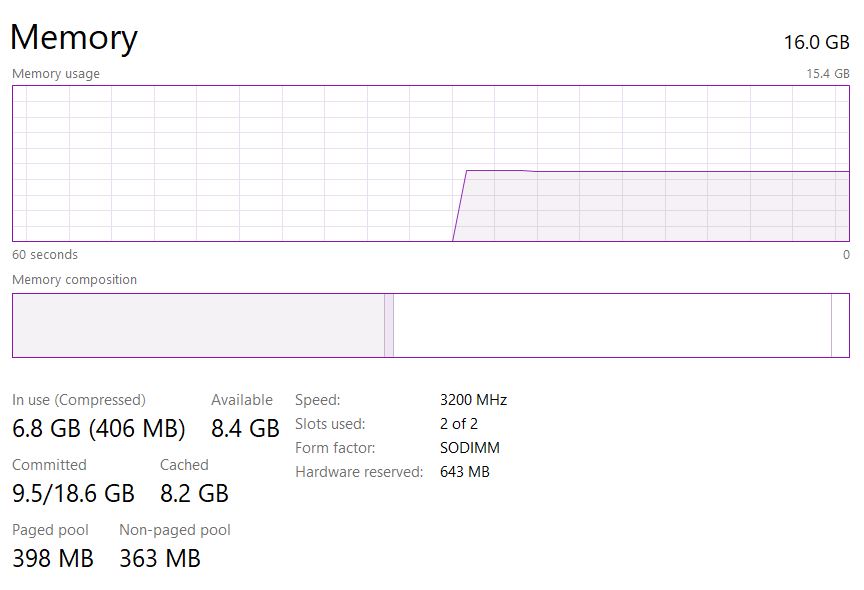
In FPS gaming, stable performance is extremely important. That is why having the right RAM can noticeably improve:
- gaming smoothness,
- frame pacing,
- loading times,
- and overall FPS performance.
RAM works closely together with the CPU and helps store temporary game data that needs to be accessed quickly during gameplay.
Reduces Stuttering
One of the biggest advantages of good RAM is reducing stuttering during gameplay.
As mentioned earlier, RAM stores temporary information from the CPU. A faster RAM kit helps process and transfer this information much quicker.
If your RAM is too slow or does not have enough capacity, games may:
- stutter,
- freeze briefly,
- struggle to load textures,
- or experience frame drops.
This is especially noticeable in:
- open-world games,
- competitive FPS games,
- and multitasking situations.
Having faster RAM helps improve:
- gameplay smoothness,
- frame consistency,
- and responsiveness.
Faster Loading Times
RAM also helps improve loading times during gaming.
Temporary game data already stored in RAM can be accessed much faster compared to loading directly from storage devices.
This helps:
- games launch faster,
- transitions load quicker,
- and gameplay feel smoother.
Some games even disguise loading screens as:
- transitions,
- elevators,
- tunnels,
- or cutscenes.
Games like:
- GTA 5,
- Deus Ex: Mankind Divided,
- and many modern AAA titles
benefit from faster RAM because it helps reduce loading delays and makes transitions feel more seamless.
RAM Speed Matters
RAM speed is determined by:
- the DDR generation,
- RAM frequency,
- and motherboard compatibility.
Most mid-range gaming motherboards support:
DDR4 RAM
DDR4 usually runs between:
2133MHz–3600MHz
which is still excellent for:
- 1080p gaming,
- esports titles,
- and budget gaming PCs.
High-end and newer gaming motherboards support:
DDR5 RAM
DDR5 typically runs between:
4800MHz–8000MHz+
This provides:
- faster multitasking,
- better responsiveness,
- smoother gaming,
- and improved FPS performance.
Higher RAM speeds can especially help in:
- CPU-intensive games,
- esports games,
- and high refresh rate gaming.
Dual Channel RAM
One mistake many prebuilt gaming PCs make is using:
single-channel RAM
There are two main ways RAM can be installed:
Single Channel
Dual Channel
For example:
Single Channel
- One 16GB RAM stick installed alone
Dual Channel
- Two 8GB RAM sticks installed together
In dual-channel mode, the motherboard can transfer data through both RAM sticks simultaneously.
This helps improve:
- bandwidth,
- gaming performance,
- frame pacing,
- and FPS stability.
Single-channel RAM places all the workload on one RAM stick which can sometimes cause:
- lower FPS,
- stuttering,
- and reduced performance.
That is why dual-channel RAM is usually recommended for FPS gaming and competitive gaming setups.
WHY GAMERS CHOOSE FAST RAM
Gamers choose fast RAM because it helps improve:
- smoother gameplay,
- stable FPS,
- frame pacing,
- and overall gaming responsiveness.
Fast RAM works closely together with the:
- CPU,
- GPU,
- and motherboard
to help games run more efficiently.
In FPS gaming, faster RAM can help:
- increase average FPS,
- improve 1% lows,
- reduce stuttering,
- and make gameplay feel smoother overall.
This is especially noticeable in:
- competitive FPS games,
- open-world games,
- and CPU-intensive titles.
Better CPU Communication
Fast RAM helps the CPU process information much quicker.
During gaming, thousands of instructions and temporary data are constantly being transferred between:
- the CPU,
- RAM,
- and GPU.
If the RAM is too slow, the CPU may struggle to process information efficiently which can reduce gaming performance.
With faster RAM:
- data transfers happen quicker,
- game assets load faster,
- and the CPU can work more efficiently without bottlenecks.
This helps improve:
- stable FPS,
- smoother gameplay,
- and faster responsiveness.
Lower Latency
Fast RAM also helps reduce system latency.
When information moves quickly and efficiently through the system, your:
- keyboard,
- mouse,
- monitor,
- and other gaming peripherals
can communicate faster with the PC.
This helps reduce:
- input lag,
- delayed responses,
- and gameplay inconsistencies.
Lower latency is extremely important for:
- competitive gaming,
- esports titles,
- and high refresh rate gaming
where reaction time matters a lot.
That is why many competitive gamers prefer:
- faster DDR4 RAM,
- or high-speed DDR5 RAM
for smoother gameplay and better gaming performance.
BEST ULTRA BUDGET DDR4 RAM
If you are building a budget gaming PC and want smooth FPS gaming performance without spending too much money, DDR4 RAM still offers excellent value in 2026.
DDR4 RAM is perfect for:
- esports gaming,
- budget gaming builds,
- multitasking,
- and stable FPS gaming.
For most FPS gamers, the sweet spot is:
dual-channel RAM
low latency
3200MHz–3600MHz speeds
Best Overall Budget DDR4 RAM
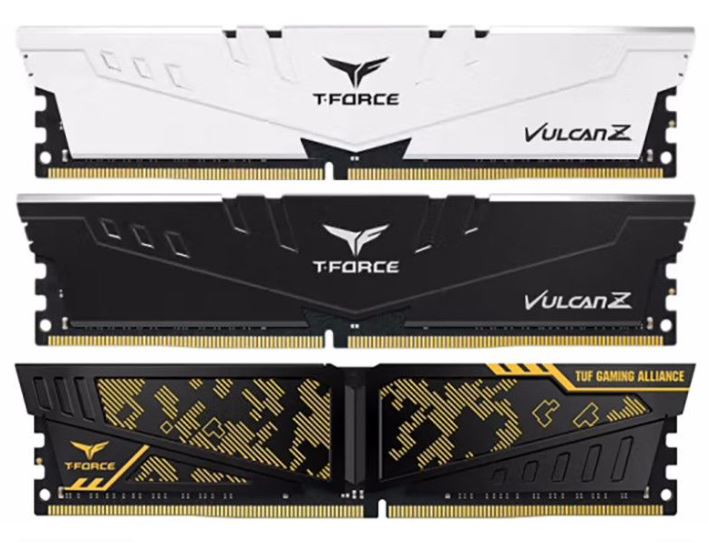
2x8GB DDR4-3200 CL16
Price
Around $38–$45
Best For
Sub-$500 gaming PC builds
Why It’s Good
This is currently one of the best budget RAM setups for FPS gaming in 2026.
You get:
- 16GB total RAM,
- dual-channel performance,
- and enough memory for most modern esports games.
This setup is excellent for games like:
- Valorant,
- League of Legends,
- CS2,
- and Fortnite
at:
1080p gaming.
Performance is also surprisingly close to more expensive:
DDR4-3600 CL16 kits
with only small FPS differences in many games.
For budget gamers, this is the minimum recommended RAM setup for smooth gaming in 2026.
Second Best Pick
2x16GB DDR4-3200 CL16
Recommended Kits
- TeamGroup Vulcan Z 32GB
- Silicon Power 32GB
- Kingston Fury Beast 32GB
Price
Around $55–$60
Why It’s Good
32GB RAM has become much still affordable even if the RAM prices has raised over the years
This setup is excellent for:
- multitasking,
- streaming,
- modded games,
- and heavy modern games.
You no longer need to constantly:
- close browser tabs,
- close Discord,
- or shut down background apps while gaming.
Best For
- Modded Skyrim
- Competitive gaming at high resolutions
- AAA gaming
- Streaming while gaming
Even though the speed is similar to 16GB kits, the:
larger RAM capacity
helps improve multitasking and overall system responsiveness.
Third Best Pick
2x8GB DDR4-3600 CL16
Recommended Kits
- TeamGroup T-Force Dark Za
- Patriot Viper Steel
- Corsair Vengeance LPX
Price
Around $48–$55
Why It’s Good
DDR4-3600 CL16 is considered the:
sweet spot
for many:
- Ryzen 5000 CPUs,
- and Intel 12th Gen processors.
Compared to DDR4-3200 CL16, this setup can provide:
3–6% more FPS on Ryzen systems
1–3% more FPS on Intel systems
especially in:
- CPU-intensive games,
- esports titles,
- and high refresh rate gaming.
This RAM setup is excellent for:
- competitive gaming,
- smoother frame pacing,
- and stable FPS performance.
BEST MID-RANGE DDR5 RAM FOR FPS GAMING
DDR5 RAM has become the new standard for modern gaming PCs because of its:
- higher speeds,
- better multitasking,
- lower latency improvements,
- and stronger gaming performance.
For competitive FPS gaming, the current sweet spot for DDR5 memory is:
6000MHz CL30
This speed provides:
- excellent frame pacing,
- stable FPS,
- smoother gameplay,
- and strong CPU performance
especially on:
- AMD AM5 platforms,
- and newer Intel systems.
Best Overall Mid-Range DDR5 RAM
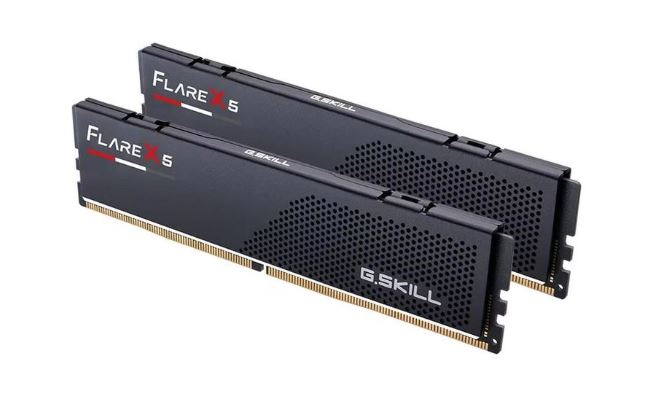
G.Skill Flare X5 2x16GB 6000 CL30
Price
Around $89
Best For
AMD AM5 gaming builds
Why It’s Good
The G.Skill Flare X5 is currently one of the best DDR5 RAM kits for Ryzen gaming builds.
It is specifically optimized for:
Ryzen 7000 and Ryzen 9000 processors
and works extremely well with:
- Ryzen 5 7500F,
- Ryzen 7 7800X3D,
- and Ryzen 9 9950X3D.
The:
CL30-38-38 timings
are tighter than many competing RAM kits which helps improve:
- frame pacing,
- latency,
- and gaming responsiveness.
This can provide:
1–2% more FPS
in some Ryzen gaming systems.
Another advantage is the:
low-profile heatsink
which fits easily under large CPU coolers.
Downside
This RAM mainly supports:
EXPO profiles
so Intel users may need to manually tune settings.
Second Best Pick
Corsair Vengeance 2x16GB 6000 CL30
Price
Around $95
Best For
AMD and Intel gaming builds
Why It’s Good
The Corsair Vengeance DDR5 kit is one of the best all-round DDR5 RAM kits currently available.
One major advantage is that it supports both:
Intel XMP 3.0
AMD EXPO
This makes it excellent for:
- AMD AM5 systems,
- Intel LGA1700 builds,
- and future platform upgrades.
The gaming performance is extremely strong and works very well for:
- competitive FPS gaming,
- multitasking,
- and high refresh rate gaming.
RGB Version Note
The RGB version is taller and may interfere with large CPU coolers.
If using coolers like:
- Peerless Assassin,
- or Noctua NH-D15,
the non-RGB version is usually the better choice.
Downside
The:
CL30-40-40 timings
are slightly looser than the G.Skill Flare X5 kit, although the real-world FPS difference is usually very small.
Third Best Pick
Kingston Fury Beast 6000 CL30
Best For
Compact gaming PC builds
Why It’s Good
The Kingston Fury Beast DDR5 RAM kit is excellent for:
- smaller PC cases,
- compact gaming setups,
- and tight cooler clearance builds.
Its:
33.5mm low-profile heatsink
fits under almost any air cooler.
Performance is very similar to the Corsair Vengeance kit because both use similar:
Hynix memory chips
This means you still get:
- excellent gaming performance,
- stable FPS,
- and strong multitasking performance.
Downside
Some AMD EXPO profiles may require:
BIOS updates
especially on certain ASRock motherboards.
Updating the motherboard BIOS usually fixes compatibility issues quickly.
BEST RAM SPEED FOR FPS GAMING
The best RAM speed for FPS gaming usually depends on:
- the games you play,
- your CPU,
- your motherboard,
- and your overall gaming setup.
For most gamers, both DDR4 and DDR5 RAM can deliver excellent gaming performance when paired correctly with the right hardware.
DDR4 RAM for Budget Gaming
If you are building a budget gaming PC, DDR4 RAM is still an excellent choice in 2026.
A:
16GB–32GB DDR4 setup
is more than enough for:
- competitive FPS games,
- modern AAA games,
- multitasking,
- and smooth 1080p gaming.
Recommended DDR4 speeds:
3200MHz–3600MHz
These speeds provide:
- stable FPS,
- smoother gameplay,
- and excellent value for money.
DDR4 RAM is perfect for gamers who:
- are on a tight budget,
- use AM4 systems,
- or want affordable gaming performance.
DDR5 RAM for Future-Proof Gaming
If your motherboard supports:
DDR5 RAM
then DDR5 is the better long-term upgrade path.
DDR5 RAM provides:
- faster speeds,
- better multitasking,
- improved responsiveness,
- and stronger gaming performance in modern systems.
Recommended DDR5 speeds:
5200MHz–6000MHz+
DDR5 works especially well with:
- Ryzen 7000 and 9000 CPUs,
- Intel 13th and 14th Gen processors,
- and high refresh rate gaming setups.
For most gamers:
16GB DDR5
or
32GB DDR5
is more than enough for:
- competitive gaming,
- streaming,
- multitasking,
- and modern AAA games.
If you are into:
- immersive 4K gaming,
- ultra-wide gaming,
- heavy multitasking,
- or content creation,
then:
32GB DDR5 RAM
is an excellent choice.
Single Channel vs Dual Channel
One of the most important things in gaming performance is:
avoiding single-channel RAM.
Always try to use:
dual-channel memory
Examples:
- 2x8GB DDR4
- 2x16GB DDR4
- 2x16GB DDR5
Dual-channel RAM improves:
- bandwidth,
- FPS stability,
- frame pacing,
- and overall gaming smoothness.
This is especially important for:
- FPS gaming,
- Ryzen CPUs,
- and competitive gaming setups.
CL Timings and Diminishing Returns
RAM performance is not only about speed.
Latency timings also matter.
The:
CL timing
measures how quickly the RAM responds to requests.
Lower CL timings usually provide:
- lower latency,
- smoother responsiveness,
- and slightly better gaming performance.
For example:
- DDR4-3600 CL16
- DDR5-6000 CL30
are considered excellent gaming RAM configurations.
However, after a certain point:
the FPS gains become very small.
This is called:
diminishing returns
For example, upgrading from:
- DDR5-6000
to - DDR5-8000
usually gives only small FPS improvements while costing significantly more money.
That is why most gamers should focus on:
- balanced RAM speeds,
- good latency,
- and dual-channel setups
instead of chasing extremely high RAM frequencies.
COMMON RAM MISTAKES FOR FPS GAMING
Choosing the right RAM is very important for gaming performance, but many gamers still make mistakes that hurt:
- FPS,
- frame pacing,
- loading times,
- and overall smoothness.
Here are some common RAM mistakes you should avoid.
Using Single-Channel RAM
One of the biggest mistakes many gamers make is using:
single-channel RAM
instead of:
dual-channel RAM.
For example:
Single Channel
- 1x16GB RAM stick
Dual Channel
- 2x8GB RAM sticks
Dual-channel RAM allows the motherboard to transfer data using both RAM sticks simultaneously which improves:
- bandwidth,
- frame pacing,
- FPS stability,
- and gaming responsiveness.
Single-channel RAM can cause:
- lower FPS,
- stuttering,
- poor 1% lows,
- and inconsistent gameplay.
For the best FPS gaming performance, always use:
dual-channel memory.
Buying Slow RAM for a High-End CPU
Another common mistake is pairing a powerful CPU with very slow RAM.
For example:
Pairing a Ryzen 7 7800X3D with slow DDR4-2400 RAM limits gaming performance heavily.
Modern CPUs like:
- Ryzen 7000,
- Ryzen X3D processors,
- Intel 13th Gen,
- and Intel 14th Gen
benefit a lot from:
- faster RAM,
- lower latency,
- and better memory bandwidth.
For the best gaming performance:
DDR4 Sweet Spot
3200MHz–3600MHz
DDR5 Sweet Spot
5200MHz–6000MHz
Fast RAM helps improve:
- stable FPS,
- frame pacing,
- and gaming smoothness.
Ignoring RAM Compatibility
Many beginner PC builders buy RAM without checking motherboard compatibility.
Not every motherboard supports:
- every RAM speed,
- every DDR generation,
- or every memory profile.
For example:
- DDR4 RAM will not work in DDR5 motherboards,
- and some motherboards may need BIOS updates for high-speed RAM.
Always check:
- motherboard RAM support,
- DDR generation,
- maximum supported speeds,
- and XMP/EXPO compatibility
before buying RAM.
This helps prevent:
- boot problems,
- crashes,
- instability,
- and performance loss.
CONCLUSION
RAM plays a huge role in FPS gaming performance because it works directly with the CPU and GPU to improve:
- frame pacing,
- loading times,
- multitasking,
- and overall gaming smoothness.
Having the right RAM setup can help:
- reduce stuttering,
- improve 1% lows,
- increase responsiveness,
- and maintain stable FPS during gaming.
For most gamers:
DDR4 3200MHz–3600MHz
and
DDR5 5200MHz–6000MHz
are the best choices for competitive FPS gaming and modern AAA games.
The most important thing is to:
- avoid single-channel RAM,
- use compatible memory,
- and pair your RAM correctly with your CPU and motherboard.
If you are building a gaming PC, make sure you also check out:
You should also optimize your setup using:
- Best FPS Settings for Competitive Gaming (2026 Guide)
- Best Monitor Settings for FPS Games (2026 Guide)
- How to Reduce Input Lag in FPS Games (Complete Guide)
for even smoother gameplay and lower latency.