The monitor you play your games on matters more than most gamers realize. In FPS games, being able to spot enemies clearly, react quickly, and track movement smoothly which can give you a competitive edge. A good gaming monitor improves how smooth the enemy combatant moves on your screen, the response time where colors and images changes and overall gameplay feel.
Different monitors are designed for different experiences. Some monitors focus more on the visual quality for RPG and story games, while others are built specifically for fast response times, high refresh rates and competitive FPS gaming. That’s why choosing the right monitor is important. But since we are on a budget, the goal is not simply to buy the most expensive monitor. The goal is to get the best performance possible for the money.
In this guide, I’ll recommend some of the best budget gaming monitors for FPS games and explain what makes them good for competitive gaming.
Affiliate Disclosure
Some of the links in this article are affiliate links, which means I may earn a small commission if you purchase a product through one of these links, at no additional cost to you. This helps support me and allows me to continue creating gaming guides and hardware recommendations for you.
What to Look for in a Gaming Monitor
Before buying a gaming monitor, it is important to understand the features that actually matter for FPS gaming. A monitor can affect the smoothness, response time in-game, motion clarity and overall competitive performance.
Here are the most important things to look for when buying a budget gaming monitor.
Monitor Size
Gaming monitors mainly come in 24-inch, 27-inch and 32-inch sizes. People say size doesn’t matter but in monitor sizes, choosing each size provides a different gaming experience. So it matter’s a lot.
24-Inch Monitors
24-inch monitors are the most popular choice for competitive FPS gaming. As of 2026, most professional LAN pro still use 24-inch 1080p monitors. It’s the E-sports standard. So for you guys out there who always end up at the top 750 or top 100 in hard competitive games, this is for you.
Why 24-Inch Is Great for FPS
- Easy to see the whole screen quickly
- Excellent for fast reactions
- Easier to maintain high FPS
- Commonly paired with:
- 144Hz
- 240Hz
- even 500Hz refresh rates
24-inch monitors are perfect for competitive FPS gaming, e-sports titles and budget gaming setups.
Downsides
- Can look slightly pixelated if you sit too close
Obviously…
- Less immersive for story games.
I play story games at the lowest graphics settings so it dosen’t matter to me.
27-Inch Monitors
27-inch monitors are considered one of the best balanced monitor sizes. Most 27-inch monitors use 1440p resolution. a 27″ monitor with 1080p display will look like washed out.
Advantage
- Sharper image quality
- Larger screen without feeling overwhelming
- Great balance between visuals and performance
27-inch monitors are excellent for gamers who want, competitive performance, while still enjoying beautiful visuals for story games with beautiful graphics.
32-Inch Monitors
32-inch monitors focus more on immersion, visuals, and cinematic gaming experiences. This is the best monitor to you guys who love to mod the… out of open world games like GTA, Cyberpunk 2077, Skyrim. Also the size is also best if you love racing games like Forza Horizon 6. To be honest, racing games has some of the best visuals, am I wrong?
These monitors are commonly paired with 4K resolution.
Best For:
- RPG games
- Racing games
- Story-driven titles
- Multitasking
Downsides for Competitive FPS
Large screens require more eye movement, making them less ideal for highly competitive FPS gaming.
Most 32-inch monitors are better suited for:
immersive gaming rather than esports competition.
Refresh Rate
Refresh rate determines how many times your monitor updates the image every second. The higher the refresh rate the smoother gameplay feels.
Recommended Refresh Rates
For competitive FPS gaming it is recommended you look out for monitors with refresh rate ranging from 144Hz – 240Hz
Higher refresh rate monitors are usually more expensive. But you can find a 144hz and 165hz monitor for $100. I have a KTC 24″ monitor, bought it for $110 has 165Hz with fast MPRT for such a price.
If you are still deciding between refresh rates, check out 144Hz vs 240Hz for FPS Games to see which refresh rate is best for your setup.
Response Time
Response time determines how quickly monitor pixels change between colors. Monitors with slower response times often suffer from “ghosting”. Ghosting appears as blur trails, shadows, or smearing behind moving objects. To do the UFO test check [HERE]. Ghosting can very much be become distracting during fast-paced FPS gameplay.
Why Response Time Matters:
In competitive games, ghosting can:
- reduce clarity,
- make enemies harder to track,
- and negatively affect aim consistency.
Response time is measured in:
milliseconds (ms).
Don’t Trust Marketing Alone
Many budget monitors advertise “1ms GtG response time.” Grey to Grey response time means how fast your monitor switches from one grey color to another, like the type of black and white colored TV people used during the 40’s. You should look out for the MPRT ( Motion Picture Response time) thats how fast different color changes especially when gaming. The lower number the better.
Before buying a monitor watch reviews, check motion tests and use tools like the UFO Test. Real-world motion performance matters more than marketing numbers.
Panel Type
The monitor panel determines image quality, response time, viewing angles and contrast. The four major panel types are TN, IPS, VA and OLED
Best Budget Panel Choice
For most budget gamers IPS and TN panels are the best overall option.
To understand the strengths and weaknesses of IPS, TN, VA, and OLED panels, check out IPS vs TN vs VA vs OLED for FPS Games.
They provide good response times, strong image quality and wide viewing angles.
Budget Competitive Option
If you are on a tight budget and mainly play competitive FPS games TN panels are still excellent. They provide very fast response times, low latency and smooth motion clarity.
The main downside is weaker image quality and narrow viewing angles. But the fast response time makes up for it. TN panels today even rivals OLED panels in response times.
Resolution
Resolution determines how many pixels your monitor displays. Higher resolutions provide sharper visuals but require stronger hardware.
Recommended Resolution for Budget FPS Gaming
As of 2026, 1080p remains the best budget gaming resolution. It provides strong FPS performance, good image clarity and lower GPU strain.
Higher Resolutions
Other gaming resolutions include 1440p, 4K and 8K. These resolutions are more demanding and usually require high-end GPUs, stronger CPUs and more expensive gaming setups. For budget gaming 1080p is still the best overall choice.
Best Budget 1080p Gaming Monitor
KTC H24T09P
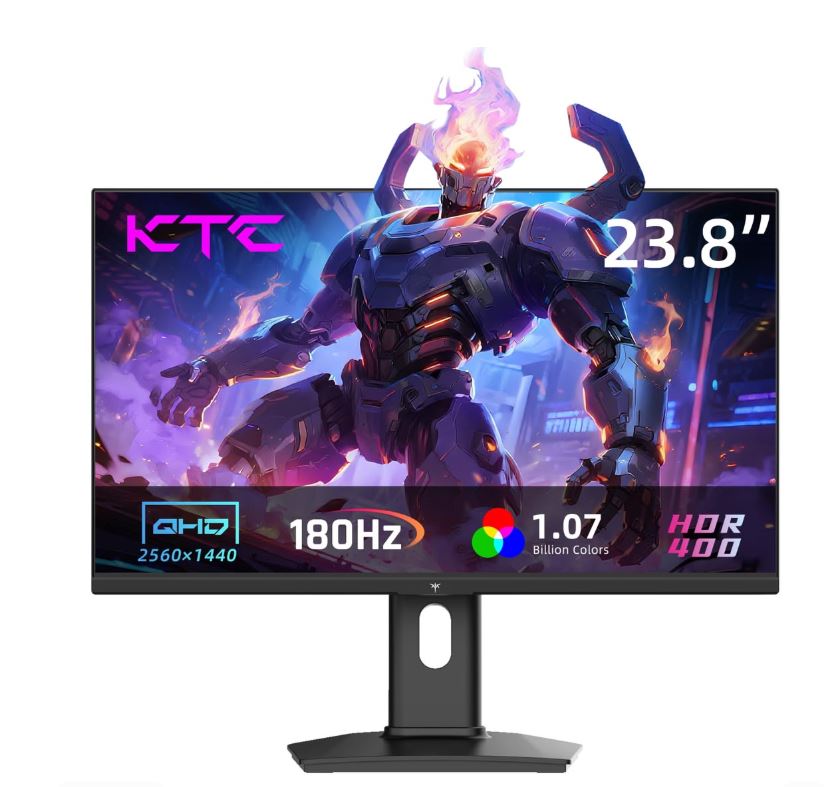
The KTC H24T09P is one of the best budget 1080p gaming monitors for competitive FPS gaming.
This is a 24-inch monitor with 1080p display, Fast IPS panel and a 180Hz refresh rate and the best part is that it can even be overclocked close to 200Hz. Just be sure you don’t mess it up when overclocking.
Why It’s Great
The Fast IPS panel provides better response times than traditional IPS monitors, Good motion clarity, Strong color accuracy and smooth gameplay for competitive FPS titles
The 24-inch size is also ideal for competitive gaming,
- fast reactions,
- and easy screen tracking.
Best Budget 144Hz Gaming Monitor
MSI PRO MP273Q
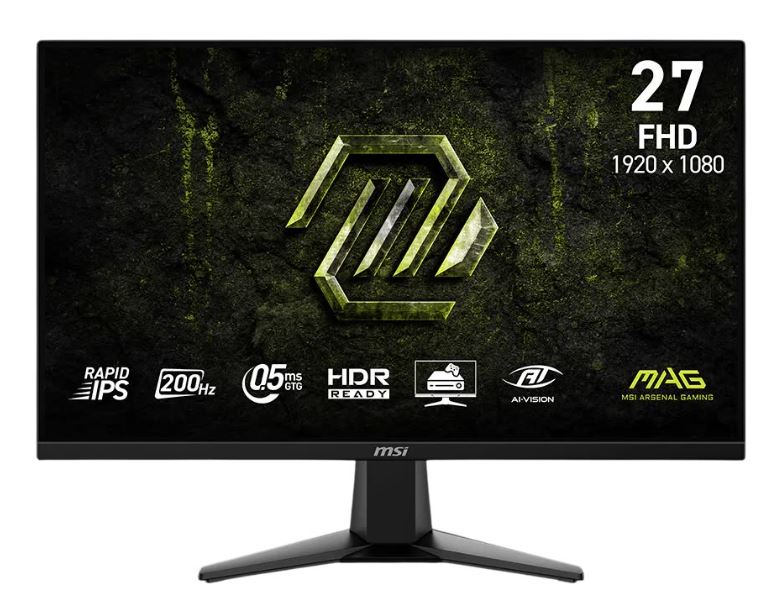
The MSI PRO MP273Q is a strong budget-friendly 1440p IPS gaming monitor. This monitor features 27-inch display with 1440p resolution an IPS panel which supports Adaptive Sync.
Why It’s Great
The 1440p resolution provides sharper image quality, better clarity and more vibrant visuals compared to standard 1080p monitors.
The IPS panel also delivers wide viewing angles, solid color accuracy and smooth gaming performance. This monitor is a great option for gamers who want both competitive gaming and beautiful visuals.
Best Budget 240Hz Gaming Monitor
ASUS TUF VG249QML5A
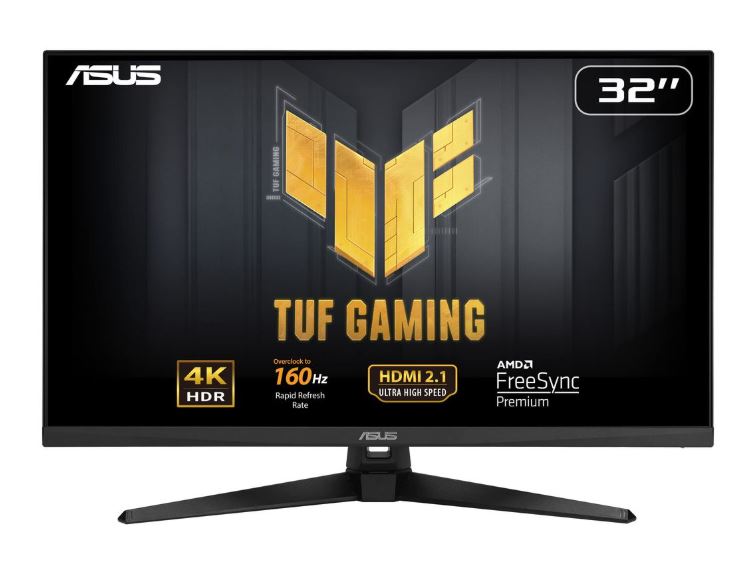
The ASUS TUF Gaming VG249QML5A is one of the best budget 240Hz gaming monitors for competitive FPS games. This monitor features 24-inch display, Fast IPS panel (the fast actually means its much faster than the normal IPS displays), 240Hz refresh rate and also supports AMD FreeSync
Why It’s Great
The Fast IPS panel helps reduce ghosting, motion blur and input delay.
The 240Hz refresh rate provides extremely smooth gameplay if your PC can handle it, fast motion clarity and responsive aiming.
This monitor is excellent for:
- competitive FPS players,
- esports gaming,
- and fast-paced shooters.
Best Budget IPS Gaming Monitor
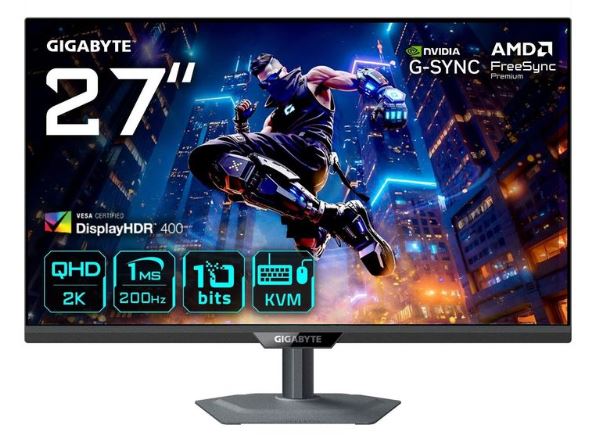
Gigabyte M27Q
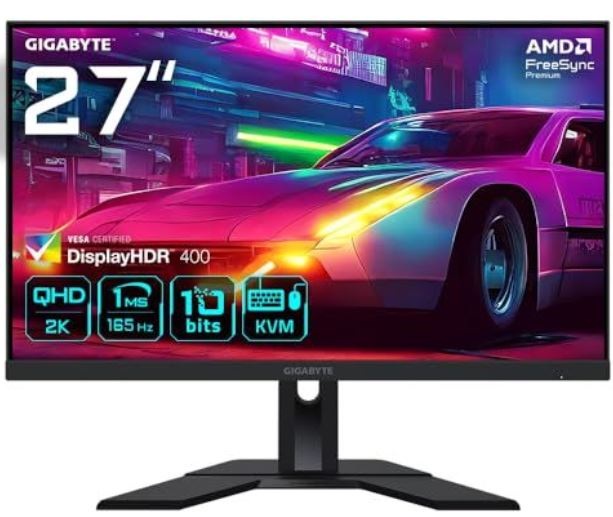
The Gigabyte M27Q is one of the best budget IPS gaming monitors available. This monitor features 27-inch display with1440p resolution and refresh rate ranging from170Hz–210Hz depending on mode. Did I also add it also features fast IPS panel?
Why It’s Great
The monitor provides sharp image quality, smooth gameplay, strong color accuracy and excellent motion handling.
Gigabyte advertises 1ms GtG response time but it is still recommended to check detailed reviews, motion tests and UFO ghosting tests on YouTube for real-world performance.
Best Budget TN Gaming Monitor
BenQ ZOWIE XL2540X
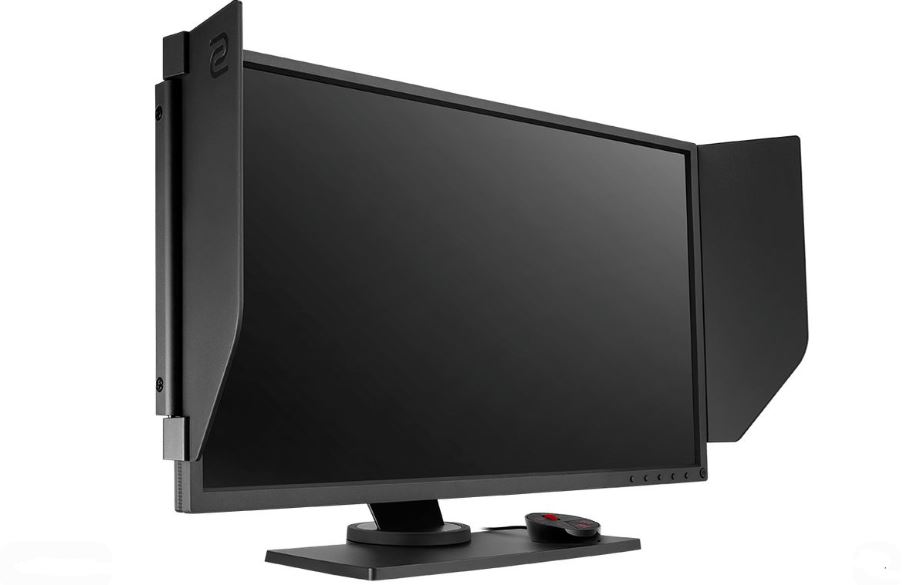
The BenQ ZOWIE XL2540X is one of the best TN competitive gaming monitors available. This monitor features 24-inch display,1080p resolution, 280Hz refresh rate with a TN panel. Best If you only play E-sports titles.
Why It’s Great
BenQ ZOWIE monitors are highly respected in esports because of their extremely fast response times, low input lag and excellent motion clarity.
This monitor is built mainly for competitive FPS performance.
Downsides
The main drawbacks are:
- weaker color quality,
- narrow viewing angles,
- and higher pricing.
At around:
$300+
it is more expensive than many budget gaming monitors, but the competitive performance is excellent.
Common Mistakes When Buying a Budget Gaming Monitor
Buying a gaming monitor without proper research can lead to:
- ghosting,
- poor response times,
- blurry motion,
- and disappointing competitive performance.
Here are some common mistakes gamers make when choosing a budget gaming monitor.
Buying a 60Hz Monitor for Competitive Gaming
As of 2026, 60Hz monitors are outdated for competitive FPS gaming. While still usable for casual gaming, they feel much less responsive compared to 144Hz, 165Hz and 240Hz monitors.
If you mainly play FPS games, it is highly recommended to get at least a 144Hz gaming monitor.
Prioritizing Resolution Over Refresh Rate
Many gamers buy 4K monitors or high-resolution displays without considering refresh rate. For FPS games refresh rate matters more than ultra-high resolution. A 1080p 240Hz monitor will feel much smoother and more responsive than a 4K 120Hz monitor. But the latter will be best for chill games.
Ignoring Response Time & Ghosting
Many budget monitors advertise “1ms response time” but real-world performance can still have:
- ghosting,
- smearing,
- and blurry motion.
Always check monitor reviews, check UFO tests and research real motion performance before buying.
Buying a VA Monitor for Competitive FPS
VA monitors provide beautiful visuals, but many budget VA panels suffer from:
- slower response times,
- motion blur,
- and ghosting.
For competitive FPS gaming IPS or TN panels are usually better choices.
Conclusion
A good gaming monitor can completely change how FPS games feel. The right monitor improves smoothness, visibility, motion clarity and overall responsiveness.
That’s why competitive players focus heavily on refresh rate, response time, panel type and motion performance.
For most budget gamers a 24-inch 1080p IPS monitor with 144Hz or higher refresh rate is one of the best overall choices. But if you are highly competitive and own powerful hardware a 240Hz monitor can provide an even smoother and more responsive experience.
Before buying a monitor, always remember to research response times, check for ghosting and choose a monitor that fits your gaming style and budget.
And if you are planning to upgrade your entire setup, check out the best gaming setup under $1000 for some solid budget gaming recommendations.
Thank you so much spending time reading my article. Hope you found what you were looking for.