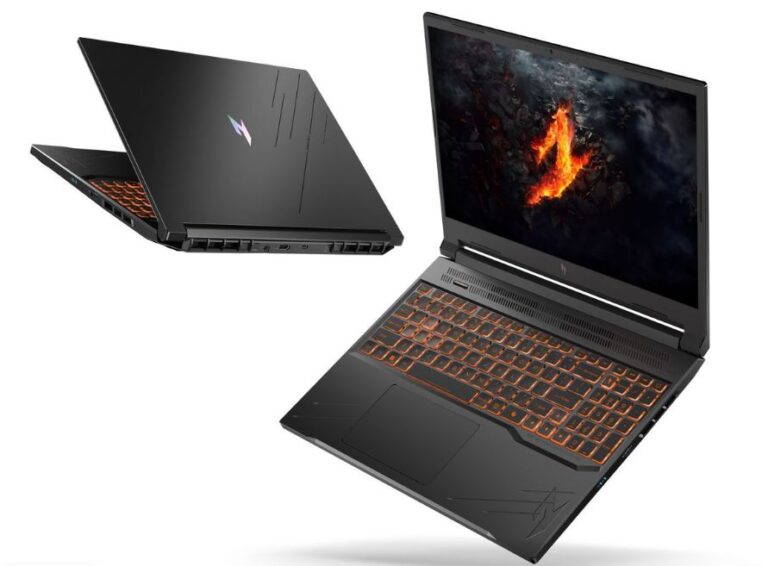
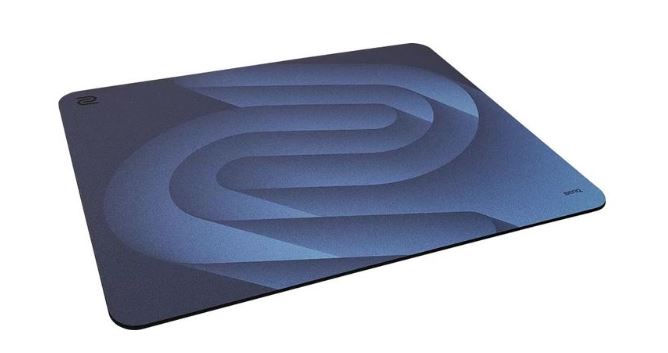
Counter-Strike 2 is one of the most competitive FPS games you can play, and unlike many modern games, you don’t need an insanely powerful GPU to enjoy it. What matters more is having a well-balanced PC that can maintain high and consistent FPS, especially when you’re playing at competitive settings.
CS2 can become heavily CPU-dependent when you’re trying to push very high frame rates, which means simply buying the most expensive graphics card isn’t always the best approach. A strong CPU, capable GPU, fast RAM, and good cooling all work together to give you the stable performance you need.
Building a gaming PC also gives you more flexibility than buying a gaming laptop. You can choose exactly where your money goes, upgrade individual components later, and pair your PC with a high-refresh-rate monitor that can actually take advantage of those high frame rates.
Whether you’re a casual player, a ranked grinder, a competitive player, a streamer, or someone who simply wants a powerful PC that will last for years, this guide will help you find the right gaming PC for Counter-Strike 2.
Affiliate Disclosure
Some of the links in this article are affiliate links, which means I may earn a small commission if you purchase a product through one of these links, at no additional cost to you. This helps support me and allows me to continue creating gaming guides and hardware recommendations.
That said, what should we actually look for when buying or building a gaming PC specifically for Counter-Strike 2?
What to Expect
CPU Performance
The CPU is extremely important in CS2, particularly if you’re targeting very high frame rates such as 200 FPS, 240 FPS, or higher.
We want a processor with strong single-core performance and good overall gaming performance so that the CPU doesn’t become a limitation when your GPU is capable of pushing high frame rates.
GPU Performance
CS2 isn’t particularly demanding on the GPU compared with modern AAA games. A mid-range graphics card can already deliver excellent 1080p performance at competitive settings.
However, a stronger GPU becomes useful if you want to play at 1440p, use higher graphical settings, play other demanding games, or connect a high-resolution monitor.
RAM
16GB should be the minimum, but 32GB is what I’d recommend for a new gaming PC.
CS2 itself doesn’t require 32GB, but the additional memory gives you plenty of room for Discord, Chrome, Spotify, OBS, and other applications running alongside the game.
Storage
A 1TB SSD should be the starting point for a modern gaming PC.
SSDs provide much faster loading times than traditional hard drives and make Windows and your games feel significantly more responsive. If you have a large Steam library or record a lot of gameplay, 2TB or more makes even more sense.
Cooling
CS2 can push the CPU hard when you’re targeting extremely high frame rates, so cooling shouldn’t be ignored.
A good CPU cooler and case airflow help maintain consistent clock speeds during long gaming sessions and prevent thermal throttling from turning a powerful PC into a slower one.
Upgradeability
One of the biggest advantages of a desktop gaming PC is the ability to upgrade individual components.
We want a build with a quality motherboard, reliable power supply, standard components, and enough room for additional RAM and storage. This allows you to upgrade your GPU, CPU, storage, or memory later instead of replacing the entire PC.
Best Gaming PCs for Counter-Strike 2 (2026)
CS2 is deceptively simple to look at and brutally demanding to run right. Professional players chase 300–500+ FPS not for bragging rights, but because every extra frame shaves real, measurable milliseconds off your reaction window.
The good news is that you don’t need a $4,000 rig to compete at a high level — you need the right rig for your budget and goals. We tested, compared, and cross-checked six categories of prebuilt PCs so you don’t have to guess. Here’s exactly what to buy.
Quick Picks at a Glance
| Category | Picks | Starting Price |
| Best Overall Gaming PC | Skytech Prism 4 | ~$2,499.99 |
| Best Budget Gaming PC | Corsair Vengeance i5200 | ~$899.99 |
| Best Value Gaming PC | Alienware Aurora | ~$1,499.99 |
| Best Competitive Gaming PC | BUYPOWER Trace MR | ~$1,699.99 |
| Best for Streamers Gaming PC | CLX Horus | ~$2,799.99 |
| Best Premium Gaming PC | Empowered PC Panorama XL | ~$3,299.99 |
Best Overall Gaming PC
Skytech Prism 4 (Ryzen 9 9950X3D / RTX 5080 / 64GB DDR5)
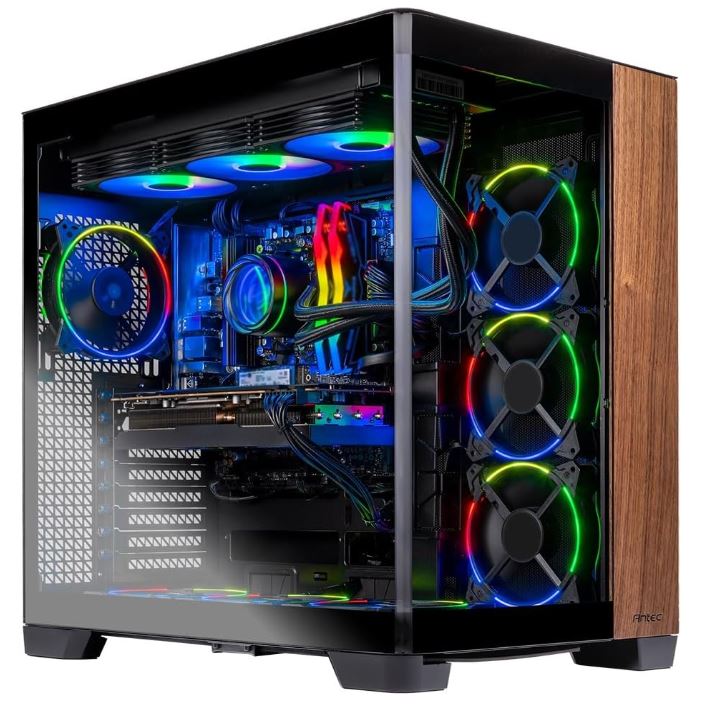
~$2,499.99
Why It’s Here
This is the rare build that doesn’t force you to pick a lane — flagship CPU, flagship GPU, and enough RAM and storage headroom that you won’t be upgrading again for years. It’s the “if you can only buy one PC” answer for players who want zero compromises.
Why It’s Good for Counter-Strike 2
The Ryzen 9 9950X3D’s 3D V-Cache is exactly the kind of architecture CS2 rewards, easily sustaining 400–500+ FPS at competitive settings, while the RTX 5080 means you’ll never be GPU-bound even if you crank the visuals up for casual sessions or other games.
64GB of RAM also leaves plenty of room for Discord, browser tabs, and Steam Overlay without ever touching your frame times.
Pros
- Elite CPU and GPU pairing with years of performance headroom
- 64GB RAM and 4TB of fast Gen4 storage included
- 360mm AIO keeps thermals in check under sustained load
- Genuinely excellent for CS2 and any other game you throw at it
Cons
- Significant overkill if CS2 is truly the only game you play
- Price puts it well above what’s strictly “necessary” for competitive play
Best Budget Gaming PC
Corsair Vengeance i5200 (Core i5-13600K / RTX 4060 / 16GB DDR5)
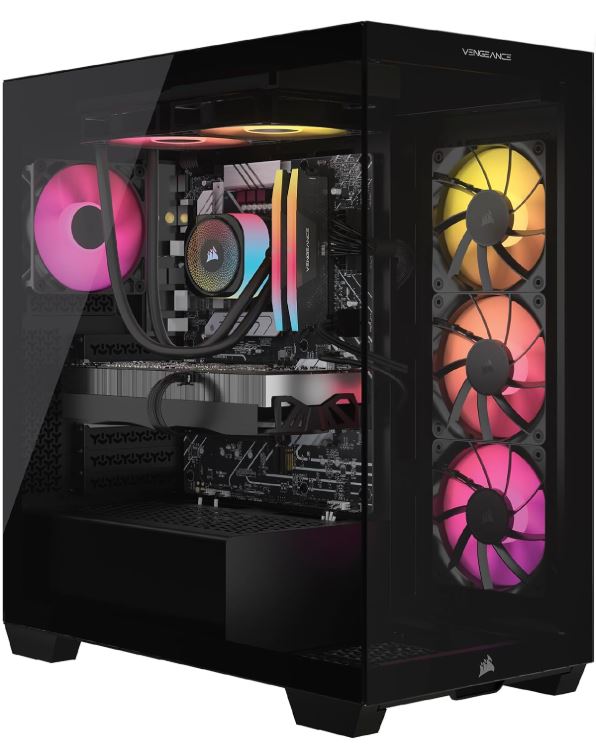
~$899.99
Why It’s Here
Under $900, this is one of the only prebuilts that doesn’t quietly cripple the parts that matter. It pairs a genuinely capable CPU with a GPU that has real headroom for esports titles, backed by Corsair’s trusted build quality.
Why It’s Good for Counter-Strike 2
CS2 at competitive settings is a light lift for the RTX 4060 — this system pushes well past 200 FPS, comfortably matching a 240Hz monitor without needing to compromise on settings.
The Core i5-13600K also has enough single-core performance that you won’t hit a CPU bottleneck before the GPU does, which is a common trap with cheaper budget builds.
Pros
- Genuinely capable esports performance under $900
- Well past 200 FPS in CS2 at competitive settings
- Reputable brand with solid build quality and support
- 1TB NVMe SSD keeps game and Windows load times fast
Cons
- 16GB RAM is the bare minimum for modern multitasking
- Not built for high settings in demanding AAA titles
Best Value Gaming PC
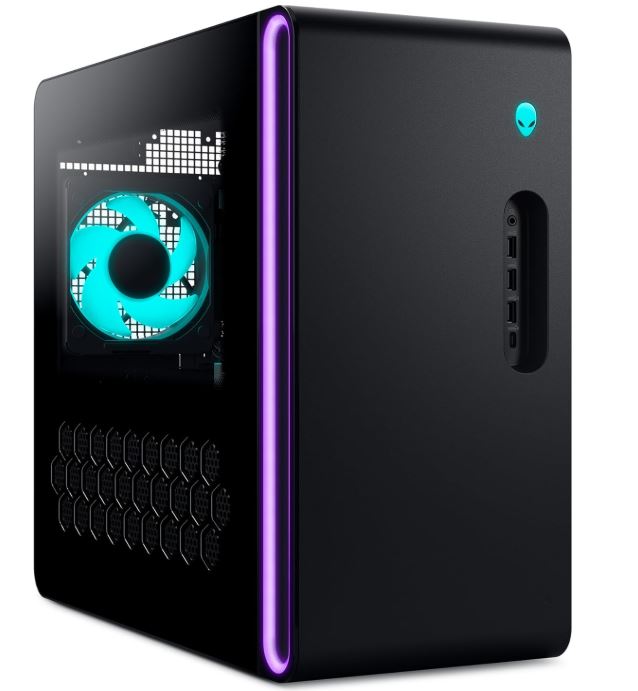
Alienware Aurora (Core Ultra 7 265F / RTX 5060 / 16GB DDR5)
~$1,499.99
Why It’s Here
This configuration hits a genuine sweet spot — a current-generation Intel CPU, a capable RTX 5060, and Alienware’s polished build quality, all without stepping into flagship pricing.
It’s specifically positioned as an esports-first machine rather than a scaled-down AAA gaming rig.
Why It’s Good for Counter-Strike 2
The RTX 5060 is more than enough to comfortably clear 240+ FPS at CS2’s competitive settings, and the Core Ultra 7 265F provides strong single-core performance that keeps frame times consistent even in chaotic multi-kill scenarios.
For players who want a clean, no-fuss system dedicated to competitive play, this is close to the ideal price-to-performance ratio.
Pros
- Strong performance-per-dollar specifically tuned for esports
- Clean 1080p/1440p performance without unnecessary overkill
- Alienware’s reliable build quality and support network
- 11 available configurations if you want to scale up later
Cons
- 16GB RAM will need an upgrade if you plan to stream or multitask heavily
- Less GPU headroom than pricier picks for non-esports titles
Best Competitive Gaming PC
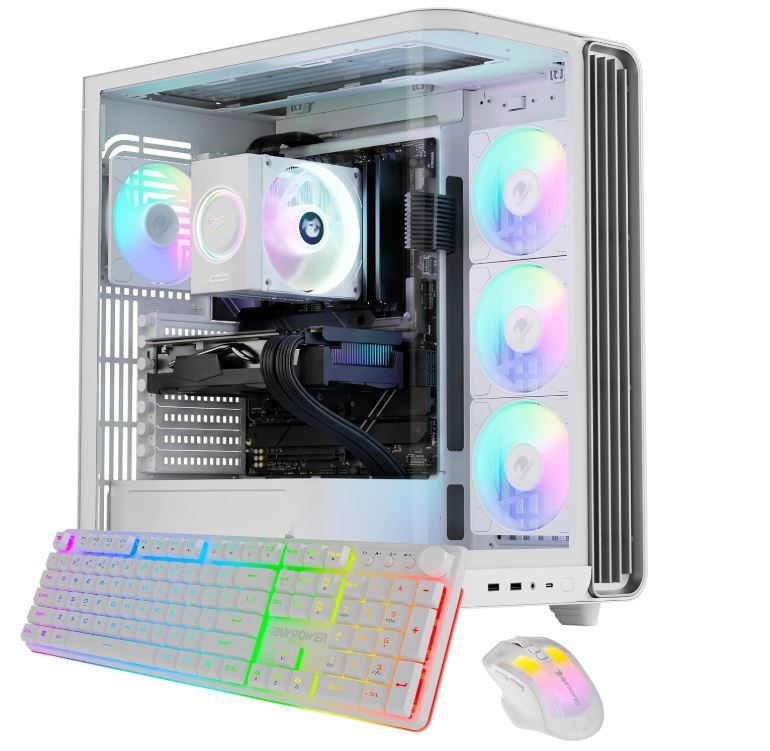
iBUYPOWER Trace MR (Ryzen 7 7800X3D / RTX 4070 Super / 32GB DDR5)
~$1,699.99
Why It’s Here
The Ryzen 7 7800X3D is widely considered the pro-esports standard CPU right now, and this build pairs it with enough GPU muscle to actually take advantage of it — no bottlenecks, no compromises, and purpose-built around consistency rather than raw specs on paper.
Why It’s Good for Counter-Strike 2
The Ryzen 7 7800X3D’s 96MB of 3D V-Cache is purpose-built for CS2’s engine, delivering frame-time variance under 0.5ms even during chaotic moments like grenade explosions or multi-squad fights — the exact consistency that separates a “high FPS number” from a system that actually feels smooth in-game.
This is as close to a min-maxed CS2 machine as you’ll find in a prebuilt.
Pros
- The CPU nearly every top competitive CS2 team relies on or matches
- Exceptional frame-time consistency, not just high peak FPS
- 32GB RAM leaves comfortable multitasking headroom
- Priced well below flagship builds despite esports-leading performance
Cons
- GPU is deliberately conservative — not built for 4K or heavy ray tracing
- Less “future-proofed” for demanding AAA titles than pricier options
Best Gaming PC for Streamers & Content Creators
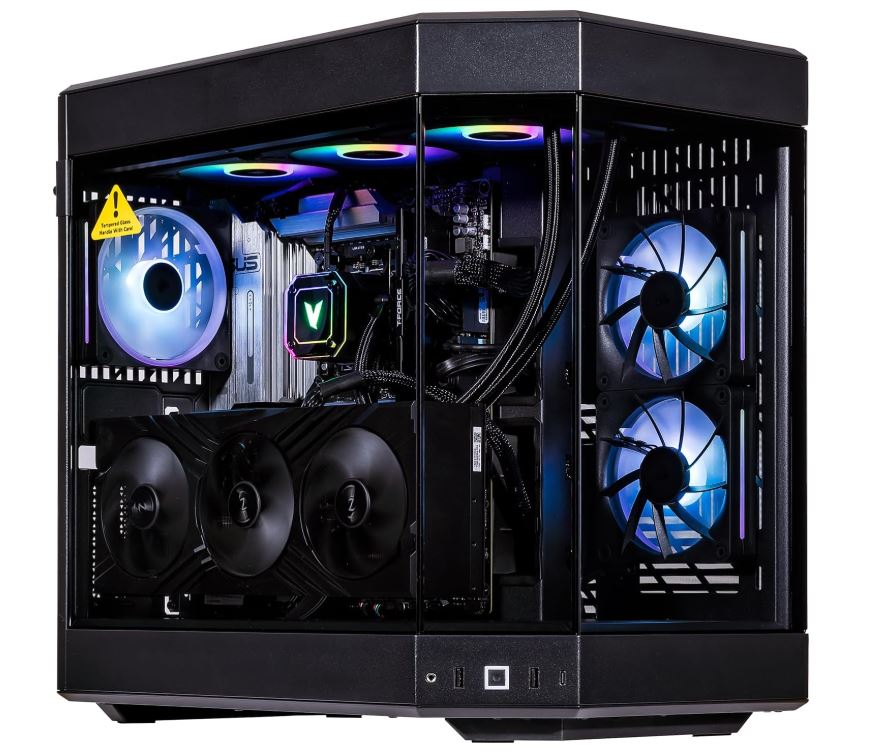
CLX Horus (Ryzen 9 9950X3D / RTX 5080 / 32GB DDR5)
~$2,799.99
Why It’s Here
This build is designed around the reality that streaming and gaming at the same time doubles the demands on your CPU. The Ryzen 9 9950X3D’s 16 cores give you enough headroom to run OBS, Discord, and CS2 simultaneously without either your stream or your game suffering.
Why It’s Good for Counter-Strike 2
Even elite CS2-focused CPUs like the 7800X3D can struggle to hold 500 FPS while streaming at pro quality. The extra cores here solve that trade-off directly, letting you keep both frame rate and stream quality high at once.
The RTX 5080’s NVENC encoder also handles video encoding with minimal performance impact on your actual gameplay.
Pros
- Enough CPU headroom to game and stream simultaneously without compromise
- RTX 5080 provides excellent hardware encoding for clean streams
- 32GB RAM and fast NVMe storage handle VODs and clip libraries easily
- Sleek RGB design that looks great on camera
Cons
- Among the pricier options here relative to pure CS2 performance
- Overkill if you only stream occasionally rather than daily
Best Premium Gaming PC
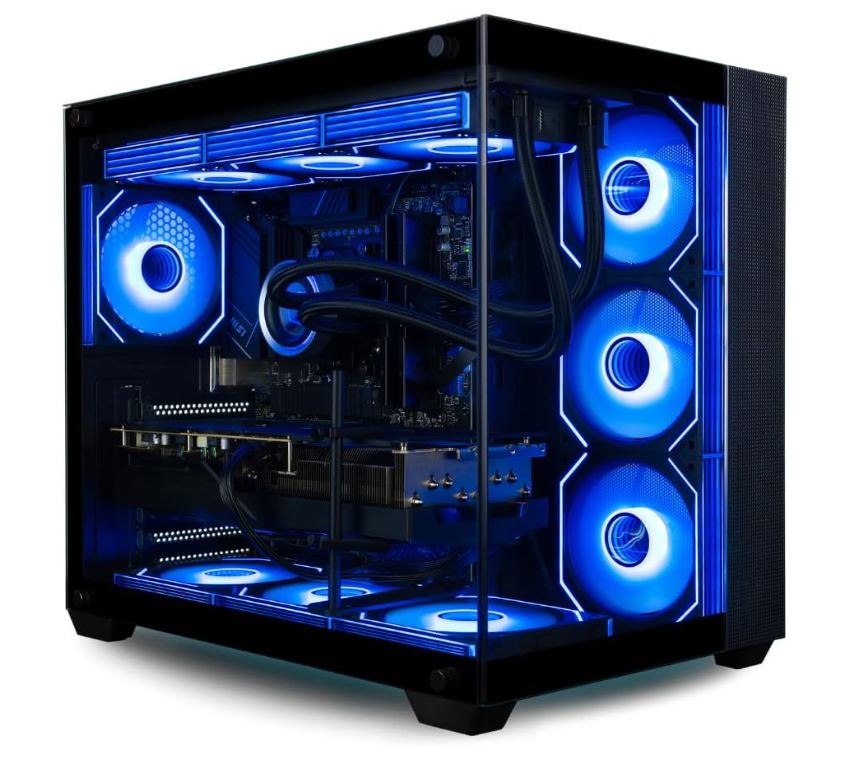
Empowered PC Panorama XL (Ryzen 9 9950X3D / RTX 5080 or 5090 / 64GB DDR5)
~$3,299.99
Why It’s Here
This is a genuine showpiece build — a striking glass-panel case with ten ARGB fans, top-tier CPU and GPU options up to an RTX 5090, and cooling engineered specifically to keep those components running at full boost under sustained load, not just in short benchmark bursts.
Why It’s Good for Counter-Strike 2
At this tier, CS2 will never be the limiting factor. This system is built to guarantee uncapped frame rates on any monitor on the market, including 360Hz+ competitive panels, with zero thermal throttling even during marathon scrim or tournament days.
It’s the clearest “buy once, never think about upgrading for CS2 again” option on this list.
Pros
- Flagship-tier CPU and GPU options with years of headroom
- Engineered cooling that sustains boost clocks under long sessions
- Eye-catching glass-panel design with customizable RGB
- 3-year warranty and 64GB RAM for total peace of mind
Cons
- Highest price on this list by a wide margin
- Significant overkill for CS2 specifically, even at the pro level
Conclusion
Choosing the best gaming PC for Counter-Strike 2 doesn’t mean you have to spend thousands of dollars. CS2 is heavily CPU-dependent, so getting a PC with a strong processor, enough RAM, fast storage, and a capable GPU is more important than simply buying the most expensive system you can afford. Whether you’re a casual player, ranked grinder, competitive player, streamer, or someone who wants a premium PC that will last for years, there is a suitable option on this list.
If you’re building the ultimate Counter-Strike 2 gaming setup, don’t forget to check out my Best Gaming Monitor for Counter-Strike 2, Best Gaming Mouse for Counter-Strike 2, Best Gaming Keyboard for Counter-Strike 2, Best Gaming Headset for Counter-Strike 2, Best Gaming Mousepad for Counter-Strike 2, and Best Gaming Laptop for Counter-Strike 2 guides. Together, they’ll help you build a setup that’s optimized for higher FPS, lower input lag, better aim, clearer audio, and a smoother overall CS2 experience.
Thank you for reading, hope you found what you were looking for.